Einführung
Vielen Dank für Ihren Einkauf.asing the HEANTTV Mini Stereo USB Computer Speakers, Model C1. This manual provides essential information for the safe and efficient use of your new speakers. Please read it thoroughly before use and retain it for future reference.
Sicherheitshinweise
- Die Lautsprecher dürfen weder Wasser noch übermäßiger Feuchtigkeit ausgesetzt werden.
- Vermeiden Sie es, die Lautsprecher in der Nähe von Wärmequellen oder in direktem Sonnenlicht aufzustellen.
- Do not attempt to disassemble or repair the speakers yourself. Contact qualified service personnel.
- Außerhalb der Reichweite von Kindern aufbewahren.
- Nur mit kompatiblen Geräten und Stromquellen gemäß Angabe verwenden.
Packungsinhalt
Bitte prüfen Sie das Paket auf folgende Artikel:
- HEANTTV Mini Stereo USB Computer Speakers (2 units)
- Integrated USB power cable and 3.5mm audio cable with in-line control
- Kurzanleitung
Produkt überview
The HEANTTV C1 speakers feature a compact design with integrated LED lighting and convenient in-line controls for volume and LED light management.
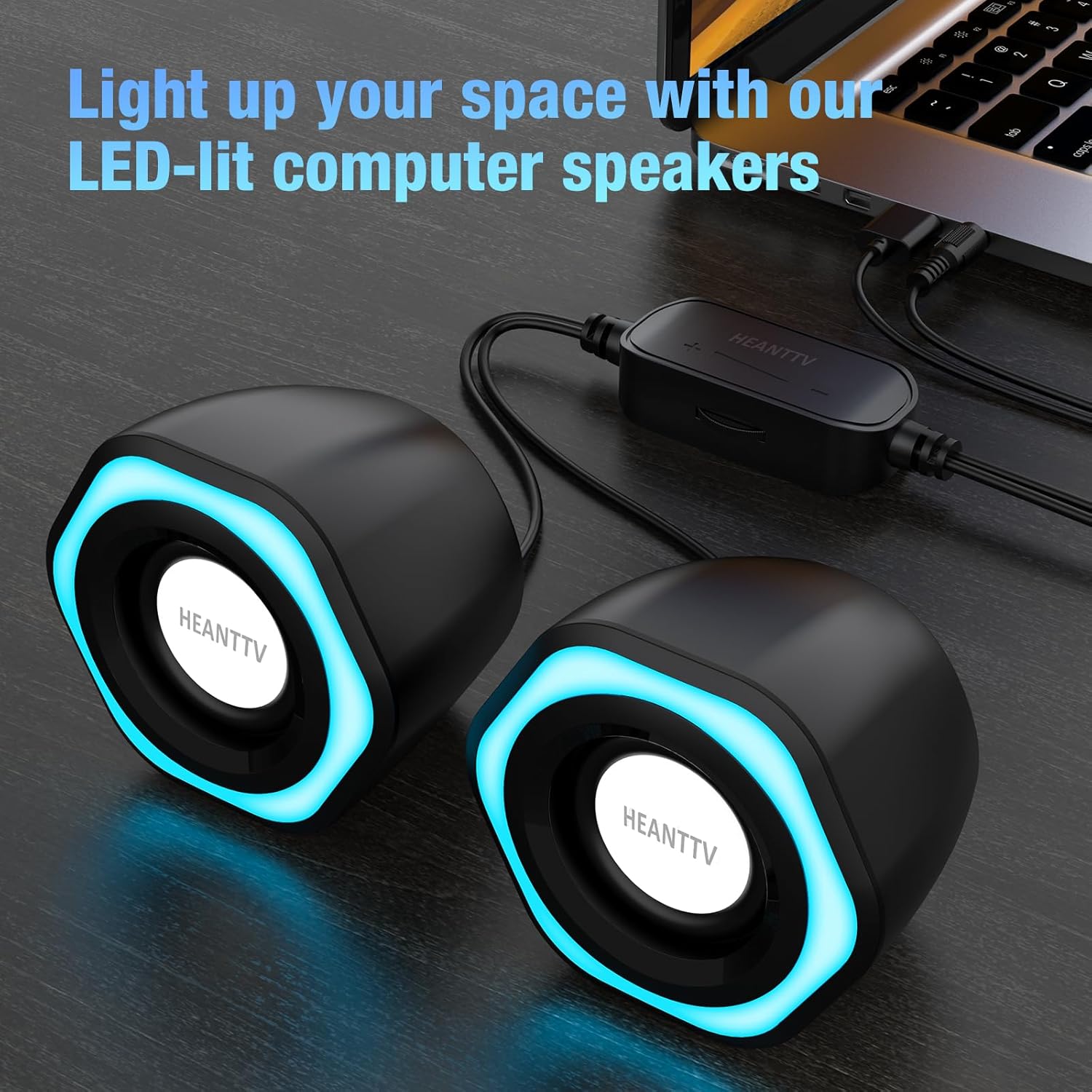
Abbildung 1: HEANTTV C1 speakers with their distinctive blue LED lighting, connected to a laptop. The speakers are designed to illuminate your workspace.

Abbildung 2: Detaillierte view of the HEANTTV C1 speaker dimensions, highlighting its compact and portable size. The measurements are approximately 79mm (3.11in) height, 65mm (2.55in) width, and 84mm (3.30in) depth.

Abbildung 3: A HEANTTV C1 speaker held in a hand, illustrating its mini size and portability.
Installationsanweisungen
Follow these steps to set up your HEANTTV C1 speakers:
- Platzierung: Position the two speakers on your desk or desired surface, ensuring they are equidistant from your listening position for optimal stereo sound.
- Audio anschließen: Plug the 3.5mm audio jack into the audio output port of your computer, laptop, or other compatible device.
- Strom anschließen: Insert the USB-A connector into an available USB port on your computer, laptop, or a USB power adapter (5V/1A recommended). The speakers are USB powered.
- Einschalten: Once both cables are connected, the speakers will power on, and the LED lights will illuminate.

Abbildung 4: Illustration of the easy connection process. The USB cable provides power, and the 3.5mm audio cable transmits sound. The in-line control unit is visible for convenient adjustments.

Abbildung 5: Eine Nahaufnahme view of the USB plug for power and the 3.5mm audio plug for sound input, demonstrating the simple plug-and-play connectivity.
Bedienungsanleitung
The HEANTTV C1 speakers are designed for straightforward operation.
- Lautstärkeregelung: Use the in-line control wheel located on the cable to adjust the volume. Rotate the wheel upwards to increase volume and downwards to decrease it.
- LED-Lichtsteuerung: The in-line control unit also features a button to turn the LED lights on or off. Press the button to toggle the lighting feature.
- Audiowiedergabe: Once connected and powered, play audio from your connected device. The speakers will output stereo sound.

Abbildung 6: Detail of the in-line control unit, showing the volume adjustment wheel and the button for controlling the LED lights. This allows for easy access to common functions.
Wartung
Um die Langlebigkeit und optimale Leistung Ihrer Lautsprecher zu gewährleisten, beachten Sie bitte folgende Wartungshinweise:
- Reinigung: Use a soft, dry cloth to wipe the exterior of the speakers. Do not use liquid cleaners or abrasive materials.
- Lagerung: When not in use for extended periods, store the speakers in a cool, dry place away from direct sunlight and dust.
- Kabelpflege: Um Beschädigungen zu vermeiden, sollten die Kabel nicht übermäßig gebogen oder verdreht werden.
Fehlerbehebung
If you encounter issues with your HEANTTV C1 speakers, refer to the following common problems and solutions:
| Problem | Mögliche Ursache | Lösung |
|---|---|---|
| Kein Ton |
|
|
| LED-Leuchten funktionieren nicht |
|
|
| Verzerrter Ton |
|
|
Technische Daten
| Besonderheit | Detail |
|---|---|
| Modellname | C1 |
| Marke | HEANTTV |
| Kompatible Geräte | Personal computer, laptop, desktop |
| Konnektivitätstechnologie | USB (for power), 3.5mm AUX (for audio) |
| Audioausgabemodus | Stereo (2.0-Kanal-Konfiguration) |
| Lautsprecherausgangsleistung | 6 Watt (Gesamt) |
| Besondere Merkmale | LED Light (with on/off control) |
| Kontrollmethode | In-line volume control wheel, LED light button |
| Stromquelle | USB Powered (Electric cable) |
| Material | Plastik |
| Produktabmessungen (L x B x H) | 3.11 x 6.5 x 7.9 cm (per speaker) |
| Gewicht | 400 Gramm (insgesamt) |
| Wasserdicht | NEIN |
Garantie und Support
Informationen zu Garantieleistungen und Kundendienst finden Sie in der Regel in Ihren Kaufunterlagen oder auf der offiziellen Website des Herstellers. website. Please refer to the included "Quick Start Guide" or visit the HEANTTV webAuf der Webseite finden Sie detaillierte Garantiebedingungen und Kontaktinformationen für den Kundendienst.
For any issues not covered in this manual, please contact HEANTTV customer service.


