1. Einleitung
This manual provides detailed instructions for the installation, operation, and maintenance of your Agunto AGU-OC1 & AGU-IC1 Security Camera Set. Please read this manual thoroughly before using the product to ensure proper functionality and safety.
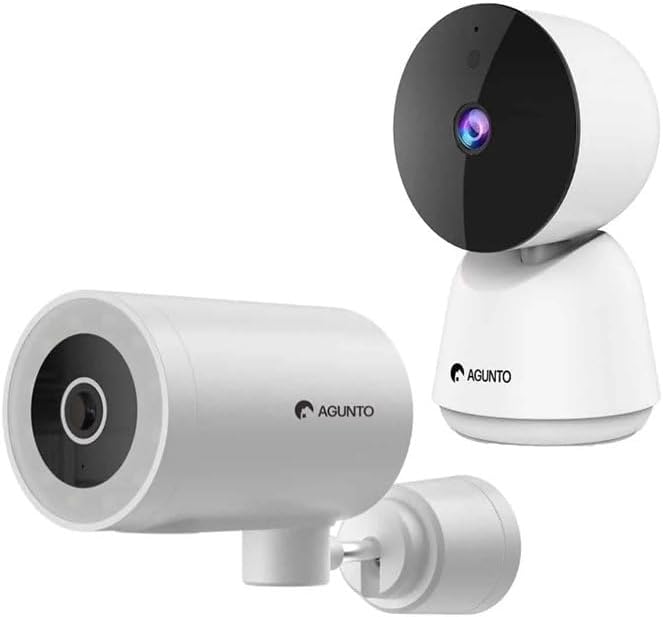
Image: The Agunto AGU-OC1 outdoor camera (left) and AGU-IC1 indoor camera (right), forming the complete security camera set.
2. Produktüberschreitungview
The Agunto Security Camera Set includes two primary components: the AGU-OC1 outdoor camera and the AGU-IC1 indoor camera. This system is designed to provide comprehensive surveillance for both indoor and outdoor environments.
2.1. AGU-OC1 Outdoor Camera
- Auflösung: 1080P
- Linse: 180-degree rotatable lens
- Wetterbeständigkeit: IP66 wasserdicht und staubdicht
- Nachtsicht: Infrared night vision and color night vision (due to built-in lamp)
- Erkennung: Bewegungs- und Schallerkennung
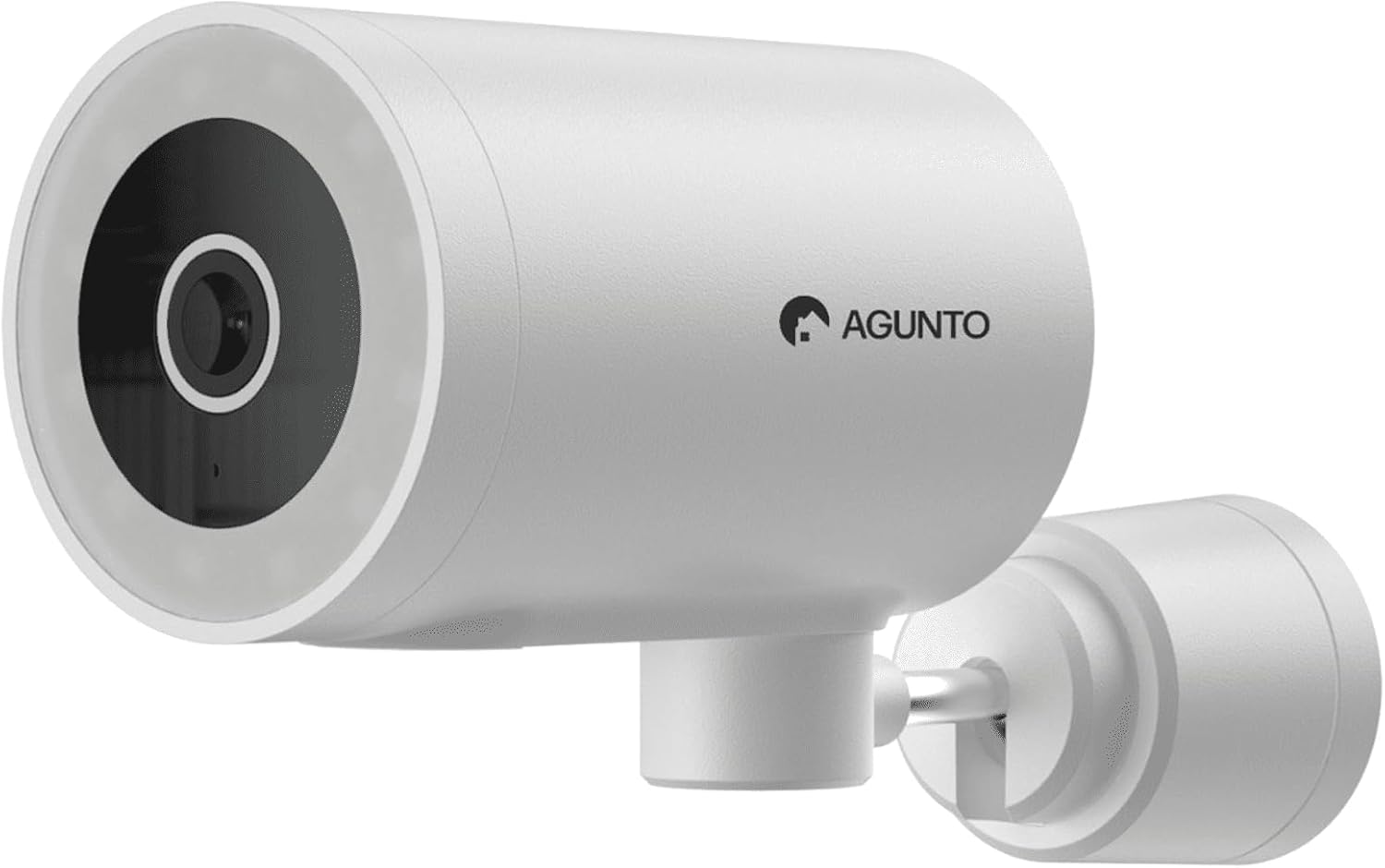
Bild: Eine detaillierte view of the Agunto AGU-OC1 outdoor camera, highlighting its robust design and lens.
2.2. AGU-IC1 Indoor Camera
- Auflösung: 1080P
- Linse: 359-degree rotatable lens
- Nachtsicht: Infrarot-Nachtsicht
- Erkennung: Bewegungs- und Schallerkennung

Image: The Agunto AGU-IC1 indoor camera, shown with its product packaging, indicating Wi-Fi connectivity and Google Assistant compatibility.
3. Einrichtung und Installation
3.1. Bevor Sie beginnen
- Ensure you have a stable Wi-Fi connection.
- Download the free Agunto app from the App Store (iOS) or Google Play Store (Android).
- Unpack all components and verify contents against the packing list.

Image: A screenshot of the Agunto mobile application interface, demonstrating remote control capabilities and links to download the app from the App Store and Google Play.
3.2. App-Installation und Kontoerstellung
- Suchen nach "Agunto" in your device's app store and install the application.
- Open the Agunto app and follow the on-screen prompts to create a new account or log in if you already have one.
3.3. Kameraplatzierung und -montage
AGU-OC1 Outdoor Camera:
- Wählen Sie einen Standort mit klarer view des Bereichs, den Sie überwachen möchten.
- Stellen Sie sicher, dass sich die Kamera in Reichweite Ihres WLAN-Netzwerks befindet.
- Mount the camera securely to a wall using the provided mounting hardware. The camera supports wall mounting.
AGU-IC1 Indoor Camera:
- Place the camera on a flat surface or mount it to a wall/ceiling in a central location for optimal coverage.
- Ensure it is within Wi-Fi range.
3.4. Connecting Cameras to the App
- Open the Agunto app.
- Tippen Sie auf das "+"-Symbol, um ein neues Gerät hinzuzufügen.
- Select the appropriate camera model (AGU-OC1 or AGU-IC1).
- Follow the in-app instructions to connect each camera to your Wi-Fi network. This typically involves scanning a QR code displayed on your phone with the camera's lens or entering Wi-Fi credentials.
- Once connected, you can name each camera for easy identification.
4. Bedienungsanleitung
4.1. Leben View und Fernbedienung
- Open the Agunto app.
- Select the desired camera from the device list to view sein Live-Feed.
- For AGU-OC1, use the app to rotate the 180-degree lens.
- For AGU-IC1, use the app to control the 359-degree pan/tilt function.
4.2. Aufzeichnung und Speicherung
The camera set supports two storage options:
- Micro SD Karte: Insert a Micro SD card (not included) into the designated slot on each camera for local storage of recordings.
- Cloud-Speicher: Utilize the cloud storage options provided through the Agunto app (subscription may be required).
4.3. Nachtsicht
- Both cameras feature infrared night vision for clear images in low-light conditions.
- The AGU-OC1 outdoor camera also has a built-in lamp for color night vision, providing enhanced visibility at night.
4.4. Bewegungs- und Geräuscherkennung
- Enable motion and sound detection in the Agunto app settings for each camera.
- Receive real-time alerts on your smartphone when motion or sound is detected.
- Passen Sie die Empfindlichkeitseinstellungen an, um Fehlalarme zu minimieren.
5. Wartung
- Reinigung: Reinigen Sie die Kameralinsen und das Kameragehäuse vorsichtig mit einem weichen, trockenen Tuch. Verwenden Sie keine scharfen Chemikalien oder Scheuermittel.
- Firmware-Updates: Regularly check the Agunto app for available firmware updates to ensure optimal performance and security.
- Netzwerkstabilität: Ensure your Wi-Fi network remains stable for uninterrupted camera operation.
6. Fehlerbehebung
6.1. Kamera verbindet sich nicht mit dem WLAN
- Stellen Sie sicher, dass Ihr WLAN-Passwort korrekt eingegeben ist.
- Bringen Sie die Kamera näher an Ihren WLAN-Router heran.
- Starten Sie Ihren Router und die Kamera neu.
- Verify that your Wi-Fi network is 2.4GHz, as these cameras may not support 5GHz networks.
6.2. Kein Live-Betrieb View / Offline Camera
- Überprüfen Sie Ihre Internetverbindung.
- Stellen Sie sicher, dass die Kamera eingeschaltet ist.
- Restart the camera from its power source.
- If the issue persists, try re-pairing the camera with the app.
6.3. Bewegungserkennung funktioniert nicht
- Überprüfen Sie, ob die Bewegungserkennung in den App-Einstellungen aktiviert ist.
- Passen Sie die Empfindlichkeit an.
- Stellen Sie sicher, dass keine Hindernisse die Sicht der Kamera blockieren. view.
6.4. Schlechte Bildqualität
- Reinigen Sie das Kameraobjektiv.
- Sorgen Sie für ausreichende Beleuchtung im überwachten Bereich.
- Check your internet speed, as low bandwidth can affect streaming quality.
7. Spezifikationen
| Besonderheit | Detail |
|---|---|
| Marke | Agunto |
| Modellname | AGU-OC1IC1 |
| Konnektivitätsprotokoll | W-lan |
| Kompatible Geräte | Smartphone |
| Montagetyp | Wandhalterung |
| Material | Plastik |
| Product Dimensions (L x B x H) | 10 x 4.4 x 7.3 cm |
| Artikelgewicht | 78 Gramm |
| Batterien erforderlich | NEIN |
| Outdoor Camera (AGU-OC1) Features | 1080P, 180-degree rotatable lens, IP66 waterproof/dustproof, Infrared & Color Night Vision |
| Indoor Camera (AGU-IC1) Features | 1080P, 359-degree rotatable lens, Infrared Night Vision |
| Speicheroptionen | Micro SD card (local), Cloud storage |
8. Garantie und Support
For warranty information and technical support, please refer to the official Agunto website or contact their customer service. The product is designed for long-term use with proper care and maintenance.
Rückgaberecht: The buybox winner indicates a 30-day return policy for refund/replacement.
Hersteller: Agunto
Verkäufer: Homevitaal (via Amazon.nl)
Weitere Unterstützung finden Sie unter Agunto Store on Amazon.


