Einführung
The LEXIN MeshCom Motorcycle Helmet Bluetooth Headset provides advanced communication and entertainment features for riders. This system supports Mesh 3.0 group intercom for up to 24 riders, Bluetooth 5.0 for 2-way communication, audio multitasking, music sharing, FM radio, and voice assistant integration. Designed for durability with IP67 waterproof rating and long battery life, it enhances safety and connectivity during various outdoor activities.
Lieferumfang
- MeshCom Main Unit
- Montagehalterung
- Lautsprecher und Mikrofone
- USB-C Cable & Other accessories
- Bedienungsanleitung

Image: LEXIN MeshCom Dual Pack showing main units, speakers, microphones, cables, and mounting accessories.
Setup und Installation
The LEXIN MeshCom headset is designed for easy installation on various helmet types, including full-face, half-face, or modular helmets. It includes both adhesive mounts and clamps for secure fitting.
Montage des Hauptgeräts
Choose between the adhesive mount or the clamp mount based on your helmet type and preference. Ensure the mounting surface is clean and dry before applying adhesive.

Image: Step-by-step visual guide for installing the MeshCom unit onto a helmet using a clamp montieren.
Text Description of Image: The image illustrates four steps for installing the MeshCom unit. Step 1 shows attaching the clamp to the helmet using a hex key. Step 2 details securing the clamp to the helmet's edge. Step 3 demonstrates sliding the main MeshCom unit onto the installed clamp. Step 4 shows the fully installed MeshCom unit on the side of a helmet.
Lautsprecher- und Mikrofoninstallation
Carefully route the speaker and microphone wires under the helmet's padding. Position the speakers directly over your ears for optimal sound quality and the microphone near your mouth for clear communication. Use the provided Velcro pads to secure the speakers.
Video: General installation steps for a helmet intercom system, showing how to place speakers and microphones inside a helmet.
Text Description of Video: This video demonstrates the installation process of an intercom system into a helmet. It shows how to remove helmet padding, attach Velcro for speakers, place the speakers, and route the microphone cable for optimal positioning near the mouth. The video highlights securing all components neatly within the helmet's interior.
Bedienungsanleitung
Ein-/Ausschalten und Bluetooth-Kopplung
To power on the device, press and hold the ON/OFF button for 3 seconds. To enter pairing mode, press and hold the function button for 3 seconds until red and blue indicator lights flash alternately. Enable Bluetooth on your mobile phone and select "LEXIN MeshCom" to pair. The device supports universal pairing with other LEXIN Bluetooth headsets and most other brands.

Image: Two riders on motorcycles, illustrating the universal Bluetooth 5.0 pairing capability between two helmets.
Text Description of Image: The image shows two motorcyclists, each wearing a helmet equipped with a LEXIN MeshCom device. A circular graphic with "Bluetooth 5.0" and connecting lines indicates the universal pairing feature, allowing two devices to communicate wirelessly.
Video: Instructions on how to pair a Bluetooth headset with a mobile phone and another headset.
Text Description of Video: This video demonstrates the process of pairing a Bluetooth headset with a mobile phone and another headset. It shows pressing and holding buttons to enter pairing mode, enabling Bluetooth on a smartphone to connect, and then initiating intercom pairing between two headsets by pressing specific buttons until a successful connection is indicated.
Mesh Intercom Communication
The MeshCom features Mesh 3.0 technology for group intercom. With one-click-to-connect functionality, it supports up to 24 riders within a 1.2-mile range on a single channel. It also allows communication with different groups across 10 channels. This system provides robust reliability and extended coverage.

Image: Illustration of multiple motorcyclists connected in a mesh network for group communication, highlighting the "One-Click-to-Connect, 24 Riders Group Mesh Intercom" feature.
Text Description of Image: The image displays five motorcyclists on a road, interconnected by a blue mesh network, symbolizing the Mesh 3.0 group intercom. A circular graphic with "Mesh 3.0" is prominent, emphasizing the system's ability to connect up to 24 riders over 1.2 miles with unprecedented audio quality and reliable connectivity.
Video: Overview of LEXIN Meshcom Mesh 3.0 features for 24 riders.
Text Description of Video: Dieses Video bietet einen kurzen Überblick überview of the LEXIN Meshcom Mesh 3.0 intercom system. It highlights the system's capability for 24 riders, one-click connection, and robust mesh network communication, showcasing its benefits for group riding.
Audio Multitasking and Voice Assistant
The MeshCom allows you to have an intercom conversation while simultaneously listening to music or GPS (supports 2-way intercom only). You can also listen to music while GPS is active. The system supports voice assistants like Siri, enabling hands-free calls and music control by simply saying "Hey Siri" or other voice commands.

Image: A motorcyclist riding, with graphics illustrating simultaneous audio playback options: Talk & Music, Talk & GPS, and Music & GPS.
Text Description of Image: The image features a motorcyclist in motion, with visual overlays demonstrating the audio multitasking capabilities of the MeshCom system. Icons represent simultaneous functions such as intercom conversation with music, intercom conversation with GPS navigation, and music playback with GPS navigation.

Image: A motorcyclist wearing a helmet with the MeshCom device, showing voice assistant integration with speech bubbles for commands like "Hey Siri".
Text Description of Image: The image shows a motorcyclist wearing a helmet with the LEXIN MeshCom device attached. A visual representation of a voice assistant icon (Siri) is displayed, along with speech bubbles containing commands like "Hey Siri", "Play music", and "Navigate to the park", illustrating the hands-free voice control feature.
Music Sharing and FM Radio
Share your favorite music with another rider (between 2 devices only) for a synchronized audio experience. The built-in FM radio allows you to tune into local stations for news and entertainment during your journey.

Image: Two riders on a motorcycle, with musical notes and a smartphone screen indicating the music sharing feature between devices.
Text Description of Image: The image depicts two individuals on a motorcycle, both wearing helmets equipped with LEXIN MeshCom devices. Musical notes float between them and a smartphone displaying a music player interface is shown, illustrating the music sharing functionality between two devices.
Video: Demonstrates mobile connection, phone function, music playback, and FM radio features.
Text Description of Video: This video tutorial shows how to connect a Bluetooth headset to a mobile phone, manage phone calls (answer/reject), play music, and operate the FM radio. It illustrates button presses for various functions like volume adjustment, track skipping, and switching radio channels.
Wartung
Aufladen des Akkus
The MeshCom is equipped with an 1100mAh battery, providing 20-25 hours of intercom/music time and 300 hours of standby time. A full charge takes approximately 2 hours using a USB-C cable with any DC 5V power supply. Wichtig: Always use the original charging cable and a 5V-1A adapter for charging to ensure optimal performance and safety.
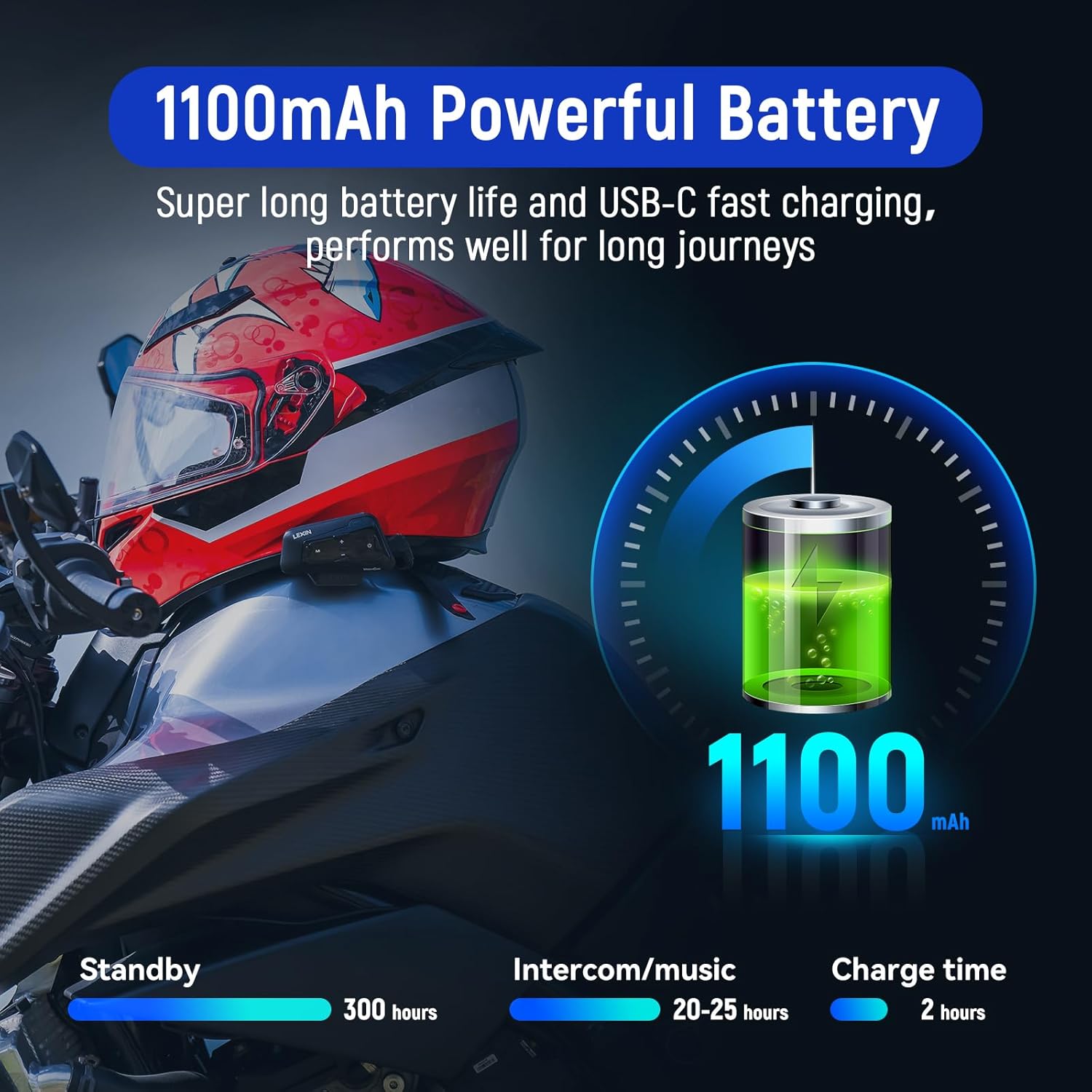
Image: A helmet with the MeshCom device, next to a battery icon showing "1100mAh" and battery life statistics for standby, intercom/music, and charge time.
Text Description of Image: The image features a helmet with the LEXIN MeshCom device. Adjacent to it is a graphic of a battery with "1100mAh" prominently displayed, along with statistics: 300 hours standby, 20-25 hours intercom/music, and 2 hours charge time, emphasizing the powerful battery performance.
Wasserdicht und langlebig
With an IP67 waterproof rating, the MeshCom is designed to withstand various weather conditions, including dust, mud, rain, or snow. It operates effectively in temperatures ranging from -10°C to 55°C (14°F to 131°F). The robust construction ensures reliable performance in diverse outdoor environments.

Image: The MeshCom device submerged in water, with water splashing around it, illustrating its IP67 waterproof capability.
Text Description of Image: The image shows the LEXIN MeshCom device partially submerged in water, with water droplets and splashes around it. The text "IP67 Waterproof" is displayed, visually confirming the device's resistance to water and dust for reliable use in any weather condition.
Fehlerbehebung
- Kein Strom: Ensure the device is fully charged. Use the original USB-C cable and a 5V-1A adapter.
- Kopplungsprobleme: Make sure both devices are in pairing mode (alternating red and blue lights). Ensure no other Bluetooth devices are interfering. Try resetting the device to factory settings if problems persist.
- Schlechte Tonqualität: Check speaker placement inside the helmet; they should be directly over your ears. Ensure the microphone is positioned correctly near your mouth. Verify that noise cancellation features are active.
- Intercom-Verbindung unterbrochen: Ensure devices are within the specified range (1.2 miles for Mesh, 1km for Bluetooth). Obstacles and terrain can affect range.
- Sprachassistent reagiert nicht: Confirm your phone's voice assistant is enabled and the MeshCom is properly connected.
Technische Daten
| Besonderheit | Detail |
|---|---|
| Modellname | LX-MeshCom |
| Konnektivitätstechnologie | Drahtlos (Bluetooth 5.0, Mesh 3.0) |
| Mesh Intercom Group Size | Bis zu 24 Fahrer |
| Mesh-Intercom-Bereich | Bis zu 2 km (1.2 Meilen) |
| Bluetooth-Gegensprechanlage | 2-way talk, universal pairing |
| Batteriekapazität | 1100 mAh |
| Intercom/Music Time | 20-25 Stunden |
| Standby-Zeit | 300 Stunden |
| Ladezeit | 2 Stunden |
| Wasserbeständigkeit | IP67 Wasserdicht |
| Lärmschutz | DSP/CVC Noise Cancellation |
| Betriebstemperatur | -10 °C bis 55 °C (14 °F bis 131 °F) |
| Im Lieferumfang enthaltene Komponenten | MeshCom Main Unit, Mounting Bracket, Speakers & Microphones, USB-C Cable, User Manual |
Garantie und Support
For detailed warranty information and customer support, please refer to the official LEXIN webBesuchen Sie unsere Website oder wenden Sie sich an Ihren Händler. Bewahren Sie Ihren Kaufbeleg für Garantieansprüche auf.


