1. Einleitung
This manual provides comprehensive instructions for the safe and efficient use of your new artfone C1+ 4G mobile phone. Please read this manual thoroughly before operating the device to ensure proper functionality and to familiarize yourself with all features. Keep this manual for future reference.

Image 1.1: The artfone C1+ 4G mobile phone with its dedicated charging dock.
2. Produktüberschreitungview
2.1 Hauptmerkmale
- Benutzerfreundliches Design: Features a large 1.77-inch color display with clear menu icons and larger fonts for easy readability.
- Verbessertes Audio: Amazingly high volume and clear speakers, ideal for individuals with hearing difficulties.
- Sicherheitsmerkmale: Integrated SOS button for up to 5 emergency contacts and a conveniently located flashlight button.
- Lange Akkulaufzeit: Equipped with a robust 1800mAh battery, offering 5-6 hours of continuous talk time and 240-300 hours (10-12 days) of standby time.
- Langlebige Konstruktion: Non-slip back panel and sturdy PC materials provide protection against impacts and drops.
- Vielseitige Netzwerkkompatibilität: Unlocked and compatible with major Canadian 4G networks, supporting 2G, 3G, and 4G bands for voice calls and text messaging.
- Wesentliche Funktionen: Includes audio, video, Bluetooth, FM radio, calculator, alarm, and calendar.
2.2 Packungsinhalt
Prüfen Sie beim Öffnen der Verpackung, ob alle Artikel vorhanden sind:
- artfone C1+ 4G Mobile Phone
- Wiederaufladbarer Akku
- USB-C-Ladekabel
- Wandladegerät-Adapter
- Ladestation
- Bedienungsanleitung

Image 2.1: The complete package contents, including the phone, battery, charger, dock, and manual.
3. Einrichtung
3.1 Einlegen der SIM-Karte und des Akkus
- Rückseite entfernen: Gently slide the back cover of the phone downwards or pry it open from the designated notch.
- Sim Karte einlegen: Locate the SIM card slot(s). Insert your 4G compatible SIM card(s) into the slot(s) with the gold contacts facing down and the cut corner aligned as indicated.
- Batterie einlegen: Setzen Sie die Batterie in das Batteriefach ein und achten Sie darauf, dass die goldenen Kontakte der Batterie mit den Kontakten im Telefon übereinstimmen.
- Rückseite ersetzen: Bringen Sie die Rückseite wieder fest an, bis sie hörbar einrastet.
3.2 Aufladen des Telefons
Vor der ersten Benutzung muss der Akku des Telefons vollständig aufgeladen werden.
- Verwendung der Ladestation: Connect the USB-C charging cable to the wall charger adapter, then plug the adapter into a power outlet. Connect the other end of the USB-C cable to the charging dock. Place the phone into the charging dock, ensuring it sits securely and the charging indicator appears on the screen.
- Direktes Laden: Alternatively, connect the USB-C charging cable directly to the USB-C port on the phone and then to the wall charger adapter plugged into a power outlet.
A full charge typically takes approximately 2-3 hours. The battery icon on the screen will indicate charging status.
4. Grundlegende Bedienung
4.1 Ein-/Ausschalten
- Einschalten: Halten Sie die Red Call/Power Off button (usually marked with a phone icon) until the screen lights up.
- Ausschalten: Halten Sie die Red Call/Power Off button until a power off option appears on the screen. Select 'Power Off' and confirm.
4.2 Anrufe tätigen und entgegennehmen
- Einen Anruf tätigen: On the standby screen, dial the desired phone number using the keypad. Press the Grüner Anruf Taste zum Starten des Anrufs.
- Anruf annehmen: Wenn das Telefon klingelt, drücken Sie die Taste Grüner Anruf Schaltfläche zum Antworten.
- Anruf beenden: Drücken Sie die Red Call/Power Off button to end an active call.
4.3 Kontakte
- Access Contacts: From the main menu, navigate to 'Contacts' or press the dedicated 'Contacts' button if available.
- Neuen Kontakt hinzufügen: Select 'Options' or 'Add New' within the Contacts menu. Enter the contact's name and phone number, then save.
- Anruf von Kontakten: Select a contact from the list and press the Grüner Anruf Taste.
4.4 Messaging (SMS)
- Access Messages: Navigieren Sie im Hauptmenü zu „Nachrichten“.
- Create New Message: Select 'New Message' or 'Write Message'. Enter the recipient's phone number and type your message using the keypad.
- Nachricht senden: Select 'Send' to transmit the message.

Image 4.1: The phone's user-friendly interface with large icons for easy navigation.
5. Besondere Merkmale
5.1 SOS-Notruftaste
The SOS button is located on the back of the phone. It allows you to quickly contact pre-set emergency numbers in critical situations.
- Einrichtung von SOS-Kontakten: Navigate to the 'SOS Settings' menu. You can add up to 5 emergency contact numbers.
- SOS aktivieren: In an emergency, press and hold the SOS button on the back of the phone for a few seconds. The phone will emit an alarm sound and automatically send an emergency SMS to the pre-set contacts, then sequentially call them until one answers.

Image 5.1: Location of the SOS button and other functional side buttons.
5.2 Taschenlampe
Das Telefon verfügt über eine eingebaute Taschenlampe für mehr Komfort.
- Ein-/Ausschalten: Locate the dedicated flashlight button on the side of the phone. Slide or press this button to turn the flashlight on or off.

Image 5.2: The phone's strong flashlight feature in use.
5.3 UKW-Radio
Enjoy listening to FM radio stations on your device.
- Access FM Radio: Navigieren Sie vom Hauptmenü aus zur Anwendung „FM-Radio“.
- Kanäle scannen: Use the options within the FM Radio app to automatically scan for available stations.
- Lautstärke anpassen: Use the side volume buttons to adjust the radio volume.
5.4 Sprechende Zahlen
The talking numbers feature provides audio feedback when dialing, enhancing usability for visually impaired users.
- Aktivieren/Deaktivieren: This feature can usually be toggled on or off in the phone's 'Settings' menu under 'Sound' or 'Accessibility' options.
6. Wartung
Proper maintenance ensures the longevity and optimal performance of your artfone C1+ 4G.
- Reinigung: Reinigen Sie den Bildschirm und das Gehäuse des Telefons mit einem weichen, trockenen Tuch. Vermeiden Sie die Verwendung von flüssigen Reinigungsmitteln oder Scheuermitteln.
- Batteriepflege: Vermeiden Sie extreme Temperaturen. Setzen Sie den Akku weder direkter Sonneneinstrahlung noch starker Kälte aus. Laden Sie das Telefon regelmäßig auf, aber vermeiden Sie längeres Überladen.
- Lagerung: Wenn Sie das Telefon längere Zeit lagern, stellen Sie sicher, dass der Akku teilweise geladen ist (etwa 50 %) und bewahren Sie es an einem kühlen, trockenen Ort auf.
- Schutz: The phone features a non-slip design and sturdy PC materials for protection. However, avoid dropping the phone or exposing it to excessive force.
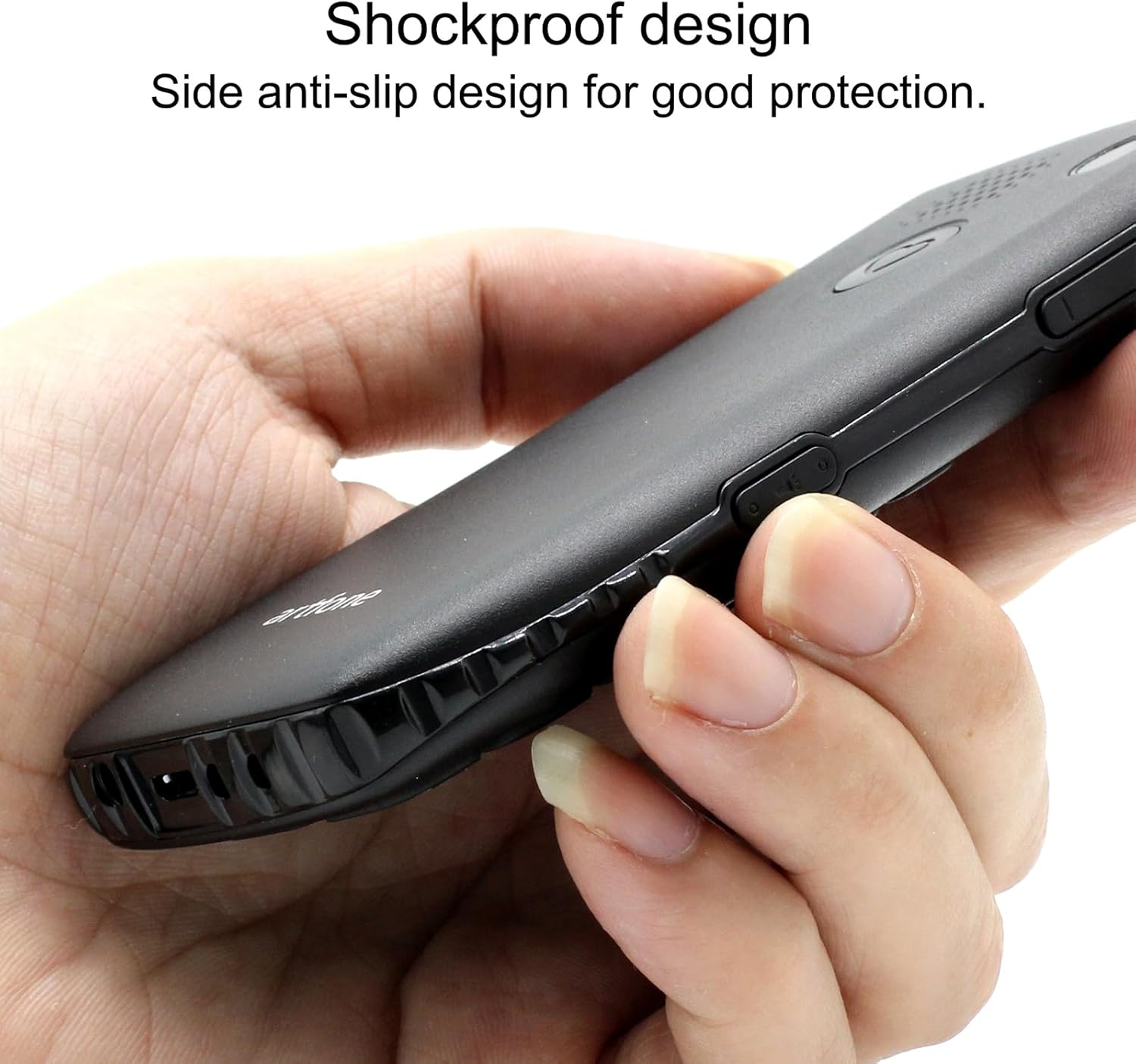
Image 6.1: The phone's shockproof design with side anti-slip features.
7. Fehlerbehebung
Sollten Sie Probleme mit Ihrem Telefon haben, beachten Sie bitte die folgenden häufigen Probleme und Lösungen:
| Problem | Mögliche Ursache | Lösung |
|---|---|---|
| Telefon lässt sich nicht einschalten | Niedriger Batteriestand; Batterie nicht korrekt eingesetzt | Charge the phone for at least 30 minutes; Reinstall the battery, ensuring contacts align. |
| Anrufe können nicht getätigt/empfangen werden. | No SIM card; SIM card not active; Out of network coverage | Ensure SIM card is inserted and active; Move to an area with better network signal. |
| Schlechte Anrufqualität/geringes Anrufvolumen | Schwaches Signal; Lautsprecher-/Mikrofonblockade | Move to an area with better signal; Ensure speaker/microphone are not covered. Adjust call volume using side buttons. |
| Der Akku entlädt sich schnell | Frequent use; Background features active | Reduce usage; Turn off unnecessary features like flashlight when not in use. |
| SOS-Taste funktioniert nicht | No emergency contacts set; Feature disabled | Verify emergency contacts are correctly configured in SOS settings; Ensure SOS feature is enabled. |
Wenn das Problem nach dem Ausprobieren dieser Lösungen weiterhin besteht, wenden Sie sich bitte an den Kundensupport.
8. Spezifikationen
| Besonderheit | Spezifikation |
|---|---|
| Modell | C1+ 4G |
| Betriebssystem | Artfone OS |
| Prozessor | Löwenmaul |
| RAM | 48 MB |
| Flash-Speicher | 128 MB |
| Digitale Speicherkapazität | 32 GB (for media/contacts) |
| Bildschirmgröße | 1.8 Zoll LCD |
| Auflösung | 240 x 320 |
| Bildwiederholrate | 60 Hz |
| Kameraauflösung | 2 Megapixel |
| Auflösung der Videoaufnahme | 1280 x 720 |
| Akku-Typ | Lithium-Ionen |
| Batteriekapazität | 1400 mAh |
| Average Battery Life (Talk) | 5.5 Stunden |
| Zellulartechnologie | 4G, 3G, 2G |
| Steckertyp | USB-C |
| Eingabe der menschlichen Schnittstelle | Schaltflächen |
| Formfaktor | Bar |
| Maße | 13.1 x 11.8 x 6.1 cm |
| Gewicht | 240 g |
9. Offizielle Produktvideos
Video 9.1: Ein detaillierter Überblickview of the artfone C1+ 4G phone's features and design. This video demonstrates the phone's physical attributes and user interface.
Video 9.2: A demonstration of the phone's ease of use and key functionalities, highlighting its suitability for seniors.
10. Garantie und Support
Your artfone C1+ 4G mobile phone comes with a standard manufacturer's warranty. Please refer to the warranty card included in your package for specific terms and conditions, including the warranty period and coverage details.
For technical support, troubleshooting assistance beyond this manual, or warranty claims, please contact artfone customer service through their official webWebsite oder die Kontaktinformationen, die auf Ihrer Produktverpackung angegeben sind.


