1. Einleitung
This manual provides detailed instructions for the operation and maintenance of the LAUNCH CRP129E Plus OBD2 Scanner. Please read this manual thoroughly before using the device to ensure proper and safe operation. The CRP129E Plus is a comprehensive diagnostic tool designed for automotive professionals and enthusiasts, offering full system diagnostics and various service reset functions.
2. Produktüberschreitungview
2.1. Gerätekomponenten
The LAUNCH CRP129E Plus features a user-friendly interface with a 5-inch touchscreen and physical buttons for navigation.

Bild 2.1: The LAUNCH CRP129E Plus OBD2 Scanner and its protective carrying case.
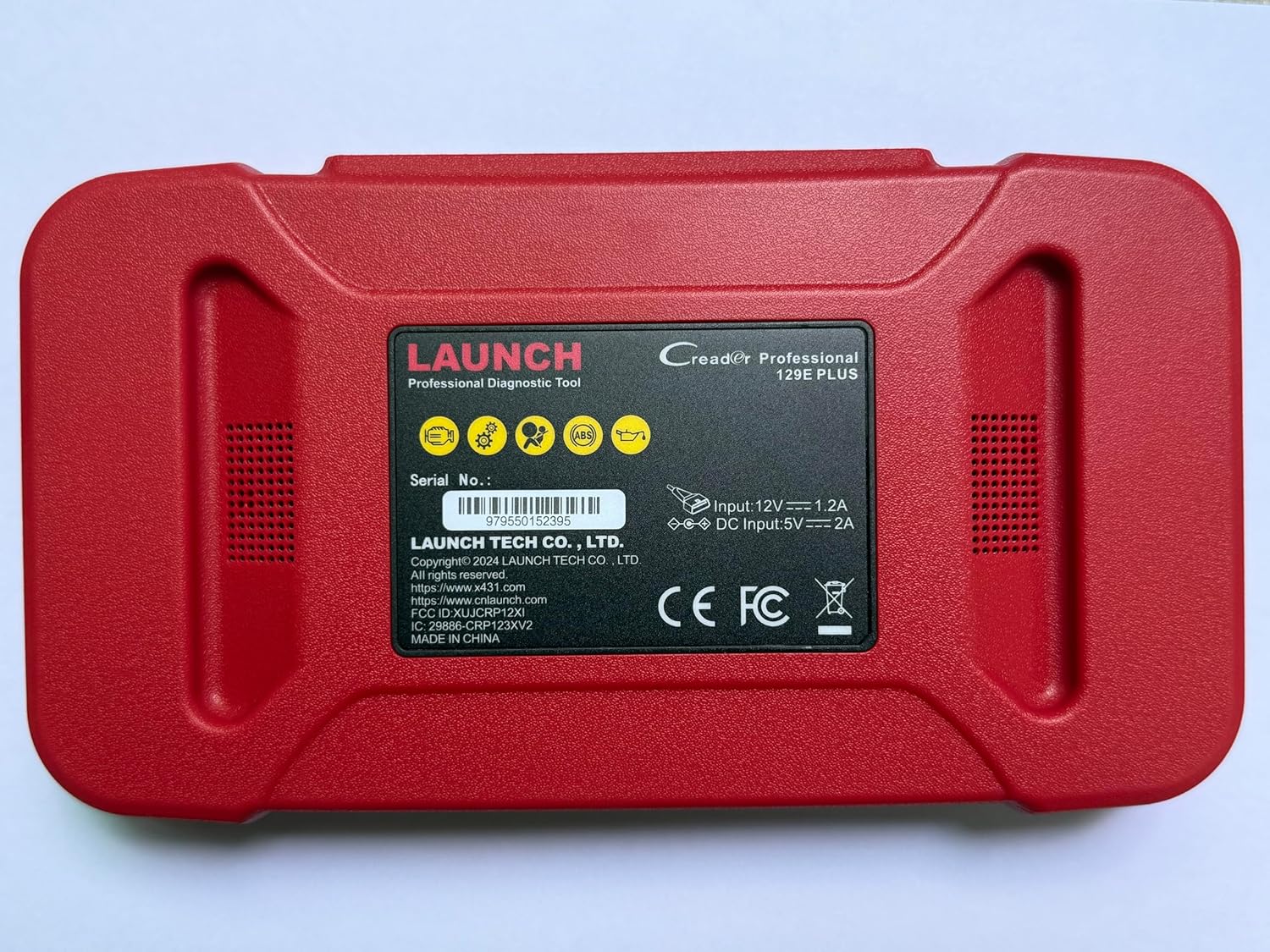
Bild 2.2: Hinteren view of the CRP129E Plus, displaying input voltage, current specifications, and serial number (e.g., 979550152395).
2.2. Packungsinhalt
Bitte überprüfen Sie nach dem Auspacken, ob alle unten aufgeführten Artikel vorhanden sind:
- CRP129E PLUS OBD2 Scanner (x1)
- OBDII Cable (x1)
- 5V DC Charging Cable (x1)
- Benutzerhandbuch (x1)
- Kurzanleitung (x1)
- Tragetasche (x1)

Bild 2.3: Visual representation of the CRP129E Plus package contents.
3. Einrichtung und Erstgebrauch
3.1. Aufladen des Geräts
Before first use, ensure the device is fully charged using the provided 5V DC charging cable. Connect the cable to the device and a suitable power source.
3.2. Ein-/Ausschalten
- Einschalten: Halten Sie den Ein-/Ausschalter gedrückt, bis der Bildschirm aufleuchtet.
- Ausschalten: Press and hold the power button, then select "Power Off" from the options.
3.3. Verbindung zum Fahrzeug herstellen
Locate the vehicle's OBDII port, typically under the dashboard on the driver's side. Connect the provided OBDII cable from the CRP129E Plus to the vehicle's OBDII port. Ensure the vehicle's ignition is in the ON position (engine off or running, depending on the diagnostic task).
3.4. Wi-Fi Connection and Updates
The CRP129E Plus supports one-click Wi-Fi updates. Connect the device to a stable Wi-Fi network to download the latest software and vehicle data. Regular updates ensure compatibility with new vehicle models and improved diagnostic functions.
- Tippen Sie im Hauptmenü auf „Einstellungen“.
- Select "WLAN" and connect to an available network.
- Return to the main menu and tap "Upgrade".
- Select the desired software updates and tap "Update".

Bild 3.1: The device interface showing options for updates, DTC lookup, live data stream, and battery test.
4. Bedienungsanleitung
4.1. Automatischer VIN-Scan
The device can automatically identify vehicle information. After connecting to the vehicle, select "Diagnose" and the device will attempt an Auto VIN scan to quickly identify the vehicle's make, model, and year.

Bild 4.1: Visual representation of the Auto VIN scan process and systems covered by diagnosis.
4.2. Vollständige Systemdiagnose
The CRP129E Plus can access and diagnose all available vehicle systems. This includes, but is not limited to, Engine, ABS, SRS, SAS, TCM, TPMS, Body, Chassis, Powertrain, Fuel System, and Lighting System.
- Wählen Sie im Hauptmenü „Diagnose“.
- Choose "Health Report" or select specific systems for diagnosis.
- The device will scan for Diagnostic Trouble Codes (DTCs) and display results.
- You can read fault codes, clear fault codes, and view Live-Datenströme.

Bild 4.2: Überview of the comprehensive system diagnostic capabilities.
4.3. OBD2 Functions
The device supports all 10 modes of OBDII testing for emissions-related issues.
- Fehlercodes lesen/löschen: Diagnosefehlercodes abrufen und löschen.
- Live-Datenstrom: View real-time data from the vehicle's sensors.
- I/M-Bereitschaft: Überprüfen Sie den Status der emissionsbezogenen Messgeräte.
- Standbilddaten: View eine Momentaufnahme des Fahrzeugzustands zum Zeitpunkt des Auftretens eines Fehlercodes.
- O2-Sensortest: Ergebnisse des O2-Sensormonitortests abrufen.
- On-Board-Monitor-Test: Ergebnisse für emissionsrelevante Antriebskomponenten abrufen.
- EVAP-Systemtest: Starten Sie einen Test des Verdunstungsemissionssystems.
- Fahrzeuginformationen: Fahrzeugidentifikationsnummer (VIN), Kalibrierungs-ID und Kalibrierungsprüfnummer (CVN) abrufen.
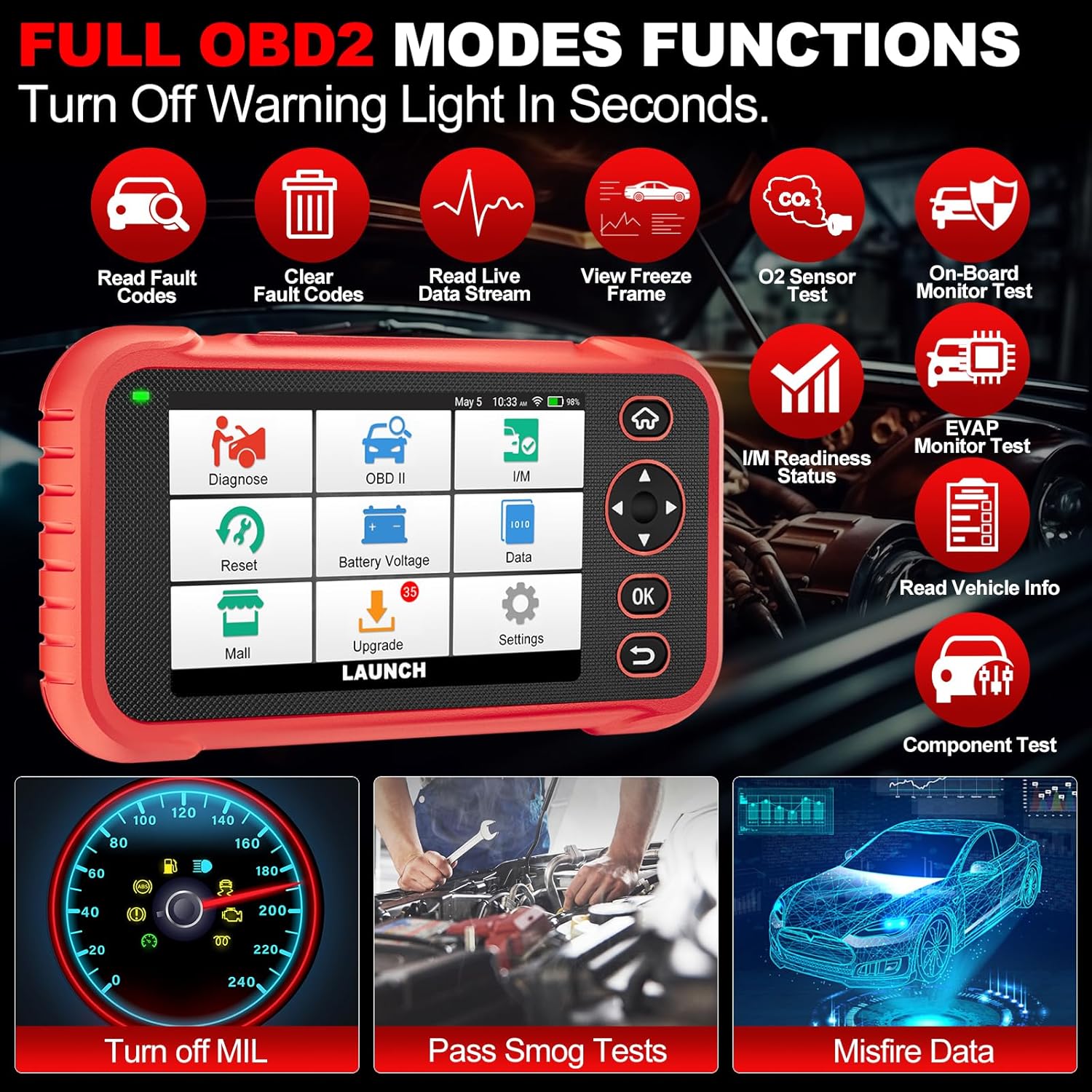
Bild 4.3: Main menu options for OBD2 functions.
4.4. Service Reset Functions
The CRP129E Plus offers 12+ essential service reset functions for common maintenance tasks.
- Ölrücksetzung: Setzt das Öllebensdauersystem nach einem Ölwechsel zurück.
- Gasannahme: Setzt die Drosselklappenaktuatoren in den Standardzustand zurück.
- AdBlue zurücksetzen: Resets the urea after the diesel exhaust fluid (AdBlue) is replaced or refilled.
- Kopflamp Dazu passend: Calibrates the adaptive front lighting system.
- TPMS-Reset: Setzt die Sensoren des Reifendruckkontrollsystems zurück.
- SAS-Reset: Kalibriert den Lenkwinkelsensor.
- Batterieanpassung (BMS-Reset): Registriert den neuen Batteriewechsel.
- A/F-Reset: Passt die Parameter des Luft-Kraftstoff-Verhältnisses an.
- DPF-Regeneration: Entfernt Feinstaub aus dem DPF-Filter.
- Injektorcodierung: Codiert neue Einspritzdüsennummern an das Steuergerät.
- EPB-Reset: Setzt die elektronischen Parkbremsbeläge nach dem Austausch zurück.
- ABS-Blutung: Performs bleeding of the brake system.

Bild 4.4: Überview of available service reset functions.
4.5. Live Data Graphing and Recording
The device can display live data streams in merged quadrant graphs, allowing for comprehensive analysis of up to four parameters simultaneously. Data can also be recorded and played back for further review.

Bild 4.5: Example of 4-in-1 live data graphing and diagnostic report generation.
4.6. Batterievolumentage-Test
Überwachen Sie die Batteriespannung des Fahrzeugs.tage in real-time to assess its status and identify potential issues.

Bild 4.6: Akku voltage test interface and other diagnostic support features.
5. Wartung
- Reinigung: Verwenden Sie ein weiches, trockenes Tuch, um das Gerät zu reinigen. Vermeiden Sie scheuernde Reiniger oder Lösungsmittel.
- Lagerung: Bewahren Sie das Gerät bei Nichtgebrauch in der Tragetasche an einem kühlen, trockenen Ort auf.
- Software-Updates: Regularly check for and install software updates via Wi-Fi to ensure optimal performance and vehicle compatibility.
- Batteriepflege: Vermeiden Sie häufiges vollständiges Entladen des Akkus. Laden Sie das Gerät regelmäßig auf, auch wenn es nicht aktiv genutzt wird, um die Akkuleistung zu erhalten.
6. Fehlerbehebung
| Problem | Mögliche Ursache | Lösung |
|---|---|---|
| Gerät lässt sich nicht einschalten. | Niedriger Batteriestand; defekter Ein-/Ausschalter. | Charge the device for at least 30 minutes. If issue persists, contact support. |
| Kommunikationsfehler mit dem Fahrzeug. | Loose OBDII connection; vehicle ignition off; incompatible vehicle protocol. | Ensure cable is securely connected. Turn ignition to ON. Verify vehicle compatibility. |
| Unable to update software. | No Wi-Fi connection; unstable internet; insufficient storage. | Check Wi-Fi connection. Ensure stable internet. Free up storage if necessary. |
| Bildschirm reagiert nicht. | Softwarefehler; physischer Schaden. | Starten Sie das Gerät neu. Sollte das Problem weiterhin bestehen, wenden Sie sich bitte an den Support. |
7. Spezifikationen
- Modell: CRP129E PLUS
- Betriebssystem: Android 7.0
- Anzeige: 5-Zoll-Touchscreen
- Erinnerung: 16 GB
- Batterie: 6100 mAh
- Konnektivität: W-lan
- Abmessungen: 7.09 x 6.3 x 2.36 Zoll
- Artikelgewicht: 2.27 Pfund
- Unterstützte Protokolle: OBDII/EOBD
- Fahrzeugabdeckung: Over 85 brands (1996-2025)
- UPC: 884508007774

Bild 7.1: Summary of key hardware and software specifications.

Bild 7.2: Extensive vehicle brand coverage and multi-language support.
8. Garantie und Support
The LAUNCH CRP129E Plus comes with a manufacturer's warranty. Please refer to the official LAUNCH webDie genauen Garantiebedingungen finden Sie auf der Website oder in Ihren Kaufunterlagen.
- Garantie: 5 Years (as per product information)
- Return/Replace Policy: 90 Days (as per product information)
- Technische Unterstützung: 24/7 technical support is available. For assistance, please contact LAUNCH customer service.
- Online-Feedback: The device supports online feedback for quick resolution of diagnostic issues.
For further assistance or to provide feedback, please visit the official LAUNCH support channels.


