1. Einleitung
This manual provides instructions for the Macally Wired Keyboard for Mac with an integrated USB Hub (Model: UCAMINIZHUB). This compact keyboard is designed for Apple computers, offering a familiar MacOS layout, convenient shortcut keys, and a built-in 3-port USB hub for connecting additional peripherals. Its 2-in-1 USB-C and USB-A plug ensures broad compatibility.

Bild: Überview of the Macally Wired Keyboard for Mac, showcasing dank seiner kompakten Bauweise und des integrierten Kabels.
2. Einrichtung
2.1 Packungsinhalt
- Macally Wired Keyboard (UCAMINIZHUB)
- Benutzerhandbuch (dieses Dokument)
2.2 Anschließen der Tastatur
- Locate the integrated USB cable on the Macally keyboard. This cable features a unique 2-in-1 plug, allowing connection to either a USB-A or USB-C port.
- Connect the appropriate end of the keyboard's USB cable to an available USB-A or USB-C port on your Mac computer (MacBook Pro/Air, Mac mini, iMac).
- Your Mac should automatically detect the keyboard. Follow any on-screen prompts to identify the keyboard type if necessary. No additional drivers are required for basic functionality.

Bild: Nahaufnahme view of the keyboard's 2-in-1 USB-A and USB-C plug, demonstrating its versatility for different port types.
3. Bedienung
3.1 MacOS Layout and Shortcut Keys
The Macally UCAMINIZHUB keyboard features a 78-key MacOS layout, providing a familiar typing experience for Mac users. It includes 12 convenient shortcut keys for quick access to common functions such as screen brightness, volume control, media playback, and Mission Control.
- F1-F2: Anpassung der Bildschirmhelligkeit
- F3: Missionskontrolle
- F4: Launchpad
- F7-F9: Media Playback Controls (Previous, Play/Pause, Next)
- F10-F12: Volume Control (Mute, Volume Down, Volume Up)

Image: The Macally keyboard positioned next to an iMac, highlighting its MacOS-specific layout and shortcut keys.
3.2 Integrated USB Hub
The keyboard includes a built-in 3-port USB hub, consisting of two USB-C ports and one USB-A port. This allows you to connect additional peripherals directly to your keyboard, such as a mouse, flash drive, or external hard drive, providing convenient access and reducing cable clutter.
- 2x USB-C Ports: For connecting USB-C compatible devices.
- 1x USB-A Port: For connecting standard USB-A compatible devices.
To use the USB hub, simply plug your peripheral devices into the available ports on the side of the keyboard.

Bild: Eine Nahaufnahme view of the side of the Macally keyboard, clearly showing the integrated USB-C and USB-A ports of the built-in hub.
3.3 Scissor Switch Keys
The keyboard utilizes scissor-switch key technology, providing a tactile and responsive typing experience similar to Apple's native keyboards. This design ensures comfortable and efficient typing.
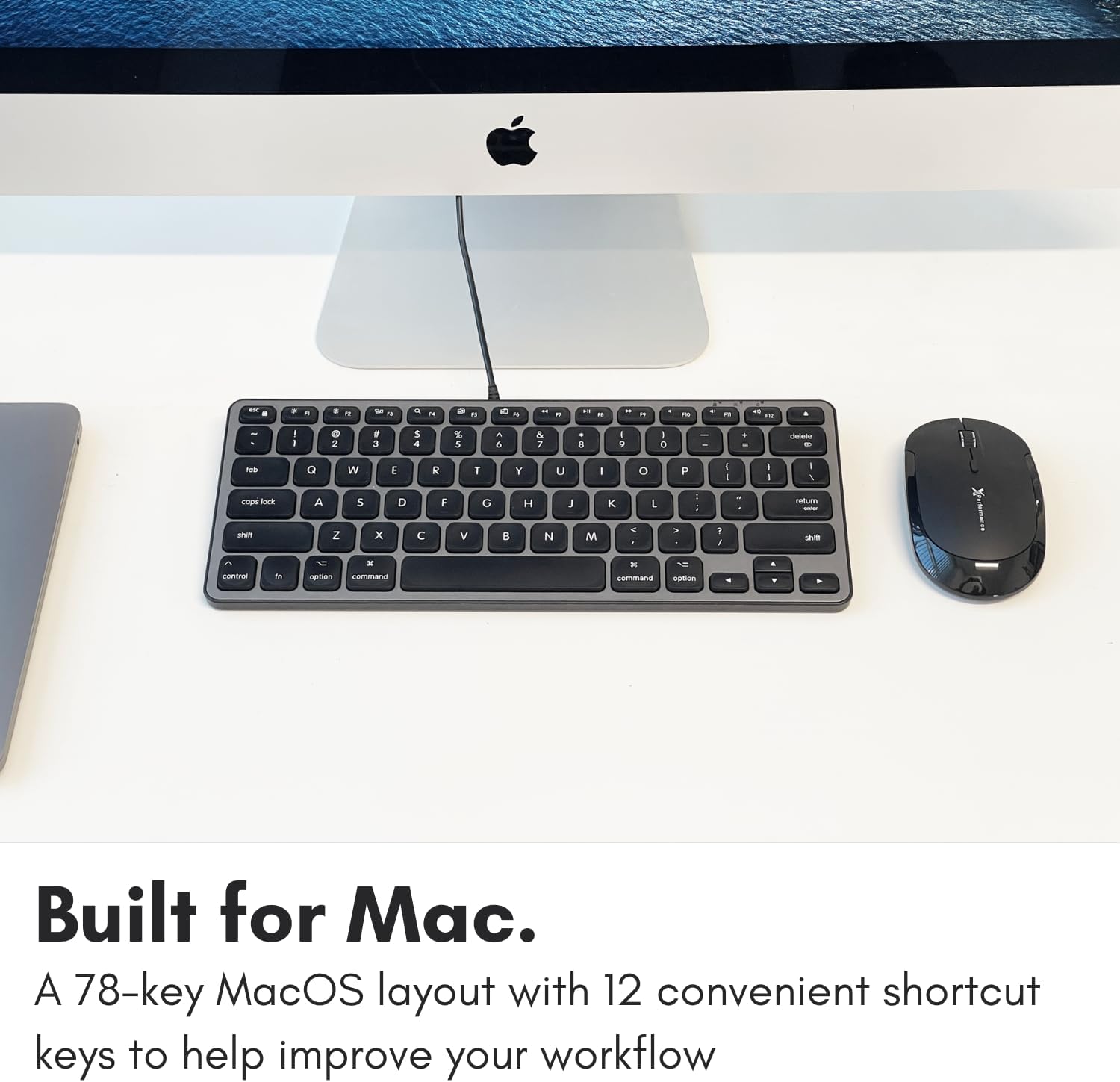
Image: A close-up of the keyboard keys, illustrating the low-profile design and keycap structure indicative of scissor-switch technology.
3.4 Ergonomie und Tragbarkeit
The keyboard features an integrated kickstand that angles the keyboard slightly, enhancing typing comfort. Its compact size makes it suitable for various desk setups and easy to transport.
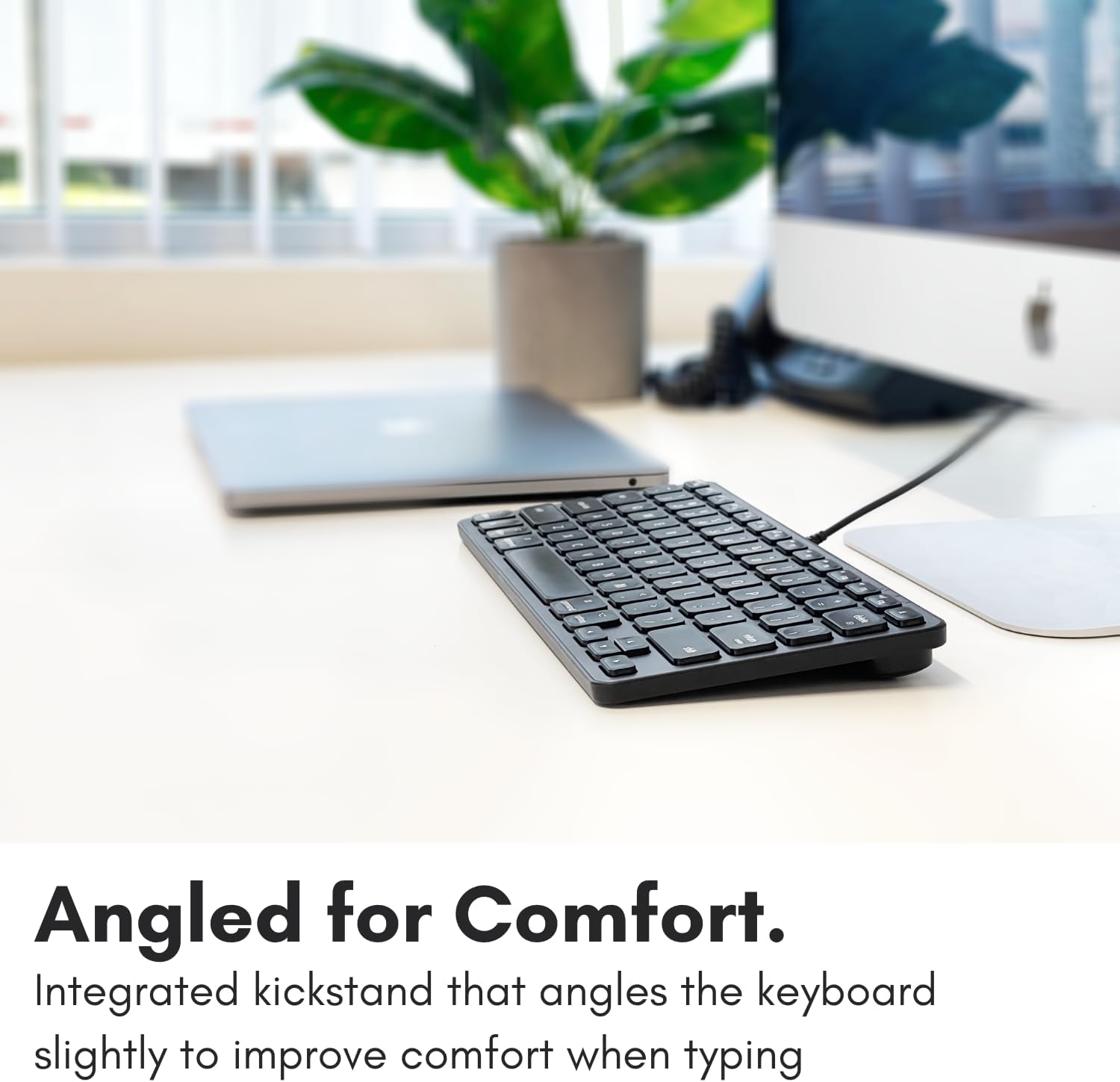
Image: The Macally keyboard shown from a side angle, highlighting the slight incline provided by its integrated kickstand for ergonomic typing.

Image: The compact Macally keyboard on a desk, demonstrating how its small footprint helps save desk space.
4. Wartung
To ensure the longevity and optimal performance of your Macally keyboard, follow these maintenance guidelines:
- Reinigung: Mit einem weichen, fusselfreien Tuch leichtampened with water or a mild cleaning solution to wipe the surface of the keyboard. Avoid harsh chemicals, abrasive cleaners, or excessive moisture.
- Staubentfernung: Verwenden Sie Druckluft, um Staub und Schmutz zwischen den Tasten zu entfernen.
- Lagerung: Bewahren Sie die Tastatur bei Nichtgebrauch in einer sauberen, trockenen Umgebung fern von extremen Temperaturen und direkter Sonneneinstrahlung auf.
- Kabelpflege: Um Beschädigungen zu vermeiden, sollte das USB-Kabel nicht übermäßig geknickt oder gequetscht werden.
5. Fehlerbehebung
If you encounter issues with your Macally keyboard, refer to the following common troubleshooting steps:
- Tastatur reagiert nicht:
- Ensure the USB cable is securely connected to your Mac's USB-A or USB-C port.
- Versuchen Sie, die Tastatur an einen anderen USB-Anschluss Ihres Macs anzuschließen.
- Restart your Mac computer.
- Check System Settings/Preferences > Keyboard to ensure the keyboard is recognized and configured correctly.
- USB-Hub funktioniert nicht:
- Stellen Sie sicher, dass die Tastatur ordnungsgemäß angeschlossen ist und funktioniert.
- Verify that the peripheral device connected to the hub is working correctly when plugged directly into your Mac.
- Some high-power devices may require direct connection to your Mac or a powered USB hub. The keyboard's hub is designed for low-power peripherals.
- Tastenkombinationen funktionieren nicht:
- Ensure your Mac's operating system is up to date.
- Check System Settings/Preferences > Keyboard > Keyboard Shortcuts to ensure no conflicts exist.
6. Spezifikationen
| Modellnummer | UCAMINIZHUB |
| Konnektivitätstechnologie | Wired (USB-A, USB-C) |
| Kompatible Geräte | MacBook Pro/Air, Mac mini, iMac, Laptop, PC, Smartphone, Tablet (with appropriate USB port) |
| Tastaturlayout | 78-key MacOS layout with 12 shortcut keys |
| Schlüsselschalter-Typ | Scherenschalter |
| Integrierter USB Hub | 2x USB-C ports, 1x USB-A port |
| Technische Daten | 11.81 x 5.91 x 0.79 Zoll (30 x 15 x 2 cm) |
| Artikelgewicht | 1.08 Pfund (0.49 kg) |
| Material | Metall, Kunststoff |
| Farbe | Schwarz |
7. Garantie und Support
Macally products are designed for reliability and performance. This product comes with a 2 Jahr eingeschränkte Garantie ab Kaufdatum.
For technical support, warranty claims, or further assistance, please contact Macally customer support. US-based support is available to assist you with any questions or issues you may have.
Please visit the official Macally webWebsite mit den aktuellsten Kontaktinformationen und Support-Ressourcen: www.macally.com


