1. Einleitung
Vielen Dank für Ihren Einkauf.asing the BoxWave SlimKeys Bluetooth Keyboard. This portable, backlit keyboard is designed to enhance your typing experience across various devices, including tablets, smartphones, and computers. Its slim profile, customizable LED backlight, and reliable Bluetooth connectivity make it an ideal companion for productivity on the go. This manual provides detailed instructions for setup, operation, maintenance, and troubleshooting to ensure optimal performance of your device.

Image: The SlimKeys Bluetooth Keyboard positioned alongside a Blackview Tab 7 tablet, demonstrating its compact size and compatibility.
2. Produktmerkmale
- Integrierte LED-Hintergrundbeleuchtung: Illuminates keys for typing in low-light or dark environments.
- Anpassbare Hintergrundbeleuchtung: Choose from seven vibrant LED backlight colors to personalize your setup.
- Zuverlässige drahtlose Verbindung: Connects quickly and easily via Bluetooth 3.0 for a stable and responsive typing experience.
- Battery-Saving Power Switch: A dedicated on/off switch helps extend battery life during travel or downtime.
- Schlankes und tragbares Design: Compact and lightweight, making it easy to store and transport without added bulk.
- Chiclet-Schlüssel: Eigenschaften Low-Profile keys designed for quiet and comfortable typing.
- Kompatibilität mehrerer Plattformen: Seamlessly connects across Android, Windows, and iOS devices.

Image: An infographic highlighting the main features of the SlimKeys keyboard, including backlit keys, multi-platform compatibility, chiclet keys, and its ultra-slim and light design.
3. Installationsanleitung
3.1. Aufladen der Tastatur
Before first use, ensure the keyboard is fully charged. Connect the included charging cable to the keyboard's charging port and to a USB power source (e.g., computer USB port, USB wall adapter). The 'Charge' indicator light will illuminate during charging and turn off when fully charged.

Image: The SlimKeys keyboard with its charging cable connected, demonstrating the charging process and highlighting its long-lasting battery life.
3.2. Ein-/Ausschalten
Locate the ON/OFF switch on the top right side of the keyboard. Slide the switch to the 'ON' position to power on the keyboard. The 'Power' indicator light will briefly illuminate. To conserve battery, slide the switch to 'OFF' when not in use.
3.3. Bluetooth-Kopplung
- Stellen Sie sicher, dass die Tastatur eingeschaltet ist.
- Press the 'Connect' button located near the ON/OFF switch. The 'Connect' indicator light will start blinking, indicating the keyboard is in pairing mode.
- Öffnen Sie auf Ihrem Gerät (Tablet, Smartphone, Computer) die Bluetooth-Einstellungen.
- Aktivieren Sie Bluetooth und suchen Sie nach verfügbaren Geräten.
- Select 'BoxWave SlimKeys Keyboard' (or similar name) from the list of found devices.
- If prompted, enter the pairing code displayed on your device's screen using the SlimKeys keyboard, then press Enter.
- Once paired, the 'Connect' indicator light on the keyboard will stop blinking and remain solid, or turn off, depending on the model. Your keyboard is now ready for use.
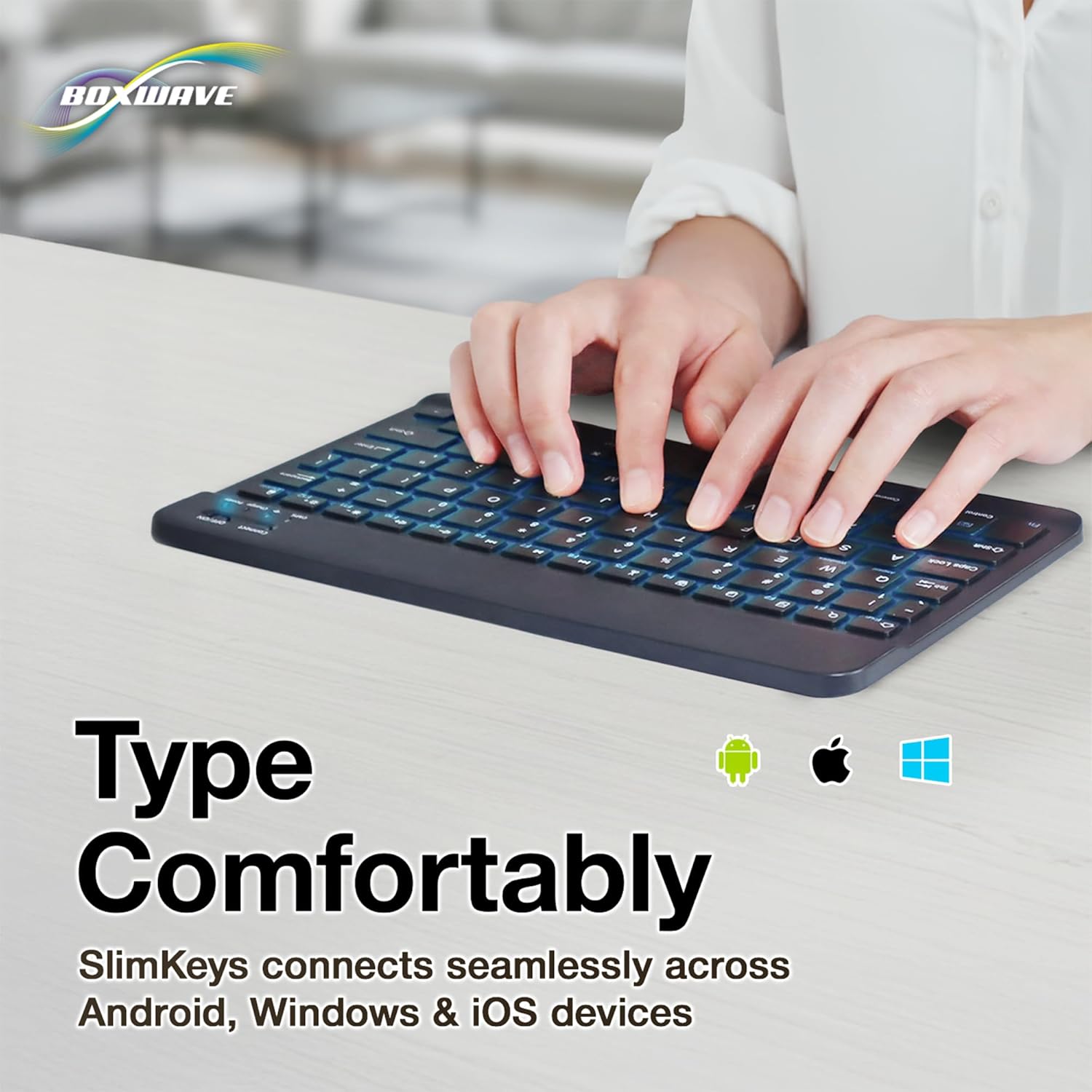
Bild: Eine detaillierte view of the top right section of the SlimKeys keyboard, highlighting the 'Connect' button and the 'ON/OFF' switch, along with the indicator lights.
4. Bedienungsanleitung
4.1. Tippen
Once successfully paired, you can use the SlimKeys keyboard for all your typing needs. The chiclet-style keys provide a comfortable and responsive typing experience.
4.2. Steuerung der Hintergrundbeleuchtung
The keyboard features an integrated LED backlight with seven customizable colors. To control the backlight:
- Drücken Sie die Glühbirne key (usually located near the right Ctrl key) to turn the backlight on or off.
- Drücken Sie die RGB key (usually located next to the Light Bulb key) to cycle through the seven available backlight colors.

Image: The SlimKeys keyboard showcasing its seven different backlight colors, demonstrating the customization options.
4.3. Specialized Function Keys
The SlimKeys keyboard includes a row of specialized function keys (F1-F12) that provide quick access to common commands. These functions may vary slightly depending on your operating system (Android, Windows, iOS). To use a function key, press the Fn key (usually located near the left Ctrl key) simultaneously with the desired function key.
| Tastenkombination | Funktion |
|---|---|
| Fn + Esc (Home) | Gehe zum Startbildschirm |
| Fn + F1 (Search) | Suche öffnen |
| Fn + F2 (Select All) | Select All text/items |
| Fn + F3 (Copy) | Copy selected content |
| Fn + F4 (Paste) | Paste content |
| Fn + F5 (Cut) | Cut selected content |
| Fn + F6 (Skip Back) | Zum vorherigen Titel springen |
| Fn + F7 (Play/Pause) | Play or Pause media |
| Fn + F8 (Skip Forward) | Zum nächsten Titel springen |
| Fn + F9 (Volume Down) | Lautstärke verringern |
| Fn + F10 (Volume Up) | Lautstärke erhöhen |
| Fn + F11 (Brightness Down) | Bildschirmhelligkeit verringern |
| Fn + F12 (Brightness Up) | Erhöhen Sie die Bildschirmhelligkeit |
| Fn + Delete (Lock) | Lock device screen |

Image: A visual representation of the specialized function keys on the SlimKeys keyboard, detailing their respective commands.
5. Wartung
To ensure the longevity and optimal performance of your BoxWave SlimKeys Bluetooth Keyboard, follow these maintenance guidelines:
- Reinigung: Use a soft, lint-free cloth to wipe the surface of the keyboard. For stubborn dirt, slightly dampBefeuchten Sie das Tuch mit Wasser oder einem milden, nicht scheuernden Reinigungsmittel. Vermeiden Sie übermäßige Feuchtigkeit.
- Lagerung: Bewahren Sie die Tastatur an einem kühlen, trockenen Ort fern von direkter Sonneneinstrahlung und extremen Temperaturen auf.
- Vermeiden Sie Flüssigkeiten: Do not expose the keyboard to liquids. In case of accidental spills, immediately power off the keyboard and allow it to dry completely before reuse.
- Vorsichtig handhaben: Avoid dropping the keyboard or subjecting it to strong impacts, which can damage internal components.
6. Fehlerbehebung
If you encounter issues with your BoxWave SlimKeys Bluetooth Keyboard, refer to the following common problems and solutions:
| Problem | Mögliche Ursache | Lösung |
|---|---|---|
| Die Tastatur lässt sich nicht einschalten. | Batterie ist leer. | Laden Sie die Tastatur vollständig auf. |
| Cannot pair the keyboard with my device. | Bluetooth not enabled on device; keyboard not in pairing mode; interference. | Ensure Bluetooth is on. Press 'Connect' button on keyboard. Move closer to device. Remove previous pairings. Restart both devices. |
| Die Tastatur trennt häufig die Verbindung. | Low battery; too far from device; interference. | Charge keyboard. Keep keyboard within 10 meters of device. Avoid strong electromagnetic interference. |
| Die Hintergrundbeleuchtung funktioniert nicht oder zeigt nur eine Farbe an. | Backlight off; low battery; software glitch. | Press the Light Bulb key. Charge the keyboard. Power cycle the keyboard (turn off, then on). |
| Tasten reagieren nicht. | Keyboard not paired; low battery; hardware issue. | Re-pair the keyboard. Charge the keyboard. If problem persists, contact customer support. |
Sollte das Problem nach dem Ausprobieren dieser Lösungsansätze weiterhin bestehen, wenden Sie sich bitte an den BoxWave-Kundendienst, um weitere Unterstützung zu erhalten.
7. Spezifikationen
| Besonderheit | Detail |
|---|---|
| Modellname | SlimKeys Bluetooth Keyboard |
| Konnektivität | Bluetooth 3.0 |
| Hintergrundbeleuchtung | 7 LED-Farben |
| Kompatibilität | Android, Windows, iOS |
| Artikelgewicht | 8.6 Unzen (ca. 244 Gramm) |
| Abmessungen (ca.) | 9.5 in (Width) x 5.75 in (Depth) x 0.2 in (Height) |
| Hersteller | BoxWave |

Image: The SlimKeys keyboard shown with its approximate dimensions, illustrating its ultra-slim and lightweight design for portability.
8. Garantie und Support
BoxWave products are designed for quality and reliability. For information regarding product warranty, returns, or technical support, please refer to the warranty card included with your product or visit the official BoxWave website. You may also contact BoxWave customer service directly for assistance with any product-related inquiries.
Kontaktinformationen: Please refer to the packaging or BoxWave's official webHier finden Sie die aktuellsten Kontaktdaten des Kundensupports.


