1. Einleitung
Die VOX amPlug 3 Modern Bass is a compact, plug-in headphone amplifier designed specifically for bass guitars. It allows musicians to practice silently with authentic bass tones and built-in effects, providing a convenient solution for practice sessions at home, backstage, or while traveling. This manual provides essential information for the proper setup, operation, and maintenance of your amPlug 3 Modern Bass unit.

Image 1.1: The VOX amPlug 3 Modern Bass headphone amplifier, showing its compact design and plug-in jack.
2. Funktionen
Der amPlug 3 Modern Bass offers a range of features designed to enhance your practice experience:
- Delivers punchy, aggressive tones characteristic of modern rock bass amplifiers, suitable for heavy playing styles.
- Dual-channel design includes a bright clean channel and a thick distortion channel for versatile sound options.
- Custom analog circuitry ensures responsive and dynamic tones, capturing the essence of high-end modern bass amplifizierer.
- Nine built-in rhythms, including rock, funk, and blues, serve as a solid practice companion.
- Integrated stereo effects such as Chorus, Delay, and Reverb, enhance your sound with depth and dimension.
- Foldable plug mechanism rotates 180 degrees for easy storage and optimal positioning on various instruments.
- Auto power-off feature conserves battery life by automatically shutting down when not in use.
- Powered by two AAA batteries, offering up to 16 hours of continuous playtime with effects and rhythms active.
- Lightweight design at approximately 40 grams (excluding batteries), making it highly portable for practice or performance.
- Auxiliary input allows connection of external audio sources for jamming along with your favorite tracks.
3. Einrichtung
3.1. Einlegen der Batterie
- Locate the battery compartment cover on the back of the amPlug unit.
- Schieben Sie die Abdeckung ab, um das Fach zu öffnen.
- Legen Sie zwei AAA-Batterien ein und achten Sie dabei auf die richtige Polarität (+/-), wie im Batteriefach angegeben.
- Bringen Sie die Abdeckung des Batteriefachs wieder an und schieben Sie sie so weit hinein, bis sie sicher einrastet.

Image 3.1: The battery compartment of the amPlug 3, showing the placement of two AAA batteries.
3.2. Verbindung zu Ihrem Instrument herstellen
- Ensure your bass guitar is turned off or its volume is set to minimum.
- Stecken Sie den amPlug unit directly into your bass guitar's output jack. The plug mechanism can rotate 180 degrees to accommodate various instrument jack orientations.
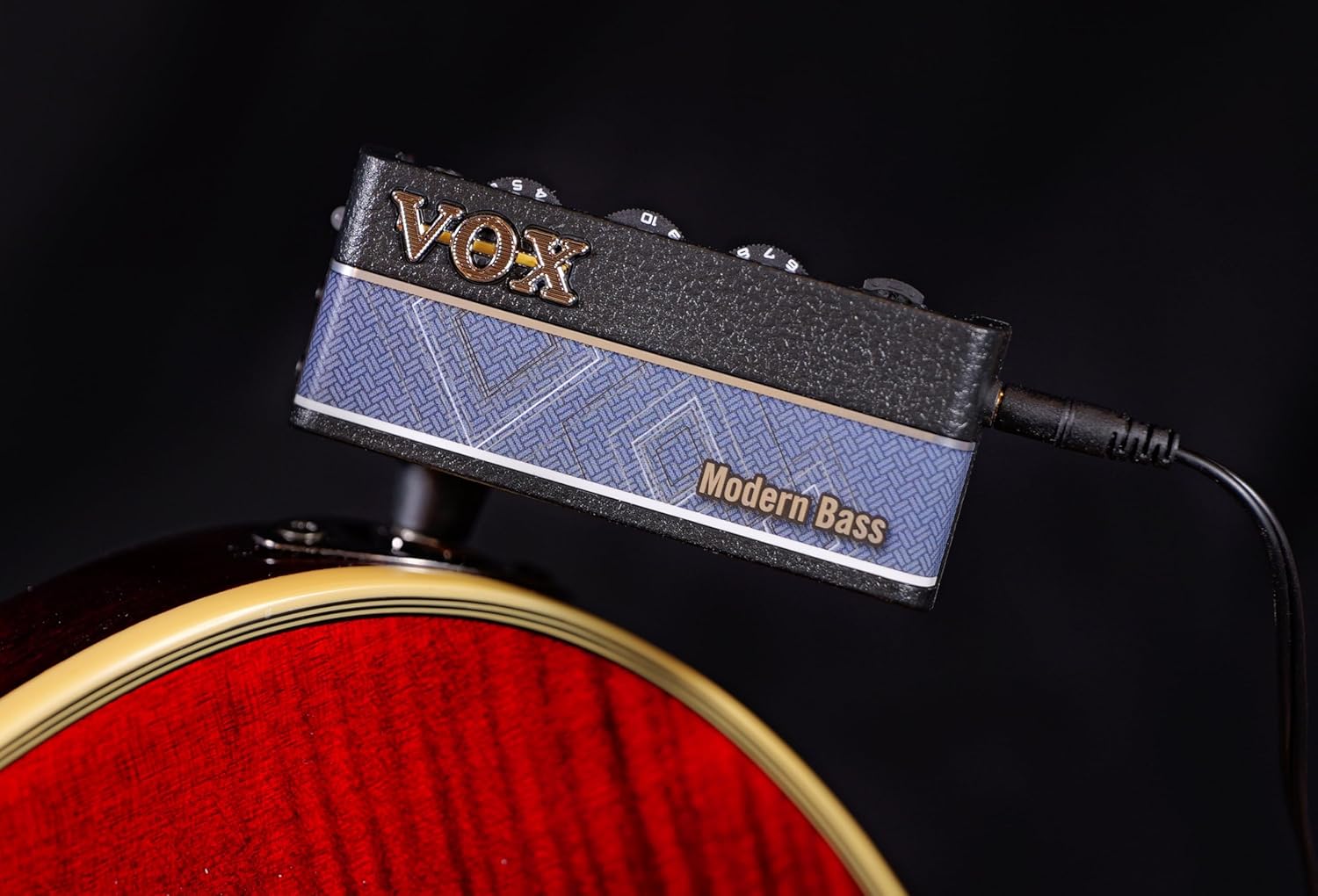
Abbildung 3.2: Die amPlug 3 Modern Bass connected to the output jack of a bass guitar.
3.3. Kopfhörer anschließen
- Connect your headphones to the 3.5mm (1/8-inch) headphone jack on the amPlug unit.
- It is recommended to connect headphones before powering on the unit to avoid sudden loud noises.
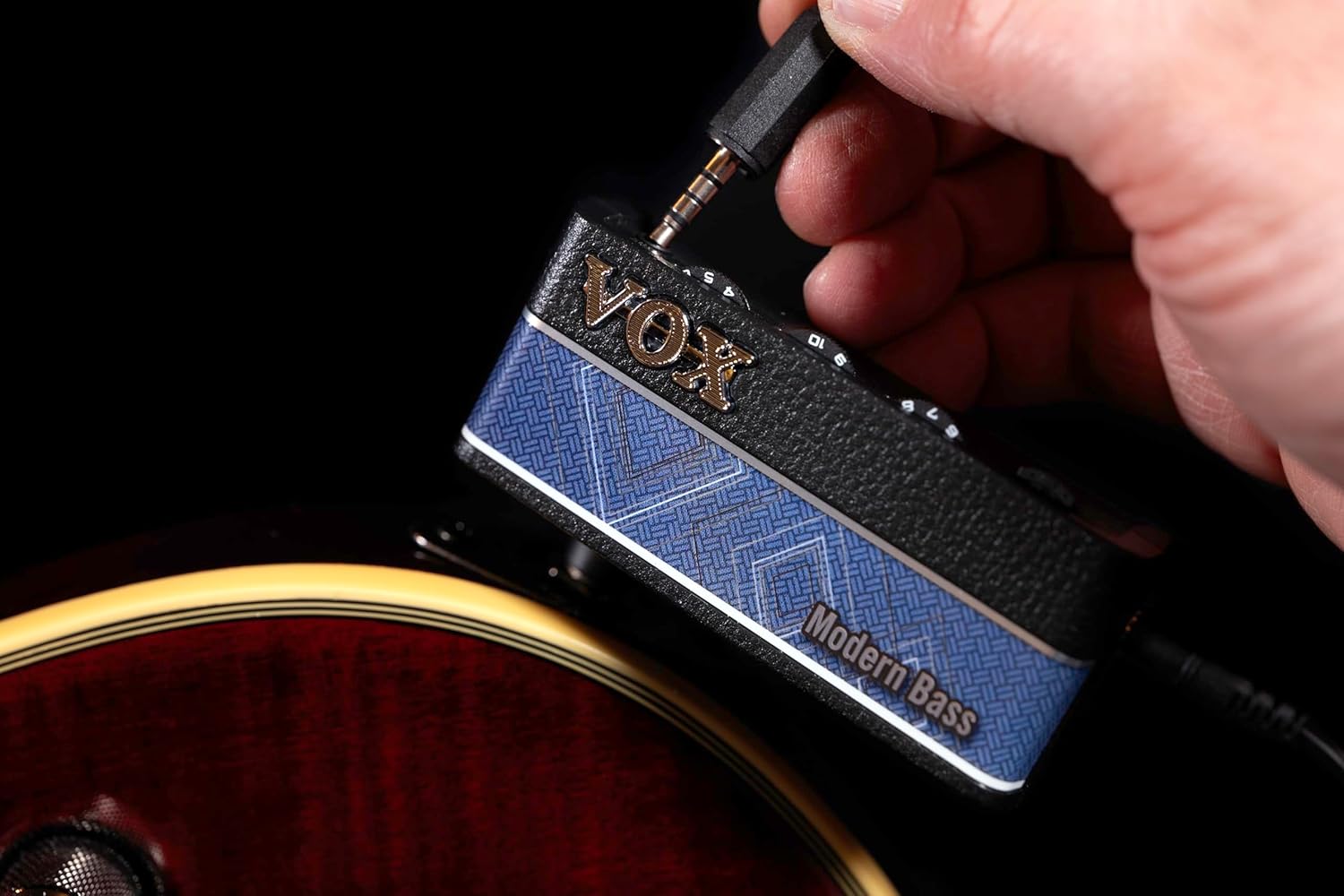
Image 3.3: A headphone cable plugged into the amPlug 3 unit.
4. Bedienungsanleitung
4.1. Ein-/Ausschalten
Zum Einschalten des amPlug, press and hold the power button located on the side of the unit. The LED indicator will illuminate. To power off, press and hold the power button again until the LED turns off. The unit features an auto power-off function to conserve battery life if no signal is detected for a period.
4.2. Kontrollen überview

Abbildung 4.1: Seite view der amPlug 3 showing the control knobs and auxiliary input.
- GAIN-Regler: Adjusts the input gain level, controlling the amount of distortion or overdrive.
- TONE-Regler: Passt die Klangcharakteristik an, von dunkleren zu helleren Klängen.
- Lautstärkeregler: Regelt die Gesamtlautstärke des Kopfhörerausgangs.
- FX/RHYTHM Button: Cycles through built-in effects and rhythm patterns.
- AUX-Eingang: A 3.5mm (1/8-inch) stereo input for connecting external audio devices like MP3 players or smartphones.
4.3. Using Effects and Rhythms
Drücken Sie die FX/RHYTHM button to cycle through the available effects and rhythm patterns. The amPlug 3 Modern Bass includes Chorus, Delay, and Reverb effects, as well as nine distinct rhythm patterns. Refer to the quick start guide for specific combinations and settings.
4.4. Using the Auxiliary Input
Connect an external audio player to the AUX input using a 3.5mm stereo cable. You can then play along with your favorite music or backing tracks through your headphones, mixed with your bass guitar's sound.
5. Wartung
5.1. Batteriewechsel
When the sound becomes weak or distorted, or the LED indicator dims, it is time to replace the batteries. Follow the battery installation steps in Section 3.1. Always use fresh AAA alkaline batteries for optimal performance. Remove batteries if the unit will not be used for an extended period to prevent leakage.
5.2. Reinigung und Lagerung
Clean the unit with a soft, dry cloth. Do not use abrasive cleaners or solvents. Store the amPlug in a cool, dry place away from direct sunlight and extreme temperatures. Avoid dropping the unit or subjecting it to strong impacts.
6. Fehlerbehebung
- Kein Ton:
- Stellen Sie sicher, dass amPlug is powered on and the LED is illuminated.
- Check if headphones are properly connected and their volume is up.
- Überprüfen Sie, ob die amPlug's VOLUME knob is not set to minimum.
- Confirm that the bass guitar is plugged in correctly and its volume is not at zero.
- Tauschen Sie die Batterien aus, wenn sie schwach oder leer sind.
- Verzerrter oder schwacher Ton:
- Überprüfen Sie den Batteriestand und tauschen Sie ihn gegebenenfalls aus.
- Adjust the GAIN and TONE knobs on the amPschleppen.
- Ensure your bass guitar's output is not excessively high, causing clipping.
- Auto Power-Off Activates Too Soon:
- The auto power-off feature activates after a period of no audio input. Ensure you are actively playing or have an audio source connected to the AUX input.
7. Spezifikationen
| Modellnummer | AP3MB |
| Technische Daten | 1.42 x 5.12 x 7.2 Zoll (3.6 x 13.0 x 18.3 cm) |
| Artikelgewicht | 2.12 Unzen (60 Gramm) |
| Stromversorgung | 2 x AAA-Batterien (im Lieferumfang enthalten) |
| Akkulaufzeit | Up to 16 hours (with effects/rhythms on) |
| Eingabe/Ausgabe | Instrument Input (1/4" mono jack), Headphone Output (1/8" stereo mini jack), AUX Input (1/8" stereo mini jack) |
| Bedienelemente | Gain, Tone, Volume, FX/Rhythm button |
| Auswirkungen | Chorus, Delay, Reverb |
| Rhythmen | 9 integrierte Muster |

Image 7.1: The back of the amPlug 3 unit, displaying the model number (AP3MB) and battery specifications.
8. Garantie und Support
For warranty information and technical support, please refer to the official VOX website or contact your local VOX distributor. Keep your purchase receipt as proof of purchase for any warranty claims.


