Einführung
This manual provides essential information for setting up, operating, and maintaining your TCL 605 smartphone. Please read this guide thoroughly to ensure optimal performance and longevity of your device.
Lieferumfang
Prüfen Sie, ob alle Artikel in Ihrer Produktverpackung enthalten sind:
- TCL 605-Smartphone
- USB-Kabel
- Cell Phone Cover
- 10W Ladegerät
- SIM-Karten-Auswurfwerkzeug
- Displayschutz
Gerät überview
Familiarize yourself with the physical components of your TCL 605 smartphone.

Bild: Vorderseite view of the TCL 605 smartphone, highlighting its 6.7-inch HD+ display and front camera.

Abbildung: Seite view of the TCL 605 smartphone, illustrating the placement of the power button and volume controls.
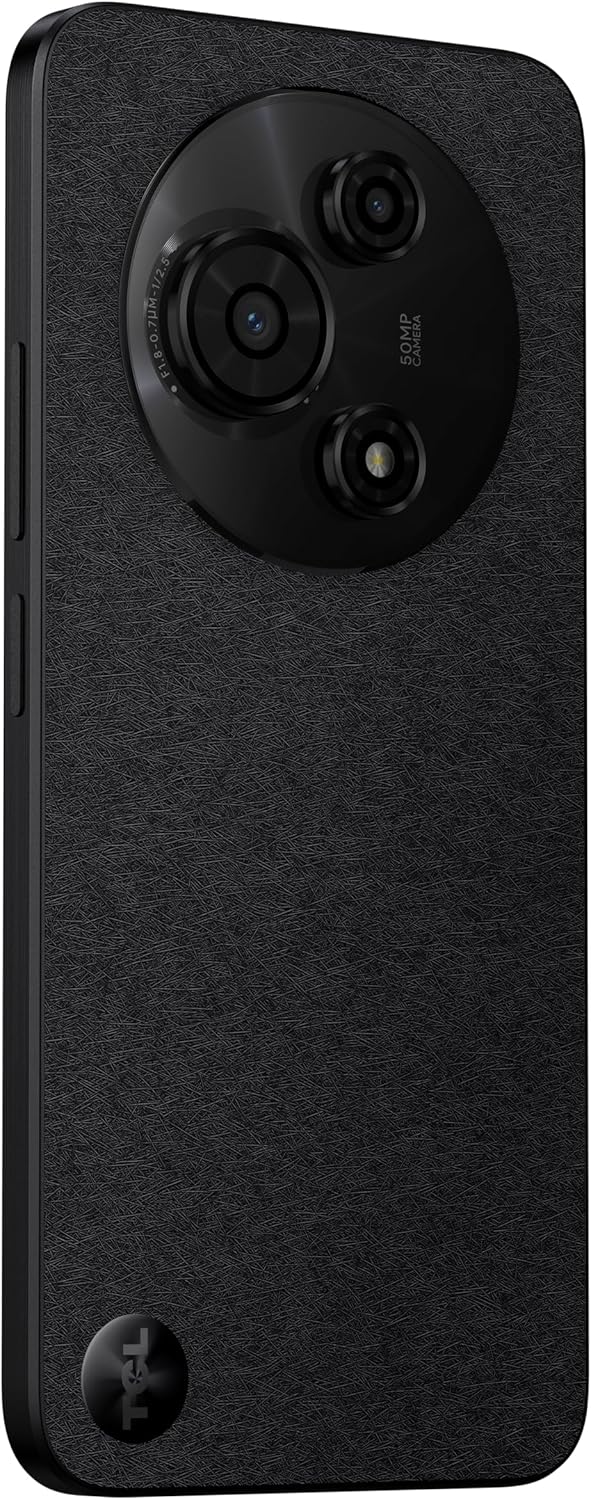
Abbildung: Rückseite view of the TCL 605 smartphone, showcasing the distinctive circular camera module housing the 50MP main camera.
Aufstellen
1. Einlegen der SIM-Karte
- Suchen Sie den SIM-Karten-Einschub an der Seite Ihres Geräts.
- Führen Sie das SIM-Karten-Auswurfwerkzeug in die kleine Öffnung neben dem Fach ein und drücken Sie vorsichtig, bis das Fach herausspringt.
- Legen Sie Ihre Nano-SIM-Karte(n) und/oder microSD-Karte mit den goldenen Kontakten nach unten in den Kartenschacht ein. Achten Sie darauf, dass sie richtig sitzen.
- Setzen Sie das Fach vorsichtig wieder in das Gerät ein.
2. Erstes Einschalten
- Halten Sie den Ein-/Ausschalter (an der Seite) gedrückt, bis das TCL-Logo erscheint.
- Folgen Sie den Anweisungen auf dem Bildschirm, um die Ersteinrichtung abzuschließen, einschließlich Sprachauswahl, WLAN-Verbindung und Einrichtung des Google-Kontos.
3. Laden des Akkus
Before first use, it is recommended to fully charge your device. Connect the USB cable to the phone's charging port and the other end to the 10W charger. Plug the charger into a power outlet.
Betrieb Ihres Geräts
Anzeige und Navigation
The TCL 605 features a 6.7-inch HD+ display with a 90Hz refresh rate for smooth scrolling and improved visual fluidity.
- Touch-Gesten: Use standard Android gestures such as tap, swipe, pinch-to-zoom, and long-press for navigation and interaction.
- Startbildschirm: Customize your home screen with widgets, app shortcuts, and wallpapers.
- Benachrichtigungen: Durch Wischen vom oberen Bildschirmrand nach unten gelangen Sie zum Benachrichtigungsfeld und den Schnelleinstellungen.
Leistung und Speicher
Your TCL 605 is equipped with an Octa-Core processor and 4GB RAM, expandable up to 14GB with RAM Boost technology, ensuring seamless performance for multitasking. It offers 256GB of internal storage, capable of storing over 100,000 photos.

Image: The TCL 605 smartphone showcasing its 6.7-inch display with a dynamic lock screen, indicating the time and date.
Kamerafunktionen
The TCL 605 features a 50MP hybrid rear camera (main + macro) and a 5MP front camera. It supports HDR mode for vibrant colors.
Aufnehmen von Fotos und Videos
- Öffnen Sie die Kameraanwendung.
- Wählen Sie den gewünschten Modus (Foto, Video, Porträt, Makro usw.).
- Tap the Shutter button to capture a photo or start/stop video recording.
- Verwenden Sie die Zoom-Steuerelemente auf dem Bildschirm, um die Vergrößerung anzupassen.
Kameramodi
- 50MP Hauptkamera: Captures high-resolution images with clarity.
- Makromodus: Allows for detailed close-up shots of small objects.
- HDR-Modus: Enhances dynamic range for more vibrant and balanced photos in challenging lighting conditions.
- 5MP Frontkamera: Ideal für Selfies und Videoanrufe.
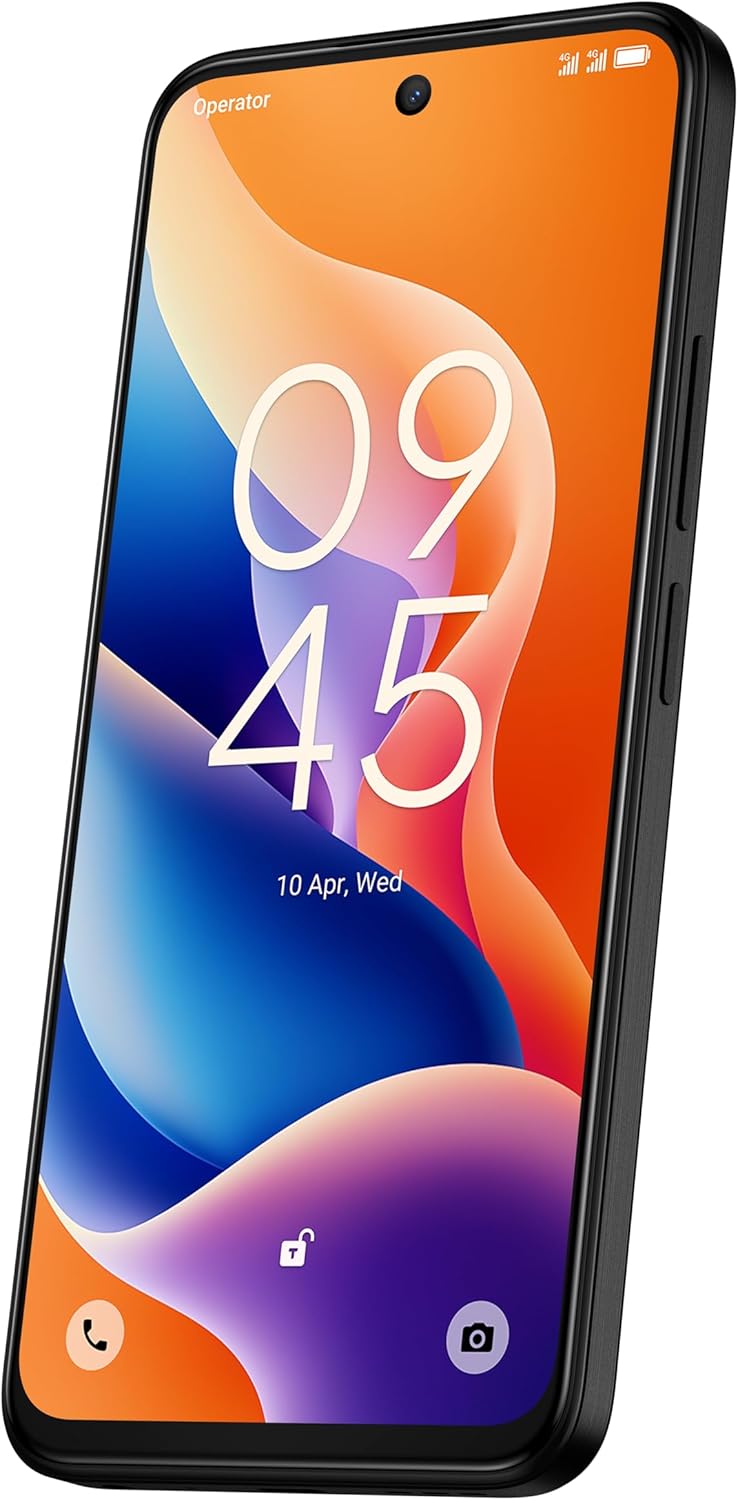
Bild: Eine detaillierte view of the TCL 605's circular camera module, emphasizing the 50MP main lens and its surrounding sensors.
Batteriemanagement
The TCL 605 is equipped with a 5200mAh battery, designed for up to 2 days of usage. It supports 18W fast charging.
Tipps zur Verlängerung der Akkulaufzeit
- Reduzieren Sie die Bildschirmhelligkeit.
- Deaktivieren Sie Wi-Fi, Bluetooth und GPS, wenn Sie sie nicht benötigen.
- Schließen Sie Hintergrundanwendungen.
- Batteriesparmodus aktivieren.
Konnektivität
Ihr Gerät unterstützt verschiedene Verbindungsoptionen:
- W-lan: Stellen Sie eine Verbindung zu drahtlosen Netzwerken her, um auf das Internet zuzugreifen.
- Bluetooth: Pair with wireless headphones, speakers, and other compatible devices.
- NFC (Nahfeldkommunikation): Use for contactless payments and quick data transfer with compatible devices.
- USB: Connect to a computer for data transfer or use with a USB-C accessory.
- Geographisches Positionierungs System: Integriertes GPS für Ortungsdienste und Navigation.
Haltbarkeit
The TCL 605 features enhanced IP54 durability, proven by a 3-minute water-wash test. This provides protection against dust and splashing water. Note: The phone is not professionally water-resistant but is splash-proof, water-repellent, and dust-proof for everyday use. It has passed a 3-minute water-wash test under specific lab conditions. These features may degrade with daily use. Do not charge the phone in humid conditions. The warranty excludes water damage, including damage from immersion in liquids such as seawater, chlorinated water, or drinks. IP54 rating conditions differ from lab tests.
Produktmerkmale vorbeiview
Video: Ein überview of the TCL 605 smartphone's key features, including its display, storage capacity, seamless performance, camera capabilities, battery life, fast charging, and IP54 durability.
Technische Daten
| Besonderheit | Detail |
|---|---|
| Modell | TCL 605 (T517J) |
| Betriebssystem | Android 15 |
| Anzeige | 6.7-inch HD+ 90Hz (720x1600 resolution) |
| Prozessor | Octa-Core (MediaTek Helio, 2 GHz) |
| RAM | 4GB (expandable to 14GB with RAM Boost) |
| Interner Speicher | 256 GB |
| Rückfahrkamera | 50MP (Main & Macro) + 0.08MP |
| Frontkamera | 5 Megapixel |
| Batteriekapazität | 5200 mAh (5010 Milliamp Std) |
| Laden | 10W Charger included, supports 18W fast charging |
| Konnektivität | Bluetooth, NFC, USB, Wi-Fi, GPS |
| SIM Typ | Dual-SIM |
| Maße | 0.83 x 7.62 x 16.56 cm |
| Gewicht | 380 g |
| Zertifizierung | ANATEL: 01679250760 |
Fehlerbehebung
Häufige Probleme und Lösungen
- Gerät lässt sich nicht einschalten: Stellen Sie sicher, dass der Akku geladen ist. Schließen Sie das Ladegerät an und warten Sie einige Minuten, bevor Sie versuchen, das Gerät erneut einzuschalten.
- Bildschirm reagiert nicht: Versuchen Sie, das Gerät neu zu starten, indem Sie den Netzschalter etwa 10-15 Sekunden lang gedrückt halten.
- Apps stürzen ab: Löschen Sie den Cache der problematischen App (Einstellungen > Apps > [App-Name] > Speicher > Cache leeren). Sollte das Problem weiterhin bestehen, installieren Sie die App neu.
- Schlechte Akkulaufzeit: Refer to the "Battery Management" section for tips to optimize battery usage.
- Verbindungsprobleme (WLAN/Bluetooth): Toggle Wi-Fi or Bluetooth off and on. Restart your device and/or the router/paired device.
Bei komplexeren Problemen wenden Sie sich bitte an den offiziellen TCL-Support. webWebsite oder wenden Sie sich an den Kundendienst.
Garantie und Support
Your TCL 605 smartphone comes with a standard manufacturer's warranty. Please refer to the warranty card included in your package for specific terms and conditions.
For technical support, service, or additional information, please visit the official TCL webBesuchen Sie die Website oder kontaktieren Sie deren Kundendienstkanäle.
To consult product homologation, visit: sistemas.anatel.gov.br/sch


