Einführung
Thank you for choosing the MAONO UL11 USB C Lavalier Microphone. This omnidirectional condenser lapel microphone is designed to provide clear, high-fidelity audio for various applications, including recording, interviews, video podcasts, vlogging, YouTube, and TikTok. This manual will guide you through the setup, operation, and maintenance of your new microphone to ensure optimal performance.
Lieferumfang
- 1 x MAONO UL11 USB Type-C Lavalier Microphone (78 inches / 2 meters cable)
- 1 x Aluminum Lapel Clip
- 1 x Schaumstoff-Windschutz
- 1 x Benutzerhandbuch
Installationsanweisungen
The MAONO UL11 microphone is designed for plug-and-play convenience. No additional drivers or software are typically required for most compatible devices.
- Bringen Sie den Reversclip an: Securely attach the aluminum lapel clip to the microphone body.

Image: Attaching the lapel clip to the microphone.
- Bringen Sie die Schaumstoff-Windschutzscheibe an: Gently slide the foam windscreen over the microphone capsule. This helps reduce plosive sounds and wind noise.
- Mit Gerät verbinden: Plug the USB Type-C connector of the microphone directly into the USB-C port of your compatible device (smartphone, tablet, laptop, PC).
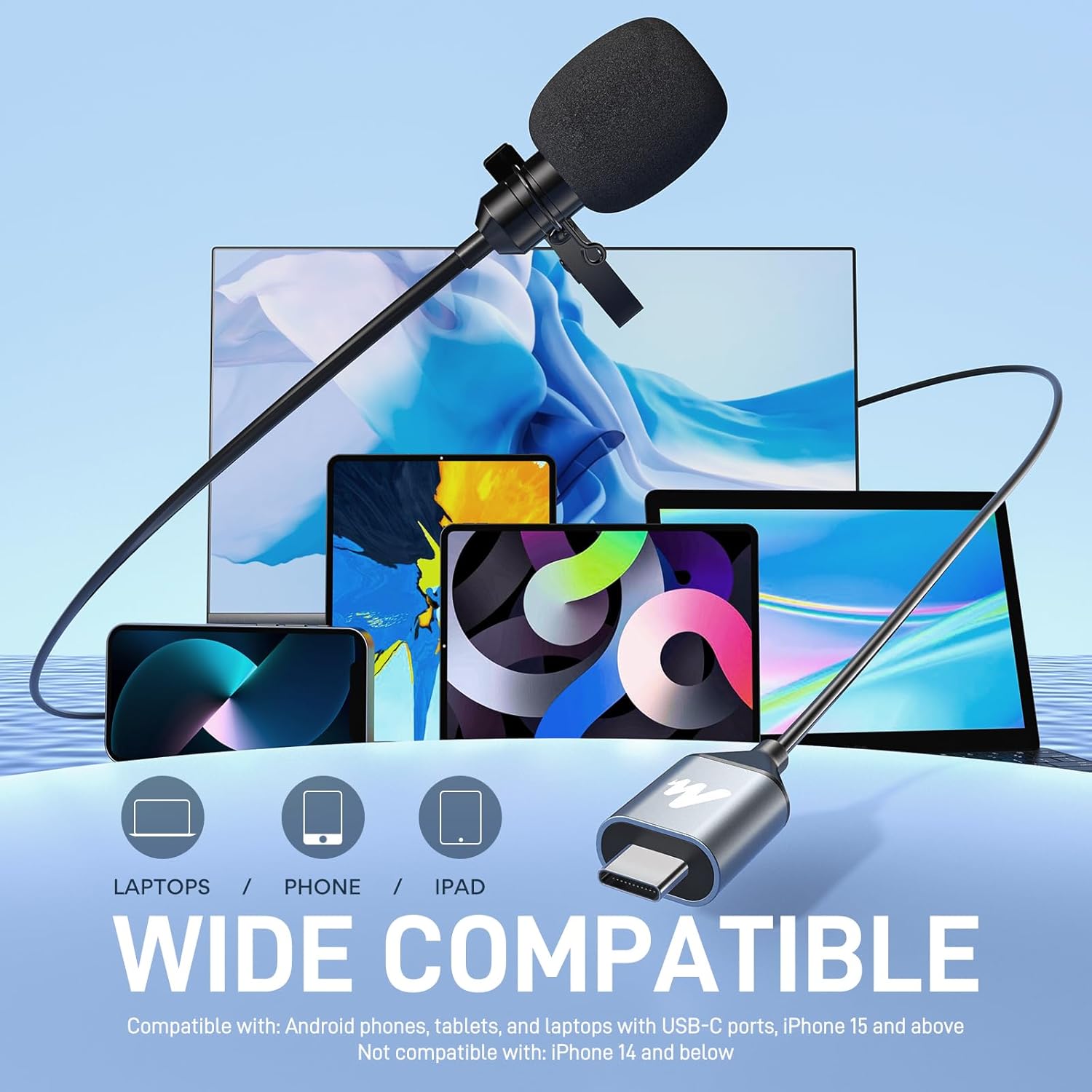
Image: The USB-C connector of the microphone being plugged into a device.
- Geräteerkennung: Your device should automatically recognize the microphone as an external audio input. You may need to select it as the default input device in your device's sound settings or recording application.
Bedienungsanleitung
The MAONO UL11 is an omnidirectional microphone, meaning it picks up sound equally from all directions. This makes it ideal for capturing ambient sound and voices from multiple speakers.
- Platzierung: Clip the microphone to your clothing, ideally about 6-8 inches (15-20 cm) below your chin, to ensure clear voice capture. Avoid placing it too close to your mouth to prevent plosives.

Image: Proper placement of the lavalier microphone on clothing.
- Aufnahme: Open your preferred recording application on your device. Ensure the MAONO UL11 is selected as the audio input. Begin recording.
- Monitoring (if supported by device/app): Some devices or applications allow real-time audio monitoring. If available, use headphones to listen to your audio as you record to ensure optimal levels and clarity.
- Tonqualität: The microphone features a high sampling rate (192kHz) and bit depth (24bit) for detailed and lifelike audio capture. The high-density spray-proof sponge and omnidirectional pickup ensure clear natural sound.

Image: Visual representation of enhanced audio clarity using the microphone.

Abbildung: Explosionszeichnung view of the omnidirectional pickup mechanism.
Kompatibilität
The MAONO UL11 USB C Lavalier Microphone offers wide compatibility with various devices:
- Kompatibel mit: iOS (iPhone 15 and above), Android smartphones, iPads, Computers (PC, Laptops, Desktops, Macs, Notebooks) with a USB-C port.
- Nicht kompatibel mit: Android phones with a Micro USB port, laptops with only a USB-A port (unless using an adapter, not included), iPhone models without a USB-C port (e.g., iPhone 14, iPhone 13, etc.).
Image: The microphone demonstrating wide compatibility with different USB-C devices.
Fehlerbehebung
Sollten Sie auf Probleme stoßen, beachten Sie bitte die folgenden gängigen Lösungsansätze:
- "USB accessory not supported," "Device not recognized," or "Port function temporarily disabled" message: Unplug the microphone from the recording device. Inspect the recording device's USB-C port for dust or other debris that might be blocking it. Clean the port carefully if necessary. Restart the recording device and then re-plug the microphone.
- Kein Ton/Geringe Lautstärke:
- Ensure the microphone is securely plugged into the USB-C port.
- Check your device's sound settings to confirm the MAONO UL11 is selected as the input device.
- Adjust the input volume/gain settings within your recording application or device's sound preferences.
- Ensure the microphone is clipped correctly and not obstructed.
Technische Daten
| Mikrofon-Formfaktor | Lavalier |
| Richtcharakteristik | Omnidirektional |
| Konnektivitätstechnologie | USB Typ C |
| Steckertyp | USB Typ C |
| Signal-Rausch-Verhältnis | 80 dB |
| Hardware-Plattform | Laptop, PC, Smartphone |
| Material | Metall |
| Artikelgewicht | 3.2 Unzen |
| Kabellänge | 78 Zoll (ca. 2 Meter) |
| Empfohlene Verwendung | Recording, Meeting, Online Chat, ASMR, Interview, Streaming |
Wartung
- Halten Sie das Mikrofon sauber und staubfrei. Verwenden Sie zum Reinigen ein weiches, trockenes Tuch.
- Setzen Sie das Mikrofon keinen extremen Temperaturen, hoher Luftfeuchtigkeit oder direkter Sonneneinstrahlung aus.
- Store the microphone in its pouch when not in use to protect it from damage.
- Handle the cable gently to prevent kinks or damage to the internal wiring.
Offizielle Produktvideos
Watch the official product video for a visual guide on the MAONO UL11 USB C Lavalier Microphone.
Video: Ein überview of the MAONO UL11 USB C Lavalier Microphone, showcasing seine Funktionen und Anwendungsfälle.
Garantie und Support
For warranty information, technical support, or any inquiries regarding your MAONO UL11 USB C Lavalier Microphone, please refer to the contact information provided on the product packaging or visit the official MAONO webWebsite.


