1. Einleitung
This manual provides essential information for setting up, operating, maintaining, and troubleshooting your Svikou 15.6'' 165Hz 2.5K FHD Laptop. Please read this manual thoroughly before using your device to ensure optimal performance and longevity.
The Svikou 15.6'' laptop is designed for high-performance computing, featuring an AMD Ryzen 7 5700U processor, a vibrant 165Hz 2.5K FHD display, 16GB of RAM, and a 512GB NVMe SSD. It comes pre-installed with Windows 11 Pro.

Image 1.1: The Svikou 15.6-inch laptop with a high-resolution display, showcasing seine visuellen Fähigkeiten.
2. Erste Schritte (Einrichtung)
2.1. Packungsinhalt
Bevor Sie fortfahren, vergewissern Sie sich, dass alle Artikel im Paket vorhanden sind:
- Svikou 15.6'' Laptop x1
- Ladegerät x1
- Drahtlose Maus x1
- English Operation Manual x1 (this document)
- Garantiekarte x1
2.2. Erstes Einschalten
- Connect the charger to the laptop's DC charging port and a power outlet.
- Öffnen Sie den Laptopdeckel.
- Drücken Sie den Ein-/Ausschalter auf der Tastatur.
- Follow the on-screen instructions to complete the Windows 11 Pro setup. This includes selecting your region, language, and setting up your user account.
3. Hauptmerkmale und Bedienung
3.1. Anzeige
The laptop features a 15.6-inch 2.5K FHD (2560 x 1440) IPS display with a 165Hz refresh rate. This provides a clear, dynamic visual experience with a 90% screen share and 100% sRGB color gamut.
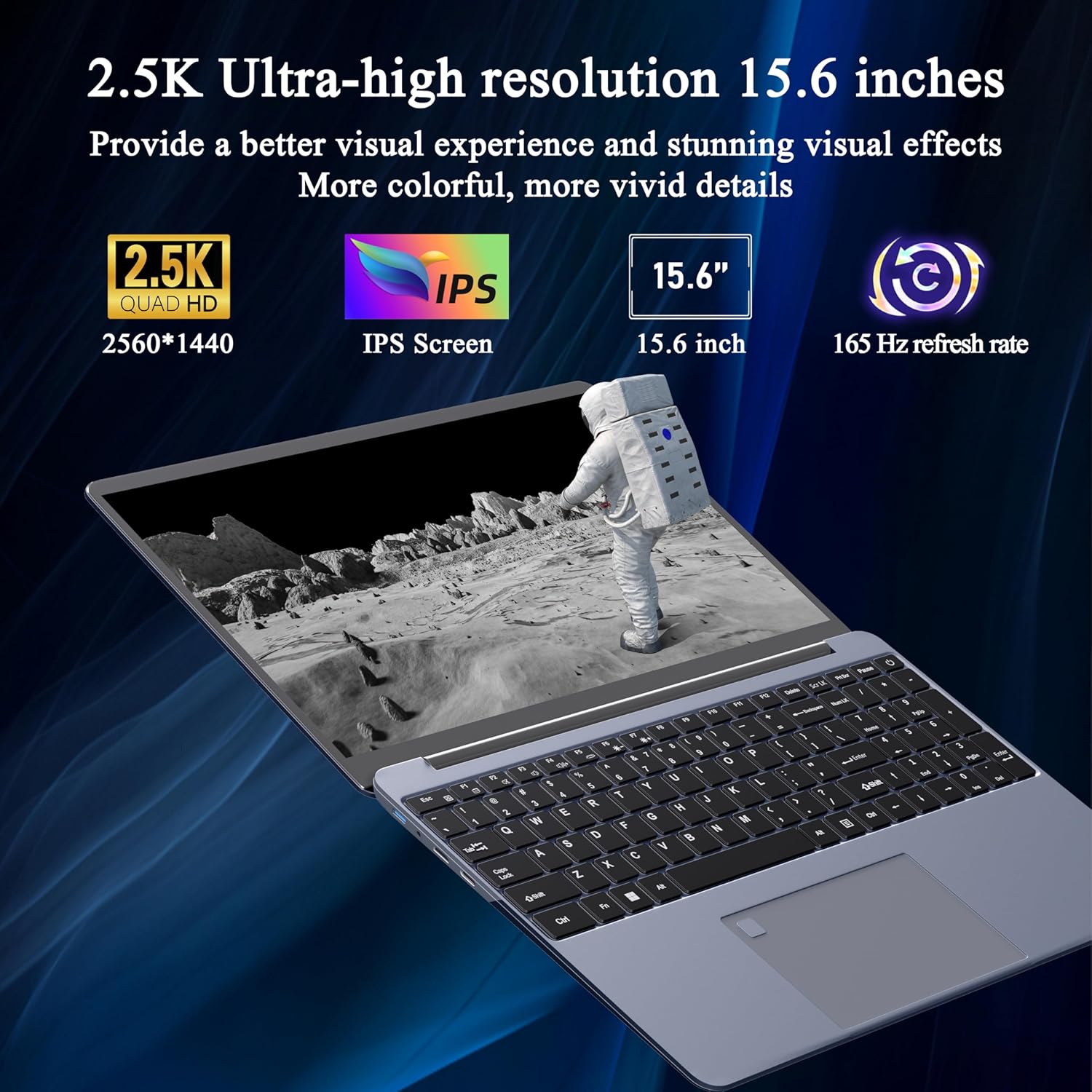
Image 3.1: Visual representation of the laptop's 2.5K Ultra-high resolution 15.6-inch display specifications.
3.2. Auftragsverarbeiter
Equipped with an AMD Ryzen 7 5700U eight-core processor, the laptop offers a base frequency of 1.8GHz and can accelerate up to 4.3GHz. This processor is designed for high-performance computing and multitasking.

Abbildung 3.2: Detailansicht view of the AMD Ryzen 7 5700U processor, highlighting its core specifications.
3.3. Speicher und Speicherung
The laptop features 16GB of DDR4 RAM, enabling smooth multitasking across multiple applications. For storage, it includes a 512GB NVMe SSD, which provides fast startup times and efficient data access with minimal noise.

Image 3.3: The laptop demonstrating its capacity for handling multiple applications with 16GB RAM and 512GB SSD.
3.4. Konnektivität und Anschlüsse
The laptop offers versatile connectivity options:
- Kabellos: 5G dual-band WiFi, Bluetooth 4.2
- Häfen: 2x USB 3.0, 1x Micro SD card slot, 1x Type-C, 1x Mini HDMI, 1x Headphone Jack, 1x DC charging port

Image 3.4: An illustration detailing the available ports on the Svikou laptop for external device connections.
3.5. Tastatur und Eingabe
The laptop features a backlit keyboard for improved visibility in various lighting conditions. It also includes a fingerprint unlock sensor for enhanced security and convenient access.
- Tastatur mit Hintergrundbeleuchtung: To toggle the keyboard backlight, press Fn + F5.
- Entsperren per Fingerabdruck: Use the integrated fingerprint sensor for secure login.

Image 3.5: Close-up of the backlit keyboard and the fingerprint unlock feature.
3.6. Batterie
The laptop is equipped with a 5000mAh high-capacity battery, providing up to 5 hours of usage depending on the workload.

Image 3.6: The laptop's design emphasizing its durable battery life.
4. Wartung
To ensure the longevity and optimal performance of your Svikou laptop, follow these maintenance guidelines:
- Reinigung: Reinigen Sie Bildschirm und Gehäuse mit einem weichen, fusselfreien Tuch. Vermeiden Sie aggressive Chemikalien.
- Software-Updates: Aktualisieren Sie regelmäßig Ihr Windows-Betriebssystem und Ihre Treiber, um Sicherheit und Leistung zu gewährleisten.
- Batteriepflege: Vermeiden Sie häufiges vollständiges Entladen des Akkus. Laden Sie den Akku für die Langzeitlagerung auf etwa 50–70 % auf.
- Belüftung: Um eine Überhitzung zu vermeiden, stellen Sie sicher, dass die Lüftungsschlitze des Laptops nicht blockiert sind. Verwenden Sie den Laptop auf einer harten, ebenen Fläche.
- Lagerung: Bewahren Sie den Laptop an einem kühlen, trockenen Ort fern von direkter Sonneneinstrahlung und extremen Temperaturen auf.
5. Fehlerbehebung
This section addresses common issues you might encounter with your Svikou laptop.
5.1. Tastatur reagiert nicht
- Starten Sie den Laptop neu: Ein einfacher Neustart kann oft vorübergehende Softwarefehler beheben.
- Fahrer prüfen: Ensure your keyboard drivers are up to date. Go to Device Manager, locate 'Keyboards', right-click your keyboard device, and select 'Update driver'.
- System File Überprüfen: If issues persist after a Windows update, open Command Prompt as administrator and run
DISM /Online /Cleanup-Image /RestoreHealth. Allow it to complete, then restart your computer.
5.2. Überhitzung
- Belüftung prüfen: Ensure the laptop's vents are clear of dust and obstructions. Use compressed air to clean them if necessary.
- Oberfläche: Use the laptop on a hard, flat surface to allow for proper airflow. Avoid using it on soft surfaces like beds or couches.
- Nicht verwendete Anwendungen schließen: Reduce the workload on the CPU and GPU by closing unnecessary programs.
- Energieeinstellungen: Adjust power settings to a 'Balanced' or 'Power saver' mode to reduce performance and heat generation.
5.3. Der Akku entlädt sich schnell
- Bildschirmhelligkeit anpassen: Lowering screen brightness significantly reduces battery consumption.
- Hintergrund-Apps schließen: Many applications consume power even when not actively in use. Close them from Task Manager.
- Power-Modus: Switch to 'Battery Saver' mode in Windows settings.
- Nicht verwendete Funktionen deaktivieren: Turn off Wi-Fi, Bluetooth, or other peripherals when not needed.
6. Spezifikationen
| Besonderheit | Spezifikation |
|---|---|
| Marke | Svikou |
| Modellname | 15AR757 |
| Bildschirmgröße | 15.6 Zoll |
| Bildschirmauflösung | 2560 x 1440 (2.5K FHD) |
| Bildwiederholrate | 165 Hz |
| Prozessor | AMD Ryzen 7 5700U (8-core, 1.8 GHz base, up to 4.3 GHz) |
| RAM | 16 GB LPDDR4X |
| Lagerung | 512 GB NVMe SSD |
| Betriebssystem | Windows 11 Pro |
| Grafikkarte | Integrierte AMD Radeon-Grafik |
| Kabelloser Typ | 802.11ax (5G Dual-Band WiFi) |
| Bluetooth | Bluetooth 4.2 |
| USB 3.0-Anschlüsse | 2 |
| Andere Häfen | Type-C, Mini HDMI, Micro SD Card Slot, Headphone Jack, DC Charging Port |
| Batterie | 5000mAh Lithium-Ionen |
| Artikelgewicht | 6.07 Pfund |
| Technische Daten | 14 x 9 x 0.7 Zoll |
| Farbe | Grau |
7. Garantie und Support
Your Svikou laptop comes with a 12-month product quality assurance. If you encounter any discrepancies or issues, particularly regarding Windows 11 Pro certification, please contact our customer service team.
We offer 24-hour email support to assist you with any questions or concerns. Please refer to the warranty card included in your package for specific terms and conditions.
Kontaktieren Sie den Support: For assistance, please refer to the contact information provided on your warranty card or the official Svikou webWebsite.