1. Einleitung
This manual provides essential information for the installation, operation, and maintenance of your ECO-WORTHY 300A Hall Sensor AC to DC Transmitter. This device is designed as an accessory for ECO-WORTHY battery monitors, enabling high-precision bidirectional current monitoring. Please read this manual thoroughly before use to ensure proper functionality and safety.
2. Produktüberschreitungview
2.1 Hauptmerkmale
- High-Precision Monitoring: Offers 99% accuracy for current measurement.
- Bidirectional Current Monitoring: Supports dual Hall Sensors to independently collect and display input and output current and power when used with a compatible ECO-WORTHY battery monitor.
- Vereinfachte Installation: Hall technology eliminates the need for complex wiring or shunts, making setup convenient and safe.
- Elektrische Isolierung: Provides electrical isolation from the measured circuit for enhanced safety.
2.2 What is a Hall Sensor?
A Hall sensor is a device that measures the magnitude of a magnetic field. In this application, it is a circular component through which the current-carrying wire passes. The Hall effect battery monitors utilize this principle to measure battery characteristics in both directions, making them suitable for high-capacity batteries or battery banks.

Image: Illustration of a Hall Sensor measuring current through a wire.
2.3 Packungsinhalt
Das Paket beinhaltet:
- hall-Sensor
- (Note: Additional accessories like the battery monitor are sold separately.)
3. Spezifikationen
| Attribut | Wert |
|---|---|
| Marke | ÖKO-WERTIG |
| Messtyp | Ammeter (Current) |
| Input Current Capacity | 300 A |
| Farbe | Schwarz |
| Artikelgewicht | 9.9 Unzen |
| Verpackungsabmessungen | 7.13 x 6.46 x 1.81 Zoll |
| Zertifizierungen | CE, NIST, RoHS, UL |
4. Installationsanleitung
The ECO-WORTHY Hall Sensor simplifies current monitoring. Follow these steps for proper installation with your compatible battery monitor.
4.1 Single Hall Sensor Connection
When using a single Hall sensor, ensure all positive battery wires (from inverter, controller, etc.) pass through the Hall sensor, including the monitor's power cable. This allows the sensor to accurately measure the total current flow.
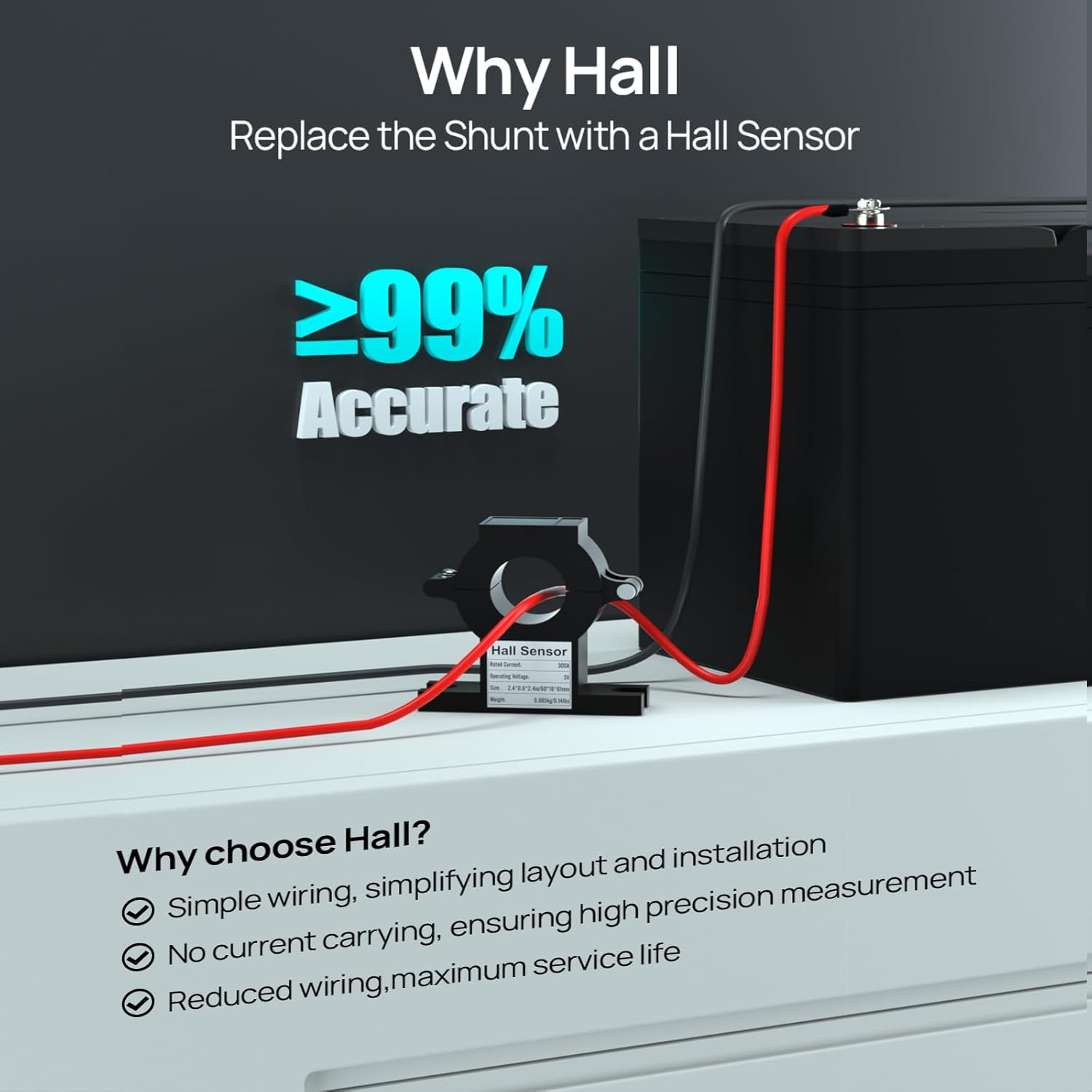
Image: Connection diagram for a single Hall Sensor setup.
4.2 Schritt-für-Schritt-Einrichtung
The installation process involves three main steps:
- Step 1: Connect Hall Sensor to Display Screen. Connect the Hall sensor's wiring to the designated ports on your ECO-WORTHY battery monitor display screen.
- Step 2: Connect Display Screen to Battery. Connect the positive and negative terminals of the battery monitor display screen to the corresponding terminals of your battery.
- Step 3: Position Hall Sensor. Ensure the Hall sensor encircles the current-carrying wire(s) that you intend to monitor. For accurate measurement, all current flowing into or out of the battery should pass through the sensor.

Image: Visual guide for the 3-step setup process. (Note: This image is a thumbnail, refer to your product's full manual for a larger view.)
5. Bedienung
Once installed, configure your ECO-WORTHY battery monitor for accurate performance. The following sections detail the necessary settings and calibration procedures.
5.1 Initial Settings (Basic & Alarm)
After powering on the display, it is crucial to set up the basic and alarm parameters immediately to ensure accurate monitoring and protection.
- Grundeinstellungen:
- Batteriekapazität: Enter the rated capacity of your battery (e.g., 100Ah for a 100Ah battery).
- Max. Ladevolumentage: Set this according to your battery's specifications (e.g., 14.6V for a LiFePO4 battery).
- Cut-off-Voltage: Define the safe lower voltage limit for your battery to prevent deep discharge (e.g., 10.0V).
- Alarmeinstellungen:
- Hohe Lautstärketage: Stellen Sie die Überlautstärke eintage alarm threshold, ensuring it does not exceed your battery's maximum charge voltage.
- Überstrom: Set the overcurrent alarm threshold based on your battery's usage to prevent excessive current.
- Niedrige Lautstärketage: Stellen Sie die niedrige Lautstärke eintage alarm threshold to protect the battery from deep discharge.
- Low SOC (State of Charge): Set the low SOC alarm threshold, typically recommended at 10%–20%.
- Alarmsummer: It is recommended to turn on the alarm buzzer for immediate alerts in case of abnormal conditions.

Image: Parameter settings interface on the battery monitor. (Note: This image is a thumbnail, refer to your product's full manual for a larger view.)

Image: Alarm system settings interface. (Note: This image is a thumbnail, refer to your product's full manual for a larger view.)
5.2 Battery Cycle Calibration
Calibration helps the monitor accurately track the battery's status across its full charge-discharge range. This ensures precise State of Charge (SOC) readings.
- Full Charge Calibration: Fully charge your battery to its maximum charge voltage. This allows the monitor to record the "full" state of the battery.
- Empty Charge Calibration: Discharge the battery to its defined cut-off voltage. This allows the monitor to record the "empty" state of the battery.
Once these calibrations are complete, your battery monitor will be ready to operate and accurately track your battery's performance.
5.3 Data Monitoring and Memory Function
The ECO-WORTHY battery monitor provides comprehensive data monitoring and includes a data memory function.
- All-Round Battery Data: Monitor State of Charge (SOC), Estimated Usable Time, Battery Voltage, Battery Current, and Battery Wattage.
- Datenspeicherfunktion: The monitor intelligently remembers the last settings and monitored data, ensuring uninterrupted monitoring and more scientific, accurate data.

Image: Comprehensive battery data display. (Note: This image is a thumbnail, refer to your product's full manual for a larger view.)

Image: Data memory function overview. (Note: This image is a thumbnail, refer to your product's full manual for a larger view.)
5.4 Video Guide: Setting Battery Monitor Parameters
For a visual guide on setting up the parameters of your ECO-WORTHY battery monitor, please watch the official video below. This video covers basic settings, alarm thresholds, and calibration steps.
Video: Detailed instructions on setting up the ECO-WORTHY battery monitor parameters, including battery capacity, charge/discharge voltages, and alarm thresholds.
6. Fehlerbehebung
If you encounter any issues with your ECO-WORTHY Hall Sensor or battery monitor, please refer to the following common troubleshooting tips:
- Falsche Messwerte: Ensure all wiring connections are secure and correct. Verify that the Hall sensor is properly installed around the main current-carrying wire(s). Re-perform the battery cycle calibration (full charge and empty charge) to reset the monitor's state.
- Kein Display/Stromanschluss: Check the power connection to the battery monitor display. Ensure the battery has sufficient charge.
- Alarmauslösung unerwartet: Review your alarm settings (High Voltage, niedrige Voltage, Over Current, Low SOC) and adjust them according to your battery's specifications and usage patterns.
- Bildschirm reagiert nicht: Try restarting the battery monitor. If the issue persists, perform a factory reset (refer to your battery monitor's specific manual for instructions on factory reset).
For persistent problems or further assistance, please contact ECO-WORTHY customer support.
7. Support & Garantie
ECO-WORTHY is committed to providing excellent customer service and support for its products.
7.1 Kundendienst
If you have any questions, require technical assistance, or need further support regarding your ECO-WORTHY equipment, our dedicated U.S. service team is ready to assist you.
- WebWebsite: www.eco-worthy.com
- E-Mail: customer.service@eco-worthy.com
- Facebook: www.facebook.com/ecoworthy.store
7.2 Produktschutzpläne
Optional protection plans are available to extend the coverage of your product:
- 3-Jahres-Schutzplan: Einmalige Zahlung von 6.99 $.
- 4-Jahres-Schutzplan: Einmalige Zahlung von 8.99 $.
- NEW Complete Protect: Monatliche Abrechnung von 16.99 $, die alle berechtigten vergangenen und zukünftigen Käufe abdeckt.
Please refer to the specific terms and conditions of each protection plan for full details.