1. Einleitung
Thank you for choosing the Airdog X3D Black Air Purifier. This manual provides essential information for the safe and efficient operation, maintenance, and troubleshooting of your device. Please read this manual thoroughly before use and retain it for future reference.

Abbildung 1: Vorderseite view of the Airdog X3D Black Air Purifier.
2. Sicherheitshinweise
To reduce the risk of electric shock, fire, or injury, always follow basic safety precautions when operating electrical appliances. This device is for indoor use only.
- Tauchen Sie das Gerät nicht in Wasser oder andere Flüssigkeiten.
- Halten Sie das Netzkabel von heißen Oberflächen fern.
- Betreiben Sie das Gerät nicht mit beschädigtem Kabel oder Stecker.
- Ensure the air inlets and outlets are not blocked.
- Ziehen Sie den Stecker aus der Steckdose, bevor Sie das Gerät reinigen oder Wartungsarbeiten durchführen.
- Außerhalb der Reichweite von Kindern und Haustieren aufbewahren.
3. Packungsinhalt
Überprüfen Sie, ob alle Artikel im Paket vorhanden sind:
- Airdog X3D Black Air Purifier Unit
- Netzteil
- Fernbedienung
- Benutzerhandbuch (dieses Dokument)
4. Produktüberschreitungview
The Airdog X3D features a compact design with advanced air purification technology, including a TPA filter system, light sensor, human sensor, and a 3-way wide-angle exhaust system for efficient air circulation.
4.1. Main Unit Components
- Bedienfeld/Display: Shows air quality index (AQI) and operational status.
- Lufteinlass: Located on the sides and back of the unit.
- Luftauslass: Top of the unit, designed for 3-way wide-angle exhaust.
- TPA Filter System: Internal, washable filter components.
- Sensoren: Integrated light and human presence sensors.
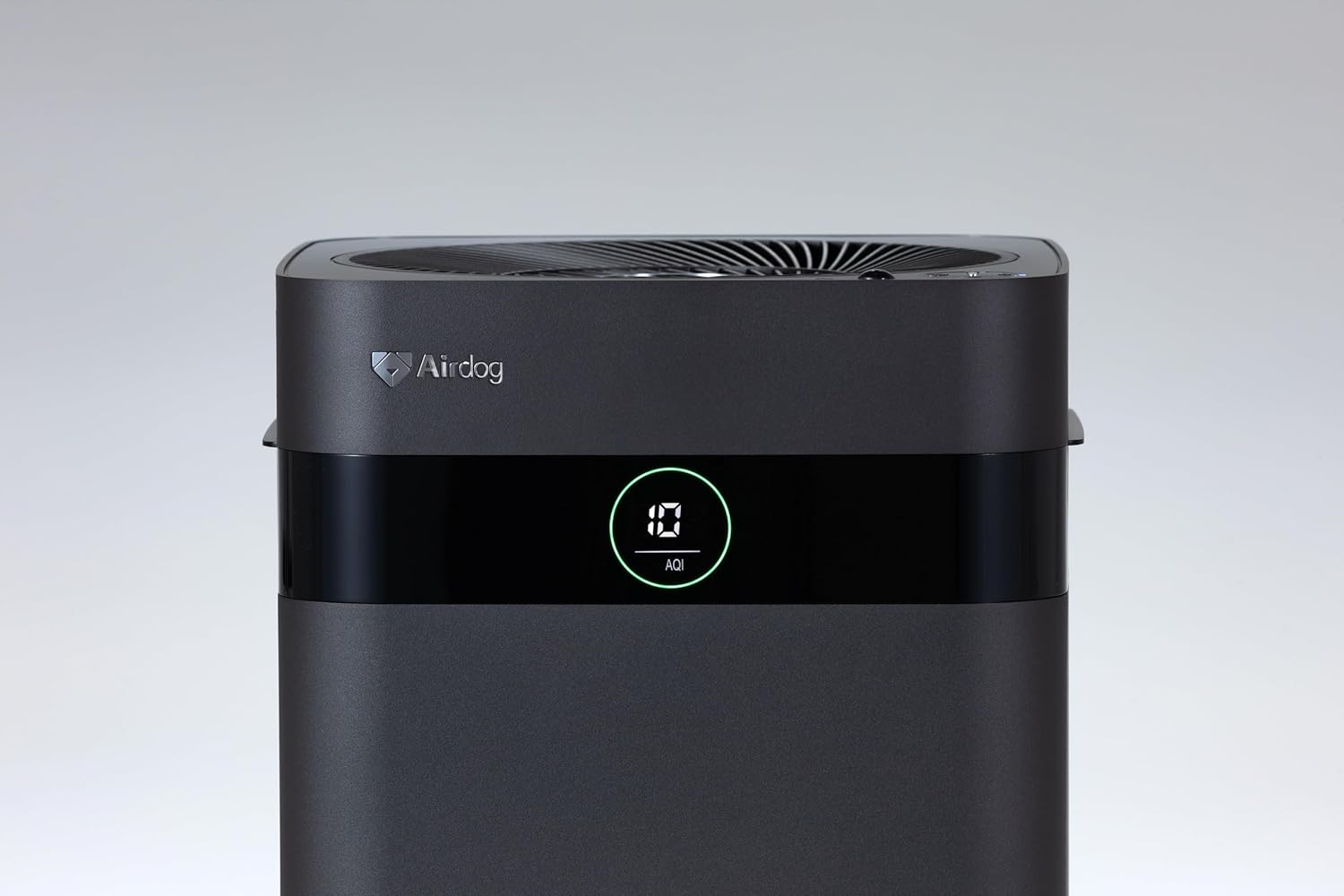
Figure 2: Close-up of the control panel and AQI display.

Abbildung 3: Oben view illustrating the air outlet design.

Figure 4: The bottom light indicator provides visual feedback on air quality.
5. Einrichtung
5.1. Auspacken
- Nehmen Sie den Luftreiniger vorsichtig aus der Verpackung.
- Remove all protective films and packaging materials from the unit.
- Stellen Sie sicher, dass alle in Abschnitt 3 aufgeführten Komponenten vorhanden sind.
5.2. Platzierung
Place the air purifier on a flat, stable surface. For optimal performance, ensure there is adequate space around the unit for air circulation. Avoid placing it directly against walls or furniture that might obstruct the air inlets or the 3-way wide-angle exhaust.

Abbildung 5: Bspample placement in a kitchen area.

Abbildung 6: Bspample placement in a living room.
5.3. Stromanschluss
Connect the power adapter to the power input port on the back of the unit, then plug the adapter into a suitable electrical outlet.
6. Bedienungsanleitung
6.1. Ein-/Ausschalten
Press the power button on the control panel or the remote control to turn the unit on or off. The display will illuminate when the unit is active.
6.2. Modusauswahl
The Airdog X3D offers various operating modes:
- Automatikmodus: The unit automatically adjusts fan speed based on detected air quality (AQI).
- Manueller Modus: Allows you to manually select the desired fan speed.
- Schlafmodus: Operates at the lowest fan speed with reduced display brightness for quiet operation.
Use the mode button on the control panel or remote control to cycle through the available modes.
6.3. Sensor Functions
- Lichtsensor: Automatically adjusts display brightness based on ambient light conditions.
- Menschlicher Sensor: Detects human presence to optimize operation, potentially saving energy when the room is unoccupied.
6.4. Fernbedienung
The included remote control allows for convenient operation from a distance. Point the remote control directly at the unit's sensor. Note that the effective range of the remote control may be limited (approximately 1 meter).
7. Wartung
Regular maintenance ensures the longevity and optimal performance of your Airdog X3D air purifier.
7.1. TPA Filter Cleaning
The TPA filter system is washable and reusable. Refer to the detailed instructions in the full user manual for specific cleaning procedures. Generally, the collector plates should be cleaned regularly to maintain purification efficiency.
- Turn off and unplug the unit before opening the filter compartment.
- Remove the collector plates and wash them with water and mild detergent.
- Ensure all filter components are completely dry before reinserting them into the unit.
7.2. Außenreinigung
Wischen Sie die Außenseite des Geräts mit einem weichen,amp Tuch. Keine Scheuer- oder Lösungsmittel verwenden.
8. Fehlerbehebung
If you encounter issues with your Airdog X3D, please refer to the following common problems and solutions:
| Problem | Mögliche Ursache | Lösung |
|---|---|---|
| Gerät lässt sich nicht einschalten. | Kein Strom, lose Verbindung. | Überprüfen Sie den Netzkabelanschluss und die Steckdose. |
| Mangelhafte Luftreinigungsleistung. | Dirty TPA filter, obstructed air inlets/outlets. | Clean TPA filter components. Ensure clear airflow paths. |
| Fernbedienung reagiert nicht. | Low battery, out of range, obstruction. | Replace remote battery. Ensure direct line of sight within 1 meter. |
| Ungewöhnliches Geräusch. | Foreign object, improper filter installation. | Check for obstructions. Reinstall filter components correctly. |
Sollte das Problem nach Anwendung dieser Lösungsansätze weiterhin bestehen, wenden Sie sich bitte an den Kundendienst.
9. Spezifikationen
| Besonderheit | Detail |
|---|---|
| Marke | Airdog |
| Modellnummer | AIR-X3-AMB310 |
| Farbe | Mattschwarz |
| Technische Daten | 26 cm (T) x 27 cm (B) x 56 cm (H) |
| Paketgewicht | 7.5 kg |
| Batterieverbrauch | Ja (für Fernbedienung) |
| Batterie im Lieferumfang enthalten | NEIN |
| Herstellungsjahr | 2024 |
| Besondere Merkmale | Light & Human Sensor, 3-way Wide-Angle Exhaust System, TPA Filter |
10. Garantie und Support
The Airdog X3D Black Air Purifier comes with a manufacturer's warranty. Please refer to the warranty card included with your product for specific terms and conditions. For technical support, service, or warranty claims, please contact Airdog customer service through their official webWebsite oder die in Ihrer Produktdokumentation angegebenen Kontaktinformationen.


