Einführung
Thank you for choosing the litokam 2.5K 4MP QHD Outdoor PTZ Security Camera. This manual provides detailed instructions for setting up, operating, and maintaining your camera to ensure optimal performance and security for your home. This camera features 2.5K 4MP QHD resolution, 360° pan/tilt monitoring, AI motion detection, color night vision, and two-way audio communication.
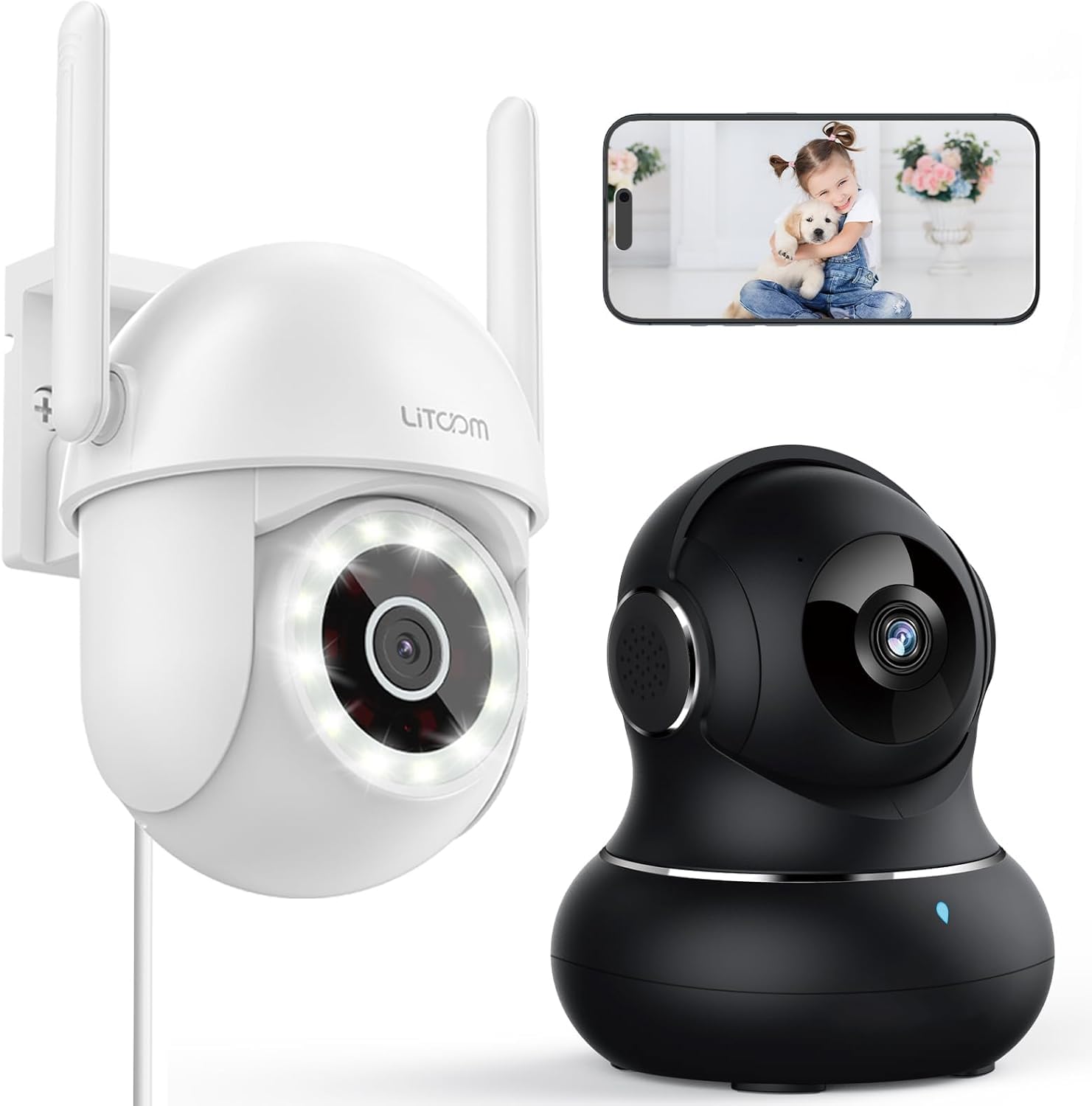
Bild: Überview of the litokam 2.5K 4MP QHD Outdoor PTZ Security Camera.
Installationshandbuch
1. Packungsinhalt
Bitte stellen Sie vor der Installation sicher, dass alle Komponenten vorhanden sind:
- litokam 2.5K 4MP QHD Outdoor PTZ Security Camera
- Netzteil
- Befestigungsschrauben und Anker
- Benutzerhandbuch (dieses Dokument)
2. Einschalten der Kamera
The camera requires a direct power supply. Connect the provided power adapter to the camera's power input port and then plug it into a standard electrical outlet. Ensure the power source is stable.
3. Montage der Kamera
Die Kamera ist für die Wandmontage vorgesehen. Wählen Sie einen geeigneten Standort, der die gewünschten Bedingungen bietet. viewing angle and is within range of your 2.4GHz Wi-Fi network. Use the included screws and anchors to securely mount the camera.
- Markieren Sie die Bohrpunkte an der Wand, indem Sie die Kamerabasis als Schablone verwenden.
- Bohren Sie an den markierten Stellen Löcher.
- Stecken Sie die Kunststoffdübel in die Bohrlöcher.
- Align the camera base with the holes and secure it with the screws.
4. App-Installation und WLAN-Verbindung
To operate the camera, you need to download the litokam app on your smartphone (compatible with Android and iOS). The camera only works with 2.4GHz Wi-Fi networks.
- Download the litokam app from your device's app store.
- Registrieren Sie sich oder melden Sie sich in Ihrem Konto an.
- Follow the in-app instructions to add your new camera. This typically involves scanning a QR code on the camera or manually selecting the device type and entering Wi-Fi credentials.
- Ensure your phone is connected to a 2.4GHz Wi-Fi network during the setup process.
Bedienungsanleitung
1. Leben View und Schwenk-/Neigesteuerung
Access the live video feed through the litokam app. The camera offers 360° pan and tilt functionality, allowing you to remotely adjust the viewing angle. Use the on-screen controls in the app to pan horizontally and tilt vertically.

Image: Remote Pan/Tilt/Zoom (PTZ) control via the mobile application, showing 360° horizontal viewing angle and 3X digital zoom.
The camera also supports 3X digital zoom to view details more closely within the live feed.
2. KI-gestützte Bewegungserkennung und Benachrichtigungen
The camera features PIR motion detection and advanced AI analytics to accurately identify and differentiate between people and vehicles, significantly reducing false alarms. When motion is detected, real-time alerts are sent to your phone.

Image: AI analysis detecting a vehicle in the surveillance area, reducing false alarms.

Image: The camera detecting motion, with options for real-time alerts and app notifications.
You can customize alert settings, including siren activation and flashing white light, to deter unwanted visitors.
3. Zwei-Wege-Audiokommunikation
With a built-in microphone and speaker, the camera enables two-way audio. Use the app to speak with visitors, family members, or pets directly through the camera, or to warn intruders.

Image: Demonstrating two-way audio, allowing communication with a person at the door.
4. Nachtsichtmodi
The camera offers three night vision options for clear monitoring up to 33 feet in low-light conditions:
- Infrarotmodus: Standardmäßige Schwarzweiß-Nachtsicht mit Infrarot-LEDs.
- Vollfarbmodus: Utilizes the built-in LED spotlight to provide full-color video even at night.
- Smart-Modus: Automatically switches between infrared and full-color mode based on detected motion or light conditions.

Image: Comparison of standard night vision (left) and full-color night vision (right) with LED spotlight activated.

Image: Visual representation of 4MP HD resolution for clearer images, comparing it to lower resolution.
5. Mehrbenutzer-Sharing
The litokam app allows you to share camera access with multiple users, such as family members. This enables several people to view Sie können den Live-Feed sehen und gleichzeitig Benachrichtigungen erhalten.

Image: The litokam app interface showing multi-user access and sharing capabilities across different devices (Android, iOS, Tablet, PC Software).
Wartung
1. Reinigung der Kamera
To ensure clear image quality, periodically clean the camera lens and housing. Use a soft, damp Mit einem Tuch Staub und Schmutz abwischen. Vermeiden Sie die Verwendung von scharfen Chemikalien oder scheuernden Materialien, die die Linse oder die Oberfläche beschädigen könnten.
2. Firmware-Updates
Keep your camera's firmware updated to benefit from the latest features and security enhancements. Check for available updates within the litokam app and follow the on-screen instructions to install them.
3. Witterungsbeständigkeit
The camera has an IP65 rating, indicating it is protected against dust and water jets. This allows for efficient, all-weather operation, withstanding rain, snow, and harsh conditions. No special weather-related maintenance is typically required beyond ensuring the power connection remains secure and protected.
Fehlerbehebung
If you encounter issues with your litokam security camera, refer to the following common solutions:
- Kamera offline:
- Stellen Sie sicher, dass die Kamera ordnungsgemäß mit Strom versorgt wird und das Netzteil fest angeschlossen ist.
- Verify your Wi-Fi router is working and the camera is within range of a 2.4GHz Wi-Fi signal.
- Starten Sie die Kamera neu, indem Sie das Netzteil aus- und wieder einstecken.
- Check the litokam app for any network status indicators or troubleshooting guides.
- Keine Verbindung zum WLAN möglich:
- Vergewissern Sie sich, dass Ihr WLAN-Netzwerk mit 2.4 GHz arbeitet. Die Kamera unterstützt kein 5-GHz-WLAN.
- Stellen Sie sicher, dass Sie das richtige WLAN-Passwort eingeben.
- Move the camera closer to your Wi-Fi router during the setup process.
- Reset the camera (refer to the app for specific reset instructions, usually a small button).
- Schlechte Bildqualität:
- Reinigen Sie das Kameraobjektiv mit einem weichen Tuch.
- Stellen Sie sicher, dass sich keine Hindernisse vor der Linse befinden.
- Überprüfen Sie Ihre Internetverbindungsgeschwindigkeit; eine langsame Verbindung kann die Streaming-Qualität beeinträchtigen.
- Bewegungserkennung funktioniert nicht:
- Verify motion detection settings are enabled in the litokam app.
- Passen Sie gegebenenfalls die Empfindlichkeitseinstellungen an.
- Stellen Sie sicher, dass die Kamera view ist nicht behindert.
For further assistance, please contact litokam customer support or refer to the FAQ section within the litokam app.
Technische Daten
| Besonderheit | Detail |
|---|---|
| Modell | 2.5K 4MP QHD Outdoor PTZ Security Camera |
| Auflösung der Videoaufnahme | 2.5K, 4 MP (2560*1440) |
| Digital Zoom | 3X |
| Schwenk-/Neigebereich | 360° |
| Konnektivitätsprotokoll | WLAN (nur 2.4 GHz) |
| Stromquelle | Wired (Direct Power Supply) |
| Bewegungserkennung | PIR Motion Detection, Advanced AI Analytics (Person/Vehicle Differentiation) |
| Nachtsicht | Full-Color, Infrared, Smart Mode (up to 33ft visible range) |
| Audio | Zwei-Wege-Audio (eingebautes Mikrofon und Lautsprecher) |
| Wetterbeständigkeit | Schutzart IP65 |
| Kompatible Geräte | Smartphone (Android, iOS), PC Software |
| Montagetyp | Wandhalterung |
| ASIN | B0CX91MDJ4 |
Garantie und Support
Garantieinformationen
For detailed warranty information, please refer to the warranty card included with your product or visit the official litokam webDie Garantiebedingungen können je nach Region und Kaufdatum variieren.
Kundenservice
If you require technical assistance, have questions about your product, or need to report an issue, please contact litokam customer support. You can typically find contact information (email, phone, or support portal) on the official litokam website or within the litokam mobile application.
Bitte halten Sie Ihr Produktmodell bereit und ASIN (B0CX91MDJ4) ready when contacting support for faster service.


