1. Einleitung
This manual provides detailed instructions for the setup, operation, and maintenance of your CZEview ZY-D1 Babyphone. Please read this manual thoroughly before using the device to ensure proper functionality and safety. The CZEview ZY-D1 is designed to help you monitor your baby with advanced features such as 2K Ultra HD video, AI-powered detection, two-way audio, and environmental monitoring.
2. Packungsinhalt
- CZEview ZY-D1 Babyphone Camera
- Netzteil und Kabel
- Montagezubehör (für die Wandmontage)
- Benutzerhandbuch (dieses Dokument)
3. Produktüberschreitungview und Funktionen
Die CZEview ZY-D1 Babyphone offers a comprehensive monitoring solution with the following key features:
- 2K Ultra HD-Video: Bietet klare und detaillierte Videoüberwachung.
- 360° AI Tracking: Intelligent AI technology tracks movements, ensuring no blind spots with 355° horizontal and 90° vertical rotation.
- Sofortige Benachrichtigungen: Receive immediate alerts for detected motion, noise, or crying.
- Zweiwege-Audio: Communicate with your baby remotely using the built-in microphone and speaker.
- Stable Dual-Band Wi-Fi: Compatible with both 2.4 GHz and 5 GHz Wi-Fi networks for reliable connectivity.
- Infrarot Nachtsicht: Clear monitoring even in low-light or dark conditions.
- Comfort Night Light & Lullabies: Features a looping night light and 14 pre-installed lullabies to soothe your baby.
- Temperatur- und Luftfeuchtigkeitsüberwachung: Behalten Sie die Umgebung in der Kindertagesstätte im Blick.
- Schlafanalyse: Monitor and analyze your baby's sleep patterns.
- Alexa-Integration: Seamlessly integrates with Amazon Alexa for voice control and viewing.

Bild 1: Die CZEview ZY-D1 Babyphone camera, featuring a white body and colorful ears, designed for monitoring infants.
4. Einrichtung
4.1 Einschalten
- Schließen Sie das mitgelieferte Stromkabel an den Stromanschluss der Kamera an.
- Stecken Sie das Netzteil in eine normale Steckdose.
- Die Kamera schaltet sich ein, und eine Kontrollleuchte zeigt ihren Status an.
4.2 App-Installation
- Scan the QR code provided on the product packaging or in the quick start guide to download the official CZEview App.
- Installieren Sie die App auf Ihrem Smartphone oder Tablet.
- Registrieren Sie sich für ein neues Konto oder melden Sie sich an, falls Sie bereits eines besitzen.
4.3 Wi-Fi-Verbindung
- Öffnen Sie die CZEview app and follow the on-screen instructions to add a new device.
- Select your Wi-Fi network (supports both 2.4 GHz and 5 GHz).
- Geben Sie Ihr WLAN-Passwort ein.
- The app will guide you through pairing the camera with your network. This usually involves scanning a QR code displayed on your phone with the camera lens.
- Sobald die Verbindung hergestellt ist, ändert sich die Kontrollleuchte der Kamera, und Sie sehen den Live-Feed in der App.

Bild 2: Illustration of the CZEview Babyphone's compatibility with both 5GHz and 2.4GHz dual-band Wi-Fi for a stable connection.
4.4 Montage der Kamera
Die CZEview ZY-D1 Babyphone can be placed on a flat surface or mounted to a wall. If wall mounting, use the provided accessories and ensure the camera is securely fastened at a safe distance from the crib, out of reach of children.
5. Bedienungsanleitung
5.1 Live View und Schwenk-/Neigesteuerung
- Öffnen Sie die CZEview app and select your camera to view das Live-Feed.
- Verwenden Sie die Bedienelemente auf dem Bildschirm, um das Kameraobjektiv zu schwenken (355° horizontal) und zu neigen (90° vertikal), um die Kameraeinstellungen anzupassen. viewing-Winkel.
- The automatic tracking feature will detect and follow moving objects within its field of view.
5.2 Zwei-Wege-Audio

Bild 3: A parent using the CZEview app on a smartphone to engage in two-way communication with a baby in a crib.
- Während im Leben viewTippen Sie in der App auf das Mikrofonsymbol.
- Sprechen Sie in das Mikrofon Ihres Telefons, um Ihre Stimme über den Lautsprecher der Kamera zu übertragen.
- Release the microphone icon to listen to your baby.
5.3 KI-Erkennung und Benachrichtigungen

Bild 4: Die CZEview Babyphone camera positioned near a baby in a crib, highlighting its intelligent AI detection capabilities for motion, noise, and crying.
- Access the detection settings in the app.
- Enable Motion Detection, Noise Detection, and Cry Detection as needed.
- Passen Sie die Empfindlichkeitseinstellungen an, um Fehlalarme zu minimieren.
- You will receive instant push notifications on your smartphone when an event is detected.
5.4 Night Vision and Lullabies

Bild 5: Die CZEview Babyphone emitting a soft glow as a night light, with musical notes floating around a sleeping baby, illustrating its infrared night vision and lullaby features.
- Die Nachtsichtfunktion wird bei schwachen Lichtverhältnissen automatisch aktiviert.
- To play lullabies or activate the night light, navigate to the respective controls in the app.
- Select from the 14 available lullabies to soothe your baby.
5.5 Temperatur- und Feuchtigkeitsüberwachung
The app displays real-time temperature and humidity readings from the camera's environment. You can set alerts for specific temperature or humidity ranges.
5.6 Schlafanalyse

Bild 6: A visual representation of a sleep analysis timeline on a smartphone screen, showing snapshots of a baby at different times during sleep.
Die CZEview app provides a timeline view of your baby's activity, which can be used to analyze sleep patterns. Review recorded events and snapshots to understand sleep duration and disturbances.
5.7 Amazon Alexa-Integration
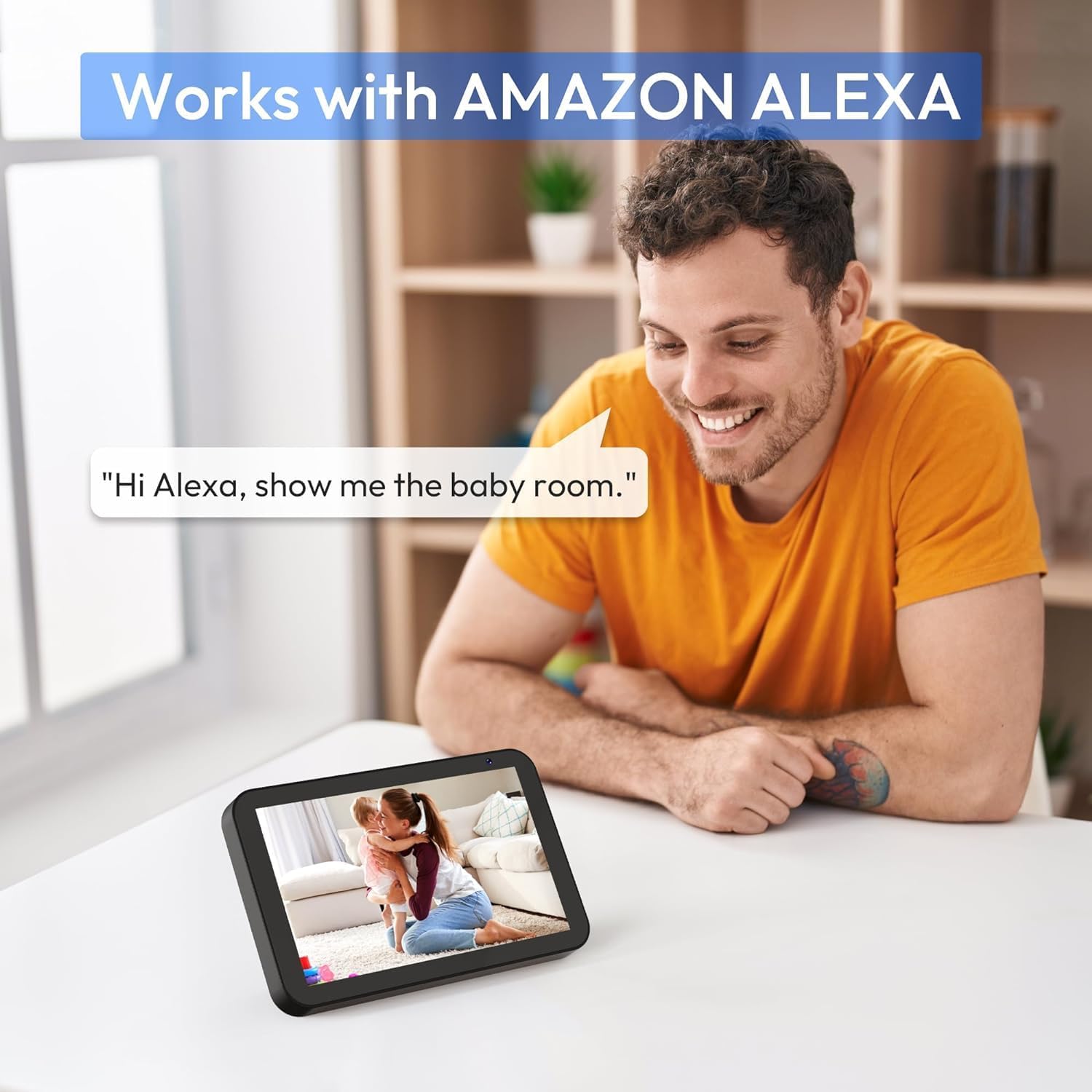
Bild 7: A person interacting with an Amazon Echo Show device, displaying the live feed from the CZEview Babyphone, demonstrating Alexa integration.
- Enable the CZEview skill in your Amazon Alexa app.
- Link your CZEview account with Alexa.
- Use voice commands such as "Alexa, show me the baby room" to view the camera feed on compatible Alexa devices.
5.8 Multi-User Access and SD Card Recording
- Familienfreigabe: You can invite family members to view the camera feed through the app. Invited users may have limited control functions compared to the primary account holder.
- Lokaler Speicher: Insert an SD card (not included) into the camera's designated slot for local video recording and to enable certain features like playing lullabies directly from the camera.
6. Wartung
- Reinigung: Reinigen Sie Objektiv und Gehäuse der Kamera mit einem weichen, trockenen Tuch. Verwenden Sie keine flüssigen Reiniger oder Sprays.
- Firmware-Updates: Überprüfen Sie regelmäßig die App auf verfügbare Firmware-Updates, um optimale Leistung und Sicherheit zu gewährleisten.
- Platzierung: Ensure the camera is placed in a well-ventilated area and not exposed to extreme temperatures or direct sunlight.
7. Fehlerbehebung
- Kein Strom: Ensure the power cable is securely connected to both the camera and the power outlet. Try a different outlet.
- Probleme mit der Wi-Fi-Verbindung: Verify your Wi-Fi password. Ensure the camera is within range of your router. Restart your router and the camera. Confirm your network is 2.4 GHz or 5 GHz compatible.
- Schlechte Bildqualität: Check your internet connection speed. Ensure the camera lens is clean and free from obstructions. Adjust the video quality settings in the app if available.
- Schlechte Audioqualität: Ensure there are no obstructions near the camera's microphone or speaker. Check the volume settings in the app.
- Benachrichtigungen nicht erhalten: Check app notification settings on your phone and within the CZEview app. Ensure the camera is connected to Wi-Fi.
- Kamera reagiert nicht: Unplug the camera, wait 10 seconds, and plug it back in to restart.
8. Spezifikationen
| Besonderheit | Spezifikation |
|---|---|
| Modellnummer | ZY-D1 |
| Drahtlose Kommunikationstechnologie | Wi-Fi (2.4 GHz & 5 GHz) |
| Viewing-Winkel | 360 Grad (355° horizontal, 90° vertikal) |
| Material | Plastik |
| Artikelabmessungen (L x B x H) | 12.7 x 7.62 x 7.62 cm |
| Konnektivitätsprotokoll | W-lan |
| Controllertyp | Amazon Alexa |
| Montagetyp | Wandhalterung |
| Farbe | Weiß |
| Bestandteile umfaßten | Kabel |
| Empfohlene Verwendung | Babyphone, Baby Monitoring, Night Vision |
9. Sicherheitshinweise
- Keep the camera and all accessories out of reach of children.
- Do not place the camera or its power cord within 1 meter (3 feet) of the crib or playpen to prevent strangulation hazards.
- Verwenden Sie ausschließlich das mitgelieferte Netzteil. Die Verwendung nicht autorisierter Netzteile kann das Gerät beschädigen und zum Erlöschen der Garantie führen.
- Das Gerät darf weder Wasser, Feuchtigkeit noch extremen Temperaturen ausgesetzt werden.
- Versuchen Sie nicht, das Gerät selbst zu öffnen oder zu reparieren. Wenden Sie sich an den Kundendienst.
10. Garantie und Support
For warranty information and customer support, please refer to the warranty card included in your product packaging or visit the official CZEview website. If you encounter any issues not covered in this manual, please contact CZEview Kundendienst um Hilfe.


