Einführung
Thank you for choosing the HyperGear Halo Waterproof LED Wireless Speaker. This manual provides essential information for setting up, operating, and maintaining your speaker to ensure optimal performance and longevity. The Halo speaker combines powerful HD sound with a vibrant 360° multicolor LED light show, designed for both indoor and outdoor use. Its IPX6 waterproof rating makes it suitable for various environments, from poolside parties to everyday listening.
Lieferumfang
- HyperGear Halo Waterproof LED Wireless Speaker
- USB-C-Ladekabel
- 3.5mm Aux Cord
Installationshandbuch
1. Laden Sie den Lautsprecher auf
Before first use, fully charge your Halo speaker. Connect the included USB-C charging cable to the speaker's charging port and the other end to a USB power adapter (not included). The LED indicator will show charging status and turn off when fully charged.
2. Ein-/Ausschalten
Press and hold the Power button on the speaker's top panel to turn it on or off. A sound prompt will indicate the power status.
3. Bluetooth-Kopplung
- Stellen Sie sicher, dass der Lautsprecher eingeschaltet und im Bluetooth-Kopplungsmodus ist (angezeigt durch eine blinkende LED).
- Aktivieren Sie auf Ihrem Gerät (Smartphone, Tablet, Computer) Bluetooth und suchen Sie nach verfügbaren Geräten.
- Select "HyperGear Halo" from the list.
- Nach erfolgreicher Kopplung gibt der Lautsprecher einen Bestätigungston von sich und die LED hört auf zu blinken.
Der Lautsprecher verbindet sich beim Einschalten automatisch wieder mit dem zuletzt gekoppelten Gerät, sofern er sich in Reichweite befindet.

The top panel of the HyperGear Halo speaker, showing controls and its connection to a smartphone via Bluetooth.
Bedienungsanleitung
Grundlegende Bedienelemente
| Taste/Funktion | Aktion |
|---|---|
| Netzschalter | Zum Ein-/Ausschalten gedrückt halten. |
| Abspielen/Pause | Press once to Play/Pause music |
| Lauter (+) | Einmal drücken, um die Lautstärke zu erhöhen |
| Lautstärke runter (-) | Einmal drücken, um die Lautstärke zu verringern |
| Nächster Titel | Press and hold Volume Up (+) |
| Vorheriger Titel | Press and hold Volume Down (-) |
| Anruf annehmen/beenden | Drücken Sie einmal die Play/Pause-Taste |
| Anruf ablehnen | Wiedergabe-/Pause-Taste gedrückt halten |
| Lichtmodus-Taste | Drücken, um durch die 6 LED-Lichtmodi zu schalten |
Party Mode (Stereo Pairing)
To achieve immersive stereo sound, you can pair two HyperGear Halo speakers together:
- Ensure both Halo speakers are powered on and not connected to any other Bluetooth device.
- On one speaker (this will be the primary speaker), double-press the Power button. It will enter pairing mode for Party Mode.
- The two speakers will automatically connect to each other. A confirmation sound will indicate successful pairing.
- Now, connect your device to the primary speaker via Bluetooth as described in the 'Bluetooth Pairing' section. Both speakers will play synchronized audio and light shows.

Two HyperGear Halo speakers paired together for Party Mode, offering synchronized audio and light effects.
Alternative Playback Modes

The side panel of the HyperGear Halo speaker, revealing the AUX, microSD, and USB-C ports for versatile connectivity.
- Aux-Eingang: Connect your device using the included 3.5mm Aux cord to the speaker's AUX port for a wired audio connection.
- Micro SD Karte: Insert a microSD card loaded with audio fileLegen Sie die Karte in den dafür vorgesehenen Schlitz ein. Der Lautsprecher spielt automatisch Musik von der Karte ab.
Funktionen überview
- Wasserdichtigkeitsklasse IPX6: Designed to withstand splashes, rain, and spills, making it ideal for outdoor adventures and poolside use.
- Powerful 5W Front-Firing Sound: Equipped with a 52mm full-range driver for rich, dynamic audio with pulse-pounding bass. The front-firing design ensures clearer sound projection.
- 360° Multicolor LED Lights: Features a vibrant light ring that synchronizes with your music, offering 6 different lighting modes to enhance your listening experience.
- Eingebautes Mikrofon: Ermöglicht bequemes Freisprechen.
- Bluetooth 5.3-Technologie: Provides a stable, stutter-free wireless connection with a range of up to 33 feet.
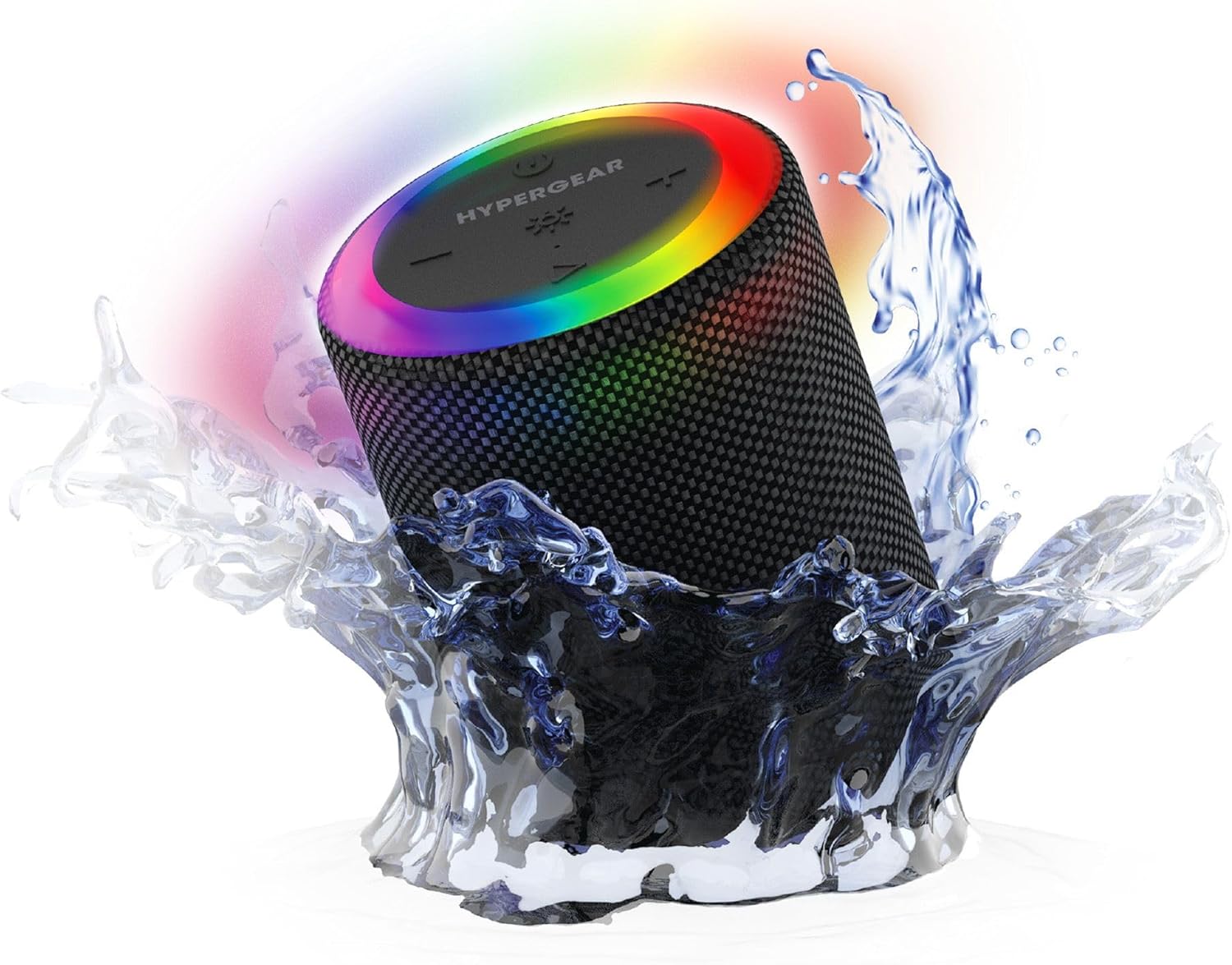
The HyperGear Halo speaker immersed in water, highlighting its robust waterproof design.

Visual representation of the HyperGear Halo speaker's powerful audio features, including its 5W output and 52mm driver.

The HyperGear Halo speaker showcasing its beat-synced 360° multicolor LED light ring with various lighting modes.
Technische Daten
| Besonderheit | Detail |
|---|---|
| Modellname | Halo Waterproof LED Wireless Speaker |
| Lautsprechertyp | Multimedia |
| Konnektivitätstechnologie | Bluetooth 5.3 |
| Audioausgabemodus | Mono (Stereo with Party Mode) |
| Maximale Lautsprecherausgangsleistung | 5 Watt |
| Größe des Audiotreibers | 52 Millimeter |
| Wasserbeständigkeit | IPX6 Wasserdicht |
| Technische Daten | 3.27"T x 3.27"B x 4.13"H |
| Artikelgewicht | 1.05 Pfund |
| Stromquelle | Batteriebetrieben |
| Im Lieferumfang enthaltene Komponenten | USB-C Charging Cable, 3.5mm Aux Cord |
| Kontrollmethode | Taste |
| UPC | 633755158858 |
Wartung
- Reinigung: Wischen Sie den Lautsprecher mit einem weichen, damp Tuch. Verwenden Sie keine scharfen Chemikalien oder Scheuermittel.
- Lagerung: Bewahren Sie den Lautsprecher an einem kühlen, trockenen Ort fern von direkter Sonneneinstrahlung und extremen Temperaturen auf.
- Batteriepflege: Um die Akkulaufzeit zu verlängern, sollte der Lautsprecher nicht häufig vollständig entladen werden. Laden Sie ihn regelmäßig auf, auch wenn er längere Zeit nicht benutzt wird.
- Wasserdichte Dichtung: Ensure the silicone cover for the charging and AUX ports is securely closed when near water to maintain its IPX6 rating.
Fehlerbehebung
| Problem | Mögliche Lösung |
|---|---|
| Der Lautsprecher lässt sich nicht einschalten. | Stellen Sie sicher, dass der Lautsprecher aufgeladen ist. Schließen Sie ihn an eine Stromquelle an und versuchen Sie es erneut. |
| Kopplung mit Bluetooth-Gerät nicht möglich. | Make sure the speaker is in pairing mode (flashing LED). Turn off and on Bluetooth on your device. Ensure no other devices are connected to the speaker. Move speaker closer to your device. |
| Aus dem Lautsprecher kommt kein Ton. | Check volume levels on both the speaker and your device. Ensure the correct input mode (Bluetooth, Aux, MicroSD) is selected. If using Aux, ensure the cable is fully inserted. |
| Party Mode not working. | Ensure both speakers are fully charged and not connected to any other Bluetooth devices. Try resetting both speakers by powering them off and on, then re-attempt Party Mode pairing. |
| Die LED-Leuchten funktionieren nicht. | Press the Light Mode button to cycle through modes. Ensure the speaker is powered on. |
Garantie und Support
The HyperGear Halo Waterproof LED Wireless Speaker comes with a Eingeschränkte Garantie. For specific details regarding warranty coverage, duration, and claims, please refer to the warranty card included with your product or visit the official HyperGear website. For technical support or further assistance, please contact HyperGear customer service through their official channels.


