1. Einleitung
Welcome to the user manual for your Jooeniok L81 Smart Watch. This guide provides detailed instructions on how to set up, operate, and maintain your device, ensuring you get the most out of its features. The Jooeniok L81 is designed to enhance your daily life with its communication, fitness tracking, and health monitoring capabilities.
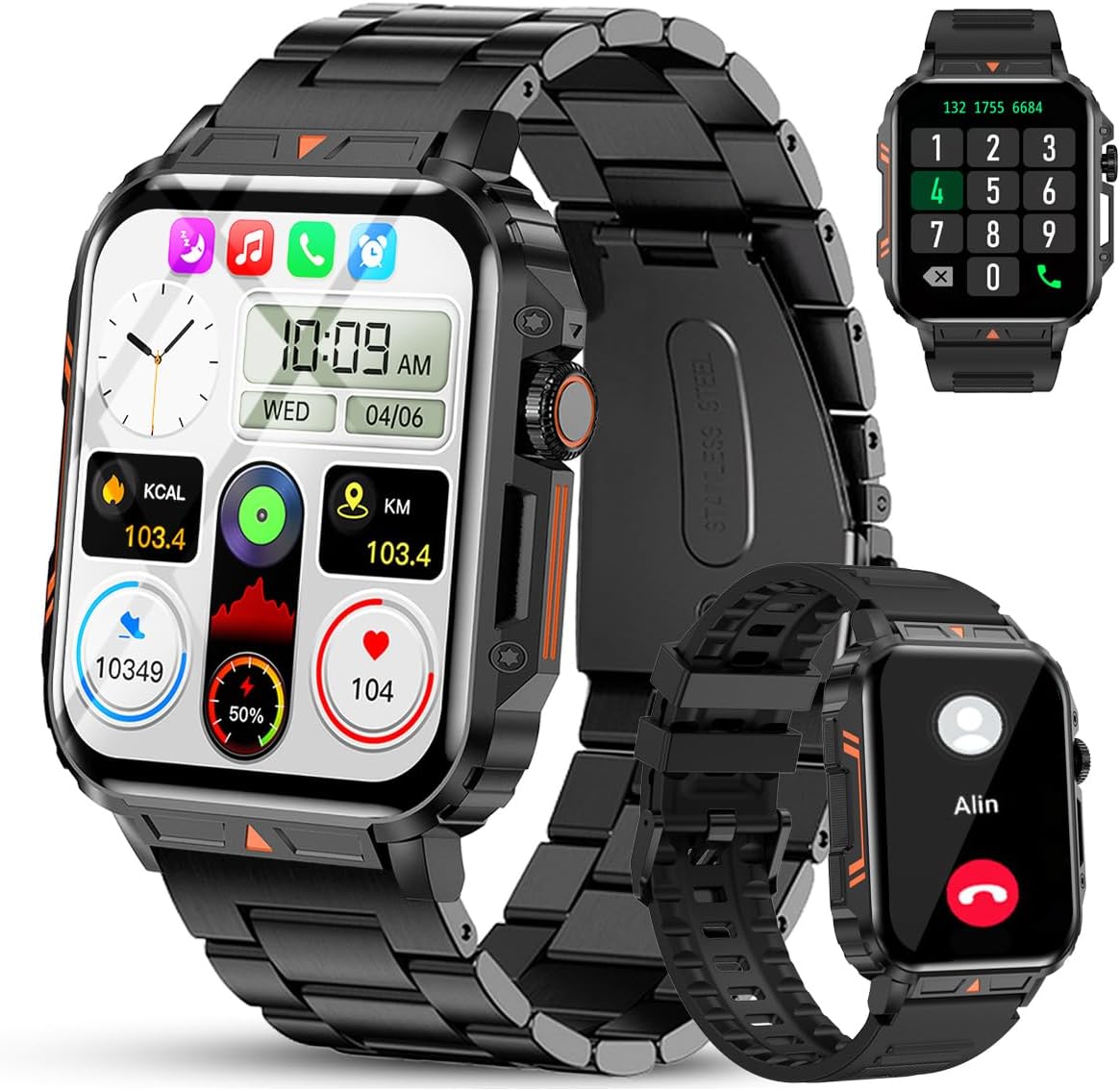
Image 1.1: The Jooeniok L81 Smart Watch, showcasing sein Hauptdisplay und austauschbare Armbänder.
2. Hauptmerkmale
- Bluetooth Calling & Message Alerts: Make and receive calls, read messages, and receive notifications from various apps directly on your watch.
- 1.95'' HD Touch Screen & DIY Dial: Enjoy a clear display and personalize your watch face.
- Über 112 Sportmodi: Track a wide range of activities including running, cycling, badminton, and hiking.
- IP68 Wasserdicht: Suitable for daily use, hand washing, and outdoor activities in rain. (Note: Not recommended for diving, showering, or sauna.)
- Gesundheitsüberwachung: Monitor heart rate, blood oxygen (SpO2), blood pressure, and sleep patterns.
- Langlebige Batterie: Ausgestattet mit einem 340-mAh-Akku für längere Nutzungsdauer.
- Multifunktional: Includes features like timer, alarm, stopwatch, weather, calendar, water reminder, sedentary reminder, and remote photo control.
3. Installationsanleitung
3.1. Aufladen der Smartwatch
Before initial use, fully charge your Jooeniok L81 Smart Watch. Connect the magnetic charging cable to the charging contacts on the back of the watch and plug the USB end into a standard USB power adapter (not included) or a computer's USB port. The watch display will indicate charging status.

Image 3.1: Illustration of the watch dimensions and the location of the charging contacts.
3.2. App-Installation und -Kopplung
- Laden Sie die App herunter: Scan the QR code provided in the watch's quick start guide or search for the official companion app (e.g., "FitCloudPro" or similar, check packaging for exact name) in the Apple App Store (for iOS) or Google Play Store (for Android).
- Bluetooth aktivieren: Stellen Sie sicher, dass Bluetooth auf Ihrem Smartphone aktiviert ist.
- Öffnen Sie die App: Starten Sie die installierte App und folgen Sie den Anweisungen auf dem Bildschirm, um ein Konto zu erstellen oder sich anzumelden.
- Gerät hinzufügen: Within the app, navigate to the "Device" or "Add Device" section. The app will search for available Bluetooth devices. Select "L81" or the corresponding device name when it appears.
- Kopplung bestätigen: Möglicherweise wird auf Ihrer Uhr und Ihrem Telefon eine Kopplungsanfrage angezeigt. Bestätigen Sie die Kopplung auf beiden Geräten.
- Berechtigungen erteilen: Erteilen Sie die notwendigen Berechtigungen (z. B. Benachrichtigungen, Standort, Kontakte), damit die App ordnungsgemäß funktioniert.
Die Uhr ist kompatibel mit Android 5.1 und höher sowie iOS 10.0 und höher.
3.3. Initial Settings and Language
After successful pairing, the watch should automatically synchronize time and language settings with your phone. If the watch displays an incorrect language, navigate to the watch's settings menu (usually by swiping down from the main screen or pressing the side button to access the app list, then finding the 'Settings' icon). Look for 'Language' or 'System' settings to change it to English or your preferred language.
4. Bedienungsanleitung
4.1. Grundlegende Navigation
- Touch-Screen: Durch Wischen nach links/rechts oder nach oben/unten navigieren Sie durch Menüs und Funktionen. Zum Auswählen tippen.
- Seitentaste: Press to return to the main screen or access the app list. Long press for power options.
- Crown Button (if present): Rotate to scroll through lists or adjust settings, press to select.
4.2. Bluetooth-Anrufe und Benachrichtigungen
Once paired, your watch can handle calls and display notifications. Ensure Bluetooth is connected and the companion app has the necessary permissions.
- Anrufe tätigen: Um Anrufe zu tätigen, greifen Sie auf das Tastenfeld oder die Kontaktliste Ihrer Uhr zu.
- Anrufe entgegennehmen: Wenn ein Anruf eingeht, können Sie ihn direkt von der Uhr aus annehmen oder ablehnen.
- Benachrichtigungen: Swipe down from the main screen or access the notification center to view incoming messages from SMS, WhatsApp, Facebook, and other apps.
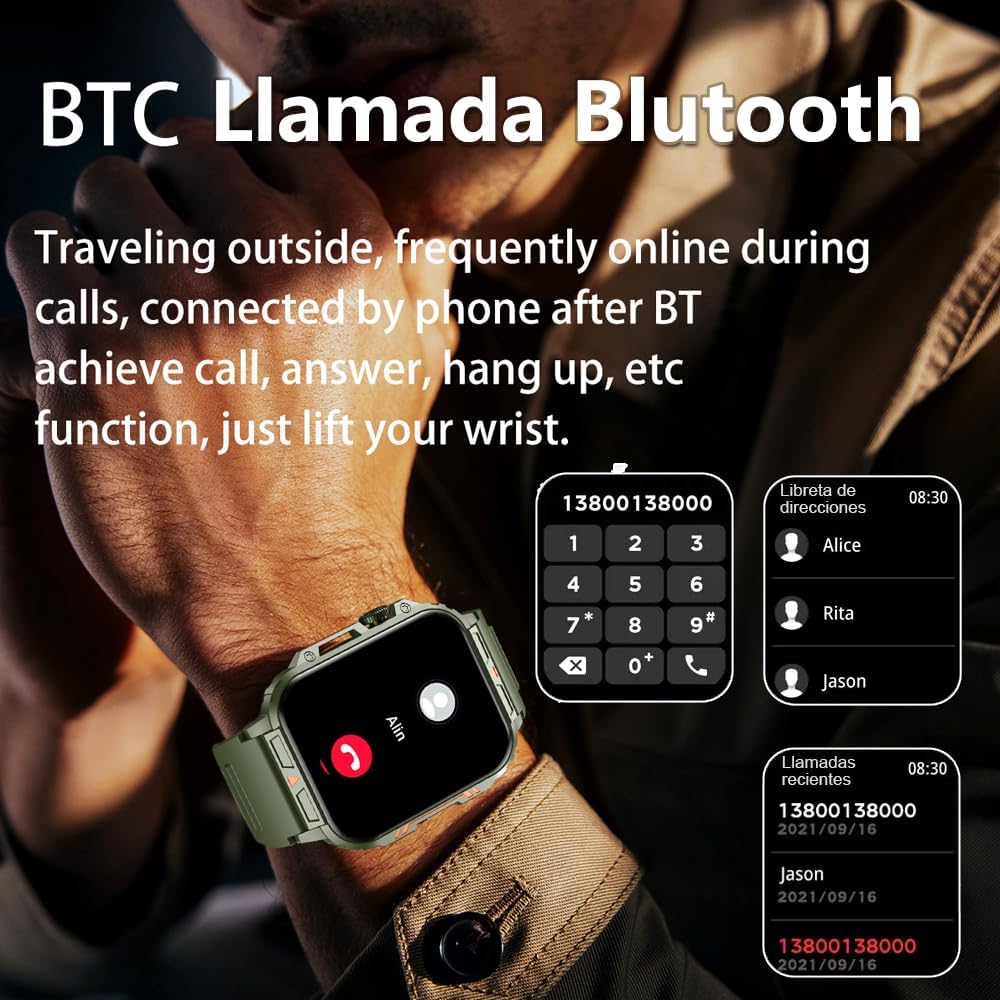
Image 4.1: The watch screen showing an incoming call and the dial pad for making calls.

Image 4.2: The watch displaying notifications from various social media and messaging applications.
4.3. Sportmodi
The watch supports over 112 sports modes. To access them, navigate to the 'Sports' or 'Workout' section on your watch. Select your desired activity to start tracking. The watch will record steps, distance, and calories.

Image 4.3: Icons representing various sports modes available on the watch.
4.4. Gesundheitsüberwachung
The Jooeniok L81 provides continuous monitoring of several health metrics. Access these features through the watch's menu or the companion app.
- Herzfrequenz: The watch uses an optical sensor to monitor your heart rate. View Echtzeitdaten auf der Uhr oder detaillierte Trendanalysen in der App.
- Blutsauerstoffsättigung (SpO2) und Blutdruck: Initiate a measurement from the watch. Results are displayed on the screen and recorded in the app for historical analysis.
- Schlafüberwachung: Wear the watch to bed for automatic sleep tracking. It analyzes deep sleep, light sleep, and awake times, providing a comprehensive sleep quality report in the app.
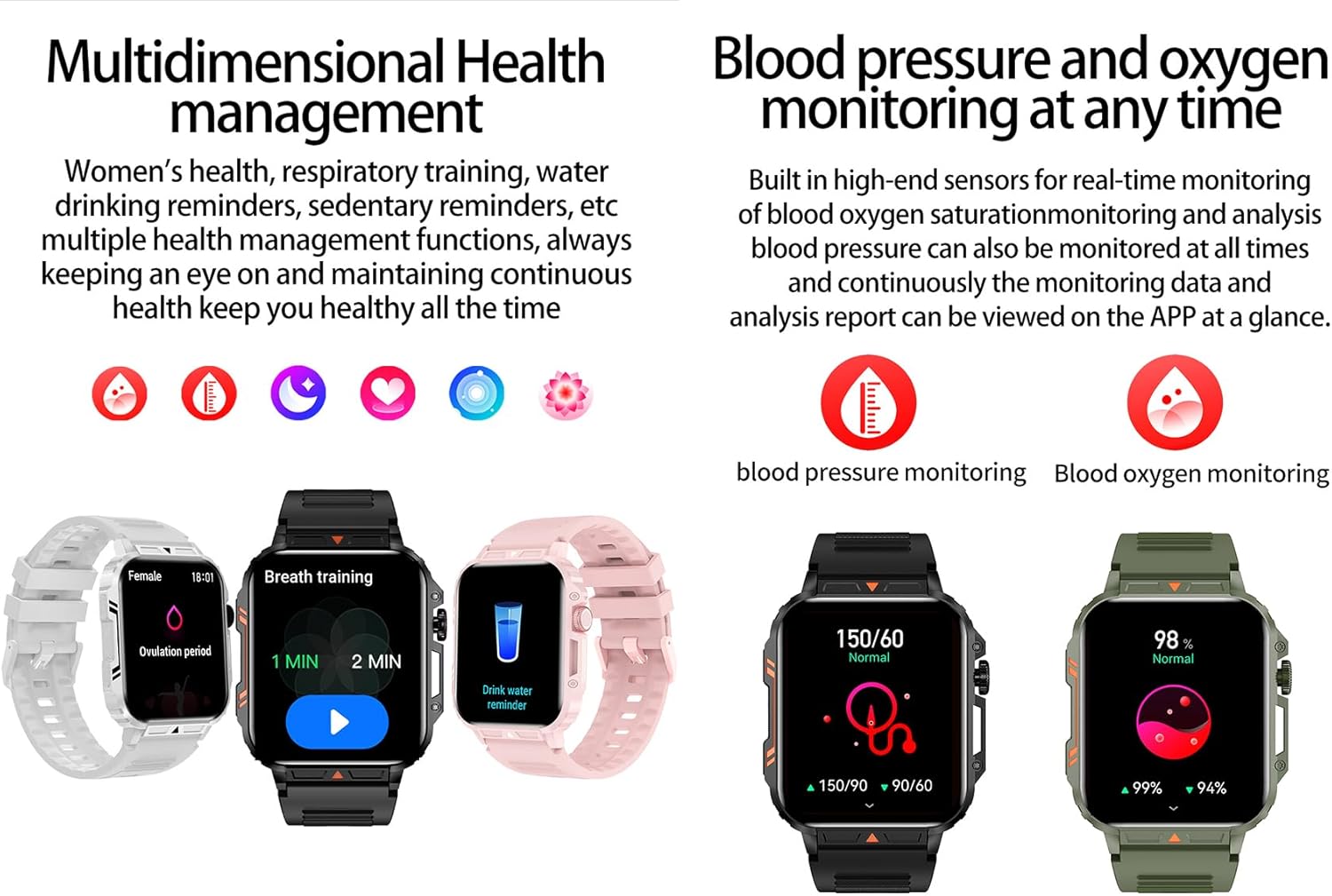
Image 4.4: Watch screens showing blood pressure and blood oxygen monitoring results.

Image 4.5: Watch screens showing real-time heart rate and a summary of sleep data.
4.5. AI Intelligent Voice Function
After connecting the watch to your phone via Bluetooth, activate the voice function on the watch. This allows you to use voice commands to open applications, check weather, make calls, or navigate, offering a hands-free experience.
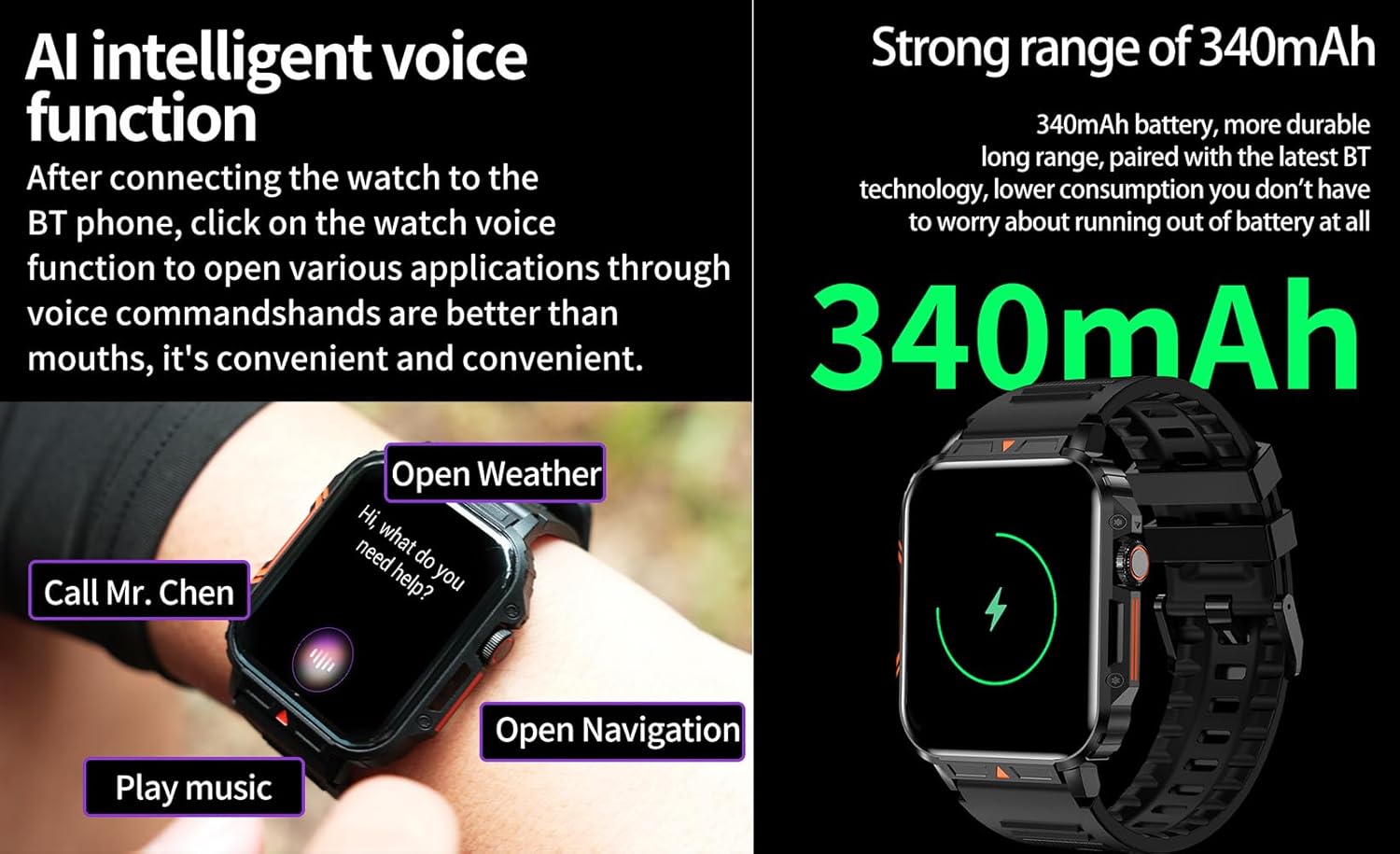
Image 4.6: The watch screen illustrating the AI voice assistant interface with example-Befehle.
4.6. DIY-Wählscheibe
Personalize your watch face by using the DIY dial feature within the companion app. You can often upload custom images or choose from a variety of pre-designed watch faces.
5. Wartung
5.1. Wasserbeständigkeit
The Jooeniok L81 Smart Watch is IP68 waterproof and dustproof. This means it is resistant to dust and can withstand immersion in water up to 1.5 meters for up to 30 minutes. It is suitable for daily use, hand washing, and light rain.
Wichtig: Die Uhr ist nicht recommended for diving, hot showers, or saunas, as steam and high water pressure can compromise the seals and cause damage.

Image 5.1: The watch shown with water splashes, indicating its water resistance.
5.2. Reinigung
Reinigen Sie Ihre Uhr und Ihr Armband regelmäßig, um Hautirritationen vorzubeugen und die Funktionalität zu erhalten. Verwenden Sie dazu ein weiches, fusselfreies Tuch.amp cloth to wipe the screen and body. For the strap, follow the manufacturer's recommendations for the specific material (e.g., silicone, metal).
- Vermeiden Sie die Verwendung aggressiver Chemikalien oder Scheuermittel.
- Stellen Sie sicher, dass die Uhr vor dem Aufladen oder längeren Gebrauch vollständig trocken ist.
5.3. Batteriepflege
So verlängern Sie die Akkulaufzeit:
- Vermeiden Sie extreme Temperaturen.
- Lassen Sie den Akku nicht häufig vollständig entladen.
- Laden Sie die Uhr mit dem mitgelieferten Kabel auf.
Image 5.2: The watch screen highlighting its 340mAh battery capacity.
6. Fehlerbehebung
| Problem | Mögliche Lösung |
|---|---|
| Die Uhr lässt sich nicht einschalten. | Stellen Sie sicher, dass die Uhr vollständig aufgeladen ist. Schließen Sie sie für mindestens 30 Minuten an das Ladegerät an. |
| Kopplung mit Smartphone nicht möglich. |
|
| Falsche Sprache angezeigt. | Navigate to the watch's settings menu, find 'Language' or 'System' settings, and select your preferred language. If paired, the app might also have a language setting. |
| Touch screen unresponsive or intermittent. |
|
| Benachrichtigungen nicht empfangen. |
|
| Health monitoring data seems inaccurate. |
|
7. Spezifikationen
| Besonderheit | Detail |
|---|---|
| Modellname | L81 |
| Marke | Jooeniok |
| Bildschirmgröße | 1.95 Zoll |
| Konnektivitätstechnologie | Bluetooth |
| Drahtloser Kommunikationsstandard | Bluetooth |
| Betriebssystem | Android (kompatibel mit Android 5.1+ und iOS 10.0+) |
| Speicherkapazität | 128 MB |
| Batterie | 1 Lithium-Polymer-Akku (340 mAh, im Lieferumfang enthalten) |
| Wasserbeständigkeit | IP68 |
| Besondere Merkmale | Activity Tracker, Notifications, Phone Call, Time Display, Heart Rate Monitor, Blood Oxygen Monitor, Sleep Monitor, 112+ Sports Modes, AI Voice Function |
| Abmessungen (ca.) | Watch face: 44mm (width) x 52mm (height); Thickness: 12mm; Strap length: 260mm |
8. Garantie und Support
The Jooeniok L81 Smart Watch is backed by a 365 Tage Garantie Diese Garantie gilt ab Kaufdatum und deckt Herstellungsfehler sowie Funktionsstörungen bei normalem Gebrauch ab.
For technical support, warranty claims, or any questions regarding your product, please contact Jooeniok customer service through the retailer's platform or the contact information provided on the product packaging or official webWebsite.
Bitte bewahren Sie Ihren Kaufbeleg zur Überprüfung der Garantie auf.


