Einführung
The MAONO AU-PM325T is a professional condenser microphone designed for high-quality audio capture. Featuring a 25mm large diaphragm and a cardioid polar pattern, it is suitable for various applications including podcasting, music recording, live streaming, gaming, and vocal performances. This manual provides essential information for setting up, operating, and maintaining your microphone.
Packungsinhalt
Bitte überprüfen Sie, ob alle unten aufgeführten Artikel in Ihrem Paket enthalten sind:
- Condenser Microphone (1)
- Stoßdämpferhalterung (1)
- Table Stand (1)
- Pop Filter (1)
- Wind Foam (1)
- XLR-3.5mm Cable (1)
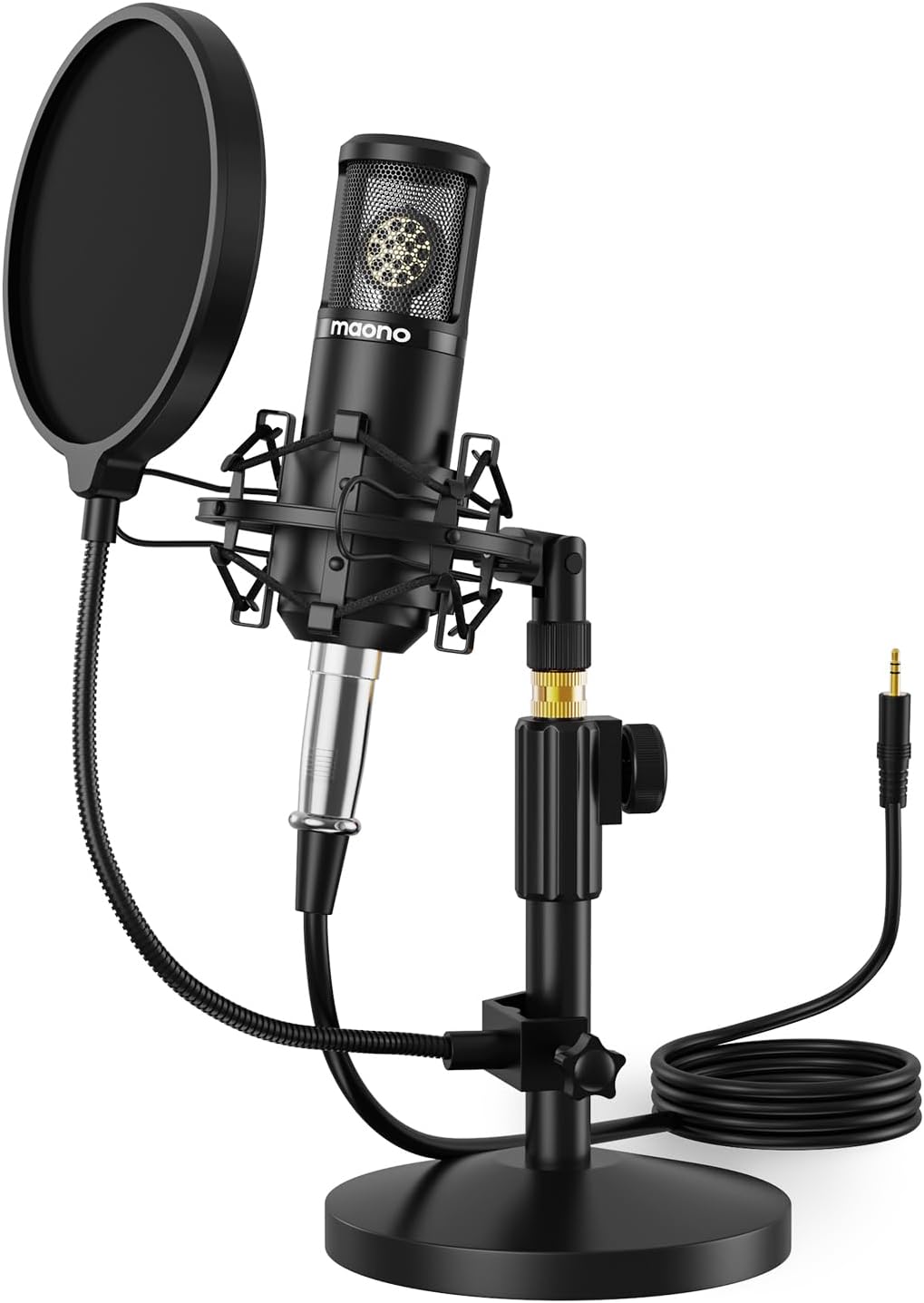
Image: The MAONO AU-PM325T microphone with its shock mount, pop filter, table stand, and connecting cable.
Merkmale
- 25 mm große Membran: Equipped with a professional sound chipset and a 25mm electret condenser transducer, providing exquisite sound quality with a flat frequency response of 20Hz-20kHz. Ideal for detailed audio capture.
- Plug-&-Play-Konnektivität: Features an XLR to 3.5mm connection for easy compatibility with computers and smartphones. Offers strong output, no distortion, and low power consumption.
- Vollmetallkonstruktion: Built with high-quality metal materials for durability and protection of internal components. The stable all-metal base and height-adjustable metal tube provide robust support.
- Nieren-Polarmuster: Designed to reduce the pickup of surrounding noise, focusing on sound directly in front of the microphone for an immersive recording experience.
- Noise Reduction Accessories: Includes a shock mount to minimize vibration-induced noise, and a pop filter and wind foam to reduce wind and plosive sounds, ensuring clear vocal recordings.

Bild: Eine Nahaufnahme view of the MAONO AU-PM325T microphone's 25mm large diaphragm, highlighting its studio-quality sound capability.
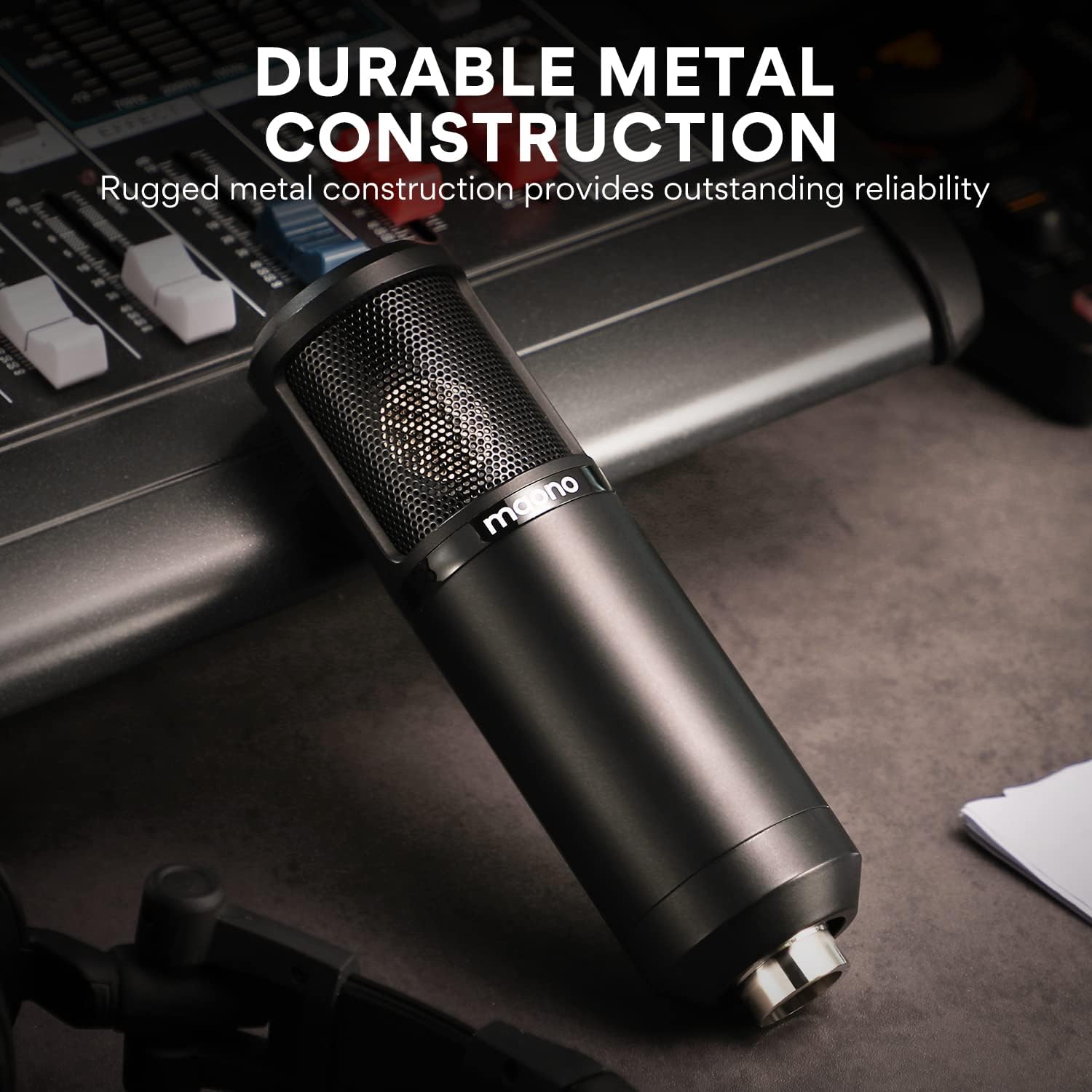
Image: The MAONO AU-PM325T microphone showcasing its durable full metal construction, designed for reliability.
Installationshandbuch
- Tischgestell zusammenbauen: Securely attach the microphone to the provided table stand. Ensure the stand is stable on a flat surface.
- Stoßdämpferhalterung montieren: Mount the microphone into the shock mount. The shock mount helps isolate the microphone from physical vibrations that can cause unwanted noise.
- Attach Pop Filter and Wind Foam:
- Slide the wind foam over the microphone capsule to reduce plosives and wind noise.
- Attach the pop filter to the stand and position it approximately 2-3 inches in front of the microphone. This further minimizes plosive sounds (like 'p' and 'b').
- Connect the XLR-3.5mm Cable:
- Connect the XLR end of the cable to the microphone's XLR port.
- Connect the 3.5mm end of the cable to your computer's microphone input, smartphone's audio jack (with adapter if needed), or an audio interface.
- Positionierung: For optimal sound capture, position the microphone directly in front of the sound source (e.g., your mouth) within a few inches. The cardioid polar pattern is most sensitive to sounds from the front.

Image: The MAONO AU-PM325T microphone set up with its stand, shock mount, and pop filter, connected to a laptop, demonstrating its plug-and-play compatibility with various devices including Windows, macOS, and audio interfaces.

Image: The MAONO AU-PM325T microphone connected to an audio interface, illustrating its use in a professional recording setup.
Bedienungsanleitung
Once the microphone is set up and connected to your device, follow these general guidelines for operation:
- Softwarekonfiguration: Ensure your recording software, operating system settings, or communication application recognizes the MAONO AU-PM325T as the input device. Adjust input levels to prevent clipping or distortion.
- Optimale Platzierung: Maintain a consistent distance from the microphone, typically 6-12 inches, for balanced audio levels. Speak or sing directly into the front of the microphone, where the cardioid pattern is most effective.
- Überwachen Sie Ihren Ton: If your audio interface or computer allows, monitor your audio with headphones to ensure desired sound quality and to identify any unwanted background noise.
- Umweltaspekte: Record in a quiet environment to maximize the microphone's noise reduction capabilities. The cardioid pattern helps, but it cannot eliminate all ambient sound.

Image: A user recording vocals while playing a guitar, utilizing the MAONO AU-PM325T microphone for clear audio capture.

Image: The MAONO AU-PM325T microphone integrated into a home studio setup, connected to an audio mixer, demonstrating its use for professional recording.
Wartung
- Reinigung: Verwenden Sie ein weiches, trockenes Tuch, um das Mikrofongehäuse abzuwischen. Vermeiden Sie die Verwendung von flüssigen Reinigern oder Lösungsmitteln, da diese die Oberfläche oder die internen Bauteile beschädigen können.
- Pop Filter and Wind Foam: The pop filter screen can be gently cleaned with a damp cloth if necessary. The wind foam can be hand-washed with mild soap and water, then air-dried completely before re-use.
- Lagerung: When not in use, store the microphone in a dry, dust-free environment. Disassemble the pop filter and wind foam if storing for extended periods.
- Handhabung: Handle the microphone with care. Avoid dropping it or exposing it to extreme temperatures or humidity, which can affect its performance and lifespan.
Fehlerbehebung
| Problem | Mögliche Ursache | Lösung |
|---|---|---|
| Keine Tonausgabe |
|
|
| Schlechte Tonqualität / Hintergrundgeräusche |
|
|
| Microphone unstable on stand |
|
|
Technische Daten
| Besonderheit | Detail |
|---|---|
| Marke | MAONO |
| Modellname | PM325T |
| Mikrofon-Formfaktor | Große Membran |
| Richtcharakteristik | Unidirektional (Niere) |
| Konnektivitätstechnologie | Auxiliary (XLR to 3.5mm) |
| Steckertyp | 3.5 mm Klinke |
| Audio Empfindlichkeit | 45 Dezibel |
| Signal-Rausch-Verhältnis | 78 dB |
| Frequenzgang | 20 Hz - 20 kHz |
| Stromquelle | Kabelgebundene Elektrik |
| Material | Aluminium |
| Farbe | Schwarz |
| Artikelgewicht | 3.58 Pfund |
| Verpackungsabmessungen | 10.55 x 8.23 x 4.45 Zoll |
| Kompatible Geräte | Audio Interface, Audio Mixer, Personal Computer, Smartphone |
| Empfohlene Verwendung | Singing, Gaming, Streaming, Voice Recording, Video Recording, Speech, Video Conference |
Garantie und Support
Informationen zur Garantie und zum technischen Support finden Sie auf der offiziellen MAONO-Website. website or contact MAONO customer service directly. Keep your purchase receipt for warranty claims.
You can visit the MAONO Store for more information: MAONO Offizieller Shop


