1. Einleitung
The ASMAX F1 Motorcycle Bluetooth Headset is an advanced communication system designed for motorcyclists. It features Bluetooth 5.3 technology, supporting up to 10 riders with a communication range of up to 1.8km. The F1 offers dual intercom modes (Free and Group Mesh), voice control, superior sound quality with ENC noise reduction, and an IP67 waterproof rating. Its magnetic mounting system and fast-charging capabilities ensure convenience and reliability for all your rides.
2. Sicherheitshinweise
- Die Sicherheit im Straßenverkehr hat stets oberste Priorität. Bedienen Sie das Gerät nicht so, dass Sie vom Fahren abgelenkt werden.
- Ensure the headset is securely mounted to your helmet before riding.
- Stellen Sie die Lautstärke so ein, dass Sie die Umgebungsgeräusche des Verkehrs noch hören können.
- Versuchen Sie nicht, das Gerät zu zerlegen oder zu verändern, da dies zum Verlust der Garantie und zu Sicherheitsrisiken führen kann.
- Halten Sie das Gerät von extremen Temperaturen und direkter Sonneneinstrahlung fern.
- Charge the device using only the provided cable and a compatible power source.
3. Packungsinhalt
Überprüfen Sie, ob alle Artikel in Ihrem Paket vorhanden sind:
- ASMAX F1 Bluetooth Headset Unit(s)
- Speaker and Microphone Kit(s)
- Magnetic Mounting Base(s)
- USB-Ladekabel
- Bedienungsanleitung
- Mounting Accessories (e.g., adhesive pads, clips)

Image: ASMAX F1 Headset and included accessories.
4. Produktüberschreitungview
4.1 Komponenten
The ASMAX F1 unit features a sleek design with an illuminated cross-shaped indicator. It is designed for easy attachment to most motorcycle helmets.

Image: ASMAX F1 Bluetooth Headset units.
4.2 Bedienelemente und Anzeigen
The ASMAX F1 is equipped with intuitive controls and indicators for ease of use while riding.
- Intercom-Taste: Initiates and manages intercom connections.
- Lautstärke +/- Tasten: Regelt die Lautstärke.
- Funktionstaste: Multifunktionstaste für verschiedene Funktionen.
- LED-Anzeige: Zeigt den Gerätestatus an (z. B. Stromversorgung, Kopplung, Ladevorgang).
- Sprachsteuerung: Activates functions using voice commands (e.g., "Hi Max").

Image: ASMAX F1 controls and helmet compatibility.
5. Einrichtung
5.1 Montage am Helm
The ASMAX F1 features a magnetic mounting system for easy and secure attachment to your helmet.
- Choose a suitable location on the side of your helmet, typically on the left side, ensuring it does not obstruct your vision or helmet functionality.
- Clean the helmet surface thoroughly where the mounting base will be attached.
- Attach the magnetic mounting base to the helmet using the provided adhesive pad or clamp. Ensure it is firmly secured.
- Insert the speakers into the helmet's ear pockets. Ensure they are positioned directly over your ears for optimal sound.
- Route the microphone boom or wired microphone to a position near your mouth, ensuring clear voice pickup and minimal wind noise.
- Connect the speaker and microphone cables to the ASMAX F1 unit.
- Attach the ASMAX F1 unit to the magnetic mounting base. The strong magnet will secure it in place.
5.2 Erstaufladung
Before first use, fully charge the ASMAX F1 unit. The 1250mAh battery supports fast charging.
- Connect the provided USB charging cable to the ASMAX F1 unit's charging port.
- Verbinden Sie das andere Ende des Kabels mit einem USB-Netzteil (nicht im Lieferumfang enthalten) oder einem USB-Anschluss eines Computers.
- The LED indicator will show charging status. Once fully charged, the indicator will change (refer to specific LED behavior in the full manual).
- Das Gerät kann während des Gebrauchs aufgeladen werden.
6. Bedienungsanleitung
6.1 Ein-/Ausschalten
- Einschalten: Press and hold the Function Button for approximately 3 seconds until the LED indicator lights up and you hear a voice prompt.
- Ausschalten: Press and hold the Function Button for approximately 3 seconds until the LED indicator turns off and you hear a voice prompt.
6.2 Bluetooth-Kopplung mit Mobilgerät
The ASMAX F1 uses Bluetooth 5.3 for stable connections.
- With the ASMAX F1 powered off, press and hold the Function Button for approximately 5-7 seconds until the LED indicator flashes rapidly (usually blue/red alternating), indicating pairing mode.
- Aktivieren Sie Bluetooth auf Ihrem Mobiltelefon und suchen Sie nach neuen Geräten.
- Select "ASMAX F1" from the list of available devices.
- Once paired, the LED indicator will change (e.g., slow blue flashes) and you will hear a confirmation tone.

Image: Universal pairing capability of ASMAX F1.
6.3 Intercom Modes
The ASMAX F1 supports various intercom modes for group communication.
- Freier Modus: For spontaneous connections within range. Up to 10 riders can join instantly.
- Group Mode (MESH Communication): For private conversations with a team of up to 10 riders. Supports 1-on-1 chats within the group.
- CloudTalk Mode: (Requires app update) Supports cross-brand cloud intercom for up to 50 people, anywhere with a mobile network.

Image: ASMAX F1 10-Rider Mesh Group Intercom.
6.4 Sprachsteuerung
Activate voice commands by saying "Hi Max" followed by your command. This allows for hands-free operation.
- "Hi Max, Music On"
- "Hi Max, Next Track"
- "Hi Max, Volume Up/Down"
- "Hi Max, Answer The Phone"
- "Hi Max, End Intercom"
- "Hi Max, Phone Pairing"
- "Hi Max, Group Mesh"
- "Hi Max, Free Mode"

Image: ASMAX F1 Voice Control feature.
6.5 Audio-Multitasking
The ASMAX F1 allows for simultaneous audio streams, such as listening to music while receiving navigation instructions or participating in an intercom conversation.

Image: ASMAX F1 Audio Multitasking.
7. Wartung
- Reinigung: Wischen Sie das Gerät mit einem weichen, damp Tuch. Verwenden Sie keine scharfen Chemikalien oder Scheuermittel.
- Lagerung: Bewahren Sie das Gerät bei Nichtgebrauch an einem kühlen, trockenen Ort auf.
- Batteriepflege: Um eine optimale Akkulaufzeit zu gewährleisten, vermeiden Sie häufiges vollständiges Entladen des Akkus. Laden Sie ihn regelmäßig auf.
- Wasserbeständigkeit: The ASMAX F1 is IP67 waterproof. While it can withstand rain and splashes, avoid prolonged submersion.

Image: ASMAX F1 IP67 Waterproof feature.
8. Fehlerbehebung
| Problem | Mögliche Ursache | Lösung |
|---|---|---|
| Gerät lässt sich nicht einschalten. | Schwache Batterie. | Laden Sie das Gerät vollständig auf. |
| Kopplung mit dem Telefon nicht möglich. | Gerät nicht im Kopplungsmodus; Bluetooth am Telefon deaktiviert. | Ensure device is in pairing mode (flashing LED). Turn on phone's Bluetooth. Forget previous pairings on phone. |
| Probleme mit der Gegensprechanlage. | Out of range; interference; incorrect mode. | Ensure units are within range. Check for obstacles. Verify correct intercom mode (Free/Group). |
| Schlechte Audioqualität / Rauschen. | Microphone position; speaker placement; high speed. | Adjust microphone closer to mouth. Ensure speakers are aligned with ears. ENC noise reduction works best with visor closed at high speeds. |
| Sprachbefehle reagieren nicht. | Mikrofonproblem; laute Umgebung; falscher Befehl. | Ensure microphone is clear. Speak clearly. Try again in a quieter environment. Refer to voice command list. |
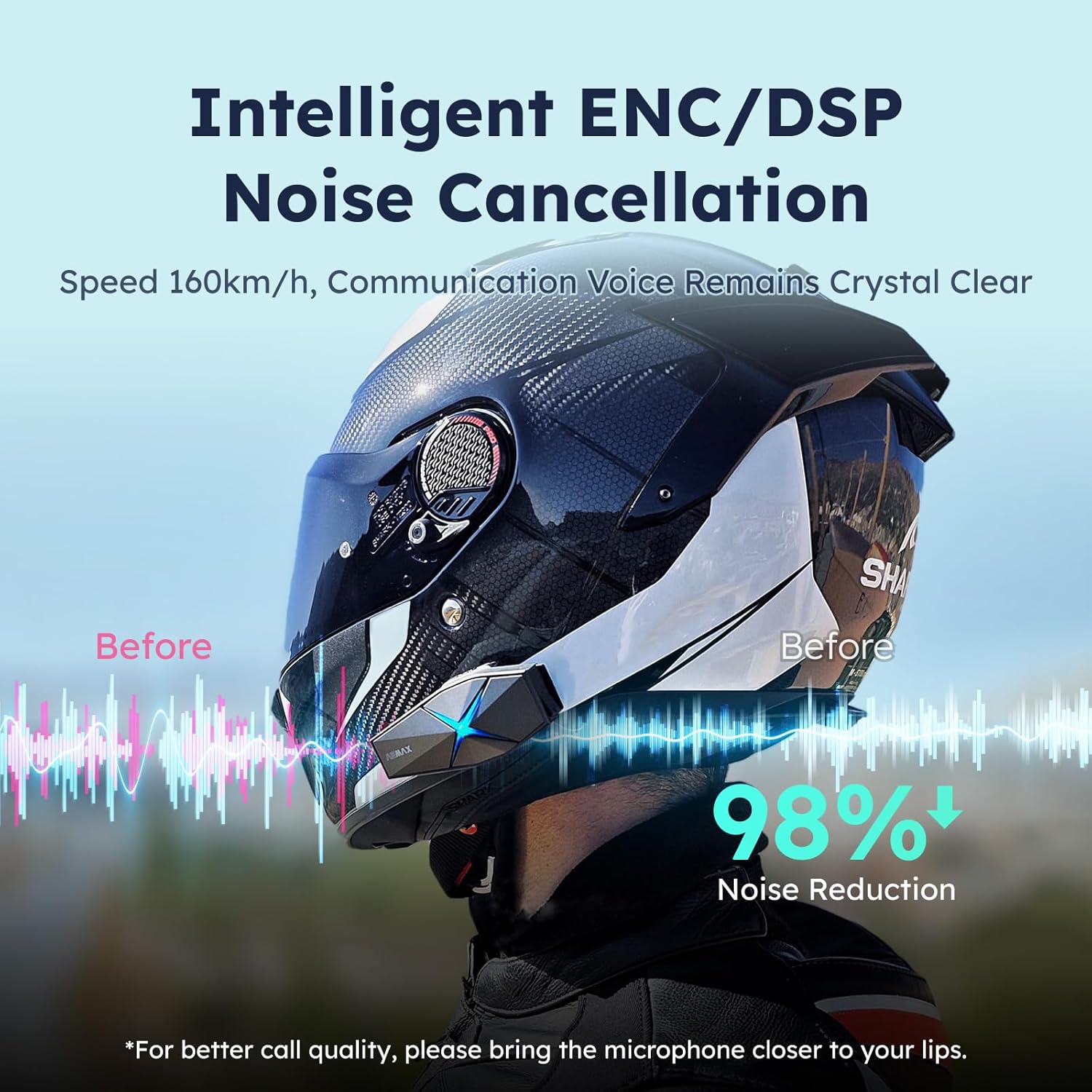
Image: ASMAX F1 Noise Cancellation technology.
9. Spezifikationen
| Besonderheit | Detail |
|---|---|
| Modellname | ASMAX F1 (F1 DP) |
| Bluetooth-Version | 5.3 |
| Intercom-Reichweite | Up to 1.8 km (10 riders) |
| Batteriekapazität | 1250 mAh |
| Laden | Fast Charging, USB |
| Wasserdichtigkeit | IP67 |
| Lärmschutz | Active Noise Cancellation (ENC/DSP) |
| Sprachsteuerung | "Hi Max" commands |
| Audiofunktionen | Audio Multitasking, Superior Sound Quality |
| Maße | Approx. 86mm x 36mm x 23.6mm (unit) |
| Gewicht | Approx. 50g (unit) |
| Platzierung des Ohrs | Im Ohr |
| Impedanz | 32 Ohm |
| Empfindlichkeit | 105 dB |
| Frequenzgang | 20 Hz (Minimum) |

Image: ASMAX F1 Dual-Chip Octa-Core technology.
10. Garantie und Support
ASMAX products come with a standard manufacturer's warranty. For specific warranty terms and conditions, please refer to the warranty card included in your product packaging or visit the official ASMAX webWebsite.
For technical support, troubleshooting assistance, or any inquiries regarding your ASMAX F1 headset, please contact ASMAX customer service through their official channels. Contact information can typically be found on the ASMAX webWebsite oder in der Produktverpackung.
Regularly check the ASMAX website or app for firmware updates to ensure optimal performance and access to new features, such as CloudTalk Mode.


