1. Einleitung
The NIIMBOT D11H is a compact, portable, and inkless thermal label printer designed for various labeling needs. It connects wirelessly via Bluetooth to your smartphone, allowing for easy creation and printing of high-resolution labels. This manual provides essential information for setting up, operating, and maintaining your device.
2. Packungsinhalt
Bitte überprüfen Sie, ob alle unten aufgeführten Artikel in Ihrem Paket enthalten sind:
- 1x NIIMBOT D11H Label Printer
- 1x Label Roll (pre-installed or included)
- 1x USB Typ-C Ladekabel
- 1x User Manual (Japanese)

3. Einrichtung
3.1. Etikettenpapier einlegen
- Slide the cover button on the side of the printer to open the paper compartment.
- Insert the label roll into the compartment with the labels facing upwards, ensuring it is correctly aligned.
- Pull a small portion of the label paper out through the printer's exit slot.
- Schließen Sie die Abdeckung sicher.

3.2. Einschalten
Press and hold the power button located on the front of the printer for 3 seconds until the indicator light turns green, indicating the device is powered on.
3.3. App-Download und Bluetooth-Verbindung
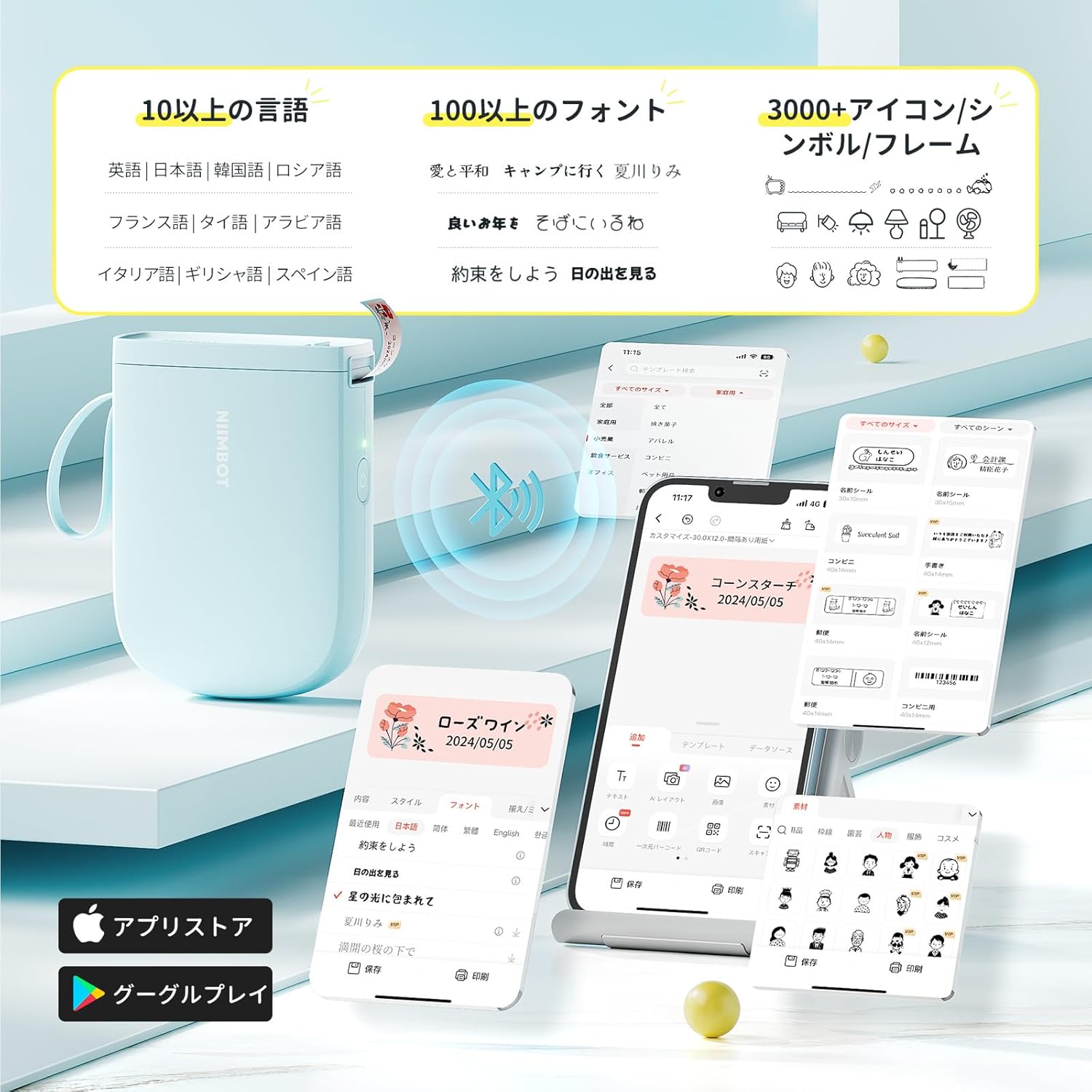
- Download the "NIIMBOT" app from the App Store (iOS) or Google Play Store (Android).
- Aktivieren Sie Bluetooth auf Ihrem Smartphone.
- Open the NIIMBOT app and tap on the "Connect" or "Printer Connection" option. The app will automatically scan for nearby devices.
- Select your NIIMBOT D11H printer from the list of available devices to establish a Bluetooth connection.

4. Bedienungsanleitung
4.1. Etiketten erstellen
The NIIMBOT app offers a wide range of features for label creation:
- Text Eingabe: Easily type and customize text with over 20 fonts and various styles.
- Vorlagen: Utilize automatic template matching and thousands of image elements for quick design.
- Bilderkennung: Import images for printing.
- Barcode/QR-Code: Generieren und drucken Sie Barcodes und QR-Codes.
- Stapeldruck: Mehrere Etiketten effizient drucken.

4.2. Etiketten drucken
Once your label design is complete in the app, tap the "Print" button. You can adjust the number of copies and print density before confirming. The printer will automatically feed and cut the labels.
4.3. Vielseitige Anwendungsmöglichkeiten
The NIIMBOT D11H is suitable for a wide range of uses, including organizing documents, creating name tags, Preis tags, date reminders for food, and labeling items in the kitchen, office, or warehouse.


5. Wartung
To ensure optimal performance and longevity of your NIIMBOT D11H label printer, follow these maintenance guidelines:
- Reinigung: Regularly clean the print head with a soft, lint-free cloth moistened with alcohol. Ensure the printer is off before cleaning.
- Lagerung: Lagern Sie den Drucker an einem kühlen, trockenen Ort, geschützt vor direkter Sonneneinstrahlung und extremen Temperaturen.
- Batterie: Laden Sie den Drucker regelmäßig auf, auch wenn er nicht häufig benutzt wird, um die Batterieleistung zu erhalten.
6. Fehlerbehebung
If you encounter issues with your NIIMBOT D11H, refer to the following common troubleshooting steps:
- Drucker verbindet sich nicht: Ensure Bluetooth is enabled on your smartphone and the printer is powered on. Try restarting both devices and reconnecting through the app.
- Schlechte Druckqualität: Check if the label paper is loaded correctly and is a genuine NIIMBOT thermal label. Clean the print head if necessary. Adjust print density in the app settings.
- Papierstau: Open the paper compartment, carefully remove any jammed paper, and reload the label roll correctly.
- Drucker reagiert nicht: Ensure the battery is charged. If the device is unresponsive, try resetting it by holding the power button for an extended period (e.g., 10-15 seconds).
7. Spezifikationen
| Besonderheit | Spezifikation |
|---|---|
| Marke | NIIMBOT |
| Modellname | D11H |
| Konnektivitätstechnologie | Bluetooth |
| Drucktechnologie | Thermal |
| Maximale Druckauflösung (Monochrom) | 300 DPI |
| Maximale Druckgeschwindigkeit (Monochrom) | 40.0 mm/s |
| Maximales Medienformat (Papier) | 15 mm (Breite) |
| Technische Daten | 11 x 3 x 7 cm |
| Artikelgewicht | 360 g |
| Kompatible Geräte | Smartphones (Android & iOS) |
| Farbe | Blau |
8. Garantie und Support
For warranty information or technical support, please refer to the official NIIMBOT webBesuchen Sie unsere Website oder kontaktieren Sie Ihren Händler. Bewahren Sie Ihren Kaufbeleg als Kaufnachweis auf.


