1. Einleitung
The vretti BQ1 Bluetooth Label Printer is a compact, portable thermal label printer designed for various labeling needs in home, office, school, and small business environments. It connects wirelessly to your smartphone via Bluetooth, allowing for quick and easy label creation and printing through the dedicated "xeasy label" application.
This printer utilizes thermal printing technology, eliminating the need for ink or toner, which saves on replacement costs and maintenance. It supports label sizes from 25mm to 58mm, offering flexibility for printing address labels, price tags, food labels, clothing tags, barcodes, QR codes, and more.

Image 1.1: The vretti BQ1 Bluetooth Label Printer, highlighting its Bluetooth connectivity and compatibility with iOS and Android devices.
2. Einrichtung
2.1 Packungsinhalt
Bevor Sie beginnen, überprüfen Sie bitte, ob alle Artikel in Ihrem Paket enthalten sind:
- 1 x vretti BQ1 Label Printer
- 1 x Benutzerhandbuch (dieses Dokument)
- 1 x 50x30mm Label Paper Roll (pre-installed inside the machine)
- 1 x Typ-C-USB-Ladekabel
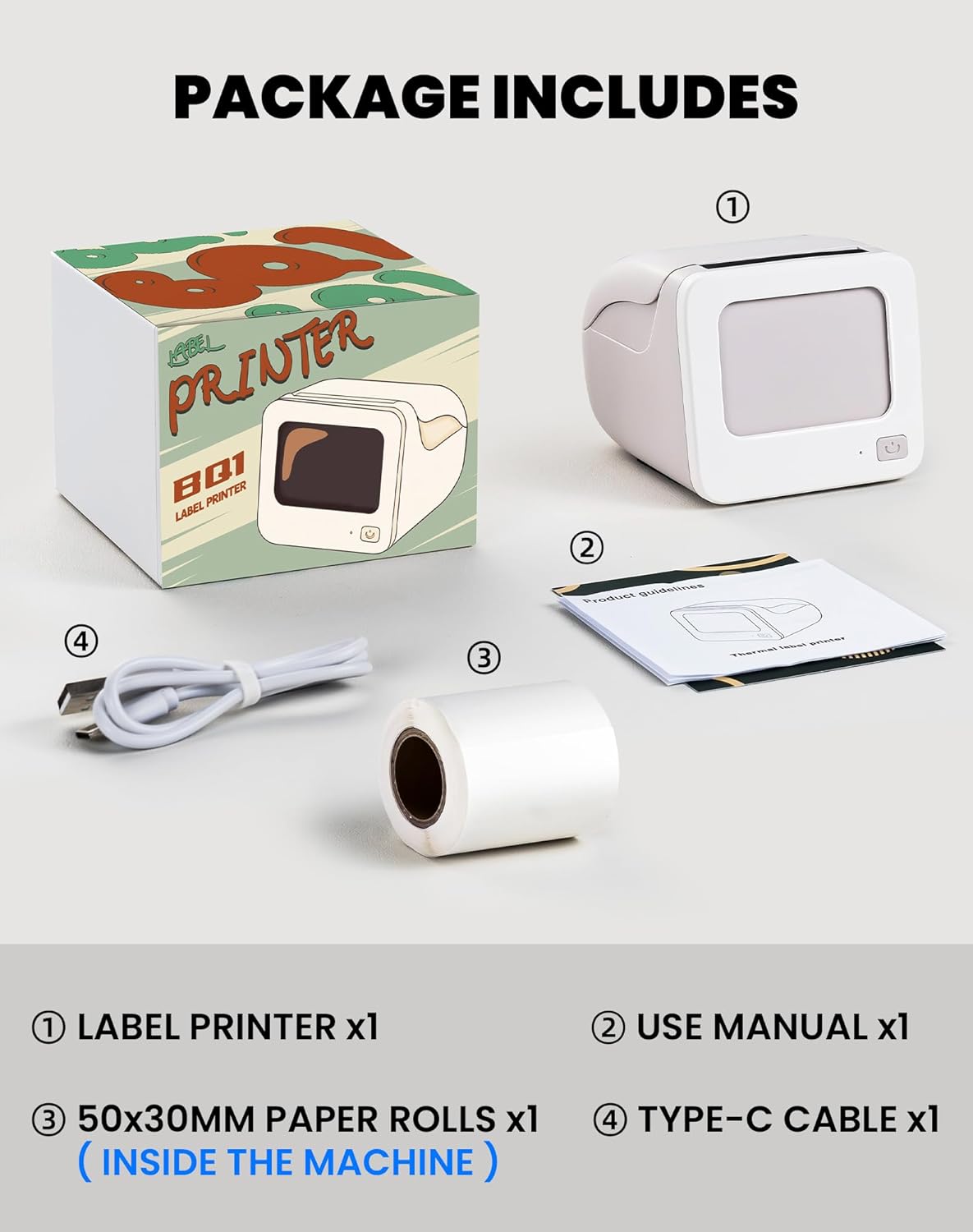
Image 2.1: Visual representation of the items included in the vretti BQ1 label printer package.
2.2 Einlegen von Etikettenpapier
The printer comes with a label roll pre-installed. If you need to replace or load a new roll:
- Öffnen Sie vorsichtig die Druckerabdeckung.
- Insert the new label roll into the compartment, ensuring the labels feed out smoothly. The printable side of the label should face upwards.
- Schließen Sie die Druckerabdeckung ordnungsgemäß.

Image 2.2: Proper insertion of a label roll into the vretti BQ1 printer, demonstrating the supported label width range.
2.3 App-Installation und Bluetooth-Verbindung
To use your vretti BQ1 printer, you need to download and connect it via the "xeasy label" application.
- Laden Sie die App herunter: Suchen nach "xeasy label" in your smartphone's app store (Google Play Store for Android or Apple App Store for iOS) and install it.
- Bluetooth einschalten: Stellen Sie sicher, dass Bluetooth auf Ihrem Smartphone aktiviert ist.
- Öffnen Sie die App und stellen Sie eine Verbindung her: Open the "xeasy label" app. The app will guide you to connect to your printer. Select "BQ1" from the list of available devices.
- Einschalten: Halten Sie den Netzschalter am Drucker gedrückt, bis die Kontrollleuchte aufleuchtet.

Image 2.3: Step-by-step guide for downloading the "xeasy label" app, connecting to the printer via Bluetooth, and preparing to edit a label.
3. Bedienungsanleitung
3.1 Etiketten erstellen und drucken
Once connected, the "xeasy label" app provides a user-friendly interface for designing and printing labels.
- Select a Template or Create New: The app offers a variety of pre-designed templates, fonts, icons, and frames. You can choose an existing template or start a new design.
- Gestalten Sie Ihr Etikett: Edit text, add images, barcodes, QR codes, and adjust the layout to fit your needs. The app supports various customization options.
- Vorview und Drucken: Vor dem Drucken, vorview your label to ensure it looks as desired. Then, tap the print button in the app to send the design to your vretti BQ1 printer.
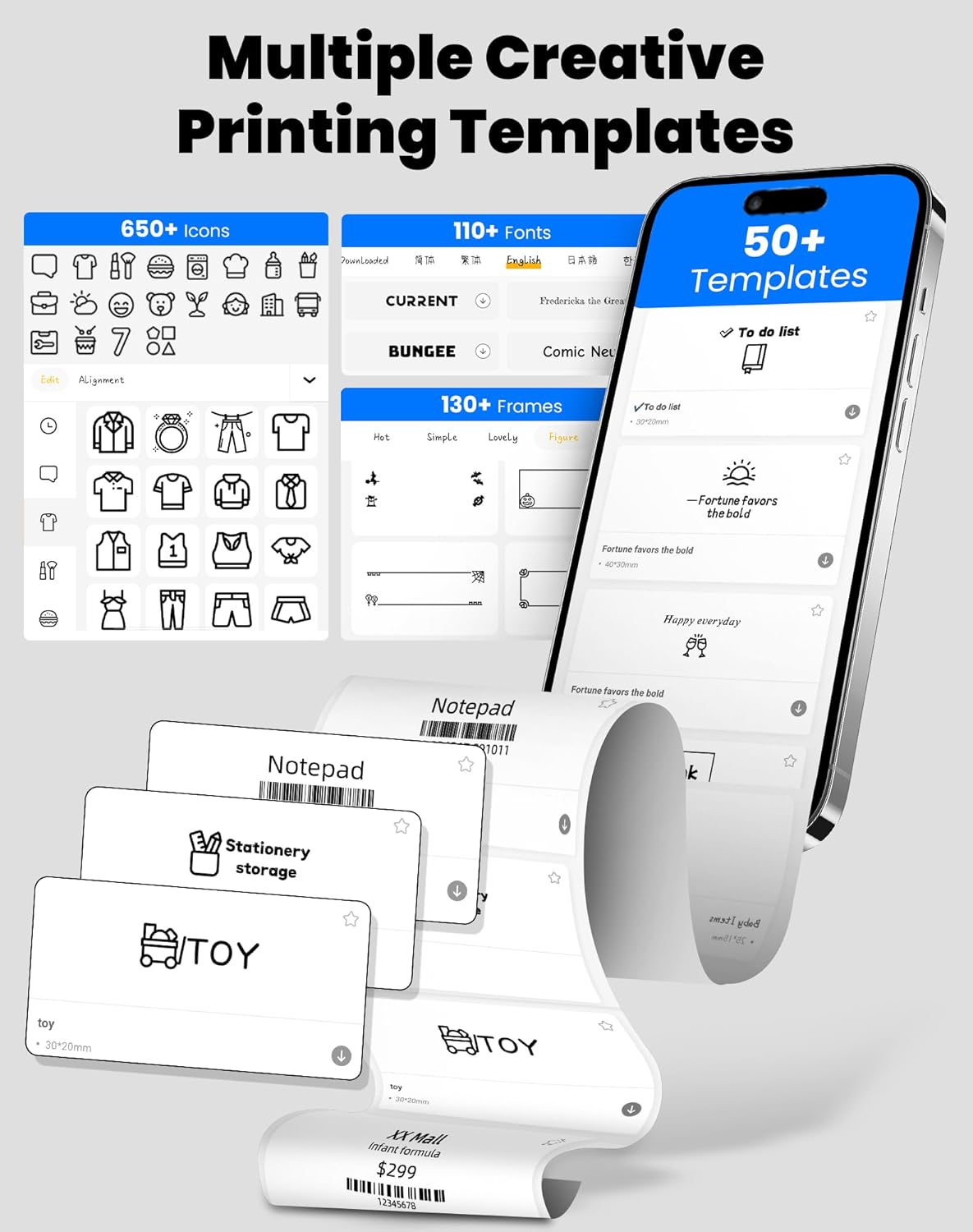
Image 3.1: The "xeasy label" app interface, showcasing a wide range of creative printing templates, icons, and fonts available for label design.

Bild 3.2: Überview of the multi-functional applications within the "xeasy label" app, including support for barcodes, QR codes, images, various borders, font shapes, and hundreds of icons.
3.2 Common Label Applications
The vretti BQ1 printer is versatile and suitable for a wide range of applications:
- Haushaltsorganisation: Label storage bins, pantry items, spice jars, and more.
- Büro & Schule: Organisieren files, label stationery, create name tags, or mark assets.
- Retail & Small Business: Print price tags, product labels, address labels for shipping, and inventory management labels.
- Persönlicher Gebrauch: Create decorative labels for gifts, DIY projects, or personal items.

Abbildung 3.3: Beispielamples of the vretti BQ1 printer's versatility, showing labels used for toy classification, light switches, to-do lists, clothing, and gifts.

Image 3.4: Demonstrations of common label types that can be printed, including address labels, price labels, food labels, and customizable DIY labels.
4. Wartung
4.1 Drucker reinigen
To ensure optimal performance and print quality, regular cleaning is recommended:
- Exterieur: Wischen Sie die Außenseite des Druckers mit einem weichen, trockenen Tuch ab. Verwenden Sie keine scheuernden Reiniger oder Lösungsmittel.
- Druckkopf: If print quality degrades, gently clean the thermal print head with an alcohol swab. Ensure the printer is turned off and cooled down before cleaning.
4.2 Lagerung von Etikettenrollen
Store label rolls in a cool, dry place away from direct sunlight and excessive heat to preserve their adhesive properties and print quality.
5. Fehlerbehebung
If you encounter issues with your vretti BQ1 printer, try the following steps:
- Drucker schaltet sich nicht ein: Ensure the printer is charged. Connect it to a power source using the provided Type-C cable.
- Verbindung via Bluetooth nicht möglich:
- Stellen Sie sicher, dass Bluetooth auf Ihrem Smartphone aktiviert ist.
- Stellen Sie sicher, dass der Drucker eingeschaltet und in Reichweite ist.
- Starten Sie sowohl den Drucker als auch Ihr Smartphone neu.
- Try reconnecting through the "xeasy label" app.
- Schlechte Druckqualität:
- Check if the label roll is inserted correctly and is not damaged.
- Reinigen Sie den Thermodruckkopf wie im Abschnitt Wartung beschrieben.
- Ensure the label type is compatible with thermal printing.
- Etiketten werden nicht korrekt zugestellt:
- Verify the label roll is properly seated and not jammed.
- Stellen Sie sicher, dass die Druckerabdeckung vollständig geschlossen ist.
Video 5.1: Ein allgemeines Produkt im Überblickview video for the vretti BQ1 label printer, demonstrating its features and operation. If the video does not load, please ensure your browser supports HLS streaming.
6. Spezifikationen
| Marke | vretti |
| Modellname | BQ1 |
| Konnektivitätstechnologie | Bluetooth |
| Drucktechnologie | Thermal |
| Max. Mediengröße | 58 mm (supports 25-58mm width) |
| Druckauflösung | 203 dpi (Monochrom) |
| Kompatible Geräte | Smartphone (Android, iOS) |
| Im Lieferumfang enthaltene Komponenten | 1 Label Printer, 1 Label Roll (starter), 1 Type-C Cable |
| Technische Daten | 10.3 D x 10.4 B x 8 H Zentimeter |
| Besonderheit | Elegant TV-like design |
7. Garantie und Support
7.1 Garantieinformationen
The vretti BQ1 Label Printer typically comes with a ein Jahr Garantie Ab Kaufdatum. Bitte bewahren Sie Ihren Kaufbeleg für Garantieansprüche auf. Die Garantie deckt Herstellungsfehler ab, jedoch keine Schäden durch unsachgemäße Verwendung, Unfälle oder unbefugte Änderungen.
7.2 Kundendienst
For further assistance, technical support, or warranty inquiries, please refer to the official vretti website or contact their customer service through the contact information provided on their official channels. Ensure you have your product model number (BQ1) and purchase details ready when contacting support.