1. Einleitung
The COMICA EJoy Uni Pro is a versatile wireless USB condenser microphone designed for high-quality audio capture across various platforms. It supports both wired and 2.4GHz wireless modes, making it suitable for PC gaming, streaming, podcasting, and content creation. Key features include a cardioid polar pattern, 48kHz/24bit professional recording, dynamic RGB lighting, gain control, real-time audio monitoring, a touch-sensitive mute button, and effective one-click noise cancellation.
2. Packungsinhalt
Bitte überprüfen Sie, ob alle unten aufgeführten Artikel in Ihrem Paket enthalten sind:
- Condenser Microphone (TX) x1
- Pop-Filter x1
- Desktop Mic Stand x1
- Empfänger (RX) x1
- USB C to USB A Adapter x1
- USB C-USB C/USB A 2-in-1 Audio Cable x1

Image: Contents of the COMICA EJoy Uni Pro package, including microphone, stand, pop filter, receiver, and cables.
3. Einrichtung
3.1. Physische Montage
- Attach the microphone to the desktop mic stand. Ensure it is securely fastened.
- Attach the pop filter to the microphone. The pop filter helps reduce plosive sounds (like 'p' and 'b') for clearer audio.

Image: The COMICA EJoy Uni Pro microphone fully assembled on its desktop stand with the pop filter attached.
3.2. Connectivity (Plug and Play)
The EJoy Uni Pro supports both wired and wireless connections, offering seamless plug-and-play compatibility with various devices.
- Kabelverbindung: Use the provided USB C-USB C/USB A 2-in-1 Audio Cable. Connect the USB-C end to the microphone and the other end (USB-C or USB-A, using the adapter if needed) to your computer (Windows/Mac OS), PS4/PS5, tablet, or USB-C phone.
- Drahtlose Verbindung: Insert the 2.4GHz wireless receiver (RX) into a compatible USB port on your device. The microphone will automatically pair.
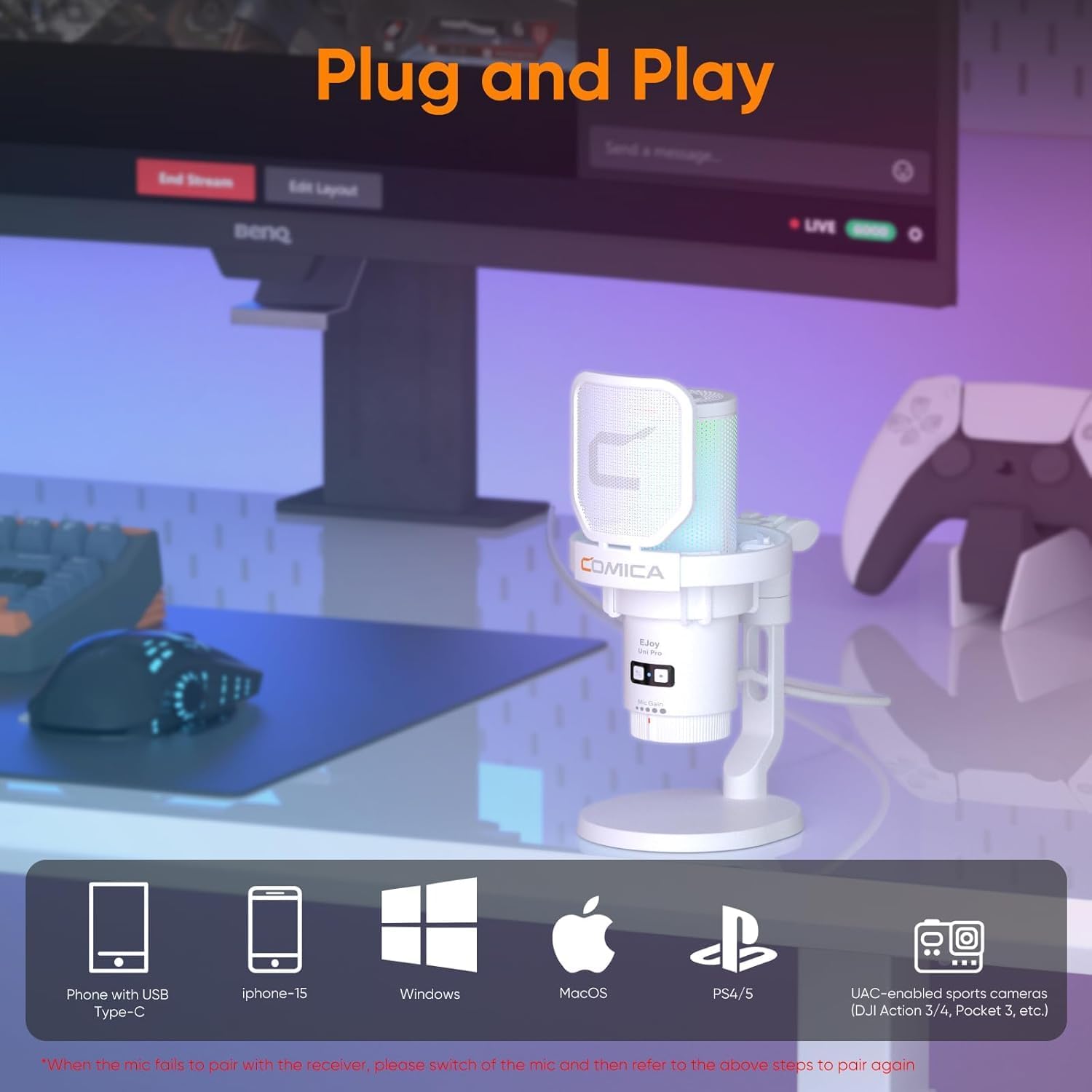
Image: Diagram illustrating wired and wireless connection methods for the microphone with different devices like phones, laptops, and gaming consoles.
4. Bedienungsanleitung
4.1. Audio-Steuerung
- Kontrolle erlangen: Adjust the microphone's input sensitivity using the gain knob located on the microphone body. Rotate to increase or decrease the mic volume according to your needs.
- Audioüberwachung in Echtzeit: Plug headphones into the 3.5mm jack on the microphone to monitor your audio input in real-time. This allows you to hear exactly what the microphone is capturing.
- Touchable Muting Key: A touch-sensitive button on the top of the microphone allows for quick muting and unmuting. Tap to toggle the microphone's active state.

Bild: Nahaufnahme view of the microphone's controls, highlighting the gain knob, headphone jack for monitoring, and the mute button.
4.2. Geräuschunterdrückung
The EJoy Uni Pro features a one-click denoise function to minimize background noise, providing a clearer recording experience. Press the dedicated noise reduction button to activate or deactivate this feature.
Video: Ein kurzer Vorberichtview demonstrating the noise cancellation feature of the Comica EJoy Uni Pro microphone.
4.3. RGB-Beleuchtungseffekte
The microphone includes controllable dynamic radiant RGB lighting with three unique effects: breathing light, dynamic gradient, and audio dynamics. These effects can be adjusted to suit your preference.
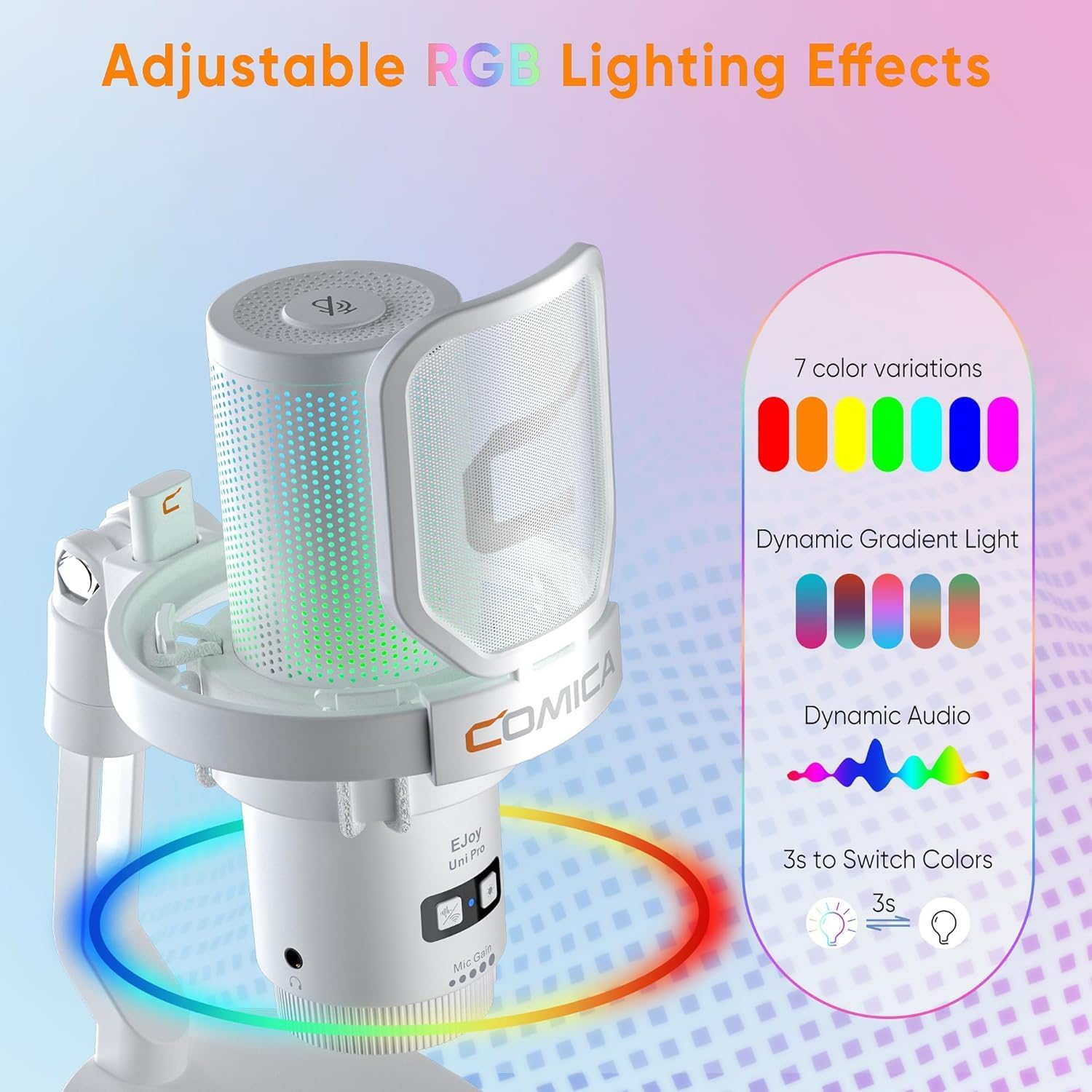
Image: Visual representation of the microphone's adjustable RGB lighting effects, including various color modes.
5. Wartung
To ensure optimal performance and longevity of your COMICA EJoy Uni Pro microphone, follow these maintenance guidelines:
- Keep the microphone clean by gently wiping it with a soft, dry cloth. Avoid using harsh chemicals or abrasive materials.
- Bewahren Sie das Mikrofon an einem kühlen, trockenen Ort fern von direkter Sonneneinstrahlung und extremen Temperaturen auf.
- Behandeln Sie das Mikrofon und seine Komponenten mit Sorgfalt, um physische Beschädigungen zu vermeiden.
- Überprüfen Sie regelmäßig die Kabelverbindungen auf Anzeichen von Verschleiß oder Beschädigung.
6. Fehlerbehebung
If you encounter issues with your microphone, please refer to the following common troubleshooting steps:
- Keine Tonausgabe:
- Ensure the microphone is properly connected (wired or wireless receiver inserted).
- Check if the microphone is muted (red light indicates mute). Tap the mute button to unmute.
- Verify the gain control is not set to minimum.
- Confirm the correct audio input device is selected in your computer's or device's sound settings.
- Poor Audio Quality/Background Noise:
- Activate the one-click denoise feature.
- Ensure the microphone is positioned correctly, utilizing its cardioid polar pattern (speak directly into the front).
- Check for environmental noise sources and minimize them.
- Ensure the pop filter is correctly installed to reduce plosives.
- Probleme mit der drahtlosen Verbindung:
- Ensure the wireless receiver is fully inserted into the USB port.
- If pairing fails, try re-pairing the microphone with the receiver by following the instructions in the quick guide.
- Check the battery level of the microphone.
7. Spezifikationen
| Besonderheit | Beschreibung |
|---|---|
| Modellnummer | uni Pro(D) |
| Mikrofon-Formfaktor | Mini |
| Richtcharakteristik | Unidirektional (Niere) |
| Sampling-Rate | 48 kHz/24 Bit |
| Konnektivitätstechnologie | USB, USB C, Wireless (2.4GHz) |
| Steckertyp | USB-Typ-A, USB-Typ-C |
| Kompatible Geräte | Desktop/PC, MAC OS/WINDOWS, PS4/PS5, Tablet, USB C Phone |
| Besondere Merkmale | Mute Function, Noise Reduction, Stand, Volume Control, Wireless and Wired Dual Mode, RGB Lighting |
| Signal-Rausch-Verhältnis | 72 dB |
| Stromquelle | Kabelgebunden (USB-betrieben) |
| Akku-Typ | 1 Lithium-Polymer (im Lieferumfang enthalten) |
| Artikelgewicht | 1.58 Pfund (0.72 Kilogramm) |
| Verpackungsabmessungen | 9.25 x 6.69 x 4.57 Zoll |
8. Garantie und Support
COMICA products are covered by a manufacturer's warranty. For detailed warranty information, product support, or service inquiries, please visit the official COMICA webBesuchen Sie die Website oder kontaktieren Sie direkt den Kundenservice. Bewahren Sie Ihren Kaufbeleg als Kaufnachweis auf.


