1. Einleitung
Thank you for choosing the truefree O2 Open Ear Headphones. This manual provides detailed instructions for setting up, operating, and maintaining your new wireless earbuds. Please read this guide thoroughly to ensure optimal performance and a satisfying user experience.
2. Packungsinhalt
Bitte überprüfen Sie, ob alle unten aufgeführten Artikel in Ihrem Paket enthalten sind:
- truefree O2 Open Ear Earbuds (x2)
- Ladeetui
- USB-C-Ladekabel
- Bedienungsanleitung
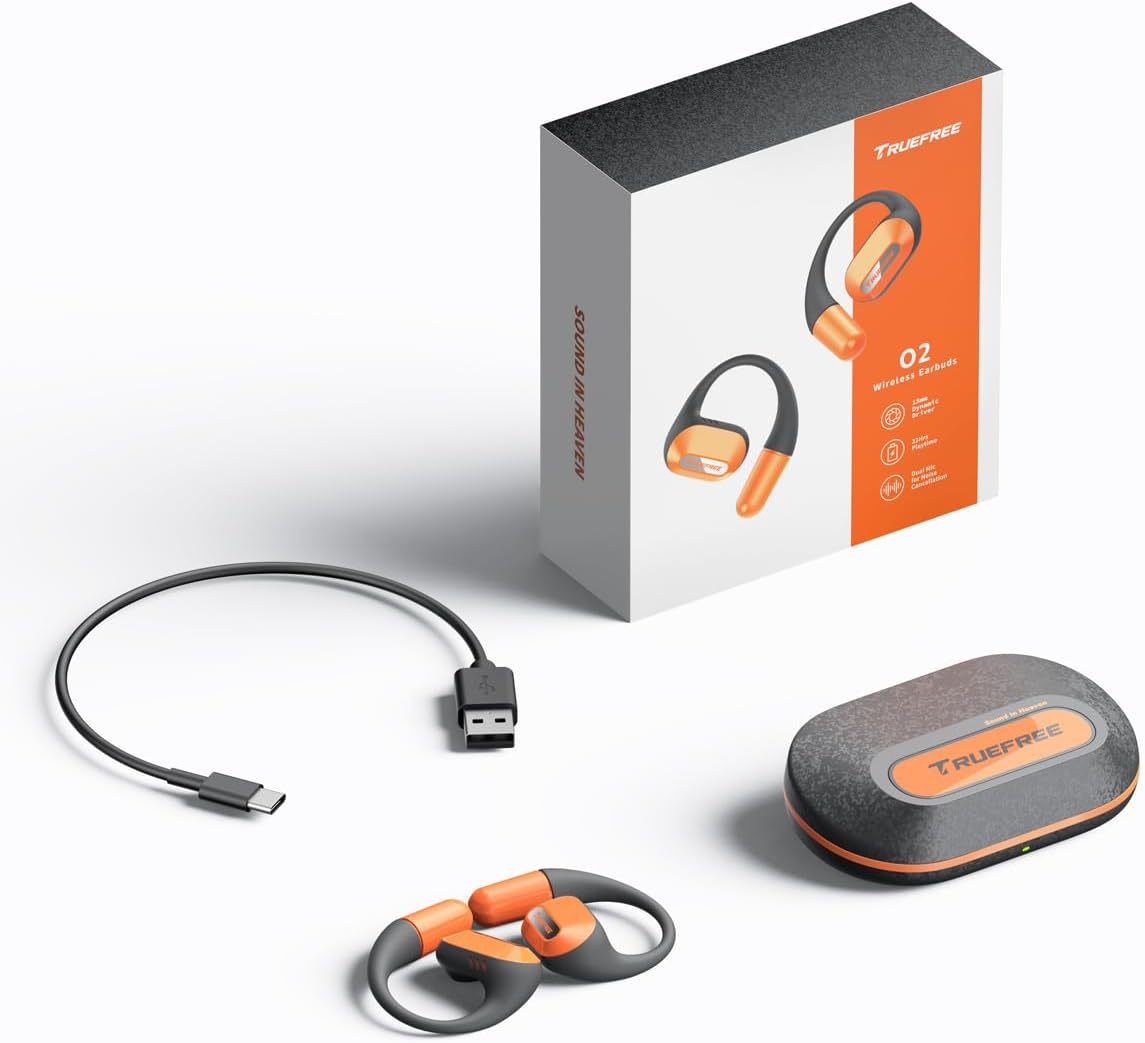
The complete package contents: two truefree O2 open ear earbuds, the charging case, a USB-C charging cable, and the user manual.
3. Produktüberschreitungview
The truefree O2 headphones feature an open-ear design for comfort and situational awareness, equipped with 15mm dynamic drivers and directional acoustics. The earbuds are ultra-lightweight (8g each) and designed with soft silicone ear hooks for a secure fit during various activities.

The truefree O2 open ear headphones and their compact charging case.
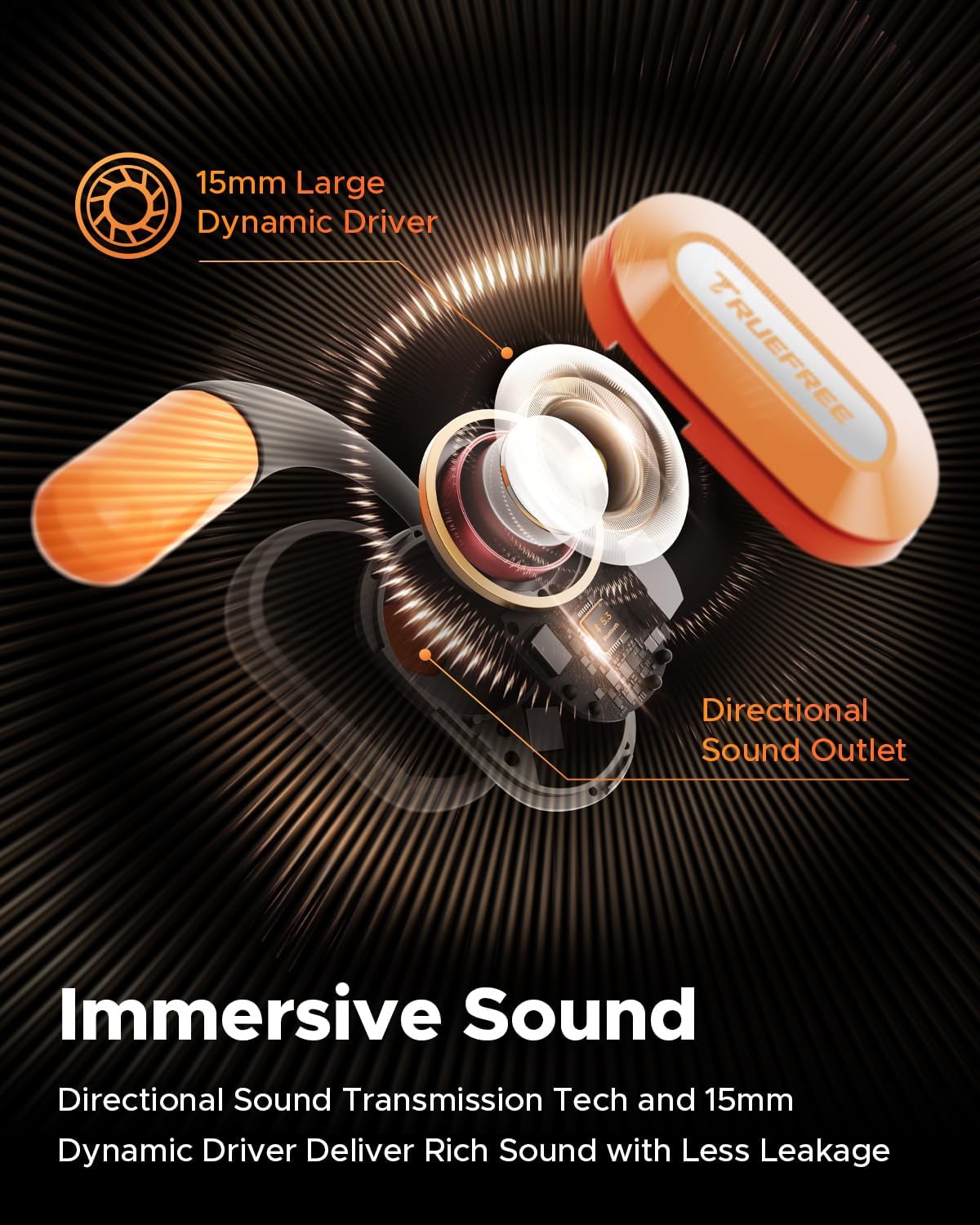
Ein explodiert view diagram of the truefree O2 earbud, highlighting its 15mm large dynamic driver and directional sound outlet for immersive audio with minimal leakage.
4. Tragen der Ohrhörer
Für optimale Klangqualität und Tragekomfort achten Sie bitte darauf, dass die Ohrhörer korrekt getragen werden.
- Identifizieren Sie den linken (L) und den rechten (R) Ohrhörer.
- Hängen Sie den Ohrhörer vorsichtig über Ihr Ohr und positionieren Sie den Lautsprecherteil in Richtung Ihres Gehörgangs.
- Adjust the ear hook to fit snugly and securely around your ear. The flexible NiTi alloy memory steel wire ensures a stable fit for various ear shapes.
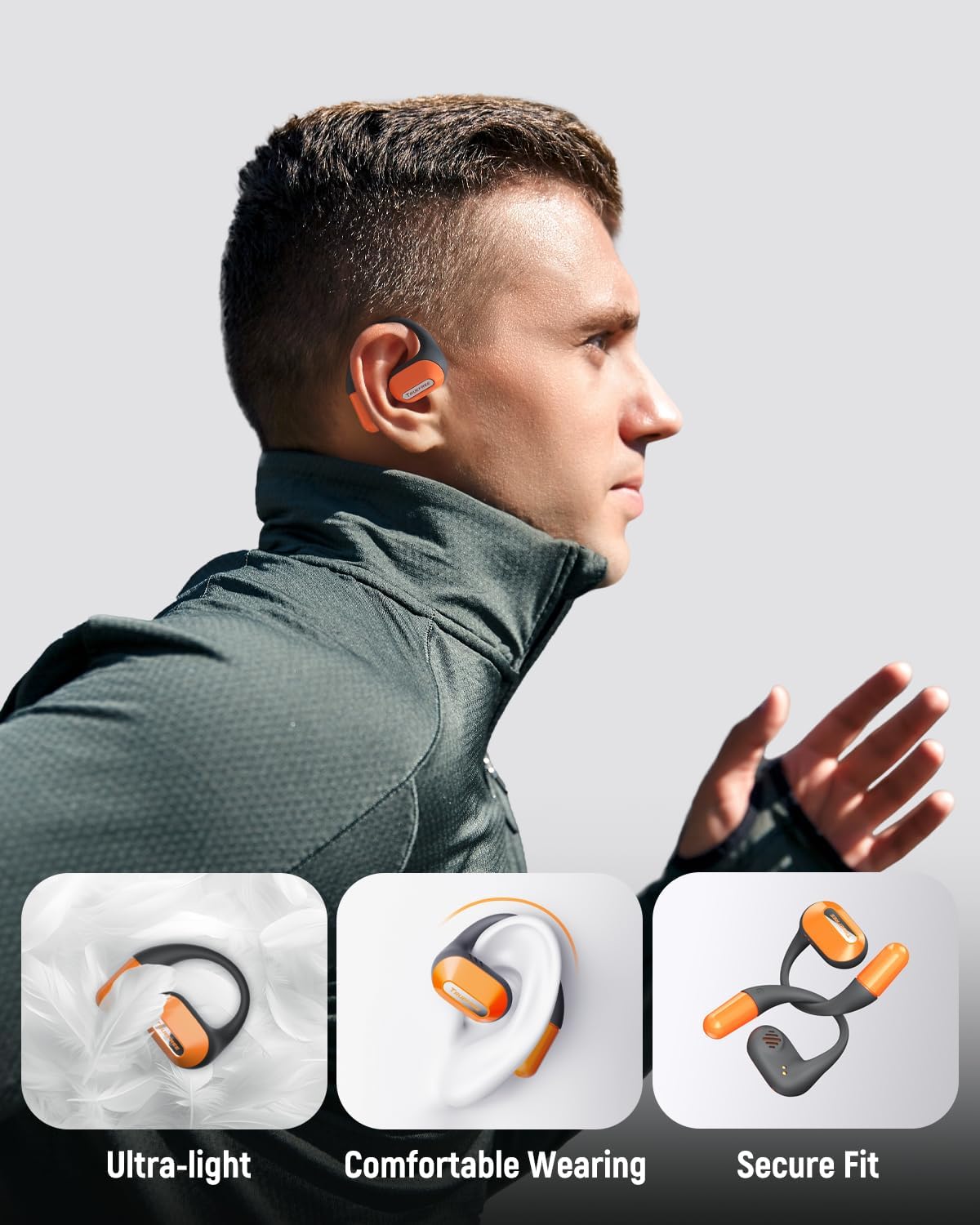
A user wearing the truefree O2 headphones, demonstrating their ultra-light design, comfortable fit, and secure ear hooks suitable for active use.
5. Aufladen
The truefree O2 headphones and charging case are designed for efficient power management.
5.1 Aufladen der Ohrhörer
- Legen Sie die Ohrhörer in das Ladecase. Achten Sie darauf, dass die Ladekontakte übereinstimmen.
- Die Kontrollleuchten an den Ohrhörern zeigen den Ladestatus an.
- Eine vollständige Ladung ermöglicht eine Spielzeit von etwa 6.5 Stunden.
5.2 Laden des Gehäuses
- Verbinden Sie das USB-C-Ladekabel mit dem Ladeanschluss am Gehäuse und mit einer Stromquelle.
- The charging case can be fully charged in approximately 1 hour and 15 minutes.
- A fully charged case provides up to 22 hours of total playtime for the earbuds.

An illustration detailing the IPX5 waterproof rating, 6.5 hours of playtime on a single charge, 22 hours total with the charging case, and 1 hour 15 minutes fast charging via USB-C.
6. Einrichtung
6.1 Erste Bluetooth-Kopplung
- Öffnen Sie das Ladeetui. Die Ohrhörer wechseln automatisch in den Kopplungsmodus.
- Aktivieren Sie Bluetooth auf Ihrem Gerät (Smartphone, Tablet, Laptop).
- Suchen nach "truefree O2" in the list of available Bluetooth devices.
- Select "truefree O2" to connect. A voice prompt will confirm successful pairing.
6.2 App-Steuerung
Enhance your experience by downloading the "Truefree" application from your device's app store.
- Anpassung: Adjust EQ settings, including 9 personalized presets and a customizable option.
- Firmware-Updates: Halten Sie Ihre Ohrhörer mit den neuesten Funktionen und Verbesserungen auf dem aktuellen Stand.
- Spezialfunktionen: Control features like game mode and other settings directly from the app.
- Dual-Device-Verbindung: Enable multipoint connection for seamless switching between two devices.
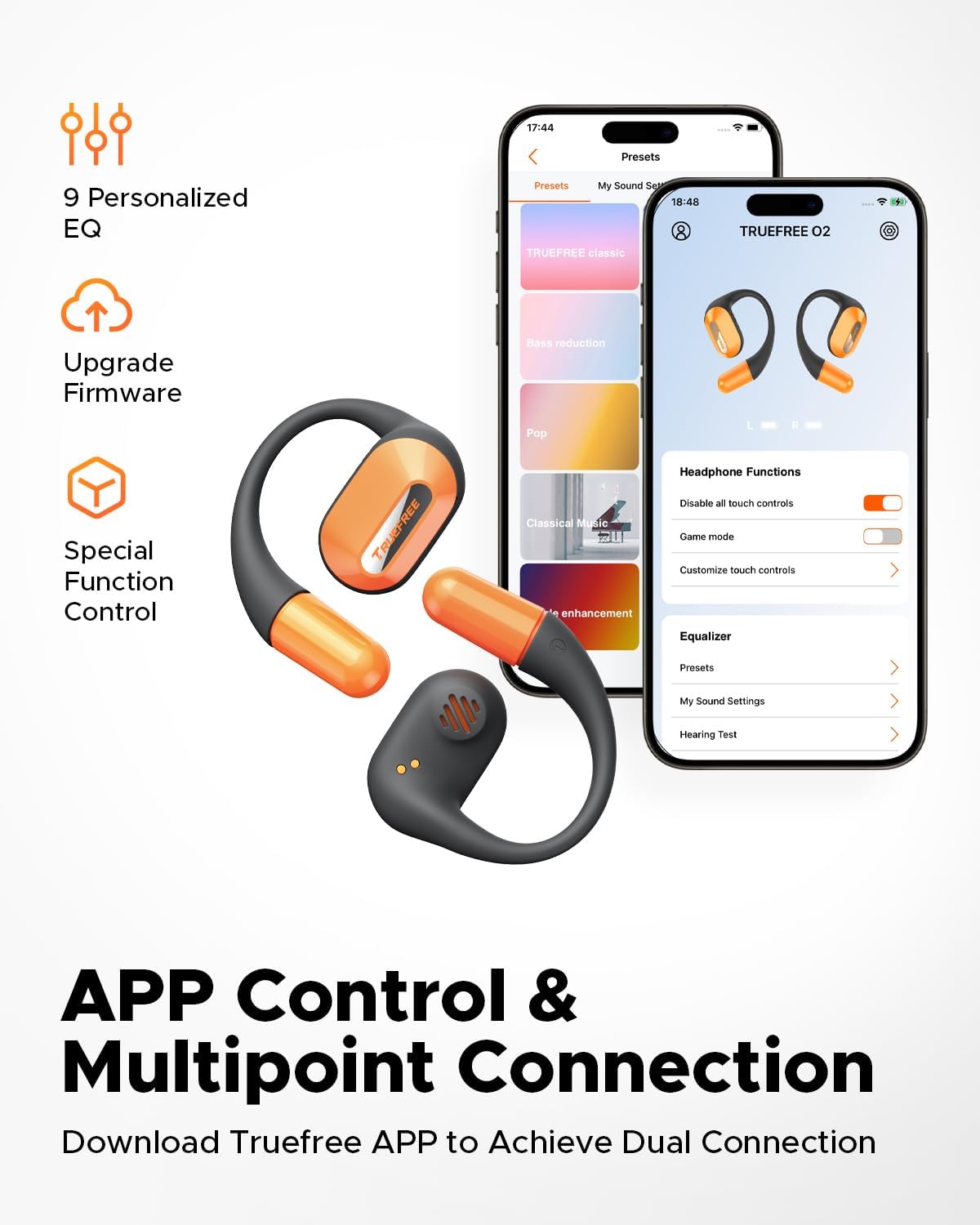
Screenshots of the Truefree mobile application, illustrating options for customizing EQ settings, game mode, and other control functions for the O2 headphones.
7. Betrieb
7.1 Berührungssteuerung
The truefree O2 earbuds feature intuitive touch controls on both the left (L) and right (R) earbuds.
| Aktion | Funktion |
|---|---|
| L & R Double tap | Wiedergabe/Pause, Anruf annehmen/beenden |
| L & R Long press for 1.5s | Previous Track (L), Next Track (R), Power On/Off (when not in case) |
| L Single tap | Lautstärke verringern |
| R Single tap | Lautstärke erhöhen |
| L Long press for 3s | Spielmodus aktivieren |
| R Long press for 3s | Sprachassistent aktivieren |

A visual guide to the touch control functions on the truefree O2 earbuds.
7.2 Mehrpunktverbindung
The truefree O2 supports connecting to two devices simultaneously, allowing for seamless switching between audio sources.
- Ensure the earbuds are connected to your first device.
- Put the earbuds back into the charging case, then take them out again to re-enter pairing mode.
- Connect the earbuds to your second device via Bluetooth.
- Once both devices are paired, the earbuds will intelligently switch audio based on activity (e.g., taking a call on your phone while listening to music on your laptop).

An image showing the truefree O2 headphones connected to both a laptop and a smartphone, illustrating the multipoint connection feature for seamless device switching.
7.3 Spielmodus
Activate Game Mode for reduced audio latency, providing a more synchronized audio-visual experience during gaming.
- To activate: Long press the left earbud for 3 seconds.
- To deactivate: Repeat the action.
- Game Mode can also be toggled via the Truefree app.
8. Wartung
8.1 IPX5 Wasserdichtigkeitsklasse
The truefree O2 earbuds are IPX5 waterproof, meaning they are resistant to sweat and light splashes of water. This makes them suitable for workouts and outdoor activities.
- Die Ohrhörer dürfen nicht in Wasser eingetaucht werden.
- Um Beschädigungen zu vermeiden, stellen Sie sicher, dass die Ohrhörer trocken sind, bevor Sie sie wieder in das Ladecase legen.

The truefree O2 earbud with water droplets, illustrating its IPX5 waterproof rating.
8.2 Reinigung
- Wischen Sie die Ohrhörer und das Ladecase mit einem weichen, trockenen, fusselfreien Tuch ab.
- Vermeiden Sie die Verwendung von Scheuermitteln oder aggressiven Chemikalien.
- Reinigen Sie regelmäßig die Ladekontakte sowohl an den Ohrhörern als auch am Ladecase, um ein ordnungsgemäßes Laden zu gewährleisten.
9. Fehlerbehebung
If you encounter issues with your truefree O2 headphones, refer to the following common solutions:
| Problem | Lösung |
|---|---|
| Ohrhörer lassen sich nicht koppeln | Ensure earbuds are charged. Turn off and on Bluetooth on your device. Forget "truefree O2" from your device's Bluetooth list and re-pair. |
| Kein Ton von einem Ohrhörer | Place both earbuds back in the case, close it, then open it again. Check device's audio balance settings. |
| Ladeproblem | Clean charging contacts on earbuds and case. Try a different USB-C cable and power adapter. Ensure earbuds are correctly seated in the case. |
| Geringe Lautstärke | Adjust volume on both the earbuds and your connected device. Check EQ settings in the Truefree app. |
| Die Verbindung bricht häufig ab | Ensure no obstructions between earbuds and device. Reduce distance between earbuds and device. Avoid strong electromagnetic interference. |
If the issue persists, please contact truefree customer support for further assistance.
10. Spezifikationen
| Besonderheit | Detail |
|---|---|
| Modellname | truefree O2 |
| Konnektivität | Bluetooth 5.3 |
| Platzierung des Ohrs | Offenes Ohr |
| Form der Hörmuschel | Haken |
| Wasserbeständigkeit | IPX5 |
| Akkulaufzeit der Ohrhörer | Bis zu 6.5 Stunden |
| Gesamtspielzeit (mit Hülle) | Bis zu 22 Stunden |
| Ladezeit des Gehäuses | Approx. 1 hour 15 minutes (USB-C) |
| Größe des Audiotreibers | 15 mm |
| Ohrhörergewicht | 8 Gramm (jeweils) |
| Steuerungstyp | Touch-Steuerung, App-Steuerung |
| Besondere Merkmale | Multipoint Pairing, Game Mode, Dual-mic Noise Cancelling |
11. Garantie und Support
truefree is committed to providing excellent customer experience. If you have any problems or suggestions regarding your truefree O2 Open Ear Headphones, please do not hesitate to contact our customer support team. We are ready to offer you a satisfactory solution.
For support, please refer to the contact information provided on the truefree official webWebsite oder Ihre Einkaufsplattform.


