Einführung
Thank you for choosing FosPower Kids Bluetooth 5.2 Headphones with LED Cat Ears. These headphones are designed with comfort, safety, and fun in mind, featuring a safe volume limit, versatile connectivity, and a long-lasting battery. This manual provides essential information for setup, operation, and maintenance to ensure optimal performance and enjoyment.
Lieferumfang
- 1x Wireless Cat Ears Headphones
- 1x USB-C Ladekabel
- 1x 3.5mm Audiokabel
- 1x Benutzerhandbuch
Produkteigenschaften
The FosPower Kids Bluetooth Headphones are engineered to provide a safe and enjoyable listening experience for children. Key features include:
- Komfort und Sicherheit: Padded ear cushions and an adjustable headband ensure a comfortable fit. A dual safe volume setting allows you to choose between 85dB or 94dB maximum volume to protect young ears.
- Stilvolles Design: Featuring vibrant LED cat ears and ear muffs that add a fun and playful touch.
- Vielseitige Konnektivität: Connect wirelessly via Bluetooth 5.2 for up to 100 hours of play time, or use the included 3.5mm audio cable for a wired connection.
- Eingebautes Mikrofon: Enables clear communication for online learning or calls.
- Faltbares Design: For easy storage and portability, making them ideal for school or travel.

Image: The headphones highlighting padded ear cushions, an adjustable headband, and a foldable design for comfort and durability.

Image: A visual representation of the headphones with vibrant LED cat ears and ear muffs, cushioned padding, dual volume limits, wireless/wired options, built-in microphone, and 100 hours of listening time.
Kontrollen überview

Image: A detailed diagram illustrating the location and function of all control buttons and ports on the headphones, including the ON/OFF power button, volume controls, track skip buttons, light mode button, built-in microphone, 3.5mm audio port, and USB-C charging port.
Familiarize yourself with the headphone controls for seamless operation:
- Ein / Aus Schalter: Located on the ear cup, slide to power on/off.
- M-Taste: Long press to turn off the LED flashing light.
- Wiedergabe-/Pause-Taste: Play or pause music, answer or reject calls.
- Volume Up (+)/Next Song: Short press to increase volume, long press for next song.
- Volume Down (-)/Previous Song: Short press to decrease volume, long press for previous song.
- USB-C-Ladeanschluss: Zum Aufladen der Kopfhörer.
- 3.5-mm-Audioanschluss: Für kabelgebundene Verbindungen.
Aufstellen
Bluetooth-Kopplung
- Stellen Sie sicher, dass die Kopfhörer vollständig aufgeladen sind.
- Slide the ON/OFF switch to the 'ON' position. The headphones will automatically boot into Bluetooth Mode.
- The LED indicator light will rapidly alternate between blue and green colors, and a voice prompt will announce "Bluetooth Mode".
- On your smart device (phone, tablet, laptop), open the Bluetooth settings and search for available devices.
- Select "CT-7S" from the list. No password is required.
- Upon successful pairing, a voice prompt will announce "Connected", and the LED indicator light will stay blue.
Kabelverbindung
If Bluetooth is not available or the battery is low, you can use the included 3.5mm audio cable:
- Stecken Sie ein Ende des 3.5-mm-Audiokabels in den AUX-Anschluss des Kopfhörers.
- Stecken Sie das andere Ende in die Audiobuchse Ihres Geräts.
- The headphones will now function in wired mode.

Image: Two children wearing the headphones, demonstrating both wireless (Bluetooth) and wired (audio cable) connectivity options.
Bedienungsanleitung
Volume Limit Adjustment
The headphones offer two safe volume limits (85dB or 94dB). To switch between them, refer to the detailed instructions in the included user manual or the product's online resources.

Image: A graphic illustrating the dual safe volume settings of 85dB and 94dB, emphasizing the hearing protection feature for children.
LED-Lichtsteuerung
To turn the LED flashing lights on or off, long press the 'M' button on the ear cup. The lights will cycle through various colors when active.
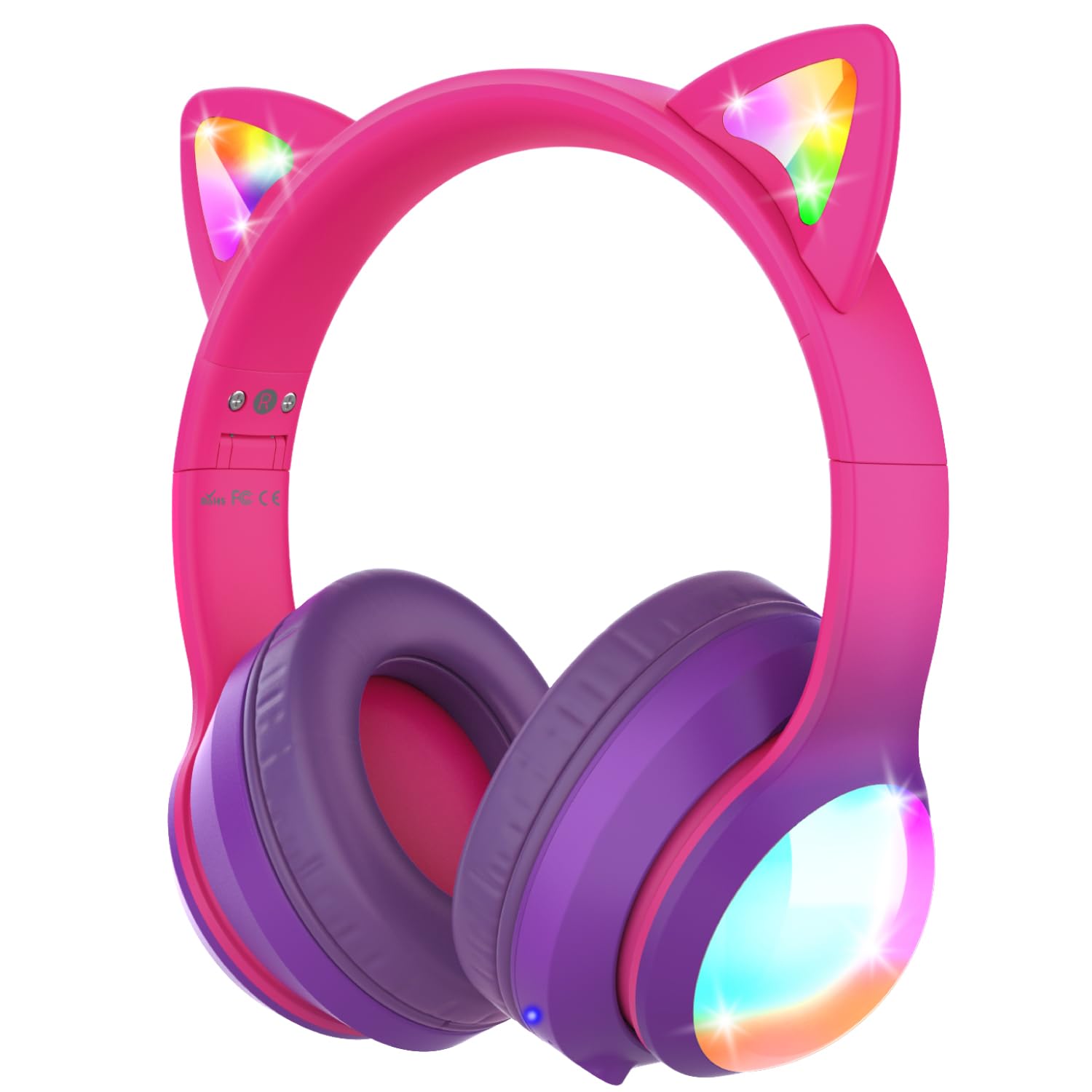
Image: The headphones showcasing their vibrant colored LED lights on the cat ears and earcups, making the listening experience fun and stylish.
Music and Call Management
Use the dedicated buttons on the ear cup to control music playback and manage calls as described in the 'Controls Overview' Abschnitt.
Video: An official product video from FosPower demonstrating the features and usage of the Kids Bluetooth Headphones with LED Cat Ears.
Video: A seller-provided video highlighting the protective decibel limited volume, soft earcups, foldable design, and inline controls of the headphones.
Video: A short seller-provided video showcasing the light-up feature of the Kids Bluetooth Headphones.
Laden
To charge your headphones, connect the included USB-C charging cable to the USB-C port on the headphones and to a compatible USB power source. Charging time is approximately 2 hours. The LED indicator will show charging status (e.g., red for charging, blue for fully charged).
Wartung
- Reinigen Sie die Kopfhörer mit einem weichen, trockenen Tuch. Vermeiden Sie die Verwendung von scharfen Chemikalien oder scheuernden Materialien.
- Bewahren Sie die Kopfhörer an einem kühlen, trockenen Ort auf, wenn Sie sie nicht verwenden.
- Vermeiden Sie es, die Kopfhörer extremen Temperaturen oder direkter Sonneneinstrahlung auszusetzen.
- Versuchen Sie nicht, die Kopfhörer selbst zu zerlegen oder zu reparieren. Dadurch kann die Garantie erlöschen.
Fehlerbehebung
No Power/Cannot Turn On
- Stellen Sie sicher, dass die Kopfhörer vollständig aufgeladen sind.
- Prüfen Sie, ob sich der EIN/AUS-Schalter in der Position „EIN“ befindet.
Kopplung über Bluetooth nicht möglich
- Ensure the headphones are in Bluetooth pairing mode (LED alternating blue/green).
- Make sure Bluetooth is enabled on your device and it's within range (up to 33 feet).
- Entfernen Sie die Kopfhörer aus der Bluetooth-Liste Ihres Geräts und versuchen Sie es erneut mit der Kopplung.
- Versuchen Sie, sowohl die Kopfhörer als auch Ihr Gerät neu zu starten.
Kein Ton im Kabelmodus
- Ensure the 3.5mm audio cable is securely plugged into both the headphones and your device.
- Überprüfen Sie die Lautstärke sowohl an den Kopfhörern als auch an Ihrem angeschlossenen Gerät.
- Test with a different audio cable or device to rule out cable or device issues.
LED-Leuchten funktionieren nicht
- Stellen Sie sicher, dass die Kopfhörer eingeschaltet sind.
- Press the 'M' button to cycle through or activate the LED light modes.
- Check battery level; low battery may affect LED functionality.
Technische Daten
| Modellname | FOSHP-2446PA |
| Bluetooth-Version | 5.2 |
| Bluetooth-Reichweite | 33 Fuß |
| Akkulaufzeit | 100 Stunden |
| Ladezeit | 2 Stunden |
| Lärmschutz | Passive Geräuschunterdrückung |
| Kopfhöreranschluss | 3.5 mm Klinke |
| Material | Leather, Polycarbonate (PC) |
| Artikelgewicht | 11.7 Unzen |
Garantie und Support
FosPower offers a Eingeschränkte lebenslange Garantie for this product. For any support needs, please contact our experienced and dedicated USA-based customer service team. Refer to the included user manual for specific contact information or visit the official FosPower webWebsite.


