1. Einleitung
This manual provides essential information for the setup, operation, and maintenance of your ARBITER Polar 65 CNC Magnetic Gaming Keyboard. Please read this manual thoroughly to ensure proper use and to maximize your keyboard's performance.
2. Packungsinhalt
Bitte überprüfen Sie, ob alle unten aufgeführten Artikel in Ihrem Paket enthalten sind:
- ARBITER Polar 65 Gaming Keyboard
- 1.8m Braided USB-A to USB-C Cable
- Tastenkappenabzieher
- Abzieher wechseln
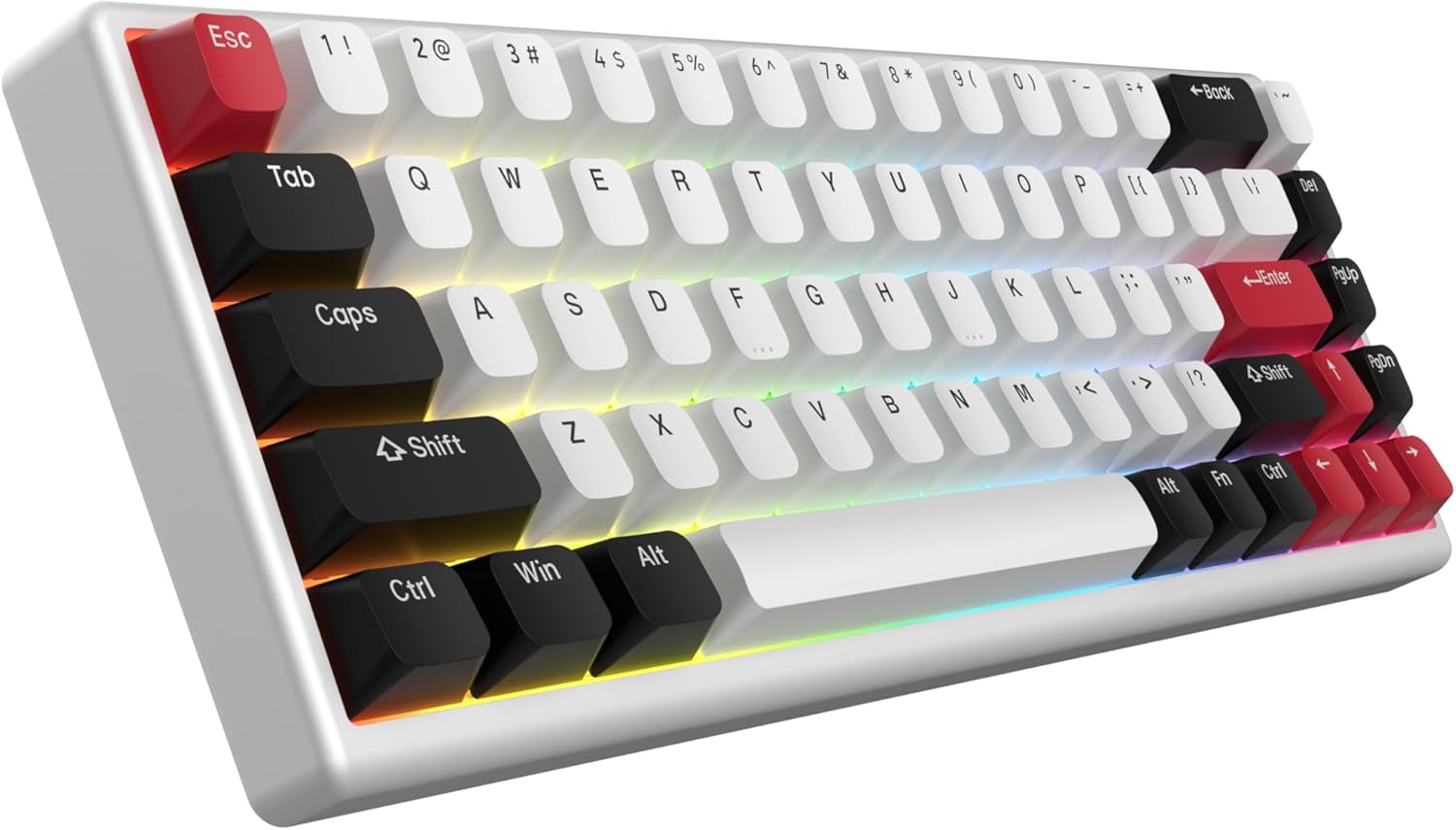
Image: The ARBITER Polar 65 keyboard, typically accompanied by its USB-C cable, keycap puller, and switch puller.
3. Einrichtungsanweisungen
- Schließen Sie die Tastatur an: Locate the USB-C port on the ARBITER Polar 65 keyboard. Connect one end of the provided 1.8m braided USB-A to USB-C cable to the keyboard and the other end to an available USB-A port on your computer.
- Treiberinstallation: The keyboard is plug-and-play. Your operating system should automatically detect and install the necessary drivers. No additional software installation is required for basic functionality.
- Web App-Zugriff: For advanced customization, including RGB lighting modes and key sensitivity adjustments, access the ARBITER web application via your web browser. Refer to the official ARBITER webWebsite für die spezifische URL.
4. Bedienungsanleitung
4.1 Fuji Hall Effect Switches
The ARBITER Polar 65 features Fuji Hall Effect Switches, offering precise and customizable actuation. These are 36g linear switches with an actuation range from 0.1mm to 3.8mm, providing 20 sensitivity levels.

Bild: Eine explodierte view of a Fuji Hall Effect Switch, illustrating its components and the adjustable actuation range from 0.1mm to 3.8mm across 20 sensitivity levels.
So stellen Sie die Empfindlichkeit ein:
- Access the ARBITER web Anwendung.
- Navigate to the key sensitivity settings.
- Select individual keys or groups of keys to modify their actuation point between 0.1mm and 3.8mm.
4.2 Rapid Trigger Capabilities
The keyboard supports continuous rapid trigger functionality with less than 1ms latency. This feature allows keys to react instantly upon release, enabling faster repeated inputs compared to traditional keyboards with fixed actuation and release points.

Image: A visual comparison demonstrating the adjustable release and actuation points of the Polar 65's rapid trigger functionality versus the fixed points of a regular keyboard.
So konfigurieren Sie die Schnellauslösung:
- Open the ARBITER web Anwendung.
- Locate the Rapid Trigger settings.
- Adjust the sensitivity and behavior of the rapid trigger feature according to your preference.
4.3 RGB-Beleuchtungsanpassung
The ARBITER Polar 65 features vibrant RGB lighting with 16 preset lighting modes. Further personalization is available through the web Anwendung.

Image: The ARBITER Polar 65 keyboard displaying various RGB lighting effects, highlighting the 16 vibrant modes and web app customization options.
To change RGB lighting modes or customize effects:
- Use the designated function key combinations on the keyboard (refer to the keyboard's keycap legends for specific shortcuts).
- For advanced customization, including per-key lighting and custom effects, use the ARBITER web Anwendung.
4.4 Dual Silicone Dampening and Stable Keypresses
The keyboard incorporates dual silicone dampening layers to reduce acoustic resonance and provide a quieter, more comfortable typing experience. The spacebar features a screw-in stabilizer, and additional plate-mounted stabilizers are used for other larger keys to minimize rattling and ensure stable keypresses.

Image: An illustration of the ARBITER Polar 65 keyboard's internal structure, highlighting the dual silicone dampening layers and the screw-in stabilizer on the spacebar for enhanced typing comfort and stability.
5. Wartung
Proper maintenance ensures the longevity and performance of your ARBITER Polar 65 keyboard.
- Reinigung der Tastenkappen: Verwenden Sie den mitgelieferten Tastenkappenabzieher, um die Tastenkappen vorsichtig zu entfernen. Reinigen Sie sie anschließend mit einem weichen Tuch.amp cloth and mild soap if necessary. Ensure keycaps are completely dry before reattaching.
- Rahmen reinigen: Wipe the CNC aluminum frame with a soft, dry, lint-free cloth. Avoid abrasive cleaners or solvents.
- Switch-Wartung: The Fuji Hall Effect switches are hot-swappable. If a switch needs replacement, use the provided switch puller to carefully remove it and insert a new compatible switch.
- Kabelpflege: Um Beschädigungen zu vermeiden, sollten Sie das USB-C-Kabel nicht scharf biegen oder übermäßig daran ziehen.
6. Fehlerbehebung
| Problem | Mögliche Ursache | Lösung |
|---|---|---|
| Tastatur reagiert nicht | Wackelkontakt, defekter USB-Anschluss, Treiberproblem. |
|
| RGB-Beleuchtung funktioniert nicht | Lighting mode off, software setting. |
|
| Tasten werden nicht registriert oder es werden doppelte Eingaben gemacht | Switch issue, sensitivity setting. |
|
7. Spezifikationen
| Besonderheit | Detail |
|---|---|
| Modell | Polar 65 |
| Schalter | Fuji Hall Effect Switches (36g linear) |
| Betätigungsbereich | 0.1mm to 3.8mm (20 sensitivity levels) |
| Rapid Trigger Latency | Weniger als 1 ms |
| Rahmenmaterial | CNC Aluminium |
| Tastenkappen | Dual-Shot PBT Keycaps |
| RGB-Beleuchtung | 16 vibrant modes, customizable via web App |
| Konnektivität | USB-C (1.8m braided cable included) |
| DampEnde | Dual Silicone DampEnde |
| Stabilisatoren | Screw-in (spacebar), plate-mounted (other large keys) |
| Maße | 14.06 x 7.01 x 2.13 Zoll |
| Artikelgewicht | 2.9 Pfund |
8. Garantie und Support
ARBITER products are designed for reliability and performance. For warranty information and technical support, please refer to the official ARBITER webBesuchen Sie die Website oder kontaktieren Sie direkt den Kundenservice. Bewahren Sie Ihren Kaufbeleg als Kaufnachweis für Garantieansprüche auf.
Manufacturer: ARBITER
Weitere Hilfe erhalten Sie unter: ARBITER Studio Store on Amazon


