1. Produktüberschreitungview
The KBOD Smartwatch S95 Pro is a high-quality, durable, and technologically advanced smartwatch designed for daily use. It features a vibrant 2.01-inch display with a resolution of 240px x 296px, offering a clear and crisp visual experience. Built with premium materials, including a splash-resistant design and scratch-resistant glass, it ensures reliable performance in various conditions. The anatomical design provides ergonomic comfort, and its long-lasting battery keeps you connected throughout your day. The S95 Pro also includes interchangeable silicone straps for personalized style and enhanced durability.

Image: The KBOD Smartwatch S95 Pro in grey, showcasing sein schlankes Design und Display.
2. Lieferumfang
Upon unboxing your KBOD Smartwatch S95 Pro, please verify that all components are present and in good condition. The standard package includes:
- 1 x KBOD Smartwatch S95 Pro
- 1 x Silicone Strap (interchangeable)
- 1 x Wireless Magnetic Charger
- 1 x Benutzerhandbuch
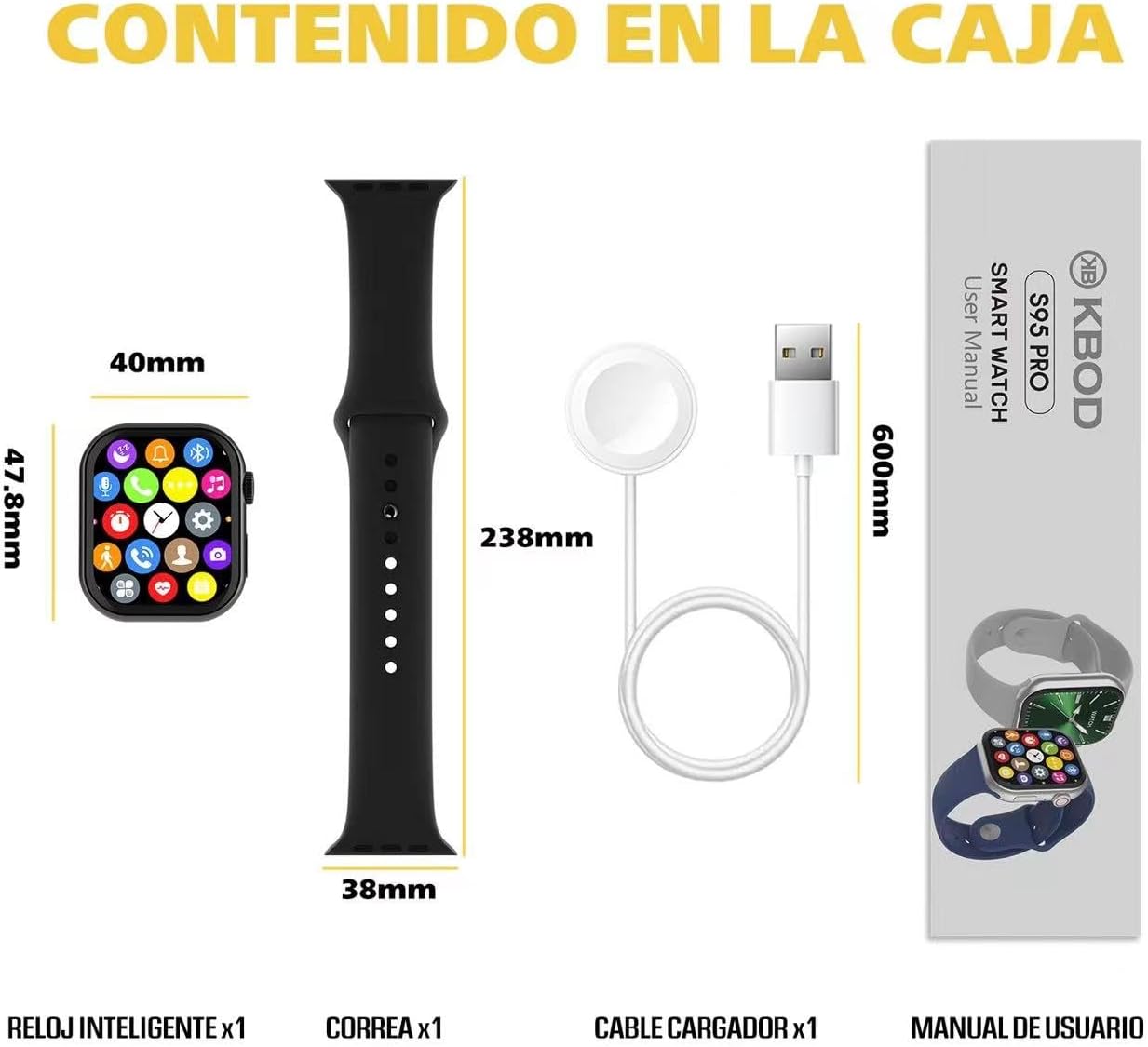
Image: Contents of the KBOD Smartwatch S95 Pro package, including the watch, strap, charger, and manual.
3. Installationsanleitung
3.1 Aufladen der Smartwatch
Before first use, fully charge your smartwatch. The S95 Pro features a long-lasting battery and a convenient wireless magnetic charger.
- Connect the USB end of the magnetic charger to a compatible USB power adapter (not included) or a computer USB port.
- Place the back of your smartwatch onto the magnetic charging pad. Ensure the charging pins align correctly. The watch screen will indicate charging status.
- A full charge typically takes approximately 1.5 hours. The watch offers over 7 days of typical usage and 30+ days of standby time on a single charge.
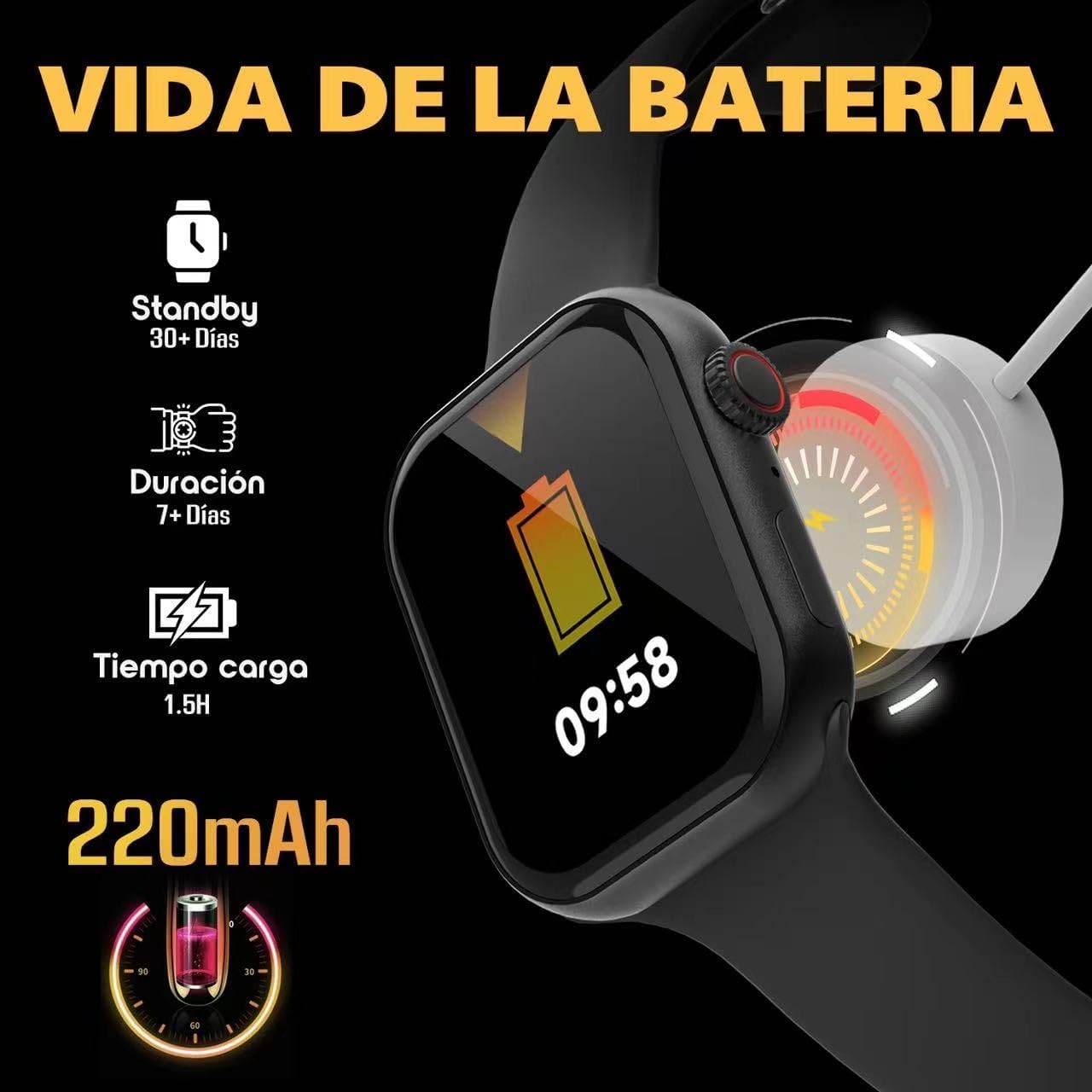
Image: Visual guide to charging the S95 Pro, highlighting battery life and charging time.
3.2 Koppeln mit Ihrem Smartphone
To unlock the full potential of your S95 Pro, pair it with your smartphone via Bluetooth. The smartwatch is compatible with universal electronic devices.
- Download the official KBOD companion app from your smartphone's app store (iOS or Android).
- Stellen Sie sicher, dass Bluetooth auf Ihrem Smartphone aktiviert ist.
- Open the KBOD app and follow the on-screen instructions to search for and connect to your S95 Pro.
- Bestätigen Sie die Kopplungsanfrage sowohl auf Ihrem Smartphone als auch auf Ihrer Smartwatch.
4. Bedienungsanleitung
4.1 Grundlegende Navigation
The S95 Pro features a responsive touch screen and a side button for navigation.
- Touch-Screen: Durch Wischen nach links/rechts oder nach oben/unten navigieren Sie durch Menüs und Widgets. Tippen Sie, um Elemente auszuwählen.
- Seitentaste: Drücken Sie diese Taste, um zum Startbildschirm zurückzukehren oder das Gerät zu aktivieren. Halten Sie die Taste gedrückt, um die Ein-/Ausschaltoptionen anzuzeigen.
4.2 Anrufe tätigen und entgegennehmen
With Bluetooth connectivity, you can manage calls directly from your smartwatch.
- Anrufe entgegennehmen: Wenn ein Anruf eingeht, tippen Sie auf das grüne Antwortsymbol auf Ihrem Uhrenbildschirm.
- Anrufe tätigen: Um einen Anruf zu starten, rufen Sie die Wählfunktion oder die Kontaktliste Ihrer Uhr auf.

Image: The S95 Pro's Bluetooth call feature, allowing users to answer calls directly from the watch.
4.3 Benachrichtigungen
Receive real-time notifications from your paired smartphone directly on your S95 Pro.
- Ensure notification permissions are enabled in the KBOD app on your smartphone.
- Wischen Sie vom oberen Rand des Zifferblatts nach unten, um view Ihr Benachrichtigungsverlauf.
4.4 Anpassen von Zifferblättern
Personalize your smartwatch with over 500 available watch faces.
- Long press on the current watch face to enter the customization mode.
- Swipe left or right to browse through pre-installed watch faces.
- Use the companion app to download and install additional watch faces.

Image: A selection of the 500+ watch faces available for the S95 Pro, allowing for personalized display.
4.5 Health and Sport Modes
The S95 Pro supports various health monitoring and sports tracking features.
- Zugriff auf die
Zugehörige Dokumente - Smartwatch Reloj Inteligente S95 Pro

KBOD X60 ULTRA Smartwatch – Benutzerhandbuch – Einrichtung, Funktionen und Bedienung
Ausführliche Bedienungsanleitung für die KBOD X60 ULTRA Smartwatch. Erfahren Sie, wie Sie die Uhr einrichten, verbinden und Funktionen wie Sport-Tracking und Herzfrequenzmessung nutzen. Außerdem erhalten Sie Informationen zu Sicherheitshinweisen und zur Einhaltung der FCC-Richtlinien.
KB-TWS-C29 TWS Earphone User Manual - Features, Pairing, and Specifications
Comprehensive user manual for the KB-TWS-C29 TWS wireless earphones. Learn about product features, specifications, wireless pairing, touch controls, usage instructions, and FCC compliance. Includes detailed guidance for optimal performance and care.
KBOD 10000mAh 15W Akku-Powerbank mit Saugnapf – Bedienungsanleitung
Benutzerhandbuch für die kabellose Powerbank KBOD 10000mAh 15W mit Saugnapf, mit detaillierten Informationen zu Funktionen, Spezifikationen, Ladeanweisungen, Sicherheitsvorkehrungen und FCC-Konformität.
SwellPro Splash Drone 3 Benutzerhandbuch NZ
Entdecken Sie die Funktionen, den Betrieb und die Spezifikationen der SwellPro Splash Drone 3, einer fortschrittlichen wasserfesten amphibious Drohne. Dieses Handbuch behandelt Montage, Flugmodi, Kamerafunktionen und Sicherheitsrichtlinien.
Benutzerhandbuch und Anleitung für die Zeblaze Stratos 2 Smartwatch
Ausführliches Benutzerhandbuch für die Zeblaze Stratos 2 Smartwatch mit Informationen zu Einrichtung, Funktionen, GPS, Sicherheit und technischen Daten. Erfahren Sie, wie Sie Ihr Gerät verbinden, verwenden und warten.