1. Einleitung
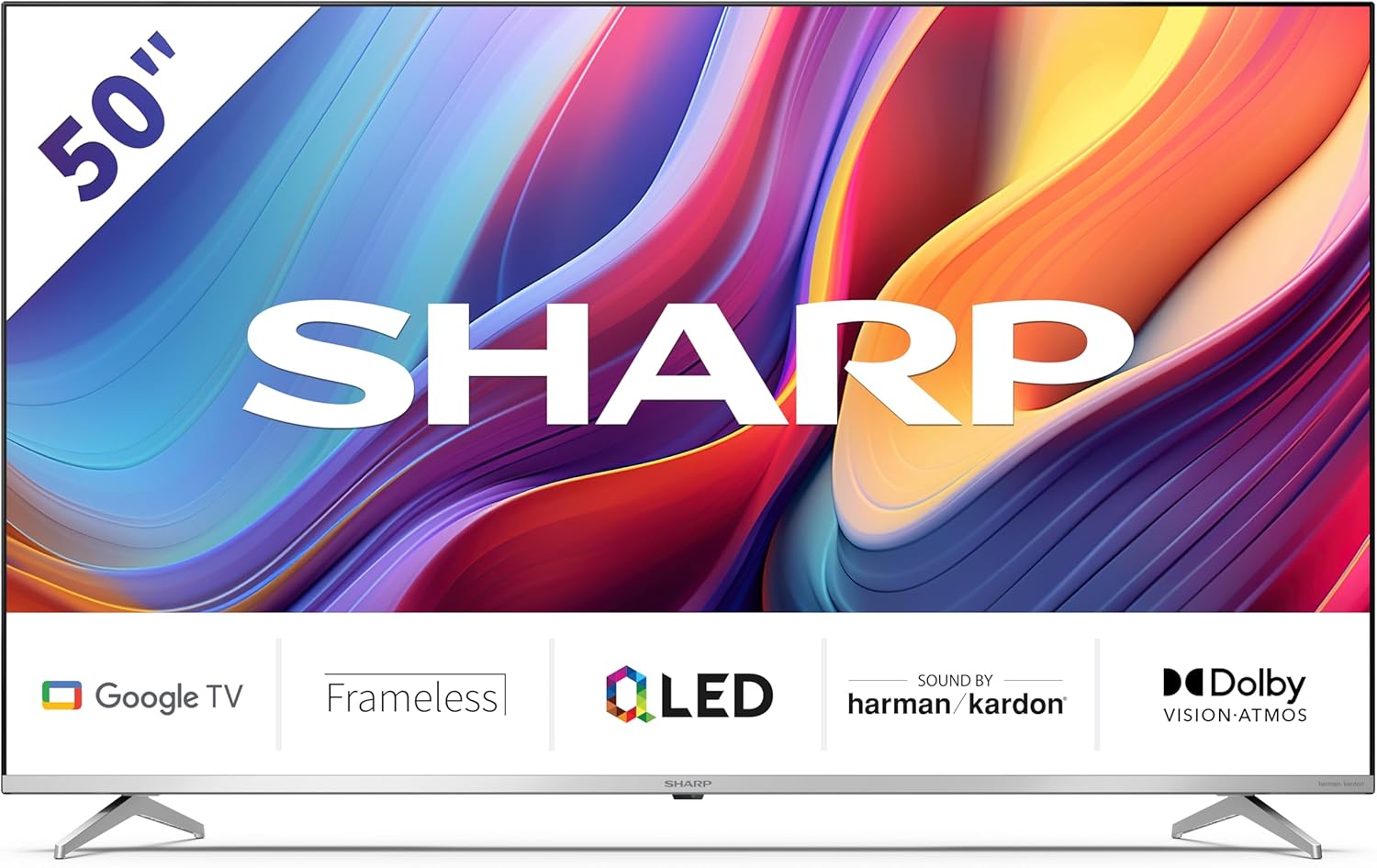
Welcome to the user manual for your new Sharp 50GP6265E 50-inch QLED 4K Ultra HD Google TV. This manual provides essential information for the safe and efficient use of your television. Please read it thoroughly before operating the device and retain it for future reference.
Wichtige Sicherheitsinformationen
- Stellen Sie sicher, dass der Fernseher auf einer stabilen Oberfläche steht, damit er nicht herunterfällt.
- Die Lüftungsöffnungen dürfen nicht blockiert werden. Eine ausreichende Luftzirkulation ist entscheidend, um eine Überhitzung zu vermeiden.
- Schützen Sie das Netzkabel vor Beschädigungen durch Treten oder Einklemmen.
- Do not expose the TV to rain or moisture to reduce the risk of fire or electric shock.
- Überlassen Sie sämtliche Wartungsarbeiten qualifiziertem Servicepersonal.
2. Lieferumfang
Bitte überprüfen Sie nach dem Auspacken, ob alle folgenden Komponenten enthalten sind:
- Sharp 50GP6265E 50-inch QLED 4K Ultra HD Google TV
- Fernbedienung
- 2 x AAA-Batterien (für die Fernbedienung)
- Kurzanleitung
- TV stands (if not wall-mounted)
- Stromkabel
3. Einrichtung
3.1 Auspacken
Carefully remove the television from its packaging. It is recommended to keep the original packaging for potential future transport or servicing.
3.2 Standinstallation
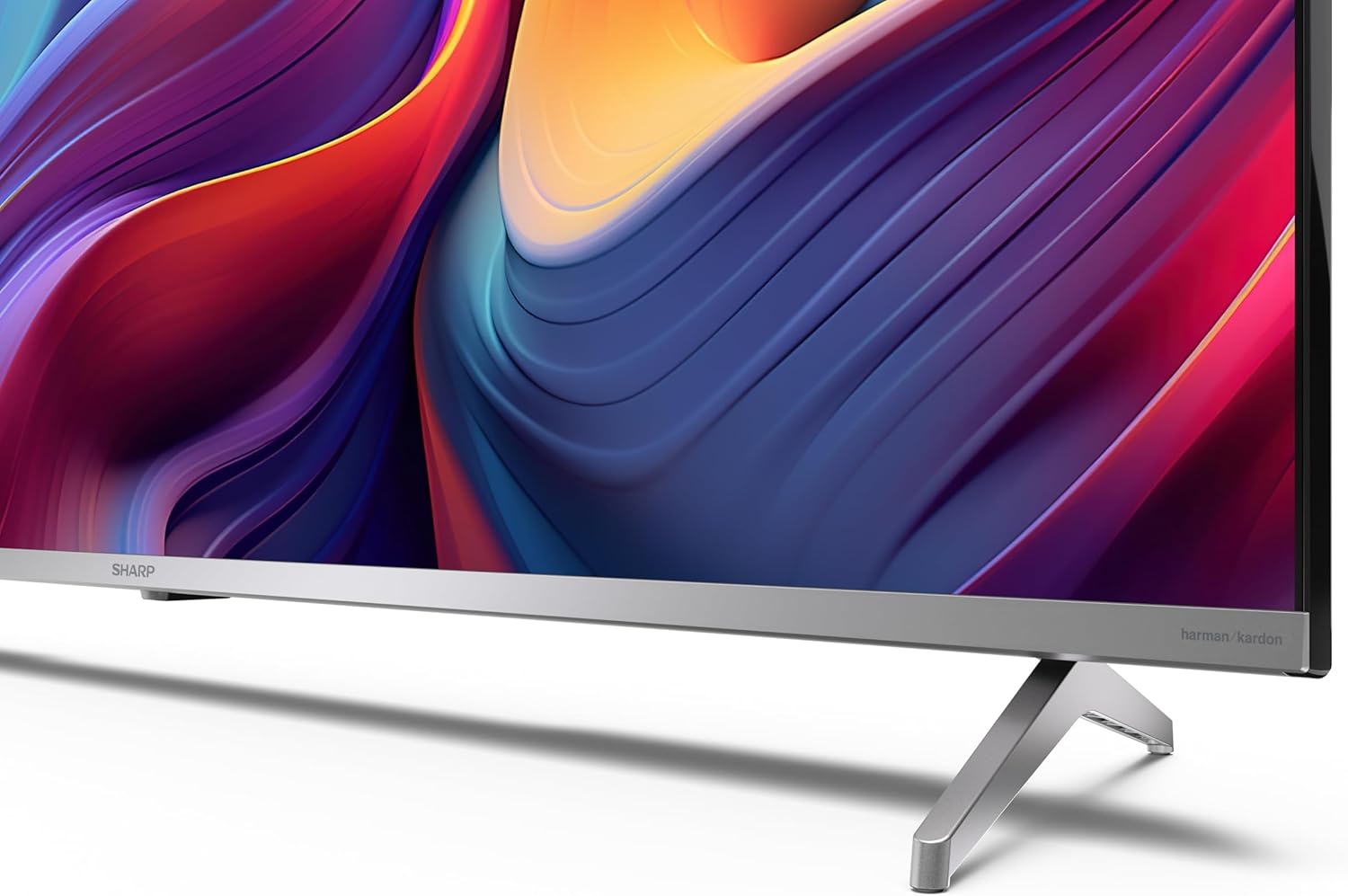
If you are not wall-mounting the television, attach the included stands to the bottom of the TV. Ensure the screws are securely fastened. Refer to the quick start guide for detailed diagrams.
3.3 Wandmontage
For wall mounting, the VESA dimensions required are 400 x 300 mm. Use a compatible wall mount bracket (sold separately) and follow the instructions provided with the bracket. Ensure the wall can support the weight of the television (9.7 kg net weight).

3.4 Anschließen von Peripheriegeräten
Your Sharp TV offers various connectivity options:
- HDMI: Connect external devices such as Blu-ray players, gaming consoles, or set-top boxes using the 4 HDMI 2.1 ports. One port supports eARC for enhanced audio return channel functionality.
- USB: Use the 2 USB ports for connecting external storage devices to play media or for service updates.
- Ethernet: Für eine stabile kabelgebundene Internetverbindung.
- W-lan: Für drahtlose Internetverbindungen.
- Bluetooth: Schließen Sie kabellose Kopfhörer, Soundbars oder anderes Bluetooth-fähiges Zubehör an.

3.5 Ersteinrichtung
After connecting the power cable and turning on the TV, follow the on-screen instructions to complete the initial setup. This typically includes language selection, network connection, and Google account sign-in for Google TV features.
4. Bedienung Ihres Fernsehgeräts
4.1-Fernbedienung
The included remote control allows you to navigate the TV's interface, adjust volume, change channels, and access smart features. Insert the 2 AAA batteries into the remote control, ensuring correct polarity.
4.2 Google TV-Oberfläche
Your Sharp TV runs on Google TV, which organizes movies, shows, and live TV from all your apps and subscriptions. The home screen provides personalized recommendations and quick access to your favorite content.

Supported internet services include Netflix, Amazon Prime Video, HBO, Disney+, Movistar+, DAZN, Atresmedia, KODI, IPTV, Steamlink, Twitch, VLC, YouTube, Puffin TV Browser, Spotify, Deezer, TuneIn Radio, and many more available on Google Play for Google TV.
4.3 Bildeinstellungen
Experience stunning visuals with 4K Ultra HD resolution and Quantum Dot technology for vibrant colors. The TV supports Dolby Vision and HDR10 for enhanced contrast and brightness. Access picture settings through the TV menu to customize brightness, contrast, color, and sharpness to your preference. AQUOS Smooth Motion technology provides image interpolation for smoother motion.
4.4 Toneinstellungen
The integrated Harman/Kardon speaker system (2 x 12 W) delivers immersive audio. With Dolby Atmos support, you can enjoy a rich, multi-dimensional sound experience. Adjust sound modes and equalizer settings in the audio menu.
4.5 Intelligente Funktionen
- Google Assistant: Nutzen Sie Sprachbefehle, um nach Inhalten zu suchen, Smart-Home-Geräte zu steuern und Informationen abzurufen.
- Chromecast integriert: Cast content from your smartphone, tablet, or computer directly to your TV screen.
5. Wartung
5.1 Reinigung des Fernsehers
- Vor der Reinigung immer den Netzstecker des Fernsehers ziehen.
- Verwenden Sie ein weiches, trockenes Tuch, um den Bildschirm und das Gehäuse abzuwischen. Bei hartnäckigen Flecken leicht andrücken.ampBefeuchten Sie das Tuch mit Wasser oder einem speziellen Bildschirmreiniger.
- Vermeiden Sie die Verwendung von Scheuermitteln, Wachsen oder Lösungsmitteln.
5.2 Softwareaktualisierungen
Ihr Fernseher erhält möglicherweise Software-Updates, um die Leistung zu verbessern und neue Funktionen hinzuzufügen. Stellen Sie sicher, dass Ihr Fernseher mit dem Internet verbunden ist, um diese Updates automatisch zu erhalten, oder suchen Sie manuell im Einstellungsmenü danach.
6. Fehlerbehebung
Sollten Sie Probleme mit Ihrem Fernseher haben, beachten Sie bitte die folgenden häufigen Probleme und Lösungen:
| Problem | Mögliche Lösung |
|---|---|
| Kein Strom | Prüfen Sie, ob das Netzkabel fest mit dem Fernseher und der Steckdose verbunden ist. Stellen Sie sicher, dass die Steckdose funktioniert. |
| Kein Bild, aber Ton ist vorhanden | Vergewissern Sie sich, dass die richtige Eingangsquelle ausgewählt ist. Überprüfen Sie die Verbindungen externer Geräte. |
| Kein Ton, aber ein Bild ist vorhanden. | Check the volume level and mute status. Ensure audio cables are correctly connected for external devices. |
| Fernbedienung funktioniert nicht | Tauschen Sie die AAA-Batterien aus. Stellen Sie sicher, dass sich keine Hindernisse zwischen der Fernbedienung und dem Infrarotsensor des Fernsehers befinden. |
| Probleme mit der Wi-Fi-Verbindung | Restart your router and the TV. Re-enter the Wi-Fi password. Ensure the TV is within range of your Wi-Fi network. |
7. Spezifikationen
| Besonderheit | Detail |
|---|---|
| Marke | Scharf |
| Modellnummer | 50GP6265E |
| Bildschirmgröße | 50 Zoll |
| Display-Technologie | QLED, Quantenpunkt |
| Auflösung | 4K Ultra HD (3840 x 2160 Pixel) |
| Bildwiederholrate | 60 Hz |
| Betriebssystem | Google TV |
| HDR-Unterstützung | Dolby Vision, HDR10 |
| Audiosystem | Harman/Kardon (2 x 12 W), Dolby Atmos |
| Konnektivität | 4x HDMI 2.1 (with eARC), 2x USB, Wi-Fi, Bluetooth, Ethernet |
| Besondere Merkmale | Google Assistant, Chromecast built-in, AQUOS Smooth Motion |
| VESA-Wandhalterung | 400 x 300 mm |
| Abmessungen (mit Ständer) | 111.6P x 26.5l x 69.3H cm (1116.4 x 692.9 x 264.7 mm) |
| Abmessungen (ohne Ständer) | 111.6P x 9.2l x 65.1H cm (1116.4 x 651.3 x 91.5 mm) |
| Nettogewicht | 9.7 kg |
| Energieeffizienzklasse (SDR) | G (69 kWh/1000 h) |
| Energieeffizienzklasse (HDR) | G (98 kWh/1000 h) |

Detaillierte Produktinformationen und Daten zur Energieeffizienz finden Sie in der EPREL-Datenbank: https://eprel.ec.europa.eu/qr/1942440
8. Garantie und Support
Information regarding spare parts availability and software updates is not explicitly provided for a guaranteed period. Please refer to the manufacturer's official website for the most up-to-date warranty terms and support information.
Hersteller: SHARP
Offiziell WebWebsite: www.sharpconsumer.com
For customer service inquiries, please visit the Sharp consumer website or contact their support channels as listed on their official site.


