1. Einleitung
This manual provides detailed instructions for the setup, operation, maintenance, and troubleshooting of your Lamzu Atlantis Mini Champion Edition Wireless Gaming Mouse. Please read this manual thoroughly to ensure proper use and to maximize the performance of your device.
2. Packungsinhalt
Überprüfen Sie, ob alle Artikel im Paket vorhanden sind:
- Lamzu Atlantis Mini Champion Edition Wireless Gaming Mouse
- Kabelloser USB-Empfänger
- USB-C-Ladekabel
- Benutzerhandbuch (dieses Dokument)
3. Produktüberschreitungview
The Lamzu Atlantis Mini Champion Edition is an ultra-lightweight wireless gaming mouse designed for high-performance gaming. It features an optical switch, a 30,000 DPI PAW3950 sensor, and a Nordic 52840 MCU for responsive and precise control.
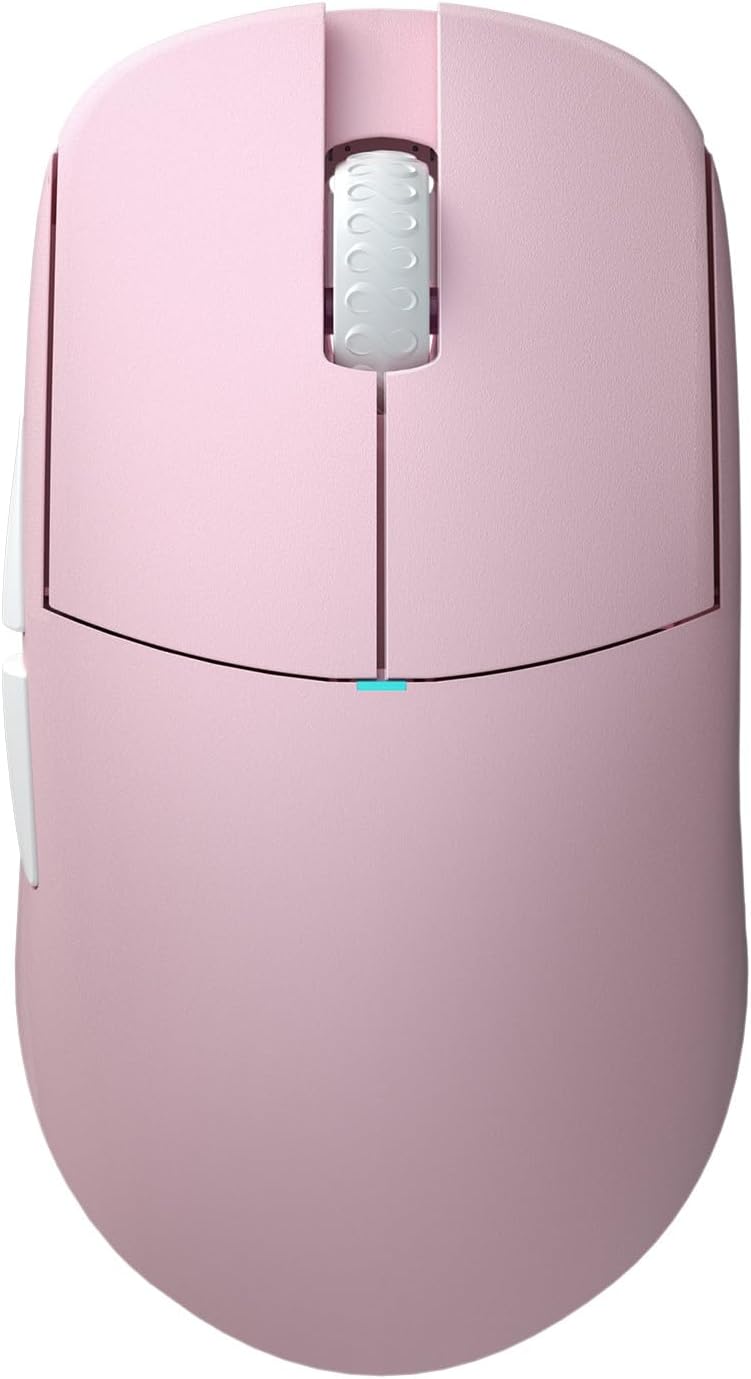
Abbildung 3.1: Oben view of the Lamzu Atlantis Mini Champion Edition Wireless Gaming Mouse, showcasing its symmetrical design and main buttons.

Abbildung 3.2: Unten view of the mouse, revealing the transparent chassis, sensor, and PTFE feet.

Figure 3.3: Diagram illustrating the various buttons and their functions: Left Click, Right Click, Scroll Wheel, Forward Button, Back Button, On/Off Switch, and DPI Button.
4. Einrichtung
4.1 Drahtlose Verbindung (2.4 GHz)
- Locate the Wireless USB Receiver in the package.
- Stecken Sie den USB-Empfänger in einen freien USB-Port Ihres Computers.
- Schalten Sie die Maus mit dem Ein-/Ausschalter an der Unterseite der Maus ein.
- The mouse should automatically connect to the receiver. If not, press the pairing button (if available, refer to specific product details) or try re-plugging the receiver.
4.2 Kabelverbindung
- Verbinden Sie das USB-C-Ende des Ladekabels mit der Maus.
- Verbinden Sie das USB-A-Ende des Ladekabels mit einem freien USB-Anschluss Ihres Computers.
- Die Maus funktioniert im kabelgebundenen Modus und wird gleichzeitig aufgeladen.

Figure 4.1: The mouse supports both wired (USB-C) and 2.4G wireless connectivity.
5. Bedienungsanleitung
5.1 Grundfunktionen
- Links Klick: Primäre Aktionsschaltfläche.
- Rechtsklick: Sekundäre Aktionsschaltfläche.
- Scrollrad: Scroll up/down, and click for middle-button functionality.
- Vorwärts-/Zurück-Tasten: An der Seite gelegen, typischerweise zur Navigation verwendet in web browsers or in-game commands.
5.2 DPI-Anpassung
The mouse features a dedicated DPI button, usually located on the bottom or top of the mouse, to cycle through preset DPI (Dots Per Inch) sensitivity levels. Refer to the software section for custom DPI settings.
5.3 Softwareanpassung
For advanced customization, including button remapping, macro creation, and precise DPI adjustments, download the official Lamzu software from the Lamzu website. The software allows you to personalize your mouse settings to suit your preferences.

Abbildung 5.1: Bspample of the Lamzu customization software interface, showing options for button assignment and performance settings.
5.4 Griffarten
The symmetrical design of the Atlantis Mini is suitable for various grip styles, particularly optimized for claw grip due to its broad back and curved top, which helps prevent finger cramps.

Figure 5.2: Visual representation of common mouse grip styles: Palm Grip, Claw Grip, and Fingertip Grip.
6. Laden und Akku
The Lamzu Atlantis Mini Champion Edition is equipped with a rechargeable Lithium Ion battery. To charge the mouse, connect it to your computer using the provided USB-C cable. The mouse can be used while charging in wired mode. An indicator light on the mouse will typically show charging status (e.g., solid light for charging, off or different color for fully charged).
7. Wartung
7.1 Reinigung
- Vor der Reinigung sicherstellen, dass die Maus ausgeschaltet und vom Computer getrennt ist.
- Benutzen Sie ein weiches, fusselfreies Tuch, dampWischen Sie die Oberfläche der Maus mit Wasser oder einer milden Reinigungslösung ab.
- Vermeiden Sie die Verwendung von aggressiven Chemikalien, Scheuermitteln oder Lösungsmitteln.
- Use a can of compressed air to clear dust and debris from crevices and around the scroll wheel.
7.2 Speicherung
Store the mouse in a cool, dry place away from direct sunlight and extreme temperatures. When not in use for extended periods, ensure the mouse is fully charged before storage to maintain battery health.
8. Fehlerbehebung
If you encounter issues with your mouse, refer to the table below for common problems and solutions.
| Problem | Mögliche Ursache | Lösung |
|---|---|---|
| Maus reagiert nicht (kabellos) | Low battery, receiver disconnected, pairing issue | Charge the mouse, ensure receiver is securely plugged in, try re-pairing. |
| Maus reagiert nicht (kabelgebunden) | Cable not connected properly, faulty USB port | Check cable connection, try a different USB port. |
| Cursor bewegt sich unregelmäßig oder sprunghaft | Verschmutzter Sensor, ungeeignete Oberfläche | Clean the optical sensor, use a clean mouse pad or suitable surface. |
| Buttons not clicking or double-clicking | Software issue, physical obstruction | Update mouse firmware/software, check for physical debris. |
| Poor wireless range or lag | Interference, receiver too far | Move receiver closer to mouse, reduce interference from other wireless devices. |
9. Spezifikationen
Detailed technical specifications for the Lamzu Atlantis Mini Champion Edition Wireless Gaming Mouse:
| Besonderheit | Spezifikation |
|---|---|
| Modell | Lamzu Atlantis Mini Champion Edition |
| Konnektivität | 2.4G Wireless, USB Wired (Type-C) |
| Sensor | Optischer Sensor Pixart PAW 3950 |
| DPI-Bereich | Bis zu 30,000 DPI |
| IPS | 750 IPS |
| Abfragerate | Up to 8K Hz (with 8K Dongle, sold separately) |
| MCU | Nordic 52840 |
| Schalter | Optical Switches (70 million click lifespan) |
| Encoder | Lamzu Dust-Proof Encoder |
| Gewicht | Ungefähr 51 Gramm |
| Maße | 4.61 x 2.48 x 0.04 inches (117 x 63 x 37 mm, approx.) |
| Batterie | 1 Lithium-Ionen-Akku (im Lieferumfang enthalten) |

Figure 9.1: Dimensional diagram of the mouse, indicating length, width, and height measurements.
10. Sicherheitshinweise
Um Schäden am Gerät oder Verletzungen zu vermeiden, beachten Sie bitte die folgenden Sicherheitsvorkehrungen:
- Zerlegen Sie das Gerät nicht und versuchen Sie nicht, es selbst zu reparieren.
- Halten Sie das Gerät von Wasser, Feuchtigkeit und extremen Temperaturen fern.
- Lassen Sie das Gerät nicht fallen und setzen Sie es keinen starken Stößen aus.
- Entsorgen Sie Batterien gemäß den örtlichen Vorschriften.
11. Garantie und Support
Lamzu is committed to providing high-quality products. For warranty information, technical support, or service inquiries, please visit the official Lamzu webBesuchen Sie die Website oder kontaktieren Sie den Kundendienst. Bewahren Sie Ihren Kaufbeleg für Garantieansprüche auf.
Besuchen Sie die Lamzu Store on Amazon Für weitere Informationen und Produkte.