1. Einleitung
The SALCAR Smart WiFi Radiator Thermostat (Model RV21) is designed to provide intelligent control over your home heating system. This device allows you to manage room temperature efficiently, offering comfort and potential energy savings. It integrates seamlessly with your 2.4G WiFi network and can be controlled via a smartphone application or voice commands through Amazon Alexa and Google Assistant. This manual provides comprehensive instructions for installation, setup, operation, and maintenance of your thermostat.
2. Sicherheitshinweise
- Lesen Sie alle Anweisungen vor der Installation und Verwendung sorgfältig durch.
- Versuchen Sie nicht, das Gerät selbst zu zerlegen oder zu reparieren. Wenden Sie sich zur Reparatur an qualifiziertes Fachpersonal.
- Halten Sie das Gerät von Wasser, Feuchtigkeit und extremen Temperaturen fern.
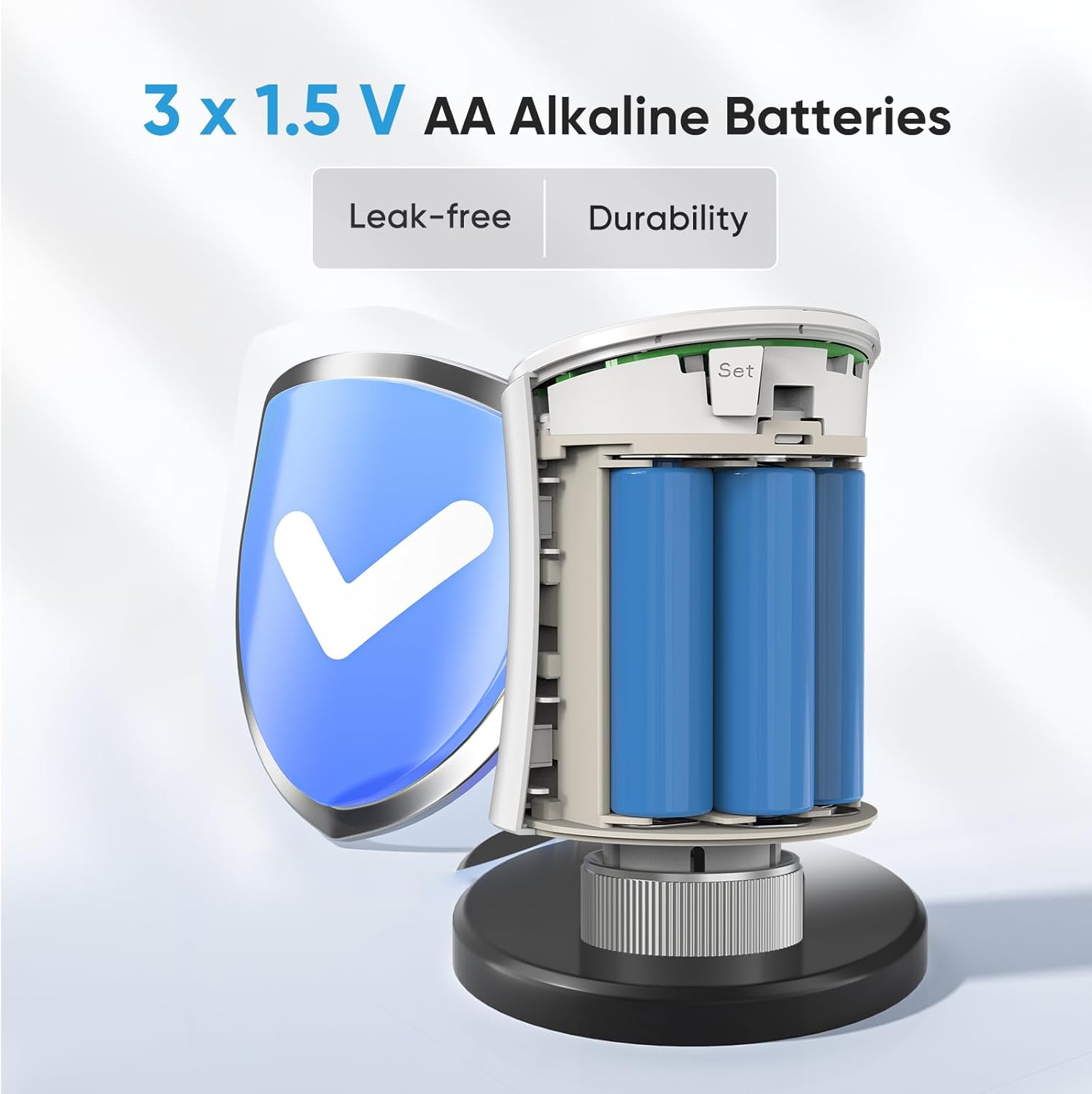
- Use only the specified battery type (3 x 1.5V AA alkaline batteries). Ensure correct polarity during installation.
- Entsorgen Sie gebrauchte Batterien gemäß den örtlichen Vorschriften.
- Ensure the device is securely mounted to prevent accidental detachment.
3. Packungsinhalt
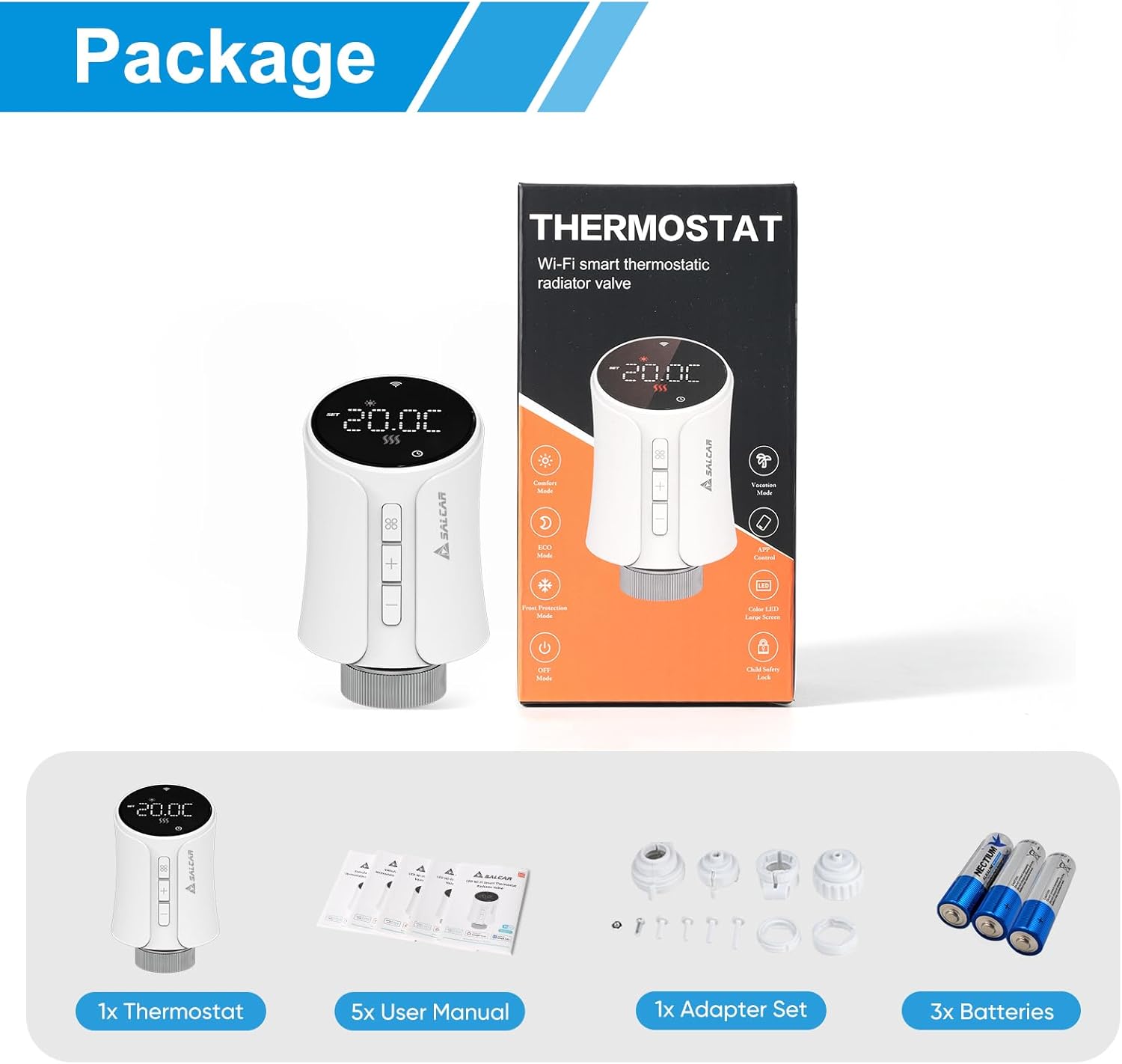
Überprüfen Sie, ob alle Artikel im Paket vorhanden sind:
- 1 x SALCAR Smart Radiator Thermostat (Model RV21)
- 5 x Benutzerhandbücher (verschiedene Sprachen)
- 1 x Adapter Set (RA, RAV, RAVL, Canleffi, Giacomini & M28)
- 3 x 1.5 V AA-Alkalibatterien
- 3 x Adapter Screws
4. Produktüberschreitungview
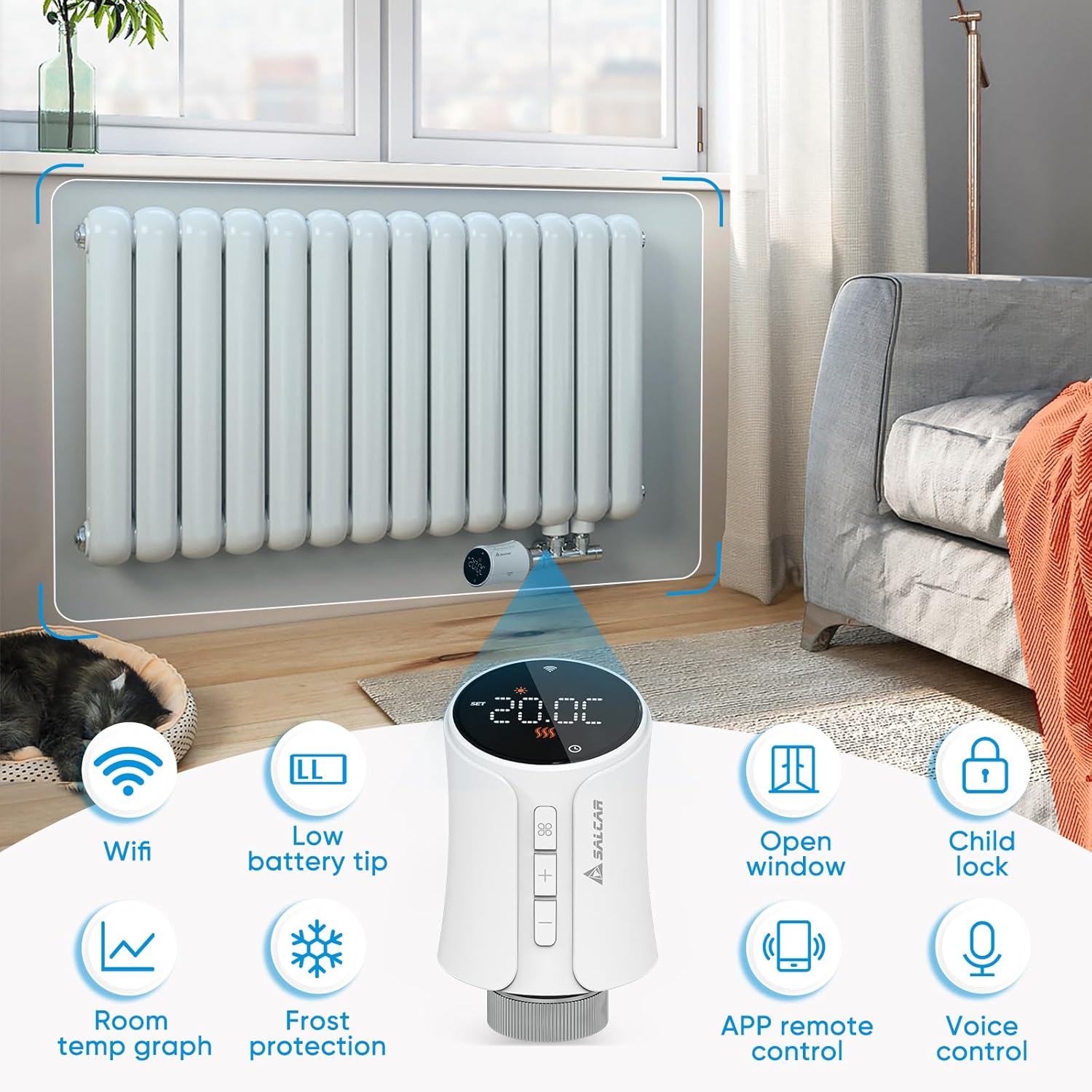
The SALCAR Smart WiFi Radiator Thermostat features a clear LED display and intuitive controls. It offers various smart functions to enhance your heating experience.
Hauptmerkmale:
- WiFi-Konnektivität: Connects directly to your 2.4G WiFi network without a separate gateway.
- Low Battery Tip: Zeigt an, wann Batterien ausgetauscht werden müssen.
- Erkennung offener Fenster: Automatically reduces heating when an open window is detected to save energy.
- Kindersicherung: Verhindert unautorisierte Änderungen an den Einstellungen.
- Room Temperature Graph: View temperature history via the app.
- Frostschutz: Hält eine Mindesttemperatur aufrecht, um das Einfrieren der Rohre zu verhindern.
- APP-Fernbedienung: Full control via the Tuya Smart Life app.
- Sprachsteuerung: Kompatibel mit Amazon Alexa und Google Assistant.
5. Einrichtung
5.1 Einlegen der Batterie
- Gently twist and pull the top cover of the thermostat to open the battery compartment.
- Insert three 1.5V AA alkaline batteries, ensuring correct polarity (+/-).
- Close the battery compartment by aligning the cover and twisting it back into place.
5.2 Montage am Kühler
The thermostat is designed to replace existing thermostatic radiator valves (TRVs). Use the appropriate adapter from the provided set if your radiator valve is not M30 x 1.5mm.
- Entfernen Sie den vorhandenen Thermostatkopf vom Heizkörperventil.
- If necessary, select the correct adapter (RA, RAV, RAVL, Canleffi, Giacomini, or M28) that fits your radiator valve.
- Befestigen Sie den gewählten Adapter am Heizkörperventil.
- Screw the SALCAR Smart Radiator Thermostat onto the adapter or directly onto the M30 x 1.5mm valve until it is secure. Do not overtighten.
5.3 App Installation (Tuya Smart Life)
- Laden Sie die Tuya Smart Leben App aus dem App Store (iOS) oder Google Play Store (Android).
- Registrieren Sie sich für ein neues Konto oder melden Sie sich mit einem bestehenden Konto an.
5.4 Gerätekopplung (WLAN-Verbindung)
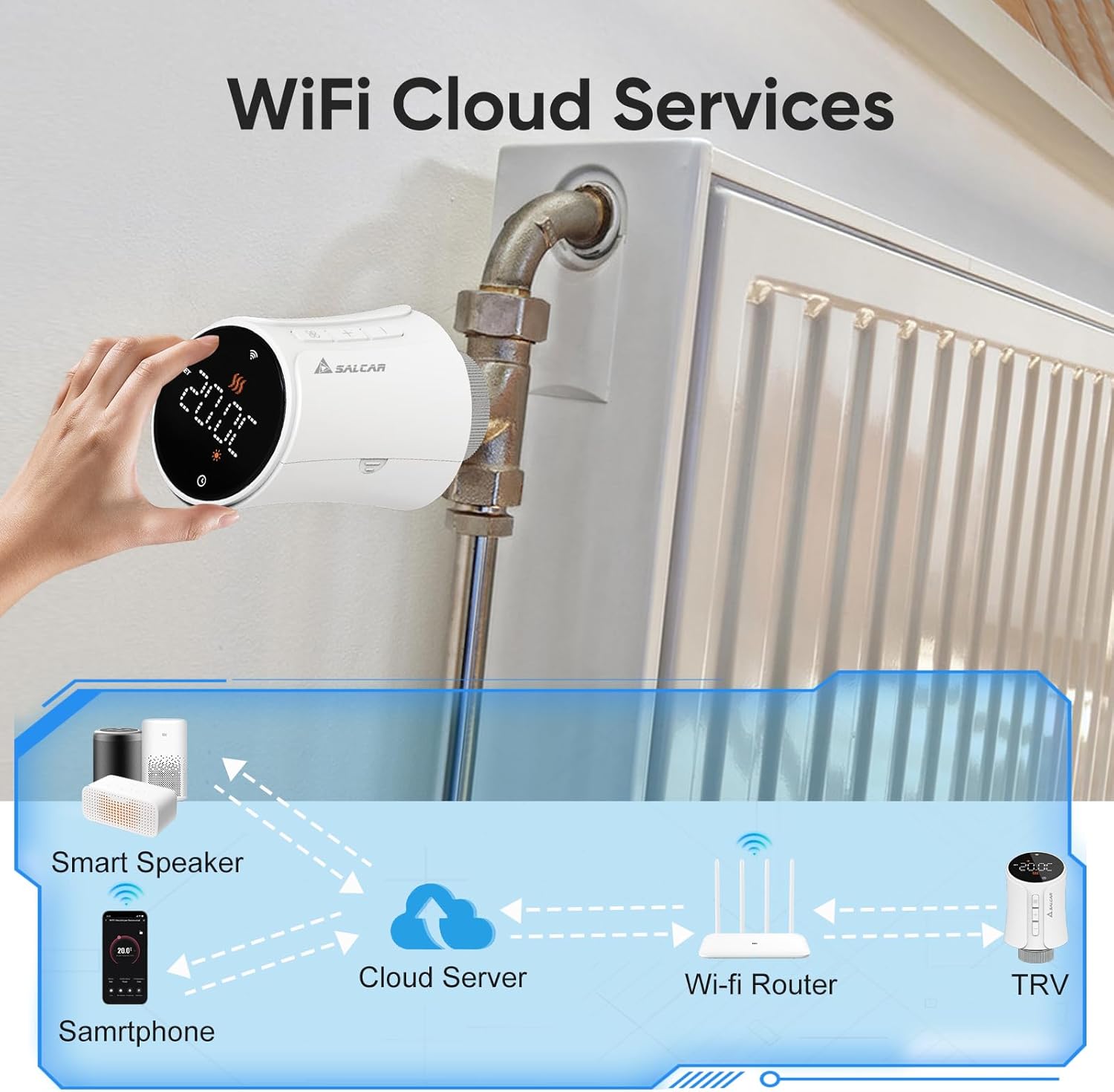
Ensure your smartphone is connected to a 2.4GHz WiFi network. The thermostat does not require a separate gateway.
- On the thermostat, press and hold the pairing button (usually indicated by a WiFi icon or similar) until the WiFi indicator on the display starts flashing rapidly. This indicates pairing mode.
- Open the Tuya Smart Life app, tap the "+" icon to add a device.
- Select "Small Home Appliance" > "Thermostat" or search for "Radiator Thermostat".
- Follow the on-screen instructions in the app to connect the thermostat to your WiFi network. You will need to enter your WiFi password.
- Once connected, the WiFi indicator on the thermostat will stop flashing and remain solid.
6. Bedienungsanleitung
6.1 Manuelle Steuerung
You can adjust the temperature directly on the thermostat using the physical buttons:
- Drücken Sie die + or - Tasten zum Erhöhen oder Verringern der Zieltemperatur.
- The display will show the current temperature and the set target temperature.
6.2 App-Steuerung (Tuya Smart Life)
The Tuya Smart Life app provides comprehensive control over your thermostat from anywhere.

Betriebsarten:
- Automatik-Modus: Hält sich an den programmierten Heizplan.
- Manueller Modus: Hält eine vom Benutzer eingestellte konstante Temperatur aufrecht und setzt damit den Zeitplan außer Kraft.
- Komfortmodus: Sets the temperature to a predefined comfortable level.
- Energiesparmodus: Sets the temperature to a predefined energy-efficient level.
6.3 Programmierzeitpläne
Use the Tuya Smart Life app to create custom heating schedules for each day of the week. You can set different temperatures for various time periods (e.g., morning, day, evening, night) to match your lifestyle and optimize energy consumption.
6.4 Voice Control (Amazon Alexa & Google Assistant)
After connecting your Tuya Smart Life account to Amazon Alexa or Google Home, you can control your thermostat using voice commands.
- Ensure your thermostat is successfully paired with the Tuya Smart Life app.
- Öffnen Sie die Amazon Alexa App oder die Google Home App.
- Navigate to "Skills & Games" (Alexa) or "Works with Google" (Google Home) and search for "Smart Life".
- Aktivieren Sie den Smart Life-Skill/Dienst und verknüpfen Sie Ihr Smart Life-Konto.
- Discover devices. Your thermostat should now appear and be controllable via voice.

Exampdie Sprachbefehle:
- „Alexa, stelle [Thermostatname] auf 22 Grad ein.“
- "Hey Google, wie hoch ist die Temperatur in [Raumname]?"
- "Alexa, schalte [Name des Thermostats] ein."
6.5 Kindersicherung
Activate the child lock feature via the Tuya Smart Life app to prevent accidental or unauthorized changes to the thermostat settings by pressing the physical buttons.
6.6 Erkennung offener Fenster
The thermostat can detect a sudden drop in temperature, indicating an open window. When detected, it will temporarily pause heating to save energy. Heating will resume automatically after a set period or when the temperature stabilizes.
6.7 Frostschutz
This feature ensures that the room temperature does not fall below a predefined minimum (e.g., 5°C) to protect pipes from freezing, especially useful during colder months or when you are away.
7. Wartung
7.1 Batteriewechsel
When the low battery indicator appears on the display or in the app, replace the batteries promptly to ensure continuous operation. Follow the steps in Section 5.1 for battery installation.
7.2 Reinigung
Wipe the thermostat with a soft, dry cloth. Do not use abrasive cleaners or solvents, as these can damage the device's surface or internal components.
8. Fehlerbehebung
| Problem | Mögliche Ursache | Lösung |
|---|---|---|
| Thermostat schaltet nicht ein | Die Batterien sind leer oder falsch eingelegt. | Ersetzen Sie die Batterien durch neue 1.5V AA-Alkalibatterien und achten Sie dabei auf die richtige Polarität. |
| Kann keine WLAN-Verbindung herstellen | Incorrect WiFi password; thermostat too far from router; router is 5GHz only; thermostat not in pairing mode. | Verify WiFi password; move thermostat closer to router; ensure router supports 2.4GHz; put thermostat into pairing mode (flashing WiFi icon). |
| No heating despite high setting | Radiator valve stuck; thermostat not properly mounted; open window detection active. | Check radiator valve for proper function; re-mount thermostat securely; close windows/doors; check app for active open window detection. |
| Sprachsteuerung funktioniert nicht | Smart Life account not linked to Alexa/Google; incorrect device name; internet connection issue. | Ensure Smart Life skill/service is enabled and linked; verify device name in Alexa/Google app; check internet connection. |
9. Spezifikationen
| Besonderheit | Spezifikation |
|---|---|
| Modellnummer | RV21 |
| Marke | SALCAR |
| Konnektivitätstechnologie | WLAN (2.4 GHz) |
| Stromquelle | 3 x 1.5 V AA-Alkalibatterien |
| Controllertyp | Tuya Smart Life App, Amazon Alexa, Google Assistant |
| Temperaturregelungstyp | Programmierbar, intelligent/fernbedienbar |
| Material | Plastik |
| Farbe | Weiß |
| Produktabmessungen (L x B x H) | 5.97 x 5.97 x 9.53 cm |
| Artikelgewicht | 320 Gramm |
| Ventilanschluss | M30 x 1.5mm (with various adapters included) |

10. Garantie und Support
For warranty information and technical support, please refer to the documentation provided with your purchase or contact SALCAR customer service. You can typically find contact details on the manufacturer's official webWebsite oder über Ihren Händler.
Manufacturer: SALCAR GmbH
Address: An der Hebemärchte 6, 04316 Leipzig, Germany
E-Mail: info@salcar.de
Tel: 0341 25257850


