1. Einleitung
Thank you for choosing the Claiks Electric Standing Desk. This manual provides essential information for the safe and efficient assembly, operation, and maintenance of your new adjustable height desk. Please read these instructions carefully before use and retain them for future reference.
2. Sicherheitshinweise
- Vor der Montage sicherstellen, dass alle Komponenten vorhanden und unbeschädigt sind.
- Um Verletzungen zu vermeiden, sollten Kinder und Haustiere während des Betriebs vom Schreibtisch ferngehalten werden.
- Do not overload the desk. Refer to the specifications section for maximum weight capacity.
- Vermeiden Sie es, Flüssigkeiten direkt auf das Bedienfeld oder in die Nähe von elektrischen Bauteilen zu bringen.
- Stellen Sie sicher, dass das Netzkabel nicht eingeklemmt oder beschädigt ist.
- If any unusual noise, smell, or malfunction occurs, immediately unplug the desk and contact customer support.
- Assembly may require two people due to the weight of some components.
3. Packungsinhalt
Please verify that all the following parts are included in your package:
- Desk tabletop (black, 120cm x 60cm)
- Desk frame (black)
- Lifting columns (2 units)
- Bedienfeld mit Speichervoreinstellungen
- Netzteil und Kabel
- Montagezubehör (Schrauben, Bolzen, Inbusschlüssel)
- Bedienungsanleitung
Note: A screwdriver (not included) is recommended for assembly, although pre-drilled holes may allow for use with a regular screwdriver.
4. Aufbau und Montage
Follow these steps for assembling your Claiks Electric Standing Desk. Clear instructions are provided in the included manual.

Image: A screwdriver and the instruction manual, illustrating the assembly process.
- Komponenten auspacken: Nehmen Sie alle Teile vorsichtig aus der Verpackung und legen Sie sie auf eine saubere, weiche Unterlage, um Kratzer zu vermeiden.
- Rahmen zusammenbauen: Attach the lifting columns to the desk feet using the provided hardware.
- Querstange anbringen: Connect the crossbar between the two lifting columns.
- Steuerkasten montieren: Secure the control box to the designated area on the frame.
- Tischplatte anbringen: Carefully place the tabletop onto the assembled frame. Align the pre-drilled holes and secure the tabletop with the screws.
- Anschluss-Bedienfeld: Attach the control panel to the underside of the desk and connect its cable to the control box.
- Strom anschließen: Stecken Sie den Netzadapter in die Steuereinheit und anschließend in eine Wandsteckdose.

Image: A visual guide depicting the step-by-step assembly process of the desk frame and tabletop.
5. Bedienungsanleitung
Your Claiks Electric Standing Desk offers smooth and quiet height adjustment with memory presets.

Bild: Eine Nahaufnahme view of the desk's control panel, showing the digital height display and buttons for up, down, and memory presets (1, 2, 3).
5.1. Höhe einstellen
- Verwenden Sie die Nach oben (▲) Und Runter (▼) buttons on the control panel to manually adjust the desk height. The current height will be displayed on the digital screen.
- The desk can be adjusted between 72cm and 118cm.
5.2. Speichervoreinstellungen
The desk allows you to save up to three preferred heights for quick adjustment.
- Stellen Sie den Schreibtisch mithilfe der Auf-/Ab-Tasten auf die gewünschte Höhe ein.
- Drücken Sie die "M" button (or similar memory button) followed by one of the numbered preset buttons (1, 2 oder 3). The display will confirm the height has been saved.
- Um eine gespeicherte Höhe abzurufen, drücken Sie einfach die entsprechende nummerierte Voreinstellungstaste (1, 2 oder 3Der Schreibtisch fährt automatisch auf diese Höhe.

Image: A person's hand interacting with the desk's control panel, adjusting the height. The digital display shows '072'.
5.3. Geräuscharmer Betrieb
The Claiks Electric Standing Desk is designed for quiet operation, ensuring minimal disturbance in your workspace.
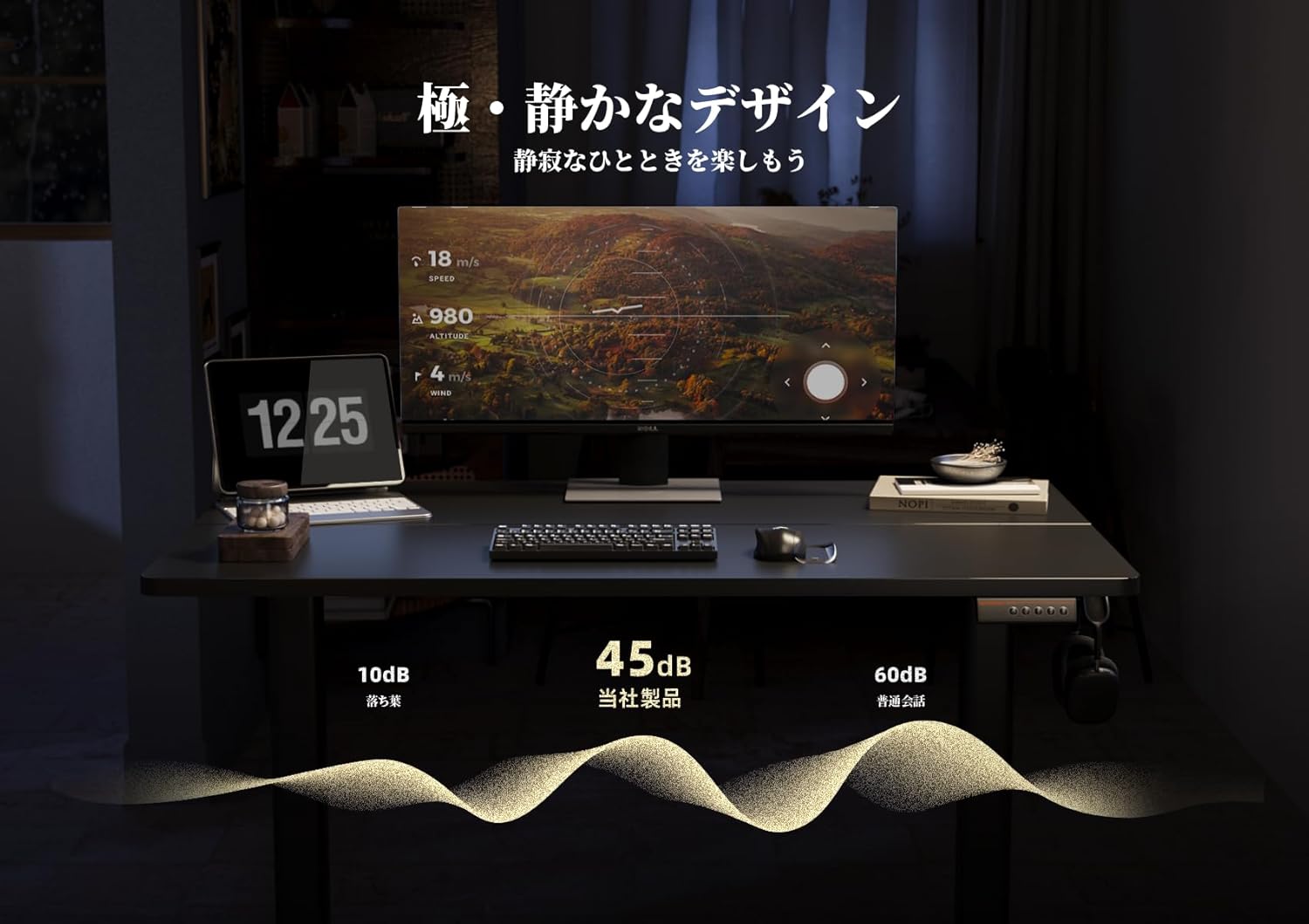
Image: A graphic representation showing the desk's noise level at approximately 45dB, significantly lower than typical office noise (60dB).
6. Wartung
Proper maintenance ensures the longevity and optimal performance of your desk.
- Reinigung der Tischplatte: The tabletop is made with melamine resin, which is resistant to water, heat, and dirt. Clean with a soft, damp Tuch und mildem Reinigungsmittel. Vermeiden Sie Scheuermittel.
- Rahmenwartung: Überprüfen Sie regelmäßig alle Schrauben und Bolzen auf festen Sitz. Ziehen Sie sie gegebenenfalls nach.
- Elektrische Komponenten: Keep the control panel and power adapter dry and free from dust. Do not attempt to open or repair electrical components yourself.
7. Fehlerbehebung
If you encounter any issues with your Claiks Electric Standing Desk, please refer to the following common solutions:
- Schreibtisch bewegt sich nicht: Ensure the power cable is securely plugged into both the desk and the wall outlet. Check if the outlet is functional.
- Ungleichmäßige Bewegung: Unplug the desk for 30 seconds, then plug it back in. This may reset the system. If the issue persists, ensure the desk is on a level surface and that no objects are obstructing the lifting columns.
- Fehlercode auf dem Display: Note down any error codes displayed and refer to the full troubleshooting guide (if available) or contact customer support.
- Geräusche während des Betriebs: A slight hum is normal. If you hear loud or unusual noises, stop operation and inspect the desk for any loose parts or obstructions.
If these steps do not resolve the issue, please contact Claiks customer support for further assistance.
8. Spezifikationen
| Besonderheit | Detail |
|---|---|
| Marke | Claiks |
| Modell | Elektrischer Stehschreibtisch |
| Abmessungen (B x T x H) | 120 cm x 60 cm x 72-118 cm |
| Höhenverstellbereich | 72 cm bis 118 cm |
| Hubgeschwindigkeit | 20 mm/s |
| Farbe | Black (Frame and Tabletop) |
| Tischplattenmaterial | Melamine Resin |
| Speichervoreinstellungen | 3 programmable heights |
| Montage erforderlich | Ja |
| Verpackungsabmessungen | 125 x 33 x 16 cm |
| Paketgewicht | 20 kg |

Image: A diagram illustrating the dimensions of the Claiks Electric Standing Desk, including its width (120cm), depth (60.9cm), and adjustable height range (72cm to 118cm).
9. Garantie und Support
Claiks is committed to providing high-quality products and excellent customer service.
- Herstellergarantie: All Claiks products come with a 1 Jahr Herstellergarantie. During this period, free repair or replacement services are provided for any manufacturing defects.
- Kundendienst: Our customer support team is available to assist you with any questions or issues. We offer support in multiple languages, including English and Japanese. Please feel free to contact us at any time.
For warranty claims or support inquiries, please refer to the contact information provided on your purchase receipt or the official Claiks webWebsite.


