Einführung
The Raycon Open Headphones are engineered to provide an immersive audio experience while maintaining real-time awareness of your surroundings. Their lightweight, over-ear design ensures comfort for extended wear, making them suitable for various activities from work to exercise. This manual will guide you through the essential steps to set up, operate, and maintain your headphones.
Hauptmerkmale:
- Real-Time Awareness: Non-intrusive design keeps ear canals free, allowing environmental sounds to be heard.
- Surround Sound Quality: Delivers rich, detailed audio with advanced surround sound technology.
- 12 Stunden Akkulaufzeit: Ermöglicht verlängerte Hörzeiten mit einer einzigen Akkuladung.
- Duale Mikrofone: Ensures clear call quality with maximum audio pickup.
- 5.3 Bluetooth Technology: Offers a strong and stable wireless connection to your devices.
Lieferumfang
Upon opening your Raycon Open Headphones package, please ensure all the following components are present:
- Raycon Open Headphones (Black)
- Benutzerhandbuch (dieses Dokument)
- Charging Cable (Proprietary)
Aufstellen
1. Aufladen der Kopfhörer
Before initial use, fully charge your Raycon Open Headphones. Connect the provided charging cable to the charging port on the headphones and plug the other end into a compatible USB power source. The LED indicator will show charging status and turn off when fully charged.
2. Ein-/Ausschalten
- Einschalten: Halten Sie den Ein-/Ausschalter gedrückt, bis die LED-Anzeige aufleuchtet und Sie einen akustischen Signalton hören.
- Ausschalten: Halten Sie den Netzschalter gedrückt, bis die LED-Anzeige erlischt und Sie einen akustischen Signalton hören.
3. Bluetooth-Kopplung
- Stellen Sie sicher, dass die Kopfhörer ausgeschaltet sind.
- Halten Sie die Ein-/Aus-Taste etwa 5-7 Sekunden lang gedrückt, bis die LED-Anzeige schnell blinkt und damit den Kopplungsmodus signalisiert.
- Aktivieren Sie auf Ihrem Gerät (Smartphone, Tablet, Computer) Bluetooth und suchen Sie nach verfügbaren Geräten.
- Select "Raycon Open Headphones" from the list of found devices.
- Once connected, the LED indicator will stop flashing and remain solid, and you will hear a confirmation tone.
4. Tragen der Kopfhörer
The Raycon Open Headphones are designed for a comfortable and secure fit. Place the ear hooks over your ears, ensuring the speakers are positioned just outside your ear canals. Adjust the band around the back of your neck for optimal comfort and stability.
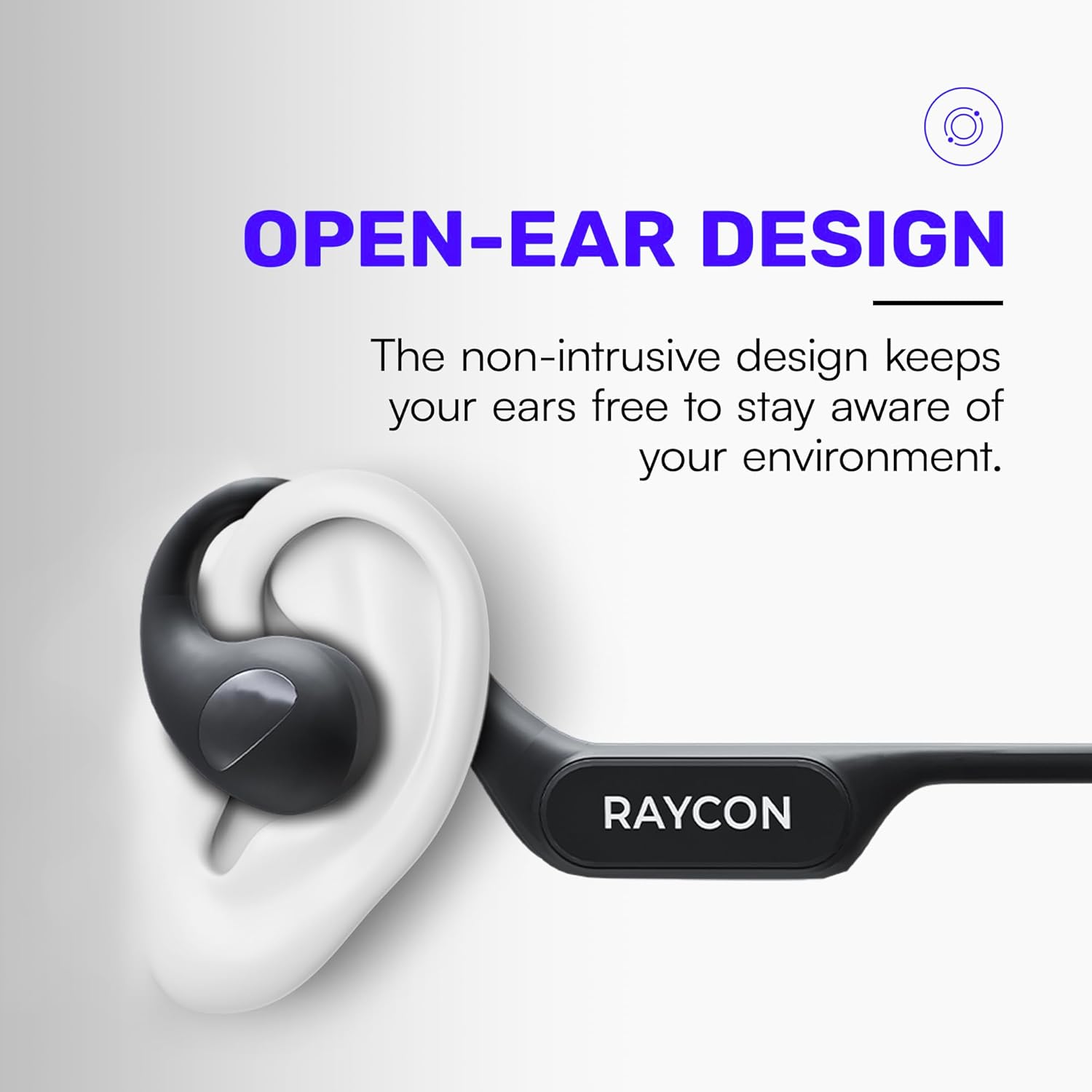
Image: Proper placement of the Raycon Open Headphones, highlighting the open-ear design for comfort and awareness.
Bedienungsanleitung
Kontrollen überview

Image: The control buttons are located on the left side of the headphone band.
- Netzschalter: Zum Ein-/Ausschalten gedrückt halten.
- Lauter (+): Kurz drücken, um die Lautstärke zu erhöhen.
- Lautstärke runter (-): Kurz drücken, um die Lautstärke zu verringern.
- Abspielen/Pause: Double-tap the main control button to play or pause audio.
- Nächster Titel: Triple-tap the main control button to skip to the next track.
- Vorheriges Lied: (Functionality may vary, refer to device settings or specific app controls).
- Anruf annehmen/beenden: Double-tap the main control button during an incoming call.
- Anruf ablehnen: Press and hold the main control button during an incoming call.
- Sprachassistenten aktivieren: Quadruple-tap the main control button to activate your device's voice assistant (e.g., Siri, Google Assistant).
Mehrpunktverbindung
The Raycon Open Headphones support multi-point connection, allowing you to connect to two devices simultaneously. This feature enables seamless switching between audio sources without re-pairing.

Image: The headphones can connect to multiple devices simultaneously for versatile use.
To use multi-point connection:
- Pair the headphones with your first device as described in the "Bluetooth Pairing" section.
- Deaktivieren Sie Bluetooth auf dem ersten Gerät. Die Kopfhörer wechseln dann erneut in den Kopplungsmodus.
- Koppeln Sie die Kopfhörer mit Ihrem zweiten Gerät.
- Aktivieren Sie Bluetooth auf dem ersten Gerät wieder. Die Kopfhörer sollten sich automatisch mit beiden Geräten verbinden.
- Die Audiowiedergabe erfolgt von dem Gerät, das aktiv Ton überträgt.
Wartung
Reinigung
Regularly clean your headphones to ensure optimal performance and hygiene. Use a soft, dry, lint-free cloth to wipe down the surfaces. For stubborn dirt, slightly dampBefeuchten Sie das Tuch mit Wasser. Vermeiden Sie die Verwendung von scharfen Chemikalien, Lösungsmitteln oder starken Reinigungsmitteln.
Lagerung
When not in use, store your headphones in a cool, dry place away from direct sunlight and extreme temperatures. Avoid placing heavy objects on top of the headphones to prevent damage.
Batteriepflege
To prolong battery life, avoid fully discharging the headphones frequently. Charge them regularly, even if not in constant use. If storing for an extended period, charge the battery to approximately 50% before storage.

Image: The headphones offer up to 12 hours of battery life for extended use.
Fehlerbehebung
If you encounter any issues with your Raycon Open Headphones, please refer to the following common solutions:
- Kein Ton: Ensure the headphones are powered on, paired correctly, and the volume is turned up on both the headphones and the connected device. Check if the audio source is playing.
- Kopplungsprobleme: Turn off Bluetooth on all previously paired devices. Power off the headphones, then re-enter pairing mode and try connecting again. Ensure the headphones are within the Bluetooth range of your device.
- Ladeprobleme: Verify that the charging cable is securely connected to both the headphones and the power source. Try a different USB port or power adapter. Ensure the charging cable is not damaged.
- Schlechte Tonqualität: Ensure the headphones are fully charged. Check for any obstructions between the headphones and your device. Move closer to your device to reduce interference.
- Mikrofon funktioniert nicht: Ensure the headphones are properly connected. Check the microphone settings on your connected device to ensure the Raycon headphones are selected as the input device.
If the issue persists after trying these steps, please contact Raycon customer support for further assistance.
Technische Daten
| Besonderheit | Detail |
|---|---|
| Modellname | RBO841-24E-BLA |
| Konnektivitätstechnologie | Kabellos |
| Drahtlose Kommunikationstechnologie | Bluetooth 5.3 |
| Akkulaufzeit | 12 Stunden |
| Form der Hörmuschel | Über dem Ohr |
| Platzierung des Ohrs | Offenes Ohr |
| Formfaktor | Über dem Ohr |
| Lärmschutz | Schallisolierung |
| Artikelgewicht | 5.6 Unzen |
| Hersteller | Raykon |
| UPC | 811162032347 |
Garantie und Support
Your Raycon Open Headphones are covered by a return policy allowing for a refund or replacement within 30 days of purchase. For detailed warranty information or technical support, please contact Raycon customer service directly.