1. Einleitung
The Optex ORT8915-UHD is a state-of-the-art 4K DVB-T2 terrestrial digital television receiver. This device allows you to receive terrestrial digital television programs in stunning 4K quality, providing a high-quality visual and audio experience. It supports HEVC encoding for efficient broadcasting and offers various features to enhance your viewErfahrung.
2. Packungsinhalt
Bitte überprüfen Sie vor der Installation, ob alle Artikel im Paket enthalten sind:
- Optex ORT8915-UHD 4K DVB-T2 Receiver x1
- Netzteil x1
- 1.5V Batteries x2
- Benutzerhandbuch x1
- Fernbedienung x1
- HDMI-Kabel x1

Image 2.1: The Optex ORT8915-UHD receiver along with its included accessories: power adapter, batteries, user manual, remote control, and HDMI cable.
3. Produktüberschreitungview
3.1 Frontplatte
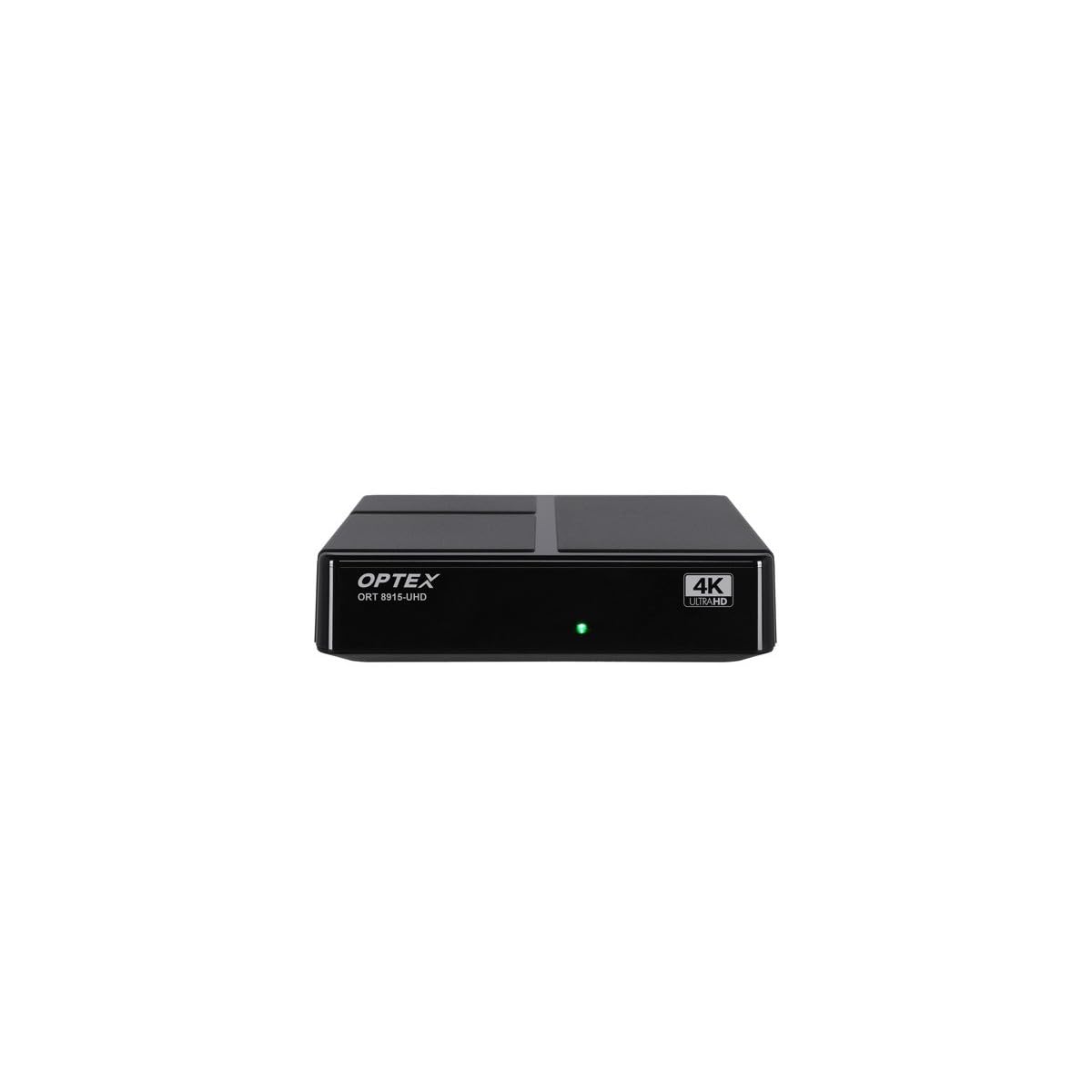
Bild 3.1: Vorderseite view of the Optex ORT8915-UHD receiver, showing the USB port and control buttons.
The front panel features a USB port for connecting external storage devices, along with basic control buttons for power, menu navigation, channel selection (CH+/CH-), and volume adjustment (V+/V-).
3.2 Rückseite

Bild 3.2: Hinten view of the Optex ORT8915-UHD receiver, displaying various input/output ports.
Auf der Rückseite befinden sich die folgenden Anschlüsse:
- AMEISE IN: Zum Anschluss Ihrer terrestrischen Antenne.
- OPTIC: Optischer digitaler Audioausgang.
- EIN V: Analoger Video-/Audioausgang.
- HDMI: High-Definition Multimedia Interface output for connecting to a TV.
- DC IN: Stromanschluss für den Adapter.
3.3-Fernbedienung

Image 3.3: The remote control for the Optex ORT8915-UHD receiver, featuring various function buttons.
The remote control provides full functionality for navigating menus, changing channels, adjusting volume, accessing program guides, and utilizing special features like Timeshift and USB recording.
4. Einrichtung
- Schließen Sie die Antenne an: Connect your terrestrial antenna cable to the "ANT IN" port on the rear panel of the receiver.
- Anschluss an den Fernseher:
- For High-Definition (HD) connection: Use the provided HDMI cable to connect the "HDMI" port on the receiver to an HDMI input on your television.
- For Standard-Definition (SD) connection: Use an AV cable (not included) to connect the "AV" ports on the receiver to the corresponding AV inputs on your television.
- Strom anschließen: Plug the power adapter into the "DC IN" port on the receiver, then plug the adapter into a power outlet.
- Batterien in die Fernbedienung einlegen: Open the battery compartment on the back of the remote control and insert the two 1.5V batteries, ensuring correct polarity.
- Einschalten: Press the power button on the receiver or the remote control to turn on the device.
- TV-Eingang auswählen: On your television, select the correct HDMI or AV input source that corresponds to the connection you made in step 2.
5. Bedienungsanleitung
5.1 Erster Kanalscan
Upon first use or after a factory reset, the receiver will guide you through an initial setup process, including a channel scan. Follow the on-screen prompts to automatically search for available DVB-T2 channels in your region. Ensure your antenna is properly connected for optimal results.
5.2 Grundfunktionen
- Kanalnavigation: Verwenden Sie die CH+ Und CH- buttons on the remote or front panel to change channels.
- Lautstärkeregelung: Verwenden Sie die V+ Und V- Tasten zum Einstellen der Lautstärke.
- Menüzugriff: Drücken Sie die SPEISEKARTE Taste zum Aufrufen des Hauptmenüs für Einstellungen und Funktionen.
- Programmführer (EPG): Drücken Sie die EPG Taste, um view the Electronic Program Guide, which displays broadcast schedules.
- Videotext: Access teletext services by pressing the TTX Taste.
5.3 Erweiterte Funktionen
- Timeshift (Live Control): Connect a USB storage device to the receiver. Press the Zeitverschiebung button (often a pause/play icon) to pause live TV, allowing you to resume viewspäter.
- USB Recording (PVR): With a USB storage device connected, you can record live TV programs. Use the AUFNAHME Taste auf der Fernbedienung, um die Aufnahme zu starten.
- Multimedia-Wiedergabe: The USB port also supports playback of various multimedia files (audio, video, images) from a connected USB storage device. Navigate to the multimedia section in the main menu to access this feature.
- Kindersicherung: Set up parental control features through the menu to restrict access to certain channels or programs based on age ratings.
- Favoritenlisten: Create customized lists of your favorite channels for quick access.
6. Wartung
- Reinigung: Reinigen Sie die Außenseite des Empfängers mit einem weichen, trockenen Tuch. Verwenden Sie keine flüssigen Reinigungsmittel oder Scheuermittel.
- Belüftung: Stellen Sie sicher, dass der Empfänger an einem gut belüfteten Ort aufgestellt wird, um eine Überhitzung zu vermeiden. Blockieren Sie die Lüftungsöffnungen nicht.
- Software-Updates: Periodically check for software updates via USB to ensure optimal performance and access to new features. Refer to the main menu settings for update options.
7. Fehlerbehebung
| Problem | Mögliche Ursache | Lösung |
|---|---|---|
| Kein Bild oder Ton | Incorrect TV input selected, loose cable connections, power issue. |
|
| Keine Kanäle gefunden | Antenna not connected or positioned correctly, no channel scan performed. |
|
| Fernbedienung funktioniert nicht | Dead batteries, obstructed signal, remote not paired (if applicable). |
|
| Schlechte Bildqualität | Weak antenna signal, incorrect resolution settings. |
|
8. Spezifikationen
| Besonderheit | Detail |
|---|---|
| Modell | ORT8915-UHD |
| Marke | Optex |
| Produkttyp | 4K DVB-T2 Terrestrial Receiver |
| Videokodierung | HEVC |
| Kompatible Geräte | Television, Game Console, Tablet, Personal Computer, Amplifier, Speaker, Smartphone |
| Konnektivitätstechnologie | USB |
| Audioausgabemodus | Stereo |
| Audioausgabetyp | HDMI, optisch |
| Surround Sound-Kanalkonfiguration | 5.1, 7.1, 9.2 |
| Besonderheit | Bewegungsmelder |
| Gesamtzahl der HDMI-Anschlüsse | 1 |
| Stromverbrauch (Standby) | <0.5 W |
| Abmessungen (Länge x Breite) | 126.0 mm x 125.0 mm |
| Produktgewicht | 470 g |
9. Garantie und Support
Informationen zur Garantie und zum technischen Support finden Sie auf der offiziellen Optex-Website. webBesuchen Sie unsere Website oder wenden Sie sich an Ihren Händler vor Ort. Bewahren Sie Ihren Kaufbeleg als Kaufnachweis für eventuelle Garantieansprüche auf.
Software updates are guaranteed until an unknown date, as per product information. For the latest information, please visit the manufacturer's support page.