Einführung
The Bisofice S85 Pro Language Translation Device is designed to facilitate seamless communication across different languages. This device supports 16 system languages and offers translation for 138 languages online and 19 offline, ensuring effective communication in various scenarios.
It also features photo translation, intelligent recording, and other advanced functionalities to enhance your travel and business experiences, making it a convenient and practical tool for multilingual interactions.
Lieferumfang
Upon unboxing your Bisofice S85 Pro, please ensure all the following items are present:
- 1x Bisofice S85 Pro Translator Device
- 1x Typ-C Ladekabel
- 1x Tragegurt
- 1x Benutzerhandbuch
Aufstellen
- Grundgebühr: Before first use, fully charge the device using the provided Type-C cable. The device has a 2000 mAh battery.
- Einschalten: Press and hold the power button (usually on the side) until the screen illuminates and the Bisofice logo appears.
- Sprachauswahl: Folgen Sie den Anweisungen auf dem Bildschirm, um Ihre bevorzugte Systemsprache auszuwählen.
- Wi-Fi-Verbindung: To enable online translation and access all features, connect the device to a stable Wi-Fi network. Go to Settings > WLAN and select your network. Note: The device is not compatible with 5G Wi-Fi networks.
- Datum und Uhrzeit: Ensure the date and time settings are correct. This can usually be set automatically via the Wi-Fi connection.
For offline translation, ensure that the required language packs are downloaded in advance. Navigate to "Offline Translation" in the menu to manage downloaded languages.
Bedienungsanleitung
1. Real-time Voice Translation
This feature allows for instant spoken translation between two selected languages.
- From the main menu, select "Online Translation" or "Offline Translation" depending on your connectivity.
- Wählen Sie die Ausgangssprache (die Sprache, die Sie sprechen werden) und die Zielsprache (die Sprache, in die Sie übersetzen möchten).
- Press and hold the designated microphone button for your source language and speak clearly into the device.
- Release the button. The device will process your speech and provide the translation aloud and on-screen.

Figure 1: Main menu interface of the Bisofice S85 Pro, displaying various translation modes.
2. Fotoübersetzung
Übersetzen Sie Texte aus Bildern, wie z. B. Speisekarten, Schildern oder Dokumenten.
- Select "Photo Translation" from the main menu.
- Point the device's 5MP camera at the text you wish to translate.
- Tap the screen to focus and press the capture button.
- The device will analyze the image and display the translated text on the 4-inch capacitive touchscreen.

Figure 2: The 5MP camera of the S85 Pro, capable of horizontal and vertical autofocus for photo translation.
3. Intelligente Aufnahme
Record conversations and translate them in real-time or later.
- Access "Smart Recording" from the menu.
- Start recording. The device supports professional noise reduction for clearer audio.
- Record while translating or save the recording for later translation.
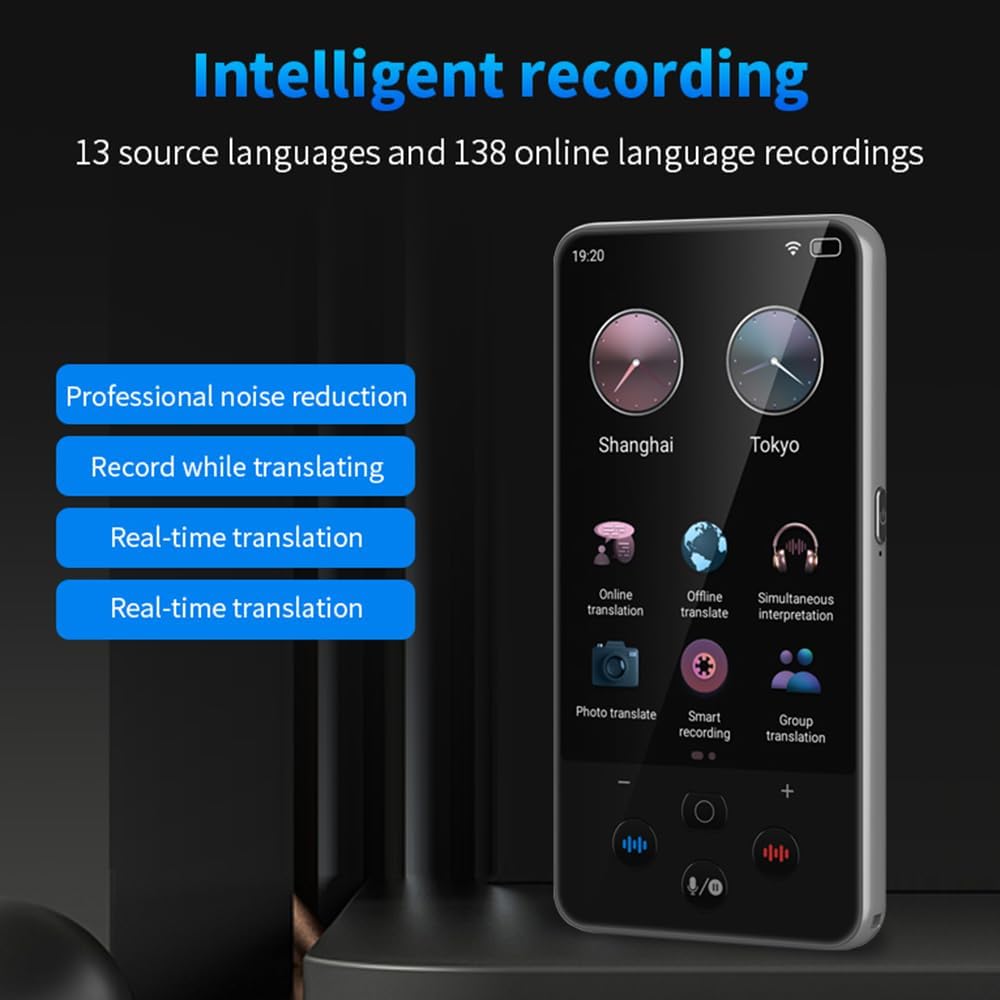
Figure 3: Intelligent recording interface, highlighting noise reduction and real-time translation capabilities.
4. Text Input Translation
Manually type text for translation, supporting Chinese/English input.
- Navigate to the text input translation feature.
- Select your desired input and output languages.
- Type your text, and the device will provide a fast translation.
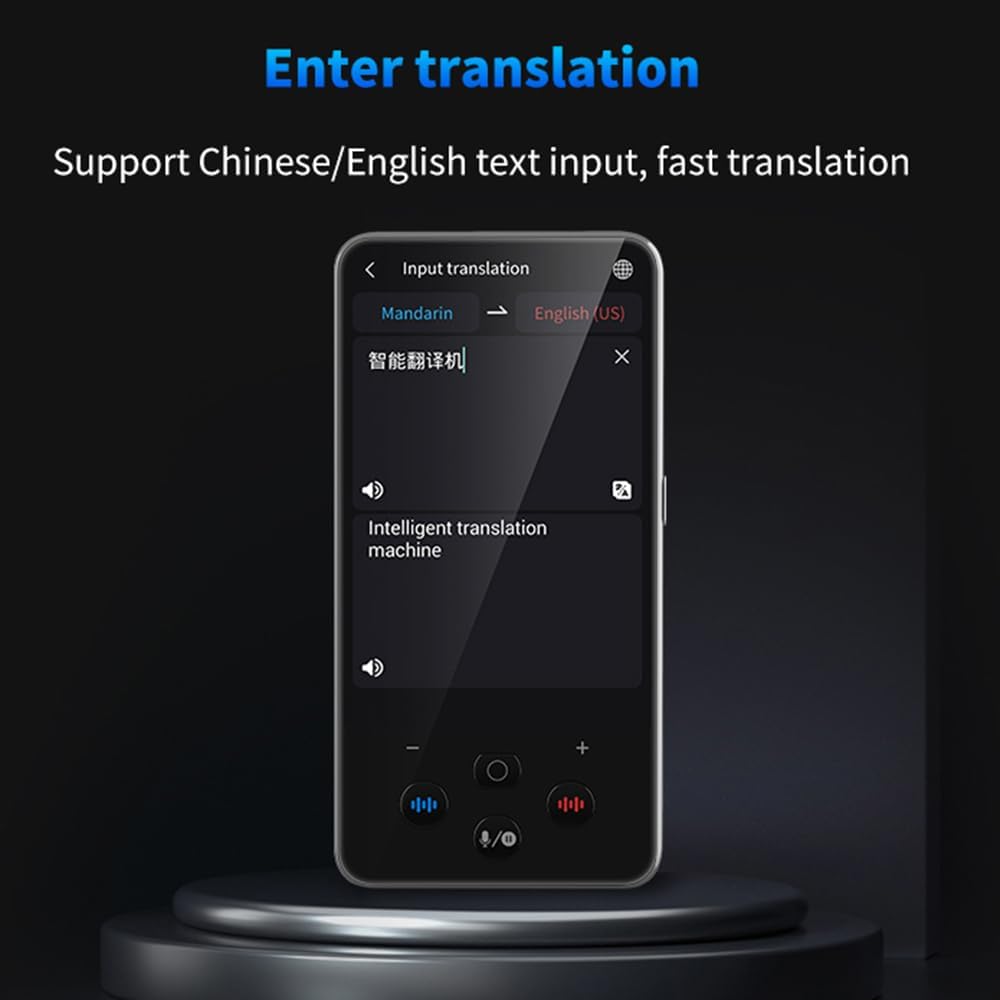
Figure 4: Text input translation screen, demonstrating fast translation from typed text.
5. Sprachenlernen
Utilize the device to learn pronunciation and practice new languages.
- Access the "Language Learning" function.
- Practice speaking phrases and receive feedback on your pronunciation.

Figure 5: Language learning mode, offering pronunciation practice and rating.
Erweiterte Funktionen
- Gruppenkommunikation: Supports up to 117 people chatting in the same group communication using the device.
- Currency Exchange Conversion: Instant conversion for up to 25 currency exchange rates.
- Einheitenumrechnung: Convert various units of measurement.
- Uhrfunktion: Anzeige von Uhrzeit und Datum.
- Musikwiedergabe: Enjoy music directly from the device.
- Video-/Audioaufnahme: Capture video and audio.

Figure 6: Internal architecture of the S85 Pro, featuring a Quad-core CPU and Built-in GPU for efficient performance.

Figure 7: Battery performance details, showing the 2000mAh capacity and extended standby time.
Wartung
- Reinigung: Verwenden Sie ein weiches, trockenes Tuch, um das Gerät zu reinigen. Vermeiden Sie scheuernde Reiniger oder Lösungsmittel.
- Lagerung: Bewahren Sie das Gerät an einem kühlen, trockenen Ort fern von direkter Sonneneinstrahlung und extremen Temperaturen auf.
- Batteriepflege: Um die Akkulaufzeit zu verlängern, vermeiden Sie häufiges vollständiges Entladen des Geräts. Laden Sie es regelmäßig auf, insbesondere bei längerer Lagerung.
- Software-Updates: Prüfen Sie regelmäßig, ob Software-Updates verfügbar sind, um eine optimale Leistung und den Zugriff auf neue Funktionen zu gewährleisten.
Fehlerbehebung
| Problem | Mögliche Ursache | Lösung |
|---|---|---|
| Gerät lässt sich nicht einschalten. | Schwache Batterie. | Laden Sie das Gerät mindestens 30 Minuten lang auf. |
| Es kann keine Verbindung zum WLAN hergestellt werden. | Incorrect password, out of range, or 5G network. | Verify password, move closer to router, ensure it's a 2.4GHz network. |
| Die Übersetzung ist ungenau oder langsam. | Poor internet connection, unclear speech, or unsupported dialect. | Ensure strong Wi-Fi, speak clearly, try a more standard pronunciation. For offline, ensure language packs are downloaded. |
| Fotoübersetzung funktioniert nicht. | Poor lighting, blurry image, or text not clearly visible. | Ensure adequate lighting, hold the device steady, and focus properly. |
Technische Daten
| Marke | Bischofsamt |
| Modell | S85 Pro (M30) |
| Prozessor | ARM Cortex-A7 Quad-core, 1.3 GHz |
| Systemsprachen | 16 Sprachen |
| Online Übersetzung | 138 Sprachen |
| Offline-Übersetzung | 19 Sprachen |
| Foto-Übersetzung | 74 languages (online), 40 languages (offline) |
| Kamera | 5 MP (rear, autofocus) |
| Anzeige | 4-inch High-Definition Capacitive Touchscreen |
| Batterie | 2000 mAh |
| Ladezeit | Ca. 2 Stunden |
| Standby-Zeit | Bis zu 240 Stunden |
| Maße | 16.4 x 8.5 x 4 cm |
| Gewicht | 210 Gramm |
Garantie und Support
For warranty information and customer support, please refer to the documentation included with your product or visit the official Bisofice webWebsite. Bewahren Sie Ihren Kaufbeleg für Garantieansprüche auf.
Software updates are guaranteed until an unknown date, as per product specifications.


