1. Einleitung
This manual provides instructions for the safe and effective use of your GT POWER AC/DC Power Adapter, Model 109. This adapter is designed to provide power to compatible TP-Link Mesh Wi-Fi 7 Systems, specifically Deco BE63, BE10000, and BE11000 models. Please read this manual thoroughly before use and retain it for future reference.
2. Sicherheitshinweise
WARNING: To reduce the risk of fire or electric shock, carefully follow these instructions.
- Ensure the adapter's voltage and current ratings match the requirements of your device.
- Do not expose the adapter to rain or moisture.
- Do not open the adapter casing. Im Inneren befinden sich keine vom Benutzer wartbaren Teile.
- Keep the adapter away from excessive heat sources.
- Always unplug the adapter from the power outlet before cleaning or if it will be unused for an extended period.
- Verwenden Sie den Adapter nicht, wenn das Kabel oder der Stecker beschädigt sind.
- This adapter is designed for indoor use only.
- The adapter features Over Voltage Protection (OVP), Over Current Protection (OCP), and Short Circuit Protection (SCP) for enhanced safety.
3. Produktüberschreitungview
The GT POWER AC Adapter (Model 109) is a compact power supply unit designed for specific TP-Link Deco Mesh Wi-Fi systems. It converts AC wall power to the DC power required by your device.

Abbildung 1: Front view of the GT POWER AC Adapter. The label indicates input voltage (AC100-240V) and output (DC12V 3A).
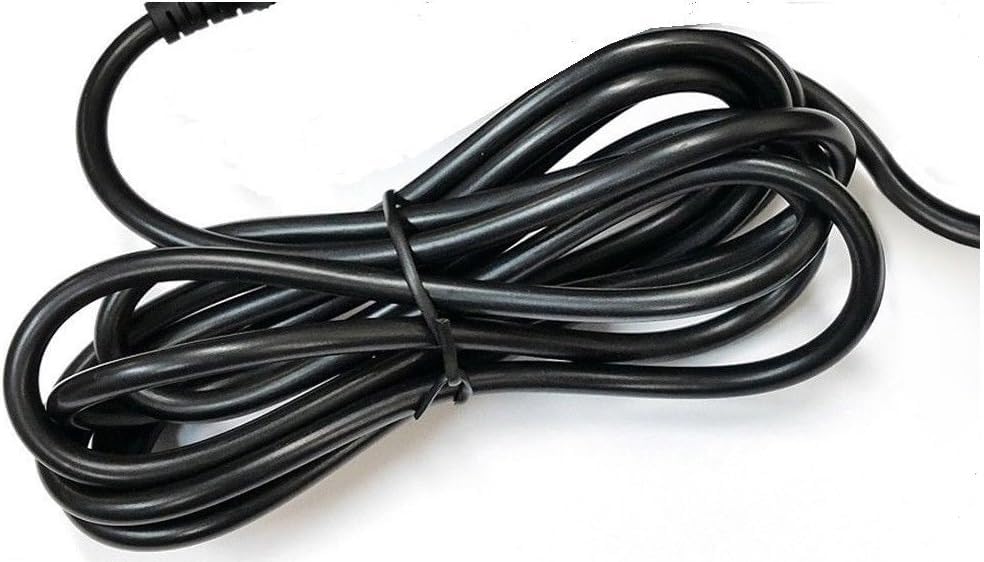
Abbildung 2: Seite view of the adapter, highlighting the barrel connector that plugs into your device.
4. Einrichtung
Follow these steps to connect your GT POWER AC Adapter to your TP-Link Deco Mesh Wi-Fi System:
- Ensure your TP-Link Deco device is powered off.
- Locate the power input port on your TP-Link Deco device. This is typically a circular port.
- Insert the barrel connector of the GT POWER AC Adapter firmly into the power input port of your Deco device.
- Stecken Sie den Netzadapter in eine normale 110-V-Wechselstromsteckdose.
- Power on your TP-Link Deco device.
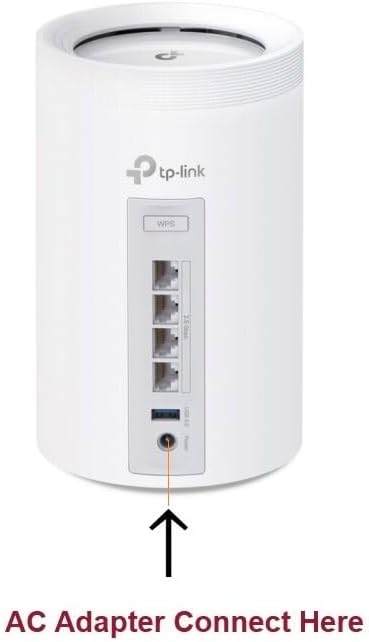
Abbildung 3: Example of connecting the AC adapter to a compatible TP-Link Deco device. The arrow indicates the power input port.
5. Bedienungsanleitung
Once properly connected and plugged into a power outlet, the GT POWER AC Adapter will continuously supply power to your TP-Link Deco device. No further user interaction is required for operation.
- Ensure the adapter is always plugged into a functional power outlet.
- Avoid disconnecting the adapter during critical operations of your Deco device.
6. Wartung
The GT POWER AC Adapter requires minimal maintenance:
- Halten Sie den Adapter sauber und staubfrei. Verwenden Sie zum Reinigen ein trockenes, weiches Tuch.
- Verwenden Sie keine flüssigen Reiniger oder Aerosole.
- Regularly inspect the power cord and connector for any signs of damage. If damage is observed, discontinue use immediately.
- Bewahren Sie den Adapter bei Nichtgebrauch an einem kühlen, trockenen Ort auf.
7. Fehlerbehebung
If your TP-Link Deco device is not receiving power, consider the following:
- Kein Strom:
- Verify the adapter is securely plugged into both the wall outlet and the Deco device.
- Testen Sie die Wandsteckdose mit einem anderen Gerät, um sicherzustellen, dass sie funktionsfähig ist.
- Inspect the adapter's cable and connector for any visible damage.
- Intermittierende Leistung:
- Stellen Sie sicher, dass alle Verbindungen fest sind.
- Avoid bending or stressing the power cord.
Wenn die Probleme weiterhin bestehen, wenden Sie sich an den Kundendienst.
8. Spezifikationen
| Besonderheit | Detail |
|---|---|
| Marke | GT-KRAFT |
| Modellnummer | 109 |
| Eingangslautstärketage | Wechselstrom 100-240 V |
| Ausgangsvolumentage/Aktuell | DC 12V / 3A |
| Plug-Format | Type A (US Standard) |
| Schutzfunktionen | OVP (Über Voltage Schutz), OCP (Überstromschutz), SCP (Kurzschlussschutz) |
| UPC | 781834735527 |
9. Garantie und Support
This GT POWER AC Adapter comes with a Ein Jahr GarantieZusätzlich ein 30-Tage Money Back guarantee is offered.
For technical support or warranty claims, please contact the seller, GTXPower, through the platform where the product was purchased.


