Einführung
This manual provides essential instructions for the setup, operation, and maintenance of your BLOW Portable Internet Radio RI 1. Please read this manual thoroughly before using the device to ensure proper functionality and to prevent damage.
Wichtige Sicherheitsinformationen
- Setzen Sie das Gerät weder Regen noch Feuchtigkeit aus.
- Das Gerät darf nicht auseinandergenommen werden. Alle Wartungsarbeiten dürfen nur von qualifiziertem Fachpersonal durchgeführt werden.
- Verwenden Sie nur das mitgelieferte Netzteil.
- Vermeiden Sie extreme Temperaturen und direkte Sonneneinstrahlung.
- Halten Sie das Gerät von starken Magnetfeldern fern.
Packungsinhalt
Stellen Sie sicher, dass alle Artikel im Paket vorhanden sind:
- BLOW Internet Radio RI 1
- Netzteil
- User Manual (in Polish and English)

Image: The BLOW Internet Radio RI 1 packaging, showing the radio unit, power adapter, and user manual.
Produkt überview
The BLOW Portable Internet Radio RI 1 offers a wide range of features for an enhanced audio experience. It includes internet radio access, FM tuner, Bluetooth connectivity, and a clear LCD display.

Bild: Vorderseite view of the BLOW Internet Radio RI 1, showcasing the display, speaker grille, and control buttons.
Hauptmerkmale:
- Internetradio: Access thousands of stations worldwide via Wi-Fi.
- Wi-Fi-Konnektivität: Wireless access to internet radio and network features.
- Bluetooth: Stream music from mobile devices.
- 2.4-Zoll-TFT-Farbdisplay: Shows station information and track details.
- Doppelwecker mit Schlummerfunktion: Wake up to music or news.
- Line Out: Verbinden mit einem amplifier or external audio system.
- Kompaktes Design: Elegant black design suitable for various interiors.
- FM-Tuner: For local radio broadcasts.
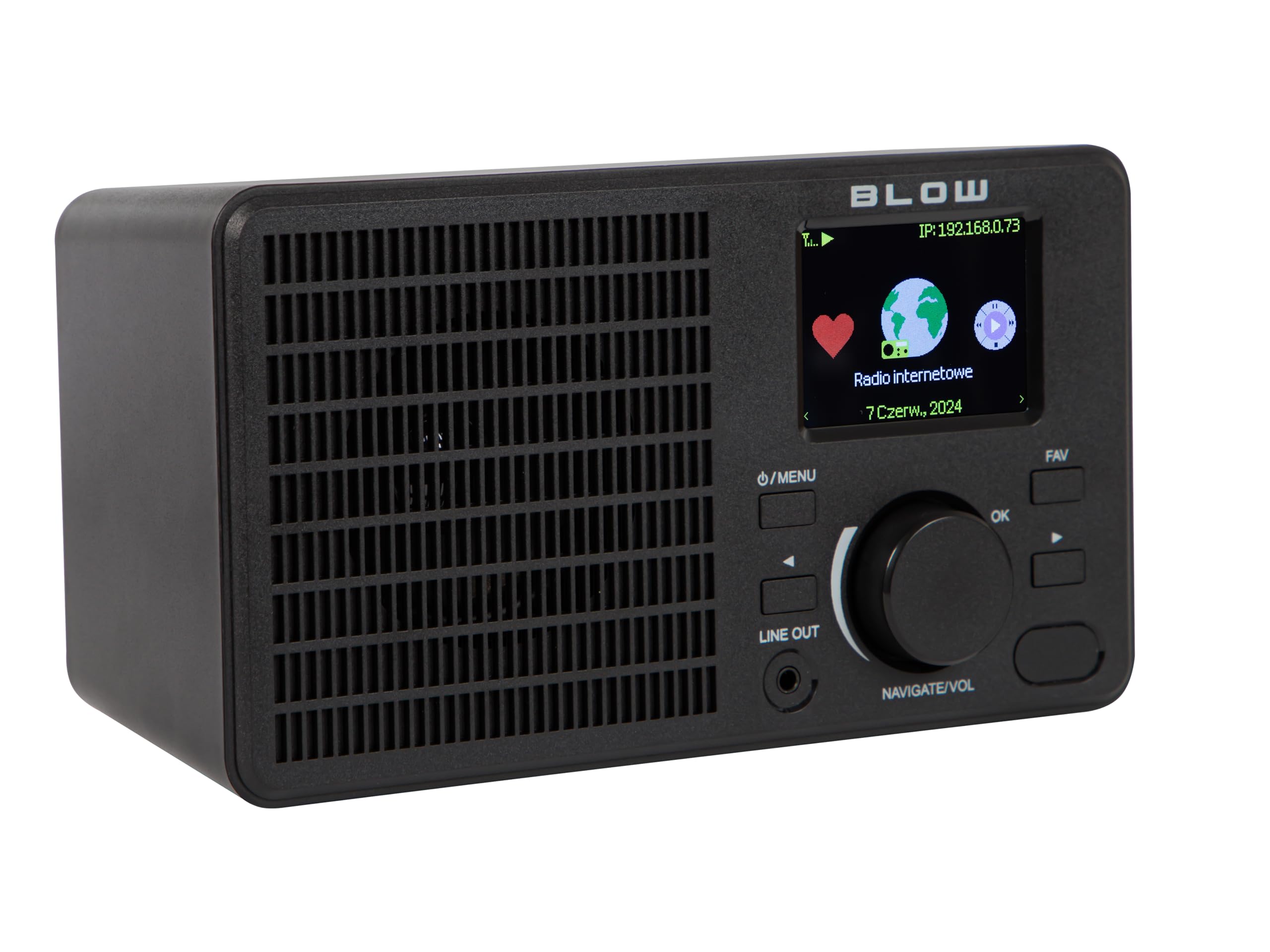
Bild: Rückseite view of the BLOW Internet Radio RI 1, showing the DC 5V power input and product information label.
Aufstellen
1. Stromanschluss
- Schließen Sie das mitgelieferte Netzteil an den DC 5V-Eingangsanschluss auf der Rückseite des Radios an.
- Stecken Sie das Netzteil in eine normale Steckdose.
- Das Radio schaltet sich automatisch ein oder wechselt in den Standby-Modus.

Image: The power adapter included with the BLOW Internet Radio RI 1, showing the plug and DC connector.
2. Erste WLAN-Einrichtung
- Beim ersten Einschalten führt Sie das Radio durch den Ersteinrichtungsprozess.
- Use the navigation dial and OK button to select your preferred language.
- Das Radio sucht nach verfügbaren WLAN-Netzwerken. Wählen Sie Ihr Netzwerk aus der Liste aus.
- Enter your Wi-Fi password using the navigation controls. Confirm with the OK button.
- Nach erfolgreicher Verbindung zeigt das Funkgerät eine Bestätigungsmeldung an.

Image: The BLOW Internet Radio RI 1 display showing the internet radio interface with network status.
Bedienungsanleitung
Grundlegende Bedienelemente
- Ein-/Ausschalter/Menütaste: Press to turn on/off or access the main menu.
- Navigate/Volume Dial: Rotate to navigate menus or adjust volume. Press to confirm selection.
- OK-Taste: Bestätigt die Auswahl.
- FAV-Taste: Greift auf Lieblingssender zu.
- Line Out: 3.5mm jack for connecting to external audio systems.

Bild: Eine Nahaufnahme view of the BLOW Internet Radio RI 1's control panel, highlighting the display and buttons.
Internetradio-Modus
- Wählen Sie im Hauptmenü „Internetradio“ aus.
- Durchsuchen Sie Sender nach Standort, Genre oder suchen Sie nach Namen.
- Select a station and press OK to start playback.
- To save a station as a favorite, navigate to the station and press the FAV button.
UKW-Radiomodus
- Wählen Sie im Hauptmenü „FM-Radio“.
- Use the navigation dial to tune to a frequency or perform an auto-scan for stations.
- Drücken Sie OK, um einen Sender auszuwählen.
Bluetooth-Modus
- Wählen Sie im Hauptmenü „Bluetooth“. Das Radio wechselt in den Kopplungsmodus.
- On your mobile device (smartphone, laptop), enable Bluetooth and search for "BLOW RI 1".
- Wählen Sie das zu koppelnde Radio aus. Sobald die Verbindung hergestellt ist, können Sie Audio von Ihrem Gerät an das Radio streamen.

Image: The BLOW Internet Radio RI 1 shown alongside a smartphone, illustrating Bluetooth connectivity for music streaming.
Weckerfunktion
- Die Einstellungen für den „Alarm“ finden Sie im Hauptmenü.
- Richten Sie bis zu zwei unabhängige Alarme ein.
- Configure alarm time, source (buzzer, internet radio, FM), and snooze duration.
- Ensure the radio is connected to power for the alarm to function reliably.
Wartung
- Reinigung: Use a soft, dry cloth to clean the radio's surface. Do not use liquid cleaners or abrasive materials.
- Lagerung: Bei längerer Nichtbenutzung sollte das Radio an einem kühlen, trockenen Ort aufbewahrt werden.
- Software-Updates: Periodically check for firmware updates through the radio's system settings to ensure optimal performance and access to new features.
Fehlerbehebung
| Problem | Mögliche Lösung |
|---|---|
| Kein Strom | Check if the power adapter is securely connected to the radio and the electrical outlet. Try a different outlet. |
| Keine Verbindung zum WLAN möglich | Ensure your Wi-Fi password is correct. Check if your router is working. Try restarting the radio and your router. Ensure the radio is within range of your Wi-Fi signal. |
| Internet radio stations not playing | Verify your internet connection is active. Some stations may be temporarily offline. Try other stations. |
| Die Bluetooth-Kopplung schlägt fehl | Ensure the radio is in Bluetooth pairing mode. Make sure Bluetooth is enabled on your mobile device and it's within range. Try unpairing and re-pairing. |
| Schlechter UKW-Empfang | Adjust the radio's position. Ensure there are no strong interference sources nearby. |
Technische Daten
| Besonderheit | Detail |
|---|---|
| Marke | Schlag |
| Modell | 5900804137467 |
| Konnektivitätstechnologie | Wi-Fi, Bluetooth, Aux, Line Out |
| Tuner-Technologie | FM |
| Anzeigetyp | LCD (2.4-inch TFT Color Display) |
| Stromquelle | Corded Electric (AC: 100-240V, 50/60Hz; DC: 5V/1A) |
| Kompatible Geräte | Smartphone, Laptop, Headphones |
| Besondere Merkmale | Lightweight, Portable, Dustproof, Built-in Clock, Dual Alarm with Snooze |
| Technische Daten | 19.4 cm (L) x 8.8 cm (B) x 11 cm (H) |
| Farbe | Schwarz |
Garantie und Support
For warranty information and technical support, please refer to the contact details provided in the separate warranty card included with your product or visit the official BLOW webWebsite.
Hersteller: SCHLAG
WebWebsite: www.blow.pl


