Einführung
Welcome to the user manual for your LTC Nimbleback NB981 95% Wireless Mechanical Keyboard. This manual provides detailed instructions for setting up, operating, maintaining, and troubleshooting your new keyboard.
The NB981 keyboard offers versatile connectivity options (2.4GHz, Bluetooth, USB-C wired), a comfortable typing experience with its 3-layer silicone dampening, and extensive customization through hot-swappable switches and dynamic RGB lighting.
Packungsinhalt
Bitte überprüfen Sie, ob alle Artikel in Ihrem Paket vorhanden sind:
- LTC Nimbleback NB981 Wireless Mechanical Keyboard
- USB-C-auf-USB-A-Kabel
- Tastenkappenabzieher
- Switch Puller (often combined with keycap puller)
- Ersatzschalter
- Bedienungsanleitung
Unboxing-Video
This video demonstrates the unboxing process and shows the contents typically included with the LTC Nimbleback NB981 keyboard.
Produkt überview
The LTC Nimbleback NB981 is a high-performance mechanical keyboard designed for both gaming and everyday use. It features a 95% layout, combining functionality with a compact design.
Hauptmerkmale
- Flexible Tri-Mode Connectivity: Bluetooth, wired, and 2.4GHz options.
- Excellent Silicone Sound DampEnde: Triple-layer silicone structure for reduced hollow sounds and quiet typing.
- Customizable Hot-Swap Design: Supports most 3-pin and 5-pin MX-style switches without soldering.
- Powerful Software Support: Key remapping, macro assignments, and personalized lighting effects for Windows, Android, iOS, and macOS.
- Dynamic RGB Illumination: 18 vibrant backlight modes with adjustable speed and brightness.
- Langlebiger 4000-mAh-Akku: Extended usage with battery status monitoring (FN+backspace).
Tastaturlayout und Komponenten
Refer to the images below for a visual guide to the keyboard's layout and internal structure.
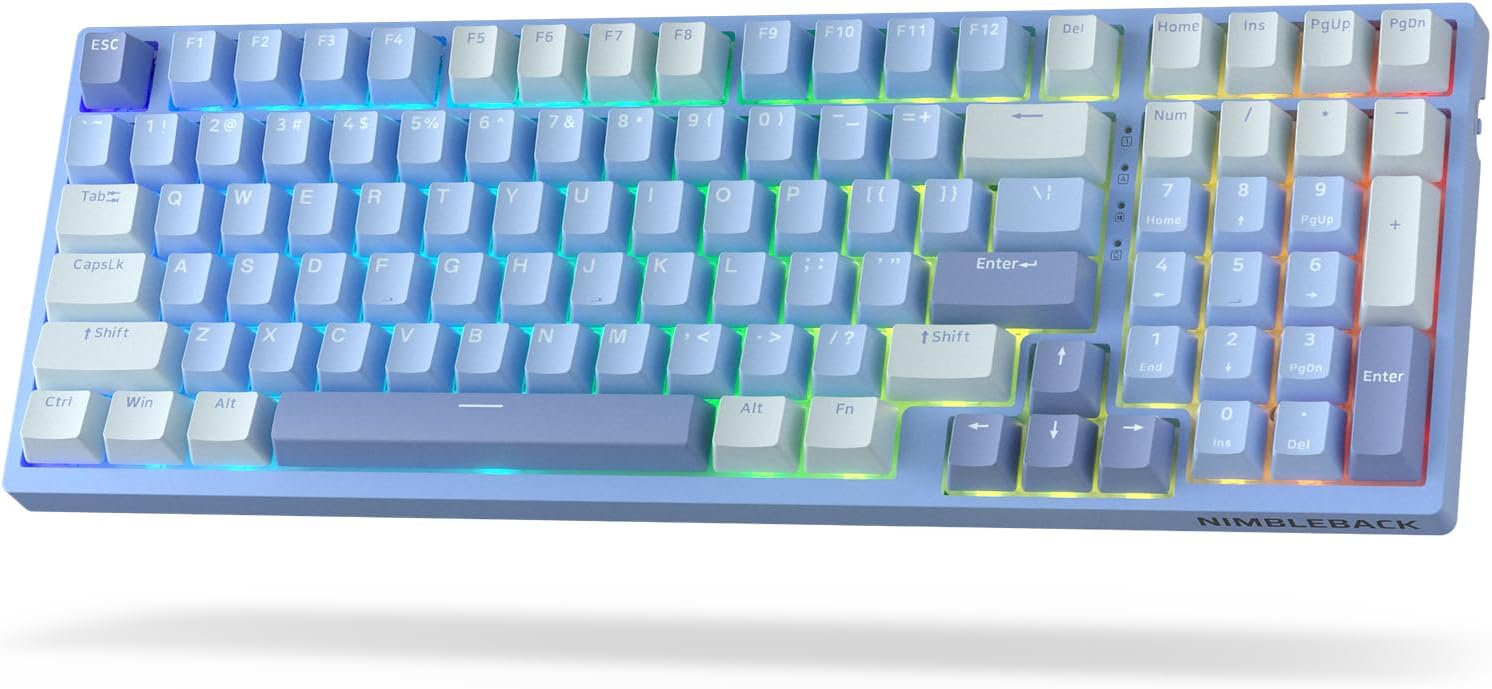
Bild: Draufsicht view of the LTC Nimbleback NB981 keyboard in Sky Blue, showcasing its 95% layout with RGB backlighting.

Image: Diagram highlighting key features of the NB981 keyboard, including 3-layer silicone padding, 98-key layout, tri-mode connection, 4000mAh battery, hot-swap PCB, PBT keycaps, dynamic RGB, and software support.
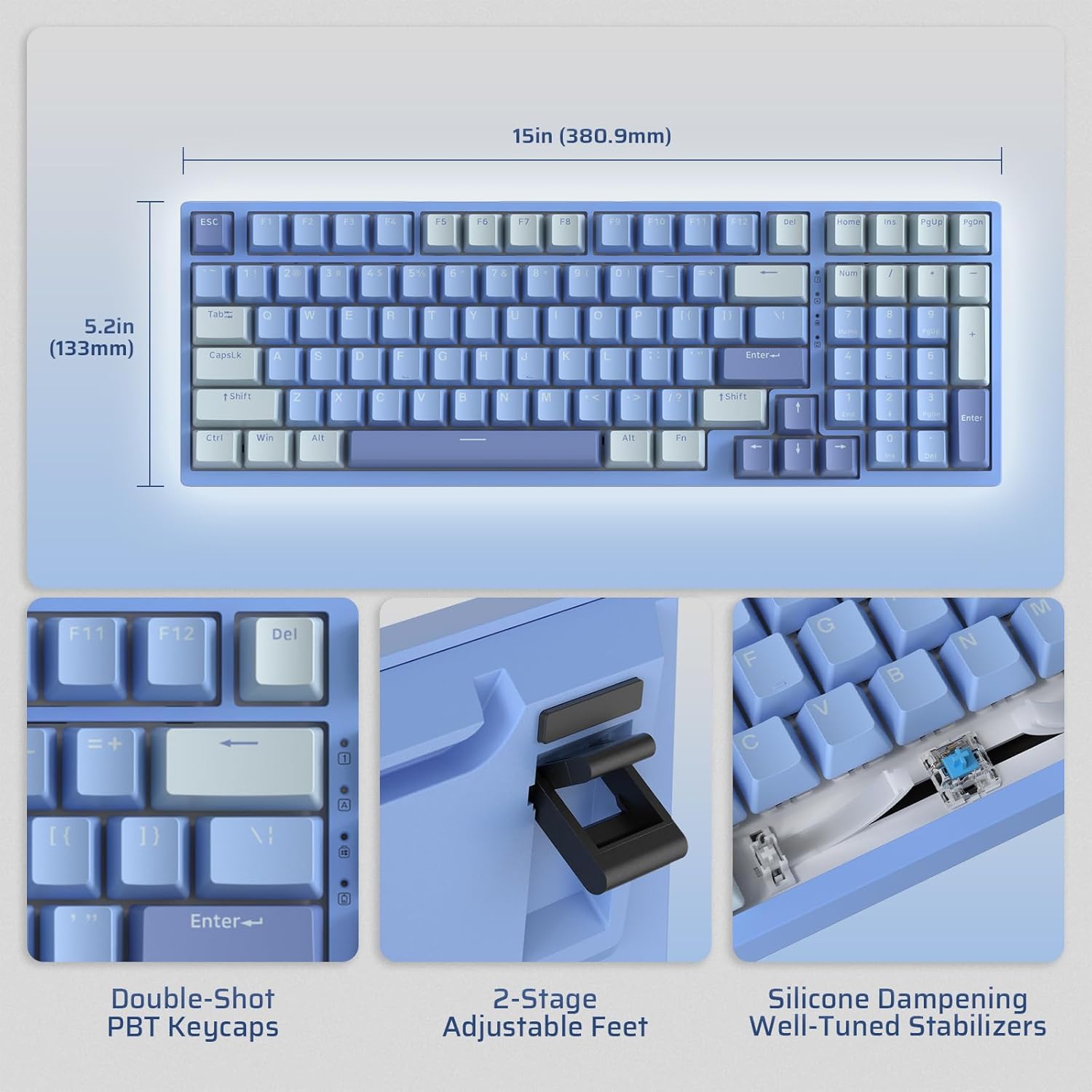
Image: Illustrates the dimensions of the keyboard (15 inches / 380.9mm length, 5.2 inches / 133mm width), double-shot PBT keycaps, 2-stage adjustable feet, and silicone dampening with well-tuned stabilizers.
Aufstellen
Before first use, it is recommended to fully charge the keyboard using the provided USB-C cable.
Erstverbindung
The keyboard supports three connection modes: 2.4GHz wireless, Bluetooth, and USB-C wired.

Image: Visual representation of the tri-mode connectivity options: Bluetooth 5.0 (up to 3 devices), 2.4GHz fast-response wireless, and USB-C stable wired mode.
Konnektivitätsmodi
2.4 GHz Wireless-Modus
- Locate the 2.4GHz USB dongle, typically stored in a compartment on the back of the keyboard.
- Stecken Sie den Dongle in einen freien USB-A-Anschluss Ihres Computers.
- Schalten Sie die Tastatur mit dem seitlich angebrachten Ein-/Ausschalter ein.
- Die Tastatur sollte sich automatisch verbinden. Falls nicht, drücken Sie Fn + 4 3 Sekunden lang gedrückt, um die Kopplung zu starten.
Bluetooth-Modus
- Schalten Sie die Tastatur mit dem EIN/AUS-Schalter ein.
- Drücken Fn + 1, Fn + 2, oder Fn + 3 to select a Bluetooth channel. The corresponding key will flash rapidly, indicating pairing mode.
- On your device (computer, tablet, smartphone), enable Bluetooth and search for "LTC NB981".
- Select the keyboard to pair. The key will stop flashing once connected.
- You can store up to three Bluetooth devices.
USB-C-Kabelmodus
- Verbinden Sie das mitgelieferte USB-C-Kabel mit dem USB-C-Anschluss der Tastatur.
- Connect the other end of the cable (USB-A) to your computer's USB port.
- Die Tastatur schaltet automatisch in den kabelgebundenen Modus und beginnt mit dem Ladevorgang.
Bedienungsanleitung
Steuerung der Hintergrundbeleuchtung
The NB981 features dynamic RGB illumination with 18 modes.
- Fn + |Hintergrundbeleuchtung ein/aus
- Fn + ↑: Backlight Modes Switch (Cycle through 18 modes)
- Fn + ↓: Backlight Colors Switch (Change color in static modes)
- Fn + ←: Backlight Speed -
- Fn + →: Geschwindigkeit der Hintergrundbeleuchtung +
- Fn + F5: Backlight Brightness -
- Fn + F6: Backlight Brightness +
To restore factory settings for backlight, long press Fn + Leertaste.
Multimedia Keys (Windows System)
Verwenden Sie die Fn Taste in Kombination mit den F-Tasten für Multimedia-Funktionen:
- Fn + F1: Display Brightness -
- Fn + F2: Display Brightness +
- Fn + F3: Back to Desktop
- Fn + F4Missionskontrolle
- Fn + F7: Last Song
- Fn + F8: Wiedergabe/Pause
- Fn + F9: Nächstes Lied
- Fn + F10: Stumm
- Fn + F11: Volume -
- Fn + F12: Lautstärke +
Softwareunterstützung
The keyboard supports powerful software for full customization. This software allows for key remapping, macro assignments, and advanced lighting effects.
The software is compatible with Windows (7, 8, 10, 11), Android, iOS, and macOS. Please visit the official LTC webWebseite zum Herunterladen der Software und für detaillierte Anweisungen.

Image: Screenshot of the LTC keyboard customization software, showing options for key remapping, macro creation, and RGB lighting control.
Austausch des Hot-Swap-Schalters
The NB981 features a hot-swappable PCB, allowing you to change switches without soldering.
- Use the provided switch puller tool to gently remove the desired switch.
- Richten Sie die Pins des neuen 3- oder 5-poligen MX-Schalters an den Löchern auf der Leiterplatte aus.
- Press the new switch firmly into place until it clicks. Ensure the pins are straight to avoid bending.

Bild: Detailliert view of the hot-swap PCB, illustrating pre-lubed linear switches, hot-swap sockets, and well-lubed stabilizers.
Sound Profile
The keyboard's 3-layer silicone dampening structure significantly minimizes hollow sounds and cavity noise, providing a smooth and quiet typing experience.
This video provides a sound test of the LTC Nimbleback NB981 keyboard, demonstrating its typing acoustics with the integrated sound dampende.
Wartung
- Reinigung: Use a soft, dry cloth to wipe the keyboard surface. For deeper cleaning, use the keycap puller to remove keycaps and clean dust or debris with compressed air or a small brush.
- Batteriepflege: To prolong battery life, avoid fully discharging the keyboard frequently. Charge it when the battery indicator (FN+backspace) shows low power.
- Lagerung: Bewahren Sie die Tastatur an einem kühlen, trockenen Ort fern von direkter Sonneneinstrahlung und extremen Temperaturen auf.
Fehlerbehebung
Tastatur reagiert nicht:
- Stellen Sie sicher, dass die Tastatur eingeschaltet ist.
- Check the battery level (FN+backspace). Recharge if low.
- For wired mode, ensure the USB-C cable is securely connected to both the keyboard and the computer. Try a different USB port.
- For 2.4GHz mode, ensure the dongle is properly inserted and try re-pairing (Fn + 4 für 3 Sekunden).
- For Bluetooth mode, ensure Bluetooth is enabled on your device and try re-pairing (Fn + 1/2/3 für 3 Sekunden).
- Versuchen Sie, Ihren Computer neu zu starten.
Tasten werden nicht registriert oder es werden Doppeleingaben getätigt:
- This could indicate a faulty switch. Use the switch puller to replace the affected switch with a spare one.
- Stellen Sie sicher, dass der Schalter vollständig in der Leiterplatte eingerastet ist.
Probleme mit der Hintergrundbeleuchtung:
- Ensure backlight is turned on (Fn + |).
- Helligkeit anpassen (Fn + F5/F6).
- Cycle through modes (Fn + ↑) or colors (Fn + ↓).
- Reset backlight to factory settings (Long press Fn + Leertaste).
Bluetooth-Verbindung instabil:
- Stellen Sie sicher, dass keine anderen Geräte Störungen verursachen.
- Bewegen Sie die Tastatur näher an Ihr Gerät heran.
- Try forgetting the device on your computer's Bluetooth settings and re-pairing.
Technische Daten
| Besonderheit | Detail |
|---|---|
| Marke | LTC |
| Modell | NB981 |
| Konnektivität | Bluetooth, Funk (2.4 GHz), USB-C |
| Tastaturtyp | Mechanisch |
| Anzahl der Schlüssel | 98 |
| Hintergrundbeleuchtung | RGB |
| Batteriekapazität | 4000 mAh |
| Artikelgewicht | 3.3 Pfund |
| Verpackungsabmessungen | 16.45 x 6.93 x 2.01 Zoll |
| Kompatible Geräte | PC (Windows, Android, iOS, macOS via software) |
| Besondere Merkmale | Backlit, Hotkeys and Media Keys, Programmable Keys, Hot-Swappable |
| Ursprungsland | China |
Lieferumfang
- Tastenkappenabzieher
- USB-Kabel
Garantie und Support
For warranty information and technical support, please refer to the official LTC webBesuchen Sie die Website oder kontaktieren Sie den Kundenservice. Bewahren Sie Ihren Kaufbeleg für Garantieansprüche auf.
Besuchen Sie die LTC Official Store für weitere Produkte und Support.


