1. Einleitung
This user manual provides comprehensive instructions for the safe and efficient operation, installation, and maintenance of your WZRELB 1000W Pure Sine Wave Inverter. This device converts 12V DC power to 110V/120V AC power, making it suitable for various applications including home backup, RVs, trucks, and camping. Please read this manual thoroughly before using the inverter to ensure proper function and safety.
2. Sicherheitshinweise
Die Einhaltung dieser Sicherheitsrichtlinien ist von entscheidender Bedeutung, um Verletzungen und Schäden am Wechselrichter oder an angeschlossenen Geräten zu vermeiden.
- Nicht überladen: Ensure the total power consumption of connected appliances does not exceed the inverter's rated continuous power (1000W). For inductive loads (e.g., motors, compressors, microwaves, refrigerators), their startup power can be significantly higher (6-10 times) than their running power. Select an inverter with a capacity 3-7 times higher for most inductive loads, and up to 10 times higher for refrigerators.
- Temperaturwarnung: The inverter housing can become hot during operation. Do not touch the inverter housing while it is operating to avoid burns.
- Belüftung: Sorgen Sie für ausreichende Belüftung rund um den Wechselrichter. Blockieren Sie die Lüftungsschlitze nicht.
- Trockene Umgebung: Do not expose the inverter to water, rain, snow, or spray. Operate it in a dry environment.
- Richtige Verbindungen: Always connect the inverter to a 12V DC power source with correct polarity. Reverse polarity can cause severe damage.
- Qualifiziertes Personal: Installation and maintenance should ideally be performed by qualified personnel.
- Kinder und Haustiere: Bewahren Sie den Wechselrichter außerhalb der Reichweite von Kindern und Haustieren auf.
- Brennbare Materialien: Betreiben Sie den Wechselrichter nicht in der Nähe von brennbaren Flüssigkeiten oder Gasen.
3. Produktüberschreitungview
3.1 Hauptmerkmale
- Reine Sinuswellenausgabe: Provides stable and high-quality AC power, ideal for sensitive electronics like TVs, laptops, phones, and CPAP machines.
- DC LED Display: Monitors DC input voltage in real-time, allowing easy tracking of the inverter's working status.
- Soft Starter Design: Smoothly increases AC voltage upon startup, reducing surge current impact and extending appliance lifespan.
- Leistungsstarke Ausgabe: Delivers 1000W continuous power with 8.33 Amp maximum capacity, featuring two standard 120VAC outlets.
- Effizientes Kühlsystem: Features an all-aluminum housing for comprehensive heat dissipation and an integrated cooling fan to maintain optimal operating temperature.
- Umfassender Schutz: Includes short circuit, over current, over voltage, unter voltage, overload, reverse polarity, and over-temperature protection.
3.2 Komponenten

Abbildung 3.2.1: Vorderseite view of the WZRELB 1000W Pure Sine Wave Inverter, showing the DC LED display, two AC outlets, and the ON/OFF switch. The image also displays the included red and black battery cables and spare fuses.
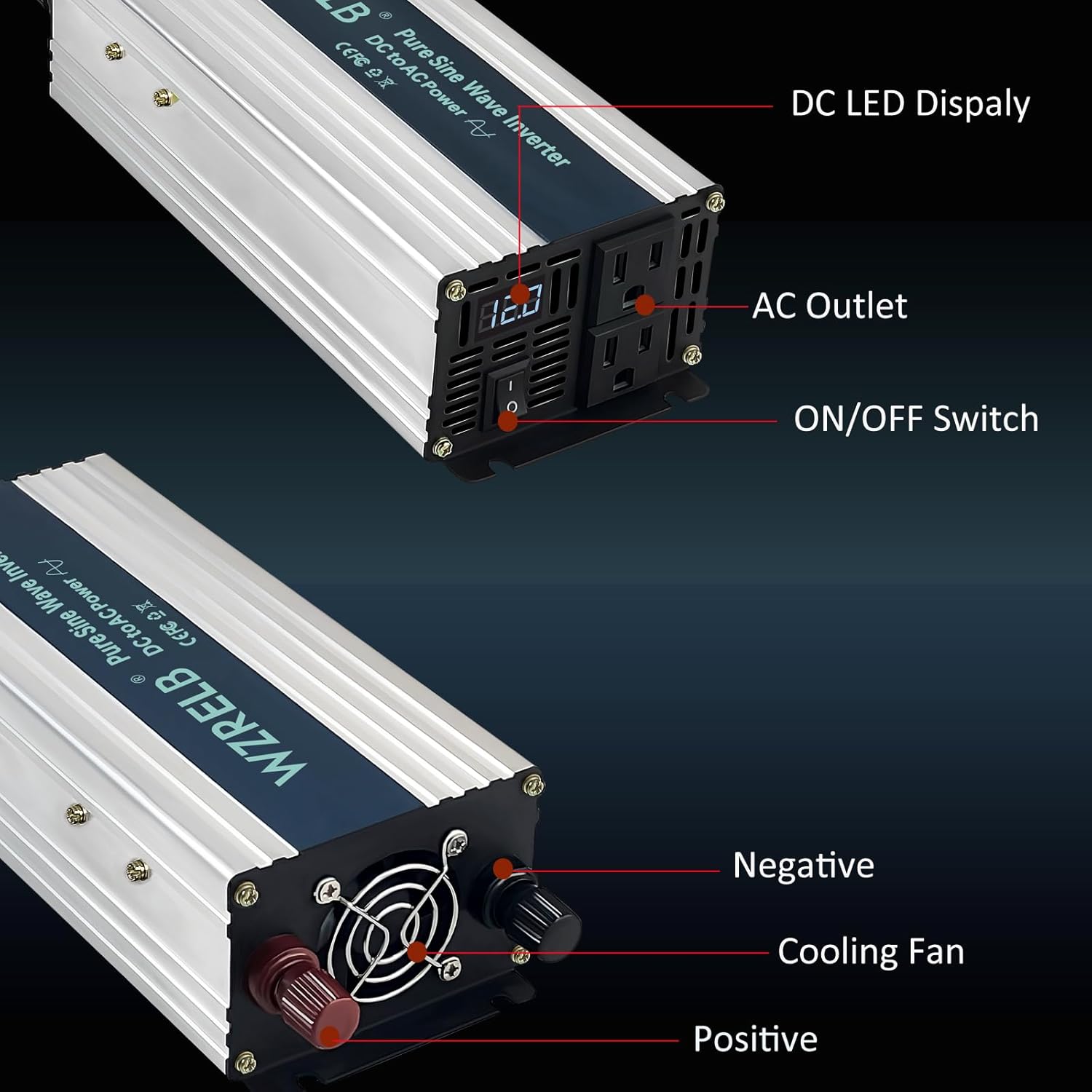
Abbildung 3.2.2: Ausführlich view of the inverter's front panel, highlighting the DC LED Display, AC Outlets, and ON/OFF Switch. The bottom view shows the cooling fan and the positive (red) and negative (black) DC input terminals.
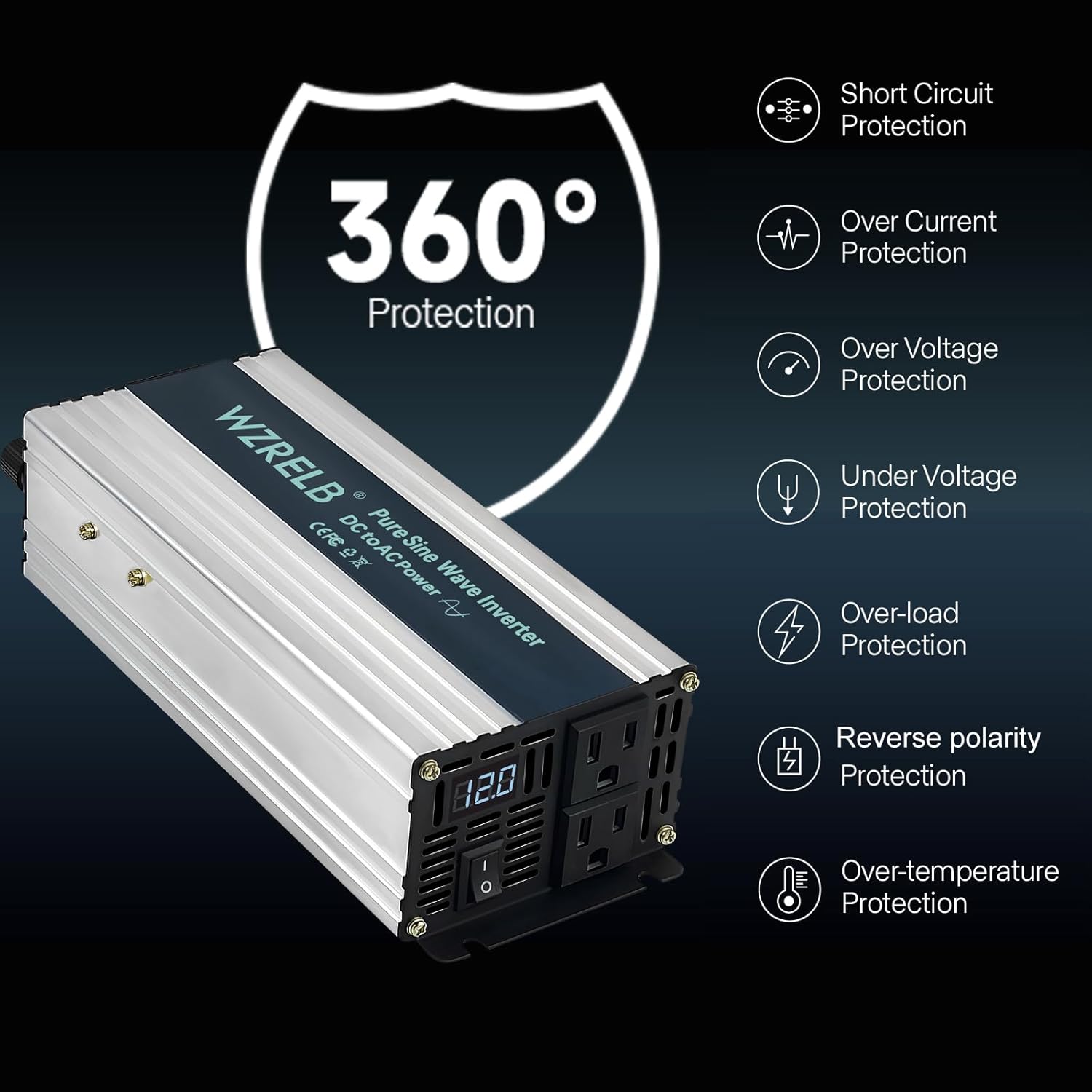
Figure 3.2.3: Illustration of the inverter's comprehensive 360-degree protection features, including short circuit, over current, over voltage, unter voltage, overload, reverse polarity, and over-temperature protection.

Figure 3.2.4: The inverter features dual US standard AC outlets, capable of delivering a stable and full AC output with a maximum current of 8.33 Amps.

Figure 3.2.5: The compact, travel-sized design of the inverter, with dimensions of approximately 8.8 inches in height, 2.53 inches in depth, and 3.9 inches in width, making it highly portable.
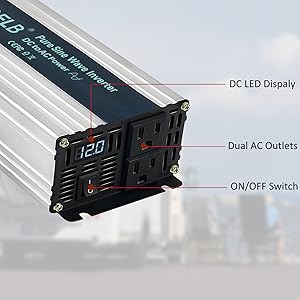
Figure 3.2.6: The inverter offers universal compatibility, suitable for powering a wide range of devices up to 1000W, including smartphones, wireless earbuds, tablets, laptops, cameras, CPAP machines, razors, and breast pumps.
4. Einrichtung
- Auspacken und prüfen: Carefully remove the inverter and all accessories from the packaging. Verify that all components listed in "What's in the Box" are present: Power Inverter, Cables, and Fuses. Inspect for any physical damage.
- Wählen Sie einen Standort: Select a dry, well-ventilated area for the inverter. Ensure there is sufficient space around the unit for air circulation, especially around the cooling fan and vents. Avoid direct sunlight or heat sources.
- Gleichstrom-Eingangskabel anschließen:
- Stellen Sie sicher, dass sich der EIN/AUS-Schalter des Wechselrichters in der Position „AUS“ befindet.
- Connect the red (positive) cable to the positive (+) terminal on the inverter and the positive (+) terminal on your 12V DC battery.
- Connect the black (negative) cable to the negative (-) terminal on the inverter and the negative (-) terminal on your 12V DC battery.
- Tighten all connections securely to prevent loose contacts, which can cause overheating or arcing.
- Erdung (optional, aber empfohlen): For enhanced safety, connect the inverter's grounding terminal (if present) to a proper earth ground.
5. Bedienungsanleitung
- Einschalten: After ensuring all connections are secure, switch the inverter's ON/OFF switch to the "ON" position. The DC LED display will illuminate, showing the current DC input voltage.
- Geräte anschließen: Plug your AC appliances into the inverter's 120V AC outlets. Ensure the total wattagDie Gesamtleistung aller angeschlossenen Geräte darf 1000 W nicht überschreiten.
- Monitorbetrieb:
- Observe the DC LED display for input voltage. A stable voltage indicates normal operation.
- The cooling fan will activate automatically when the internal temperature rises, ensuring efficient heat dissipation.
- If an overload or fault condition occurs, the inverter's protection features will activate, and the unit may shut down. Refer to the Troubleshooting section.
- Ausschalten: When you are finished using the inverter, first disconnect all AC appliances, then switch the inverter's ON/OFF switch to the "OFF" position.
6. Wartung
- Reinigung: Regularly clean the exterior of the inverter with a dry, soft cloth. Ensure the cooling vents are free from dust and debris to maintain proper airflow. Do not use liquid cleaners.
- Verbindungsprüfung: Periodically inspect all DC input cable connections to ensure they remain tight and free from corrosion. Loose connections can lead to power loss or overheating.
- Sicherungswechsel: The inverter is equipped with internal fuses for protection. If the inverter fails to power on or output AC, and all other troubleshooting steps have been exhausted, the fuses may need replacement. This should be done by a qualified technician. Use only fuses of the specified type and rating.
- Lagerung: Wenn Sie den Wechselrichter über einen längeren Zeitraum lagern, achten Sie darauf, dass er sauber und trocken ist und an einem kühlen, gut belüfteten Ort aufbewahrt wird.
7. Fehlerbehebung
| Problem | Mögliche Ursache | Lösung |
|---|---|---|
| Kein Wechselstromausgang / Wechselrichter schaltet sich nicht ein |
|
|
| Wechselrichter schaltet sich häufig ab |
|
|
| Lüfter läuft nicht |
|
|
8. Spezifikationen
| Attribut | Wert |
|---|---|
| Modellname | SE100012 |
| Wastage | 1000 Watt |
| Stromquelle | Battery Powered (12V DC input) |
| AC-Ausgangsvolumentage | 110 V / 120 V Wechselstrom |
| AC-Ausgangsfrequenz | 60 Hz |
| Ausgangswellenform | Rein Sinus |
| Empfohlene Verwendung | Home, RV, Truck, Camping |
| Marke | WZRELB |
| Hersteller | Yueqing Reliable Electric co.,ltd |
| Technische Daten | 10.1 x 3.85 x 2.53 Zoll |
| Artikelgewicht | 2.6 Pfund |
9. Garantie und Support
For warranty information, technical support, or service inquiries, please contact WZRELB customer support directly. Refer to the product packaging or the official WZRELB webDie aktuellsten Kontaktdaten finden Sie auf der Website.
You can also visit the official WZRELB Store on Amazon for more information and support resources:


