1. Einleitung
This manual provides detailed instructions for the setup, operation, and maintenance of your BPXX Bluetooth Thermal Shipping Label Printer, Model D463B. This printer is designed for efficient and clear printing of various thermal labels, including 4x6 inch shipping labels, with a resolution of 203 DPI. It supports both Bluetooth connectivity via the 'Ezlabel' mobile application and USB connection to computers.
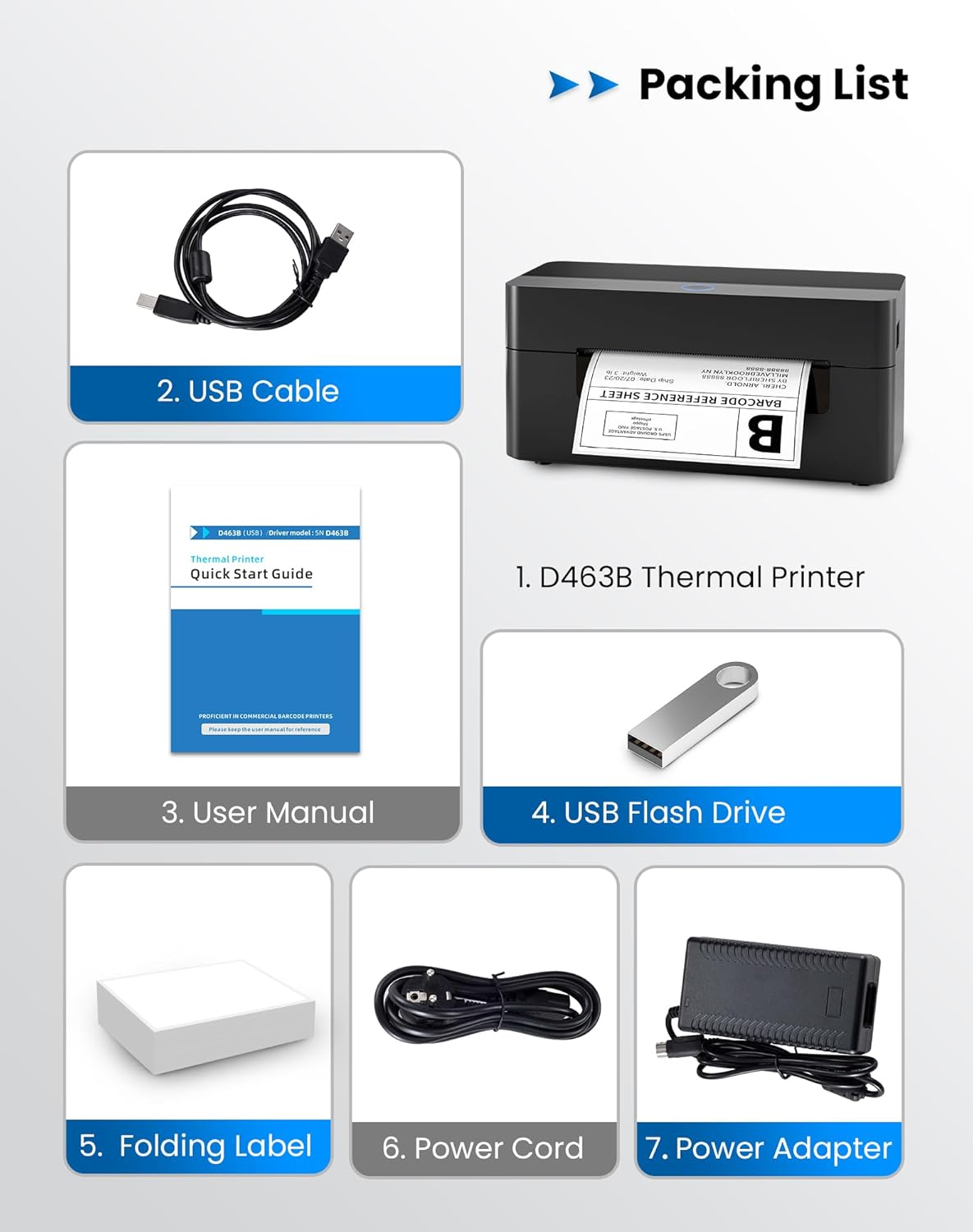
2. Packliste
Bitte überprüfen Sie, ob alle unten aufgeführten Artikel in Ihrem Paket enthalten sind:
- 1 x BPXX D463B Thermal Printer
- 1 x USB-Kabel
- 1 x Benutzerhandbuch
- 1 x USB Flash Drive (containing drivers)
- 1 x Folding Label (sample rolle)
- 1 x Netzkabel
- 1 x Netzteil
3. Installationsanleitung
3.1 Hardware-Anschluss
- Connect the power adapter to the printer's power port and plug the power cord into an electrical outlet.
- Open the printer cover and load the thermal labels. Ensure the labels are facing the correct direction for printing and are properly aligned within the guide rails.
- Schließen Sie die Druckerabdeckung ordnungsgemäß.

3.2 Software- und Treiberinstallation
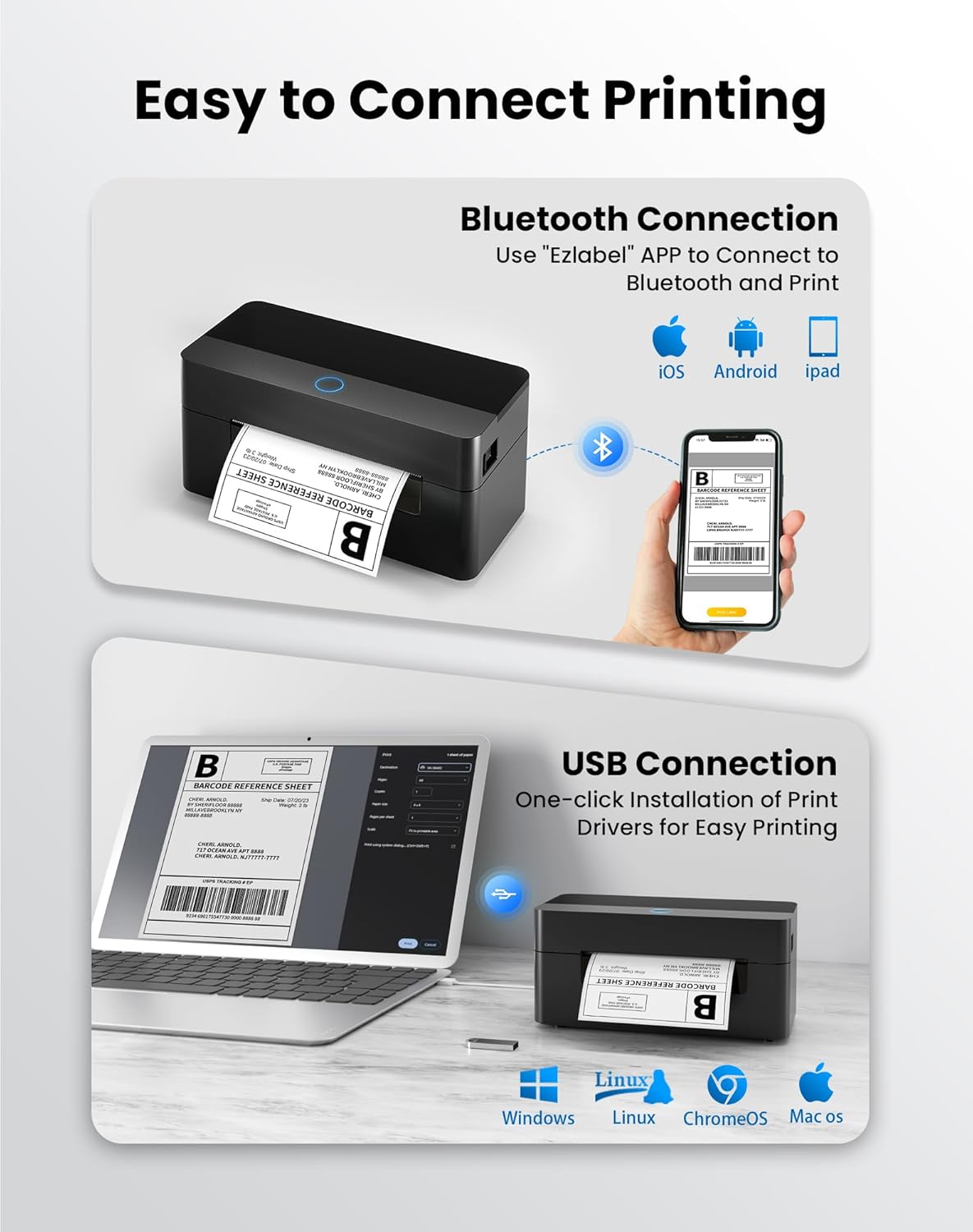
3.2.1 Mobile App (Bluetooth-Verbindung)
For mobile printing, download the 'Ezlabel' application from your device's app store (available for iOS and Android).
- Suchen nach 'Ezlabel' in the App Store (iOS) or Google Play Store (Android).
- Laden Sie die Anwendung herunter und installieren Sie sie.
- Aktivieren Sie Bluetooth auf Ihrem Mobilgerät.
- Open the 'Ezlabel' app and follow the in-app instructions to connect to your BPXX D463B printer via Bluetooth.
3.2.2 Computer Driver (USB Connection)
For computer printing, install the appropriate drivers for your operating system (Windows, Mac OS, Linux, ChromeOS). Drivers are provided on the included USB flash drive or can be downloaded from the official webWebsite.
- Stecken Sie den mitgelieferten USB-Stick in Ihren Computer.
- Locate and run the installer for your operating system.
- Befolgen Sie die Anweisungen auf dem Bildschirm, um die Treiberinstallation abzuschließen.
- Alternatively, download drivers from: BPXX Driver Download
4. Bedienungsanleitung
4.1 Ladeetiketten
Ensure the thermal labels are loaded correctly for optimal printing. The printer supports thermal labels with widths ranging from 1 to 4.5 inches, including standard 4x6 inch shipping labels.
- Öffnen Sie die obere Abdeckung des Druckers.
- Place the roll of thermal labels into the label compartment, ensuring the printable side faces upwards.
- Feed the first label through the printer's output slot until it is slightly extended.
- Passen Sie die Etikettenführungen so an, dass sie genau zur Breite Ihrer Etiketten passen, aber nicht zu eng sitzen.
- Schließen Sie die obere Abdeckung. Der Drucker erkennt die Etikettengröße automatisch und kalibriert sich.

4.2 Printing via Bluetooth (Mobile App)
- Ensure the printer is powered on and connected to the 'Ezlabel' app via Bluetooth.
- Open the 'Ezlabel' app on your mobile device.
- Select or create your desired label design. The app includes preset templates for various label sizes.
- Confirm print settings such as label size and quantity.
- Starten Sie den Druckvorgang über die App.
4.3 Printing via USB (Computer)
- Verbinden Sie den Drucker mit dem mitgelieferten USB-Kabel mit Ihrem Computer.
- Ensure the printer drivers are correctly installed.
- Open the document or application from which you wish to print (e.g., a PDF viewer, shipping software).
- Select the BPXX D463B printer from your printer options.
- Adjust print settings as needed (e.g., paper size to 4x6 inches for shipping labels).
- Send the print command.
4.4 Supported Platforms and Print Quality
The BPXX D463B printer is compatible with major shipping carriers and e-commerce platforms, facilitating the printing of shipping labels, return labels, and postage-Etiketten.
- Shipping Carriers: FedEx, UPS, USPS, DHL, EasyPost, etc.
- E-commerce Platforms: Amazon, Shopify, Etsy, eBay, Walmart, etc.
The printer utilizes a high-quality thermal print head and advanced algorithms to deliver clear and sharp barcodes and text at 203 DPI resolution. It achieves a high-speed output of 152mm/s, capable of printing approximately 72 4x6 inch shipping labels per minute.


5. Wartung
Regelmäßige Wartung gewährleistet optimale Leistung und verlängert die Lebensdauer Ihres Druckers.
- Reinigen des Druckkopfes: Verwenden Sie ein Alkoholtupfer oder einen speziellen Thermodrucker-Reinigungsstift, um den Druckkopf vorsichtig abzuwischen. Stellen Sie sicher, dass der Drucker ausgeschaltet und abgekühlt ist, bevor Sie ihn reinigen.
- Reinigung der Außenseite: Wischen Sie die Außenseite des Druckers mit einem weichen, fusselfreien Tuch ab.amp Tuch. Vermeiden Sie die Verwendung aggressiver Chemikalien oder scheuernder Materialien.
- Staubentfernung: Periodically use compressed air to clear any dust or paper debris from inside the label compartment.
6. Fehlerbehebung
If you encounter issues with your BPXX D463B printer, refer to the following common problems and solutions:
- Drucker reagiert nicht:
- Ensure the power cord is securely connected and the printer is turned on.
- For Bluetooth connection, verify that Bluetooth is enabled on your device and the printer is paired within the 'Ezlabel' app.
- For USB connection, check the USB cable connection and ensure drivers are correctly installed. Try a different USB port or cable.
- Poor Print Quality (Faint/Streaky Prints):
- Reinigen Sie den Druckkopf wie im Abschnitt Wartung beschrieben.
- Verwenden Sie unbedingt hochwertige Thermotransferetiketten.
- Check print density settings in the 'Ezlabel' app or printer preferences on your computer.
- Etiketten werden nicht korrekt zugestellt:
- Verify that labels are loaded correctly and aligned with the guide rails.
- Stellen Sie sicher, dass der Beschriftungspfad frei von Hindernissen ist.
- Perform a label calibration from the printer settings or app if available.
- Printer Offline Error:
- Starten Sie sowohl den Drucker als auch Ihren Computer/Ihr Mobilgerät neu.
- Re-establish the Bluetooth or USB connection.
- Check printer status in your operating system's printer settings.
7. Produktspezifikationen
| Modellname | D463B |
| Marke | BPXX |
| Drucktechnologie | Thermal |
| Konnektivitätstechnologie | Bluetooth, USB |
| Maximale Druckauflösung | 203 x 203 Dots Per Inch (DPI) |
| Maximale Druckgeschwindigkeit | 152 mm/s (72 labels per minute) |
| Maximale Mediengröße | 4 x 6 Zoll |
| Unterstützte Etikettenbreite | 1 - 4.5 Zoll |
| Kompatible Geräte | PC (Windows, Mac OS, Linux, ChromeOS), Smartphones (iOS, Android) |
| Kontrollmethode | App ('Ezlabel'), USB |
| Technische Daten | 7.3"T x 3.3"B x 3.3"H |
| Artikelgewicht | 1.6 Pfund |
| Im Lieferumfang enthaltene Komponenten | Printer, USB Cable, User Manual, USB Flash Drive, Sample Labels, Power Cord, Power Adapter |
8. Garantie und Support
The BPXX D463B Thermal Shipping Label Printer comes with a limited warranty. For specific warranty terms and conditions, please refer to the documentation included with your product or contact BPXX customer support.
For technical assistance, troubleshooting, or any inquiries regarding your product, please contact BPXX customer support through the official webWebsite oder die Kontaktinformationen, die auf Ihrer Produktverpackung angegeben sind.


