1. Einleitung
Thank you for choosing the himaly IF1010AR Digital Bluetooth Body Weight Scale. This scale is designed to provide accurate measurements of your body weight and various body composition metrics, including BMI, body fat, muscle mass, and more, through its integrated mobile application. Please read this manual carefully before use to ensure proper operation and to maximize the benefits of your new scale.
Wichtige Sicherheitsinformationen
- Consult your physician before beginning any diet or exercise program.
- Do not use if you are pregnant, have a pacemaker, or other internal medical devices.
- Stellen Sie die Waage für genaue Messungen auf eine harte, ebene Fläche. Vermeiden Sie Teppiche oder unebene Böden.
- Die Waage kann im nassen Zustand rutschig sein. Stellen Sie sicher, dass die Oberfläche trocken ist, bevor Sie sie betreten.
- Springen Sie nicht auf die Waage.
- Außerhalb der Reichweite von Kindern aufbewahren.
- Diese Waage ist nur für den Hausgebrauch bestimmt und nicht für medizinische Diagnosen oder Behandlungen.
2. Packungsinhalt
Überprüfen Sie, ob alle Artikel in Ihrem Paket vorhanden sind:
- himaly IF1010AR Digital Bluetooth Body Weight Scale
- USB-Ladekabel
- Benutzerhandbuch (dieses Dokument)
3. Produktüberschreitungview
The himaly IF1010AR scale features a sleek design with a tempered glass surface and four high-precision sensors for accurate measurements. It includes a digital display and Bluetooth connectivity for app integration.

Abbildung 3.1: Vorderseite view of the himaly IF1010AR Digital Bluetooth Body Weight Scale, showing the display and electrode pads, alongside a smartphone displaying the companion app interface.

Abbildung 3.2: Unterseite view of the himaly IF1010AR scale, highlighting the four non-slip mats, the 'UNIT' button for changing measurement units, and the USB charging port.
Komponenten:
- Plattform aus gehärtetem Glas: Die Hauptwägefläche.
- Elektrodenpads: Four metallic pads for body composition analysis.
- Digitales LCD-Display: Shows weight and other basic readings.
- UNIT-Taste: Located on the underside, used to switch between weight units (kg/lb/st).
- USB Ladeanschluss: Zum Aufladen des internen Akkus.
- Non-Slip Mats: Four rubber feet on the bottom for stability.
4. Einrichtung
4.1 Aufladen der Waage
The himaly IF1010AR scale is equipped with a built-in rechargeable battery. Before first use, ensure the scale is fully charged.
- Locate the USB charging port on the underside of the scale (refer to Figure 3.2).
- Connect the provided USB charging cable to the scale and to a standard USB power adapter (not included) or a computer's USB port.
- Das Display zeigt den Ladestatus an. Laden Sie den Akku, bis die Akkuanzeige „voll“ anzeigt.

Abbildung 4.1: Nahaufnahme view illustrating the USB charging port on the side of the scale and the included USB cable for power.
4.2 App-Download und Kopplung
To access full body composition analysis and track your progress, download the companion app and pair it with your scale.
- Laden Sie die App herunter: Suchen nach Laden Sie „Moving Life“ im Apple App Store (für iOS-Geräte) oder im Google Play Store (für Android-Geräte) herunter und installieren Sie die App.
- Bluetooth aktivieren: Stellen Sie sicher, dass Bluetooth auf Ihrem Smartphone aktiviert ist.
- Öffnen Sie die App: Launch the "Moving Life" app and follow the on-screen instructions to create your user profile.
- Die Skala passend zusammenstellen: Step onto the scale barefoot to activate it. The app should automatically detect and connect to the scale via Bluetooth. If not, follow the app's instructions for manual pairing.

Figure 4.2: Image showing the scale's Bluetooth connectivity and icons for downloading the "Moving Life" app from Google Play and the App Store.
4.3 Erstkalibrierung
For the most accurate first measurement, it is recommended to calibrate the scale:
- Stellen Sie die Waage auf eine harte, flache Oberfläche.
- Lightly step on the scale until the display lights up, then step off immediately.
- The display will show "0.0" or "CAL" indicating successful calibration.
5. Bedienungsanleitung
5.1 Messung durchführen
Follow these steps for an accurate body composition measurement:
- Achten Sie darauf, dass Ihre Füße sauber und trocken sind.
- Open the "Moving Life" app on your smartphone and ensure Bluetooth is active.
- Step onto the scale barefoot, placing your feet on the electrode pads. Stand still until the measurement is complete.
- Your weight will be displayed on the scale's LCD. Detailed body composition data will be sent to the app.
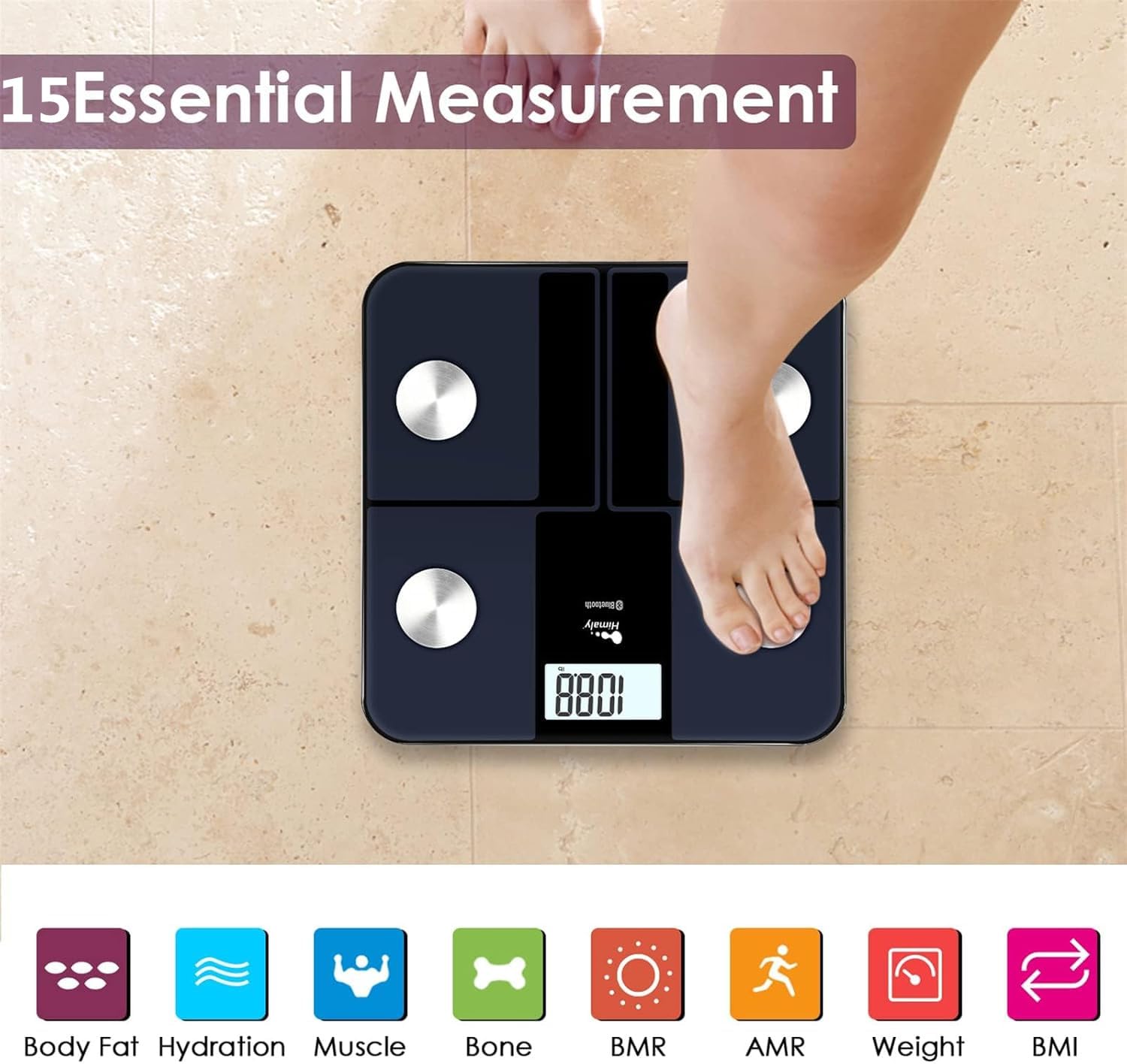
Figure 5.1: A person standing barefoot on the himaly scale, demonstrating the correct posture for obtaining 15 essential body composition measurements.
5.2 Das Display verstehen
The scale's LCD displays your weight. The app provides a more comprehensive breakdown of your body composition.

Figure 5.2: The scale's LCD display illustrating how different weight ranges (Thin, Slim, Normal, Heavy, Overweight) are visually represented, providing a quick reference for body type.
5.3 Mehrbenutzer-Profiles
The "Moving Life" app supports multiple user profiles, allowing each family member to track their individual health data.
- Navigieren Sie innerhalb der App zum Bereich Benutzerverwaltung.
- Neue Benutzer können hinzugefügt werden, indem deren Daten (Alter, Größe, Geschlecht) eingegeben werden.
- Stellen Sie sicher, dass das richtige Benutzerprofil verwendet wird.file is selected in the app before taking a measurement to ensure data is assigned correctly.
6. Ihre Messwerte verstehen
The "Moving Life" app provides detailed insights into various body composition metrics. Here's a brief explanation of some key indicators:
- Körpergewicht: Ihre gesamte Körpermasse.
- BMI (Body-Mass-Index): Ein Maß für den Körperfettanteil, basierend auf Größe und Gewicht.
- Körperfettanteiltage: Der Anteil des Fetts am gesamten Körpergewicht.
- Muskelmasse: Das Gesamtgewicht der Muskulatur in Ihrem Körper.
- Hydration (Water Percentage): Die Wassermenge in Ihrem Körper.
- Knochenmasse: Das Gesamtgewicht der Knochen in Ihrem Körper.
- BMR (Grundumsatz): Die Anzahl der Kalorien, die Ihr Körper im Ruhezustand verbrennt.
- AMR (Aktive Stoffwechselrate): The total calories your body burns in a day, including activity.

Figure 6.1: An illustrative graph from the app demonstrating how weight and body fat trends can be tracked over time, providing visual progress monitoring.
7. Wartung
7.1 Reinigung
- Wischen Sie die Oberfläche der Waage mitamp Tuch und mildem Reinigungsmittel.
- Verwenden Sie keine Scheuermittel und tauchen Sie die Kalkablagerungen nicht in Wasser ein.
- Stellen Sie sicher, dass die Waage vor der Lagerung oder dem nächsten Gebrauch vollständig trocken ist.
7.2 Speicherung
- Bewahren Sie die Waage an einem kühlen, trockenen Ort auf.
- Vermeiden Sie direkte Sonneneinstrahlung und extreme Temperaturen.
8. Fehlerbehebung
| Problem | Mögliche Ursache | Lösung |
|---|---|---|
| "Lo" angezeigt | Schwache Batterie. | Laden Sie die Waage mit dem mitgelieferten USB-Kabel auf. |
| "Fehler" angezeigt | Überlastung oder Messfehler. | Step off the scale. Ensure weight is within the 400 lbs (181 kg) limit. Recalibrate if necessary. |
| Ungenaue Messwerte | Scale on uneven surface, not calibrated, or feet not properly placed. | Place scale on a hard, flat surface. Perform initial calibration. Ensure bare feet are centered on electrode pads. |
| Keine Bluetooth-Verbindung | Bluetooth off, app not open, or scale not activated. | Ensure Bluetooth is enabled on your phone. Open the "Moving Life" app. Step on the scale to activate it. Try restarting both the app and your phone. |
| Body composition data not showing in app | Not standing barefoot, or feet not making proper contact with electrodes. | Ensure you are standing barefoot with clean, dry feet making full contact with all four electrode pads. |
9. Spezifikationen
| Besonderheit | Detail |
|---|---|
| Modellnummer | IF1010AR |
| Marke | Himalaja |
| Gewichtskapazität | 400 kg |
| Maßeinheiten | kg / lb / st |
| Anzeigetyp | Digital LCD |
| Konnektivität | Bluetooth 4.0 |
| Stromquelle | Built-in Rechargeable Battery (USB charged) |
| Material | Gehärtetes Glas, Kunststoff |
| Maße | Ca. 33.7 x 32.8 x 4.3 cm |
| Artikelgewicht | Ca. 1.77 kg |
| App-Kompatibilität | iOS and Android (Moving Life App) |
10. Garantie und Support
10.1 Garantieinformationen
The himaly IF1010AR Digital Bluetooth Body Weight Scale comes with a standard manufacturer's warranty. Please refer to the warranty card included in your package or contact himaly customer support for specific warranty terms and conditions. This warranty typically covers defects in materials and workmanship under normal use.
10.2 Kundendienst
If you encounter any issues or have questions regarding your himaly scale, please contact our customer support team. For the most up-to-date contact information, please visit the official himaly webBesuchen Sie die Webseite oder schauen Sie auf Ihrer Produktverpackung nach.
Note: Specific contact details are not provided in this manual. Please check the product packaging or manufacturer's webWebsite für Support-Kontaktinformationen.


