1. Einleitung
The BoxWave USB Expansion Adapter is an On-The-Go (OTG) host adapter designed to extend the functionality of your USB Type-C enabled device. It allows you to connect various USB peripherals, such as thumb drives, keyboards, and mice, transforming your device into a versatile productivity hub. This manual provides detailed instructions for the proper use and maintenance of your USB Expansion Adapter.
2. Produktüberschreitungview
The BoxWave USB Expansion Adapter facilitates enhanced connectivity for your USB Type-C device.
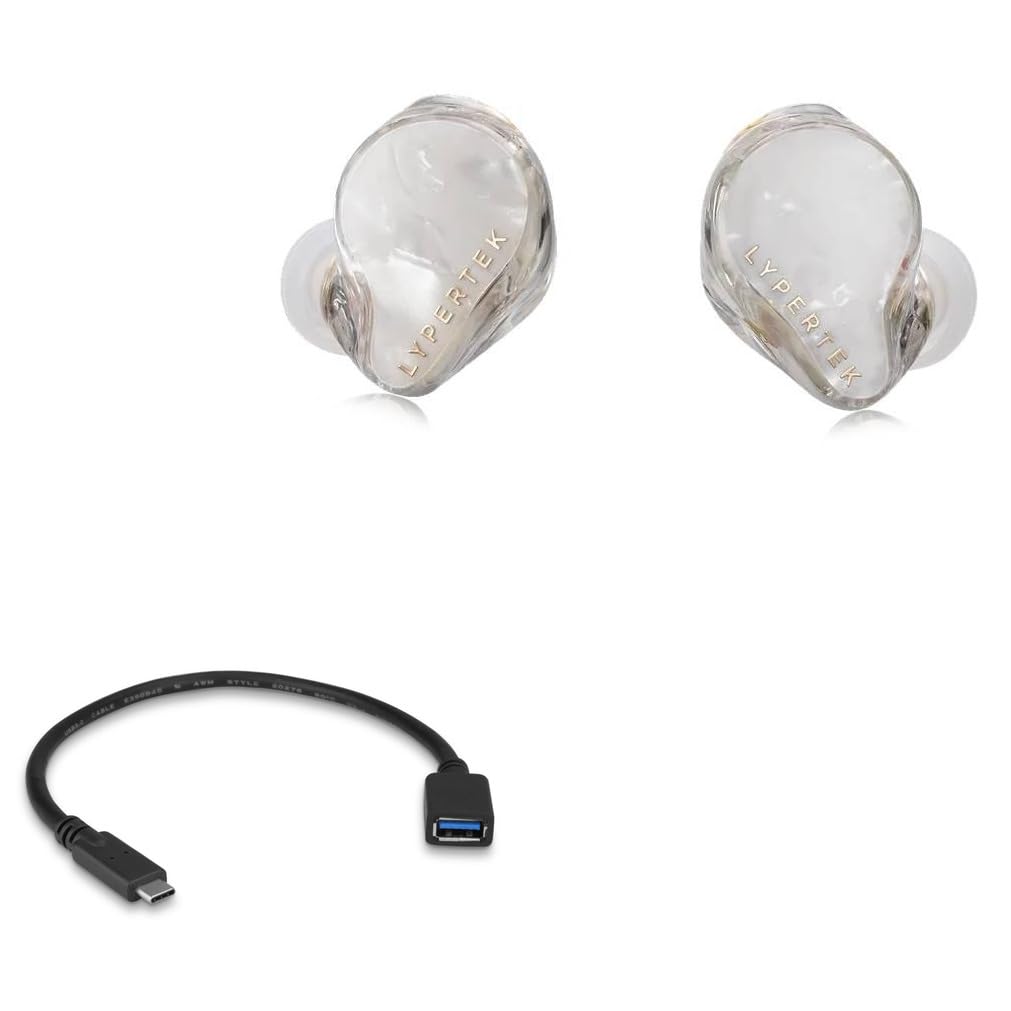
2.1. Hauptmerkmale
- OTG-Funktionalität: Enables your USB Type-C device to act as a host for USB peripherals.
- Erweiterter Speicher: Connect external thumb drives for additional data storage.
- Peripheriekonnektivität: Supports connection of USB keyboards and mice for improved navigation and data entry.
- Hochgeschwindigkeitsdatenübertragung: Nutzt den USB 2.0-Standard für eine effiziente Datenübertragung.
- Kompaktes Design: Tragbar und einfach zu tragen.
2.2. Packungsinhalt
- 1 x BoxWave USB Expansion Adapter
- (Note: Lypertek PurePlay C3 device is not included.)
3. Einrichtungsanweisungen
- Ports identifizieren: Locate the USB Type-C port on your device (e.g., Lypertek PurePlay C3 or other compatible smartphone/tablet).
- Adapter anschließen: Insert the USB Type-C connector of the BoxWave USB Expansion Adapter firmly into your device's USB Type-C port.
- Connect Peripheral: Plug your desired USB peripheral (e.g., USB flash drive, keyboard, mouse) into the standard USB-A port on the BoxWave USB Expansion Adapter.
- Geräteerkennung: Your device should automatically recognize the connected peripheral. For storage devices, you may need to access a file manager application. For input devices, they should function immediately.
4. Operating the USB Expansion Adapter
4.1. Connecting a USB Thumb Drive
The adapter allows you to expand your device's storage by connecting a USB thumb drive. This is useful for backing up photos, videos, documents, and other files, or for accessing media directly from the drive.

4.2. Anschließen einer USB-Tastatur
For enhanced typing speed and accuracy, connect a standard USB keyboard to your device via the adapter. This is particularly useful for drafting long emails, documents, or navigating complex interfaces.

4.3. Connecting a USB Mouse
A USB mouse can be connected to provide a more precise and familiar navigation experience, especially for applications that benefit from pointer control.

5. Pflege und Wartung
- Halten Sie den Adapter sauber und frei von Staub und Schmutz. Verwenden Sie zum Reinigen ein weiches, trockenes Tuch.
- Setzen Sie den Adapter keinen extremen Temperaturen oder hoher Luftfeuchtigkeit aus.
- Das Kabel darf nicht übermäßig gebogen oder verdreht werden, um interne Schäden zu vermeiden.
- Bewahren Sie den Adapter bei Nichtgebrauch an einem kühlen, trockenen Ort auf.
- Avoid using harsh chemicals or abrasive cleaners on the adapter.
6. Fehlerbehebung
| Problem | Mögliche Ursache | Lösung |
|---|---|---|
| Device does not recognize peripheral. | Falsche Verbindung. | Ensure the adapter is fully inserted into the device's USB Type-C port and the peripheral is fully inserted into the adapter's USB-A port. |
| Peripheral not functioning. | Peripheral requires external power or is incompatible. | Some high-power peripherals may not work without external power. Verify peripheral compatibility with OTG standards. Try a different peripheral to isolate the issue. |
| Langsame Datenübertragung. | USB 2.0 standard limitation or device/peripheral issue. | The adapter operates at USB 2.0 speeds. Ensure your device and peripheral are not bottlenecking the transfer. |
| Adapter feels loose. | Wear and tear or improper insertion. | Ensure proper insertion. If the issue persists, the adapter may be damaged and require replacement. |
7. Technische Daten
| Besonderheit | Detail |
|---|---|
| Produktname | BoxWave USB-Erweiterungsadapter |
| Modell | USB Expansion Adapter |
| Konnektivität | USB Type-C (Male) to USB-A (Female) |
| Standard | USB 2.0 |
| Kompatibilität | Devices with USB Type-C port supporting OTG functionality (e.g., Lypertek PurePlay C3) |
| Gewicht | Ungefähr 0.3 Unzen |
| Hersteller | BoxWave |
8. Garantie und Support
BoxWave provides limited third-party technical support for the USB Expansion Adapter. For assistance, please contact BoxWave customer support via electronic messaging. Please note that this product is not affiliated with or endorsed by Lypertek. For the most current warranty information and support options, please refer to the official BoxWave webWebsite oder wenden Sie sich direkt an den Kundendienst.


