1. Einleitung
This user manual provides comprehensive instructions for the installation, operation, and maintenance of your HUNTVISION E3-Z Security Camera. Please read this manual thoroughly before using the product to ensure proper function and safety. Keep this manual for future reference.
2. Sicherheitshinweise
Beachten Sie stets die folgenden Sicherheitsrichtlinien, um Schäden am Gerät oder Verletzungen zu vermeiden:
- Stellen Sie sicher, dass die Stromversorgung den Anforderungen der Kamera entspricht.
- Setzen Sie die Kamera weder extremen Temperaturen noch über längere Zeiträume direkter Sonneneinstrahlung aus.
- Avoid placing the camera near strong magnetic fields.
- Versuchen Sie nicht, die Kamera zu zerlegen oder zu verändern. Überlassen Sie alle Wartungsarbeiten qualifiziertem Fachpersonal.
- Bewahren Sie die Kamera und das Zubehör außerhalb der Reichweite von Kindern auf.
- Ensure proper mounting to prevent the camera from falling.
3. Packungsinhalt
Überprüfen Sie, ob alle Artikel im Paket vorhanden sind:
- HUNTVISION E3-Z Security Camera (1)
- Netzteil (1)
- Datenleitung (1)
- Auxiliary Package (1)
- Benutzerhandbuch (Dieses Handbuch)
Hinweis: Sollten Artikel fehlen oder beschädigt sein, wenden Sie sich bitte an den Kundendienst.
4. Produktüberschreitungview
The HUNTVISION E3-Z is a 3MP PTZ (Pan-Tilt-Zoom) outdoor security camera designed for comprehensive surveillance. It features AI motion tracking, full-color night vision, and two-way audio communication.

Abbildung 4.1: Front view of the HUNTVISION E3-Z Security Camera, showing the lens, IR LEDs, and dual antennas.
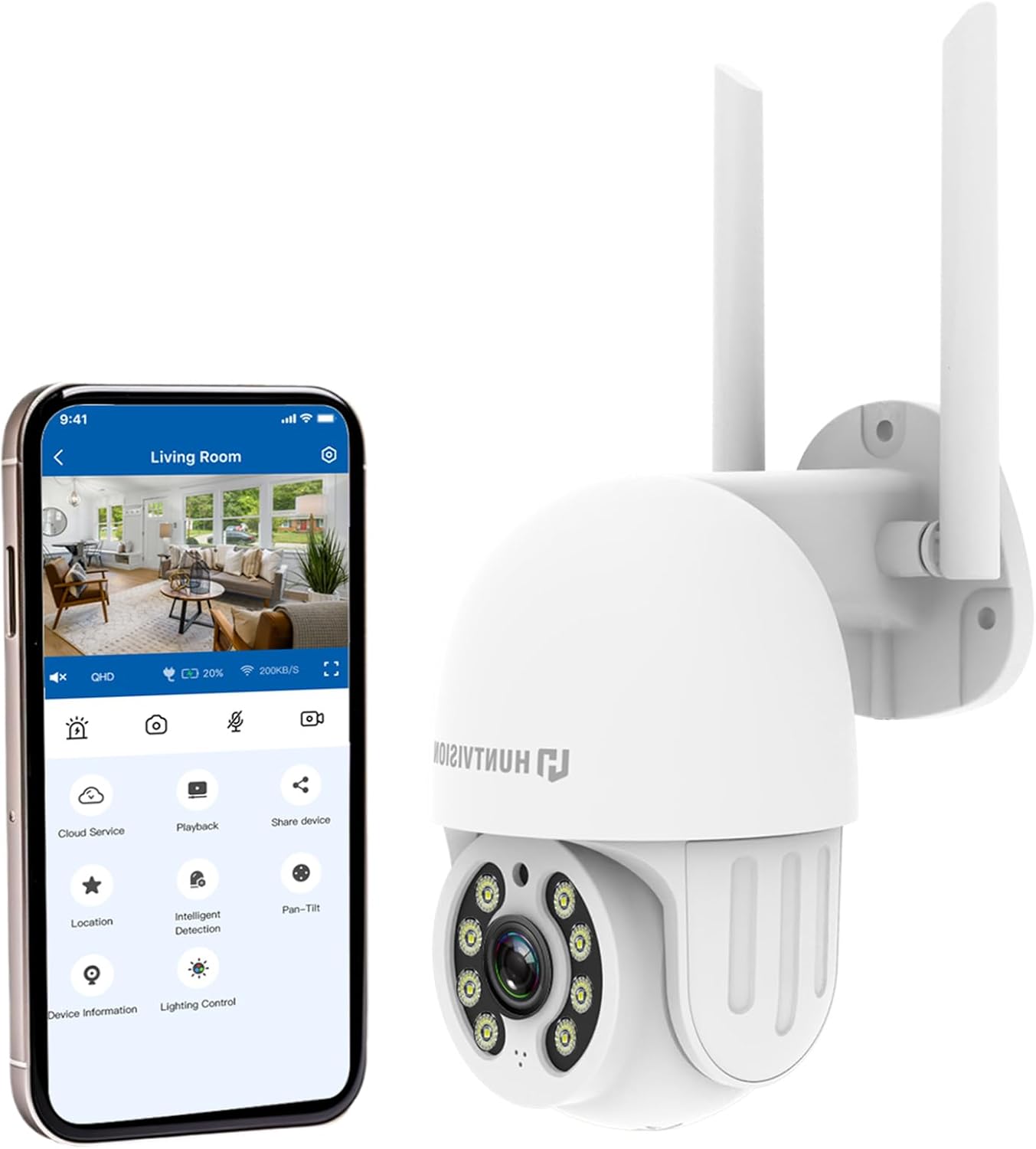
Abbildung 4.2: The HUNTVISION E3-Z camera alongside a smartphone displaying the companion mobile application interface, illustrating remote control capabilities.
Hauptmerkmale:
- 3MP Full HD Resolution: Captures clear 2304×1296 footage.
- 24/7 Color Night Vision: Advanced starlight technology for full-color monitoring in low light.
- Intelligente KI-Erkennung: Distinguishes people, vehicles, and animals with AI-powered motion tracking.
- 360°-PTZ-Steuerung: Remote pan, tilt, and zoom via the Huntvision app.
- Zweiwege-Audio: Eingebautes Mikrofon und Lautsprecher zur Kommunikation.
- IP65 Wetterfest: Designed to withstand outdoor conditions (rain, snow, dust).
- Dual Storage: Supports up to 128GB TF card and cloud storage options.
- Einfache Einrichtung: 2.4G WiFi and Bluetooth 4.2 for quick installation.
5. Einrichtung und Installation
5.1 Standort auswählen
Wählen Sie einen geeigneten Standort im Freien, der die gewünschten Bedingungen bietet. viewing angle and is within range of your 2.4G WiFi network. The camera is IP65 weatherproof, making it suitable for various outdoor environments.

Abbildung 5.1: Examples of suitable installation environments, including residential homes, farms, construction sites, and commercial properties.
5.2 Montage der Kamera
The camera supports wall mounting. Use the provided auxiliary package for secure installation.
- Markieren Sie die Bohrpunkte an der Wand, indem Sie die Montagehalterung als Schablone verwenden.
- Bohren Sie Löcher und setzen Sie bei Bedarf Dübel ein.
- Befestigen Sie die Montagehalterung mit Schrauben an der Wand.
- Befestigen Sie die Kamera an der Montagehalterung und achten Sie darauf, dass sie fest sitzt.
5.3 Einschalten und Ersteinrichtung
- Schließen Sie das Netzteil an die Kamera an und stecken Sie es in eine Steckdose.
- Download the "Huntvision" app from your mobile app store (available for iOS).
- Open the app and follow the on-screen instructions to add your camera. The camera uses Bluetooth 4.2 for initial configuration, simplifying the WiFi connection process.
- Ensure your mobile device is connected to a 2.4G WiFi network during setup.
6. Bedienung der Kamera
6.1 Live View und PTZ-Steuerung
Sobald die Verbindung hergestellt ist, können Sie auf die Live-Übertragung zugreifen. view through the Huntvision app. You can remotely control the camera's pan (355°) and tilt (85°) functions to adjust the viewing-Winkel.

Abbildung 6.1: Illustration of the camera's remote pan (355°) and tilt (85°) capabilities, controlled via the mobile application, along with 6X digital zoom.
6.2 Bewegungserkennung und Benachrichtigungen
The camera features smart AI detection to distinguish between people, vehicles, and animals. Configure alert settings in the app to receive instant notifications on your mobile device when motion is detected.

Abbildung 6.2: Depiction of motion detection triggering a siren alert, spotlight alarm, and app notification push, alongside the two-way audio function.
6.3 Nachtsichtmodi
The E3-Z offers multiple night vision modes:
- Vollfarb-Nachtsicht: Utilizes advanced starlight technology to provide color images in low-light conditions.
- IR Nachtsicht: Standard black and white infrared vision for complete darkness.
- Intelligente Nachtsicht: Automatischer Wechsel zwischen Infrarot- und Farbnachtsicht je nach erkannter Bewegung oder Lichtverhältnissen.
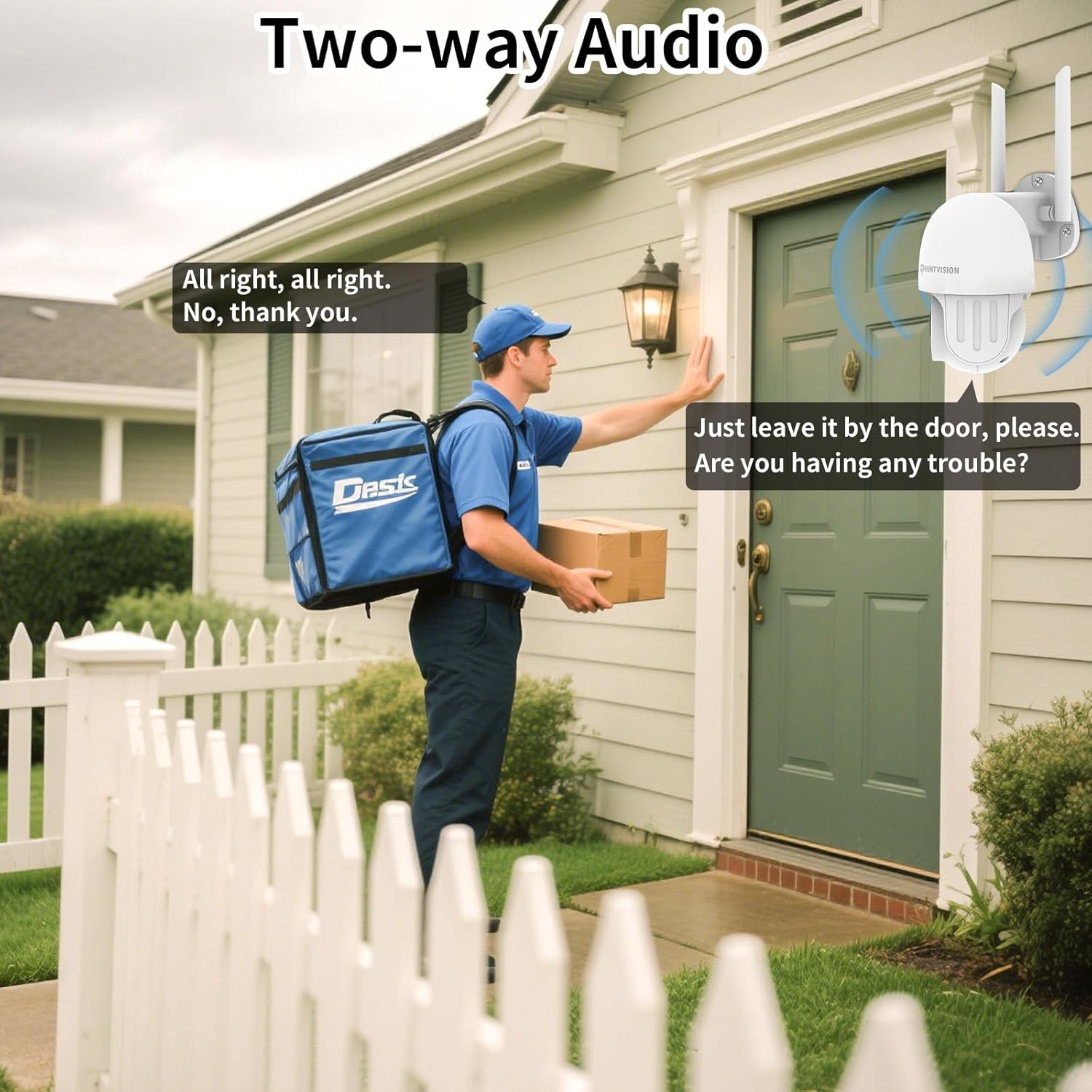
Abbildung 6.3: Visual comparison of Color Night Vision, IR Night Vision, and Smart Night Vision modes, demonstrating clear visibility in various nighttime scenarios.
6.4 Zwei-Wege-Audio
Use the two-way audio feature to communicate with individuals near the camera. This is useful for deterring intruders or speaking with delivery personnel.

Abbildung 6.4: Ein Example of two-way audio in use, showing a user communicating with a delivery person through the camera.
6.5 Speichermöglichkeiten
The camera supports local storage via a TF (microSD) card up to 128GB and cloud storage services. Insert the TF card into the designated slot on the camera.
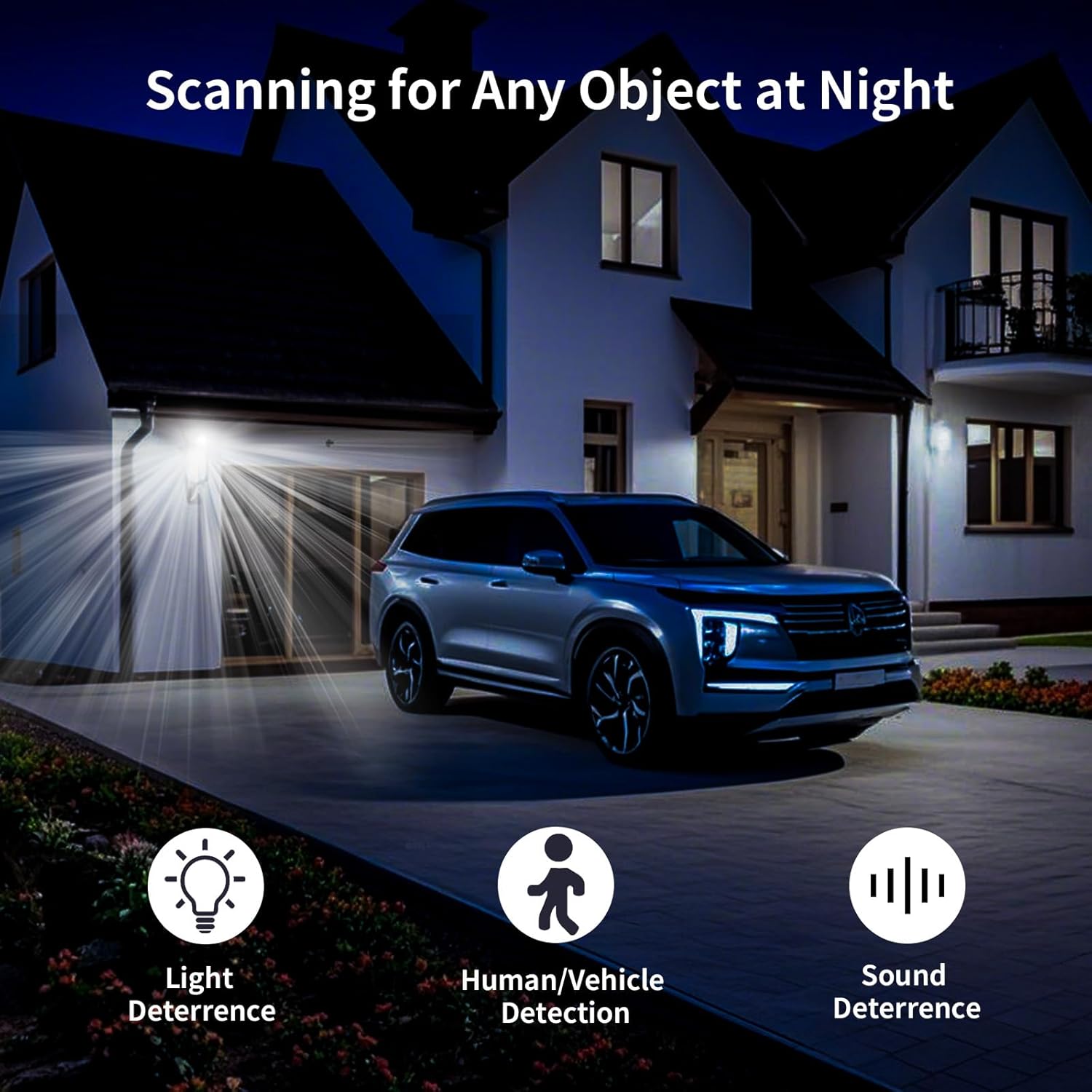
Abbildung 6.5: Nahaufnahme view of the TF card slot on the camera and a list of compatible memory card brands (Kingston, SanDisk, PNY) with supported capacities.
7. Wartung
Regelmäßige Wartung gewährleistet optimale Leistung und Langlebigkeit Ihrer Sicherheitskamera:
- Reinigung: Reinigen Sie Objektiv und Gehäuse der Kamera vorsichtig mit einem weichen, trockenen Tuch. Verwenden Sie keine scharfen Chemikalien oder Scheuermittel.
- Firmware-Updates: Check the Huntvision app regularly for firmware updates. Keeping your camera's firmware up-to-date ensures access to the latest features and security enhancements.
- Aus- und Wiedereinschalten: Sollte die Kamera nicht mehr reagieren, versuchen Sie, sie für einige Sekunden vom Stromnetz zu trennen und sie dann wieder anzuschließen.
- Speicherverwaltung: In regelmäßigen Abständenview und verwalten Sie Ihre aufgezeichneten Footage. If using a TF card, ensure it has sufficient space or consider setting up automatic overwriting.
8. Fehlerbehebung
If you encounter issues with your HUNTVISION E3-Z camera, refer to the following common problems and solutions:
| Problem | Mögliche Ursache | Lösung |
|---|---|---|
| Kamera offline in der App | No power; WiFi disconnected; Router issues | Check power connection; Verify WiFi signal strength; Restart router and camera; Re-add camera to app if necessary. |
| Schlechte Bildqualität | Verschmutzte Linse; Schwaches Licht; Probleme mit der Netzwerkbandbreite | Clean the lens; Ensure adequate lighting or proper night vision mode; Check network speed. |
| Bewegungsalarme wurden nicht empfangen | App notifications disabled; Detection sensitivity too low; Incorrect detection zone settings | Enable app notifications; Adjust detection sensitivity; Configure detection zones in the app. |
| Zwei-Wege-Audio funktioniert nicht | Microphone/speaker muted in app; Network latency | Überprüfen Sie die Audioeinstellungen in der App; Stellen Sie eine stabile Netzwerkverbindung sicher. |
| TF-Karte zeichnet nicht auf | Card full; Card not formatted; Incompatible card | Format the TF card via the app; Replace with a compatible card (up to 128GB); Check recording settings. |
For further assistance, please contact HUNTVISION customer support.
9. Spezifikationen
| Besonderheit | Detail |
|---|---|
| Modellname | 3MP Outdoor PTZ Camera (E3-Z) |
| Auflösung | 3 MP (2304 x 1296p) |
| Konnektivitätstechnologie | Wireless (2.4G WiFi, Bluetooth 4.2 for setup) |
| Schwenk-/Neigebereich | Pan 355 °, Neigung 85 ° |
| Nachtsicht | Full-Color Night Vision, IR Night Vision, Smart Night Vision |
| Audio | 2-Wege-Audio |
| Speicheroptionen | TF-Karte (bis zu 128 GB), Cloud-Speicher |
| Wetterfeste Bewertung | IP65 |
| Stromquelle | Kabelgebundene Elektrik |
| Montagetyp | Wandhalterung |
| Abmessungen (L x B x H) | 6.36 x 5.31 x 3.62 Zoll |
| Artikelgewicht | 1 Pfund |
| Im Lieferumfang enthaltene Komponenten | Camera, Power adapter, Data line, Auxiliary package, User guide |
10. Garantie und Support
HUNTVISION products come with a standard manufacturer's warranty. Please refer to the warranty card included in your package or visit the official HUNTVISION webAuf der Webseite finden Sie die detaillierten Garantiebedingungen.
Kundendienst:
If you require technical assistance or have questions regarding your HUNTVISION E3-Z Security Camera, please contact our customer support team. For the most up-to-date contact information, please visit the official HUNTVISION webBesuchen Sie die Website oder konsultieren Sie die Kontaktdaten auf Ihrer Produktverpackung.
Please have your model number (E3-Z) and purchase information ready when contacting support.


