1. Einleitung
The Hello Kitty Sunrise Alarm Clock is designed to provide a gentle and natural waking experience with its sunrise simulation feature. This digital alarm clock includes multicolor lights, an LED display showing time, date, and temperature, a USB charging port, and a convenient snooze function. Its charming Cinnamoroll design adds a whimsical touch to any room.

Image 1: Hello Kitty Cinnamoroll Sunrise Alarm Clock with multicolor lighting.
2. Sicherheitshinweise
- Setzen Sie das Gerät keinen extremen Temperaturen, direkter Sonneneinstrahlung oder hoher Luftfeuchtigkeit aus.
- Verwenden Sie ausschließlich das mitgelieferte USB-Stromkabel oder ein zertifiziertes gleichwertiges Kabel.
- Halten Sie das Gerät von Wasser oder anderen Flüssigkeiten fern.
- Versuchen Sie nicht, das Gerät selbst zu zerlegen oder zu reparieren. Wenden Sie sich an qualifiziertes Servicepersonal.
- Stellen Sie sicher, dass das Gerät auf einer stabilen, ebenen Oberfläche steht.
3. Packungsinhalt
Bitte prüfen Sie das Paket auf folgende Artikel:
- Hello Kitty Sunrise Alarm Clock (Cinnamoroll design)
- USB-Stromkabel
- Benutzerhandbuch (dieses Dokument)
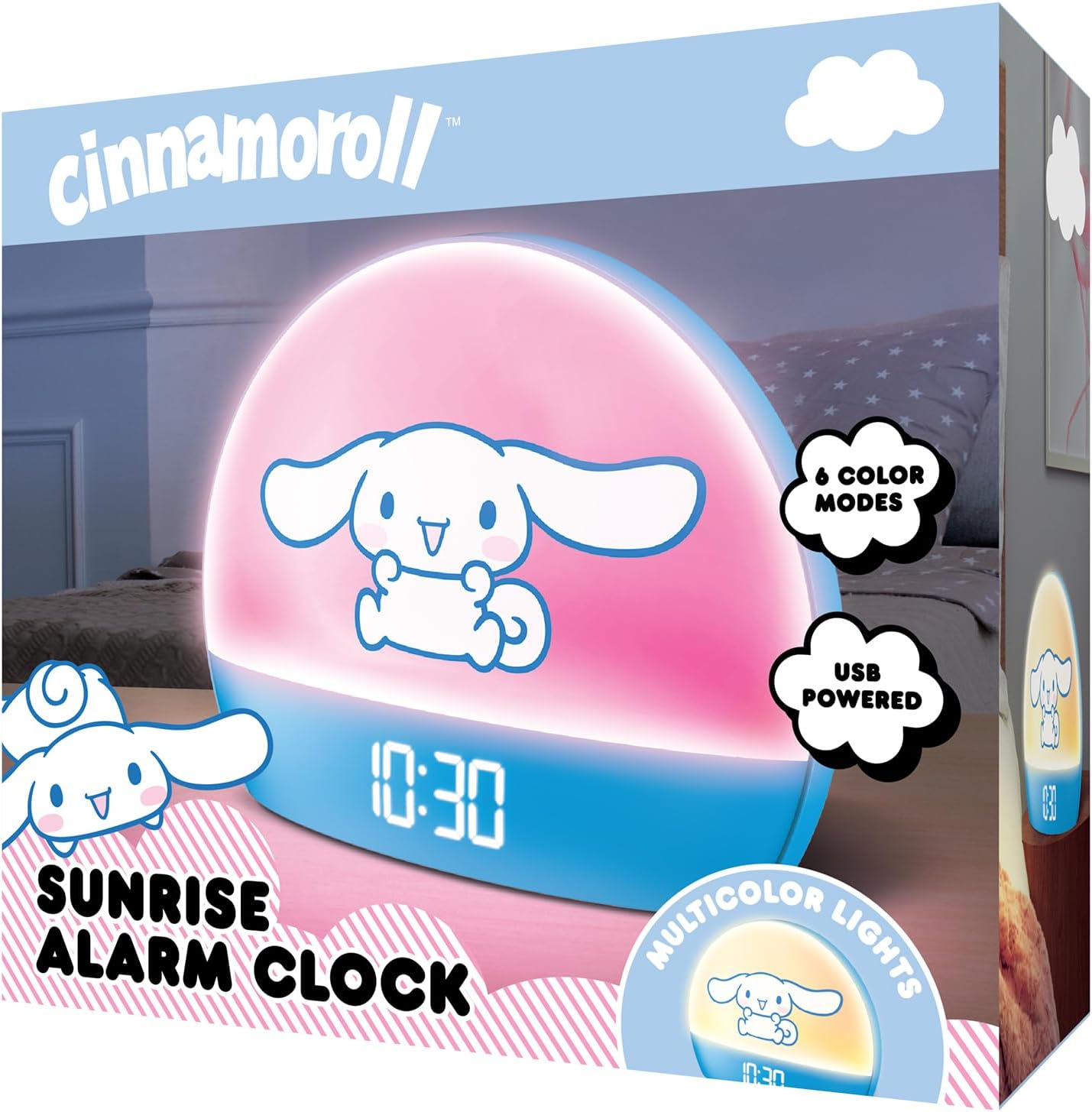
Image 2: Front packaging of the Hello Kitty Cinnamoroll Sunrise Alarm Clock.
4. Produktüberschreitungview
Familiarize yourself with the main components of your alarm clock.
- LED-Anzeige: Zeigt Uhrzeit, Datum und Temperatur an.
- Lichtpaneel: Emits multicolor and sunrise simulation lights.
- Bedientasten: Located on the back or bottom for setting time, alarm, and light functions.
- USB Ladeanschluss: For powering the device and charging external devices.
- Schlummertaste: Typically a prominent button on the top or front.

Image 3: Hello Kitty Cinnamoroll Sunrise Alarm Clock in a bedroom setting.
5. Einrichtung
5.1 Stromanschluss
- Connect the provided USB power cable to the USB port on the back of the alarm clock.
- Stecken Sie das andere Ende des USB-Kabels in ein kompatibles USB-Netzteil (nicht im Lieferumfang enthalten) oder in einen USB-Anschluss mit Stromversorgung.
- The LED display will light up, indicating the device is powered on.
5.2 Uhrzeit und Datum einstellen
Specific button names are not provided, so general instructions are given. Refer to the physical device for exact button labels.
- Press the "SET" or "TIME" button to enter time setting mode.
- Use the "UP" and "DOWN" buttons to adjust the hour. Press "SET" again to confirm.
- Adjust the minute using "UP" and "DOWN" buttons. Press "SET" to confirm.
- Setzen Sie diesen Vorgang fort, um Jahr, Monat und Tag einzustellen.
- The clock may offer 12-hour or 24-hour format selection. Follow on-screen prompts or consult the device's specific button functions.
6. Bedienungsanleitung
6.1 Wecker stellen
- Drücken Sie die Taste „ALARM“, um in den Alarm-Einstellungsmodus zu gelangen.
- Use "UP" and "DOWN" buttons to set the desired alarm hour. Press "ALARM" to confirm.
- Adjust the alarm minute. Press "ALARM" to confirm.
- Some models may allow setting alarm volume or sound. Follow prompts if available.
- To activate/deactivate the alarm, look for an "ALARM ON/OFF" button or a toggle within the alarm setting menu.
6.2 Sonnenaufgangssimulation
The sunrise simulation feature gradually increases light intensity before your set alarm time, mimicking a natural sunrise.
- This feature is typically linked to the alarm function. When the alarm is active, the light will begin to brighten a set period (e.g., 30 minutes) before the alarm sounds.
- Consult the device's specific controls for adjusting the duration or intensity of the sunrise simulation, if applicable.
6.3 mehrfarbige Lichter
The clock offers various color modes for ambient lighting.
- Press the "LIGHT" or "COLOR" button to cycle through different color options or activate a color-changing mode.
- Press and hold the "LIGHT" button to turn off the ambient light.
- Brightness of the display and ambient light can often be adjusted using dedicated buttons or by holding the "LIGHT" button.
6.4 Schlummerfunktion
When the alarm sounds, press the large "SNOOZE" button (usually on top) to temporarily pause the alarm. The alarm will sound again after a short interval (e.g., 5-10 minutes).
6.5 USB-Ladeanschluss
The integrated USB port can be used to charge small electronic devices like smartphones or tablets. Simply connect your device's charging cable to the USB port on the alarm clock.
6.6 Temperaturanzeige
The LED display shows the current room temperature. No specific action is usually required to view this, as it cycles with time and date or is displayed continuously.
7. Wartung
- Reinigen Sie die Uhr mit einem weichen, trockenen Tuch. Verwenden Sie keine Scheuermittel oder Lösungsmittel.
- Stellen Sie sicher, dass der USB-Anschluss frei von Staub und Schmutz ist.
- Bewahren Sie die Uhr an einem kühlen, trockenen Ort auf, wenn sie längere Zeit nicht benutzt wird.
8. Fehlerbehebung
| Problem | Mögliche Ursache | Lösung |
|---|---|---|
| Die Uhr lässt sich nicht einschalten. | USB-Kabel nicht richtig angeschlossen oder Problem mit der Stromversorgung. | Check USB cable connection. Try a different USB power adapter or port. Ensure the cable is securely inserted. |
| Time is incorrect or drifts. | Time not set correctly or internal clock issue. | Re-set the time following Section 5.2. If the issue persists, try disconnecting and reconnecting power. |
| Der Alarm ertönt nicht. | Alarm nicht aktiviert oder falsch eingestellt. | Verify the alarm is set and activated (check for an alarm icon on the display). Ensure the volume is not set to zero if adjustable. |
| Tasten reagieren nicht. | Temporary software glitch or physical button issue. | Disconnect power for a few seconds and reconnect to reset the device. If buttons remain unresponsive, contact support. |
| Der USB-Ladeanschluss funktioniert nicht. | Cable issue, device not fully powered, or port malfunction. | Ensure the clock is properly powered. Try a different USB charging cable. Check if the port is clean and free of debris. |
9. Spezifikationen
| Marke | Hallo Kitty |
| Modellnummer | HKCLK01CR-MFN |
| Farbe | Zimtschnecke |
| Anzeigetyp | Digitales |
| Besondere Merkmale | Adjustable Brightness, Alarm, Charging Port, LED Display, Temperature Display, Sunrise Simulation, Multicolor Lights |
| Technische Daten | 7 Zoll B x 6 Zoll H |
| Stromquelle | Kabelgebundener Strom (USB) |
| Material | Plastik |
| Artikelgewicht | 0.4 Kilogramm (14 Unzen) |
| Konnektivitätstechnologie | USB |
| Hersteller | Südliche Telekommunikation |
10. Garantie und Support
For warranty information or technical support, please refer to the contact details provided on the product packaging or visit the official Hello Kitty product support webWebsite. Bewahren Sie Ihren Kaufbeleg für Garantieansprüche auf.


