Einführung
The Xtrike Me KB-229 EN wired keyboard is a reliable and efficient input device designed for comfortable and precise typing. It features a standard layout with 104 keys, providing a comprehensive range of functions for everyday computing tasks. Engineered for durability, this keyboard offers an impressive operating life of up to 10 million keystrokes. Its USB 2.0 connectivity and a 1.4-meter cable ensure a stable and hassle-free connection to your computer. With a modern and elegant design, it integrates seamlessly into various workspace setups. Weighing 690 grams, it offers a solid feel while remaining portable. This keyboard is an ideal choice for users seeking a dependable wired keyboard with a classic design and robust construction, suitable for both professional work and leisure activities.
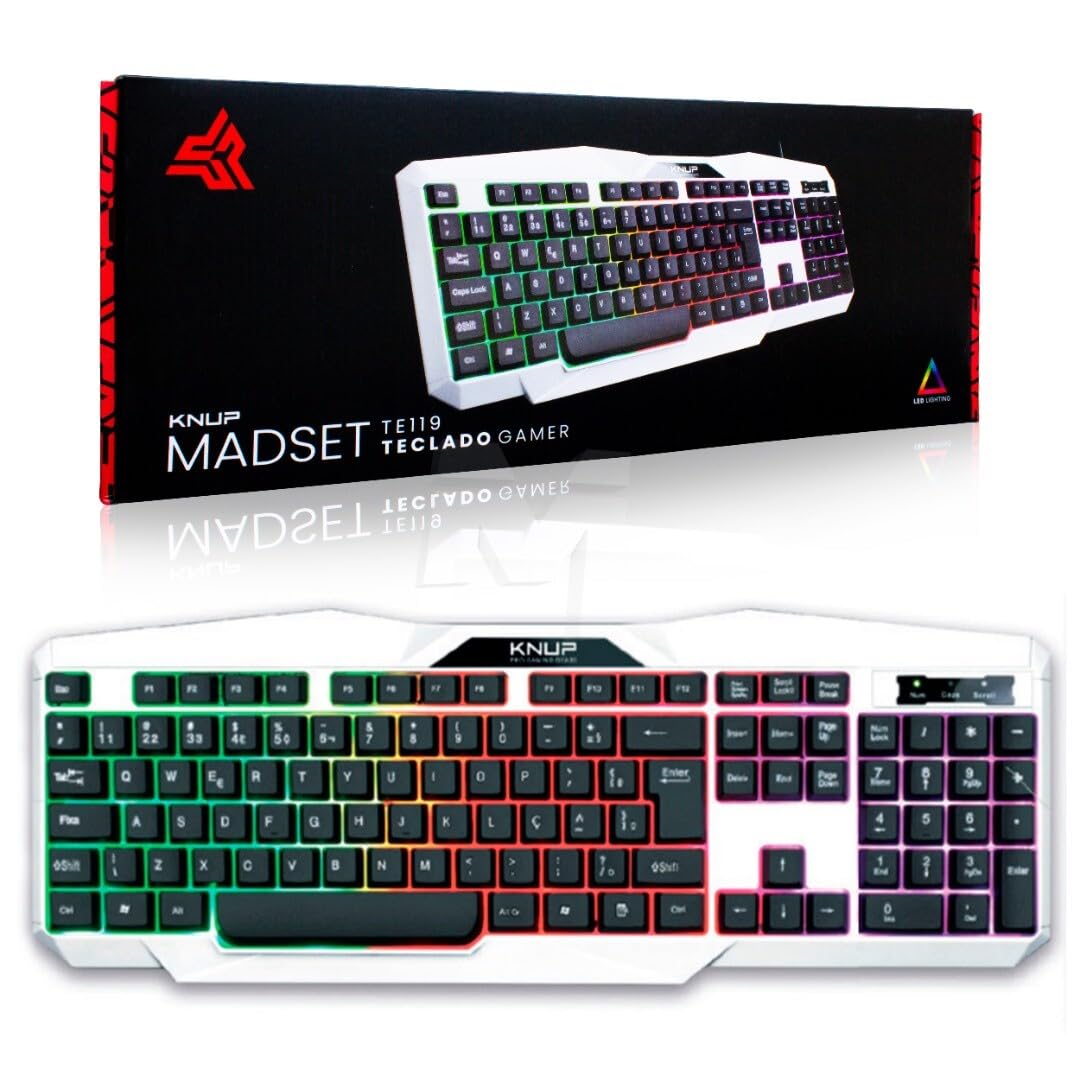
Image: The Xtrike Me KB-229 EN USB Wired Keyboard, showcasing sein vollständiges Layout und Design.
Packungsinhalt
Bitte überprüfen Sie vor der Einrichtung, ob alle Artikel im Paket vorhanden sind.
- Xtrike Me KB-229 EN USB Wired Keyboard
- Integriertes USB-Kabel

Image: The Xtrike Me KB-229 EN USB Wired Keyboard as it appears in its retail packaging.
Installationsanweisungen
- Auspacken der Tastatur: Carefully remove the Xtrike Me KB-229 EN keyboard from its packaging.
- Mit Computer verbinden: Suchen Sie einen freien USB-Anschluss an Ihrem Computer. Stecken Sie den USB-Stecker der Tastatur fest in den USB-Anschluss.
- Treiberinstallation: The keyboard is plug-and-play. Your operating system (Windows, macOS, Linux) should automatically detect and install the necessary drivers. This process may take a few moments.
- Funktionalität überprüfen: Once the drivers are installed, open a text editor or any application that accepts text input and test the keyboard by typing. Ensure all keys respond correctly.
- Positionierung: Place the keyboard on a stable, flat surface in a comfortable position for typing.
Bedienungsanleitung
Grundlegendes Tippen
The Xtrike Me KB-229 EN features a standard 104-key layout. Simply press the desired keys to input characters, numbers, and symbols into your computer.
Special Features: Multi-color Backlight
This keyboard includes a multi-color backlight feature. Specific key combinations or dedicated keys (if present, typically indicated by a sun or lightbulb icon) can be used to toggle the backlight on/off or adjust its brightness and color modes. Refer to the keyboard's key legends for any specific backlight control keys.

Bild: Nahaufnahme view of the Xtrike Me KB-229 EN keyboard keys, highlighting the multi-color backlight feature.
Wartung
- Reinigung: To clean the keyboard, disconnect it from your computer. Use a soft, damp cloth to wipe the surface. For dust and debris between keys, use compressed air. Avoid using harsh chemicals or abrasive materials.
- Verschüttungen: In case of liquid spills, immediately disconnect the keyboard from the computer. Invert the keyboard to drain excess liquid and allow it to dry completely for at least 24-48 hours before reconnecting.
- Lagerung: Bewahren Sie die Tastatur bei längerem Nichtgebrauch an einem kühlen, trockenen Ort fern von direkter Sonneneinstrahlung und extremen Temperaturen auf.
Fehlerbehebung
| Problem | Mögliche Ursache | Lösung |
|---|---|---|
| Tastatur reagiert nicht | Wackelkontakt am USB-Anschluss, defekter USB-Anschluss, Treiberproblem. |
|
| Bestimmte Tasten funktionieren nicht | Debris under the key, physical damage, software conflict. |
|
| Hintergrundbeleuchtung funktioniert nicht oder flackert | Backlight control setting, power issue, hardware malfunction. |
|
Technische Daten
| Besonderheit | Detail |
|---|---|
| Marke | Xtrike Me |
| Modellnummer | XT-KB-229-EN |
| Technische Daten | 44.8 x 16.6 x 2.6 cm |
| Artikelgewicht | 690 Gramm |
| Anzahl der Schlüssel | 104 |
| Schlüssellebensdauer | 10 Millionen Klicks |
| Konnektivitätstechnologie | USB 2.0 (kabelgebunden) |
| Kabellänge | 1.4 Meter |
| Kompatible Geräte | Geräte mit USB-Anschluss |
| Tastaturtyp | Folientastatur |
| Besonderheit | Multi-color backlight |
| Material | Plastik |
| Farbe | Schwarz |
Garantie und Support
Informationen zur Garantie und zum technischen Support finden Sie in der mitgelieferten Dokumentation oder wenden Sie sich direkt an den Hersteller. Bewahren Sie Ihren Kaufbeleg für Garantieansprüche auf.


