1. Erste Schritte
1.1. Lieferumfang
Bitte überprüfen Sie den Packungsinhalt nach dem Auspacken:
- 1 x artfone G6 Mobile Phone
- 1 x 1300 mAh Akku
- 1 x USB-Ladekabel
- 1 x Ladestation
- 1 x Benutzerhandbuch
1.2. Einlegen der Batterie
So installieren Sie den Akku:
- Entfernen Sie die hintere Abdeckung des Telefons.
- Richten Sie die Batteriekontakte an den Anschlüssen des Telefons aus.
- Drücken Sie die Batterie vorsichtig an ihren Platz.
- Bringen Sie die Rückseite wieder an und achten Sie darauf, dass sie sicher einrastet.
1.3. SIM-Karteninstallation
The artfone G6 supports Nano SIM cards (2G, 3G, or 4G). To install your SIM card:
- Stellen Sie sicher, dass das Telefon ausgeschaltet ist.
- Entfernen Sie die hintere Abdeckung und die Batterie.
- Locate the SIM card slot(s). The phone supports dual SIM.
- Insert the Nano SIM card(s) into the slot(s) with the gold contacts facing down, following the diagram near the slot.
- Bauen Sie den Akku und die Rückabdeckung wieder ein.
1.4. Aufladen des Telefons
Vor der ersten Benutzung muss der Akku des Telefons vollständig aufgeladen werden.
- Verwendung der Ladestation: Place the phone into the charging dock. Connect the USB charging cable to the dock and then to a power adapter.
- Direktes Laden über USB-C: Connect the USB-C cable directly to the phone's USB-C port and then to a power adapter.
Die Ladeanzeige zeigt den Ladestatus an. Eine vollständige Ladung dauert in der Regel einige Stunden.
1.5. Ein-/Ausschalten
- So schalten Sie das Gerät ein: Halten Sie die rote Taste „Anruf beenden“ gedrückt, bis der Bildschirm aufleuchtet.
- So schalten Sie das Gerät aus: Press and hold the red 'End Call' button until the power off options appear, then select 'Power Off'.
2. Grundlegende Bedienung
2.1. Tastatur überview
The artfone G6 features a large, backlit keypad for easy dialing and navigation, especially in low-light conditions.

Image: The artfone G6 phone open, displaying its large, easy-to-read keypad.
2.2. Dual Display Functionality
The phone features a 2.4-inch main HD screen and a 1.8-inch external display. The external screen allows you to quickly check the time, date, battery status, and incoming call notifications without opening the phone.

Image: The artfone G6 demonstrating its dual display feature, showing the external screen and the internal screen.
2.3. Anrufe tätigen und entgegennehmen
- Anrufen: Open the phone, dial the number using the keypad, and press the green 'Call' button.
- So erhalten Sie einen Anruf: When the phone rings, open the phone and press the green 'Call' button. You can also answer by opening the flip.
- So beenden Sie einen Anruf: Drücken Sie die rote Taste „Anruf beenden“ oder schließen Sie die Klappe.
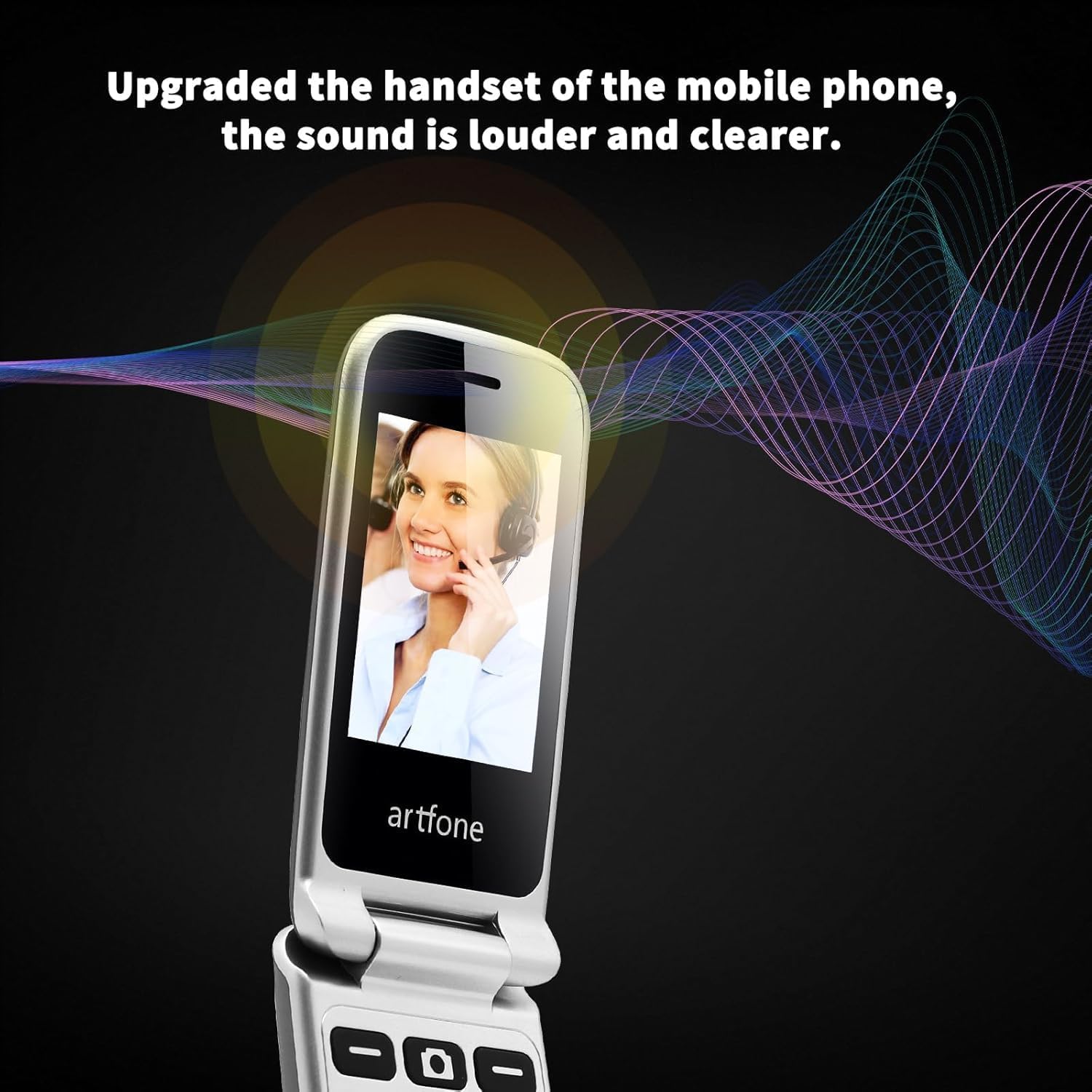
Image: The artfone G6 in use during a call, highlighting its clear audio quality.
2.4. Senden und Empfangen von Nachrichten
Navigate to the 'Messages' menu to compose new messages or read incoming ones. Use the keypad to type your message.
2.5. Kurzwahl verwenden
The artfone G6 allows you to set up speed dial contacts for quick access to important numbers.
- Go to 'Settings' or 'Contacts' to assign numbers to speed dial keys (e.g., keys 2-9, A, B).
- To use, simply press and hold the assigned speed dial key.
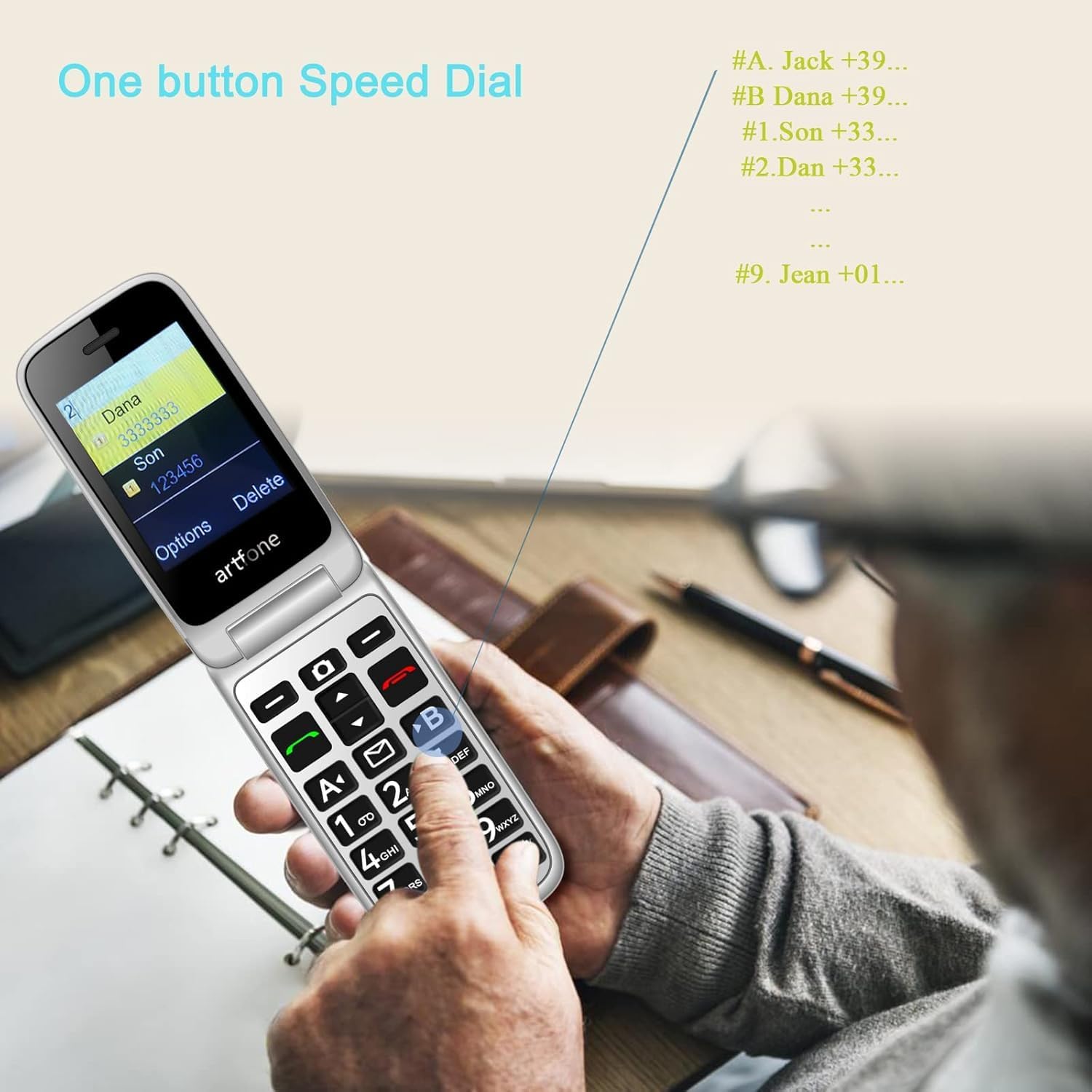
Image: A user activating the speed dial feature on the artfone G6.
2.6. SOS-Notfalltaste
For enhanced safety, the artfone G6 includes a dedicated SOS button.
- Aufstellen: In the 'SOS Settings' menu, you can configure up to five emergency contacts.
- Verwendung: In an emergency, press and hold the SOS button on the back of the phone. The phone will automatically call these numbers in sequence until one answers. It will also send an emergency SMS to these contacts.

Abbildung: Die Rückseite view of the artfone G6, showing the SOS emergency button and side controls.
2.7. Time Reporting Feature
The phone offers a multilingual voice time announcement feature, beneficial for users with visual impairments.
- Press the dedicated time reporting button (often located on the side or keypad) to hear the current time announced aloud.

Image: Activating the time reporting feature on the artfone G6.
2.8. Lautstärke anpassen
Use the dedicated volume buttons located on the side of the phone to adjust call volume, ringtone volume, and media volume.
2.9. Blacklist Feature
To block unwanted calls, the artfone G6 includes a blacklist feature. You can add up to 50 numbers to this list, preventing them from contacting you.
- Navigate to 'Call Settings' or 'Security Settings' to access and manage the blacklist.
3. Wartung
3.1. Allgemeine Pflege
- Halten Sie das Telefon trocken. Feuchtigkeit kann elektronische Schaltkreise beschädigen.
- Vermeiden Sie extreme Temperaturen. Hohe Temperaturen können die Lebensdauer elektronischer Geräte verkürzen und Batterien beschädigen.
- Das Telefon darf nicht fallen gelassen, angestoßen oder geschüttelt werden. Unsachgemäße Behandlung kann die internen Schaltkreise beschädigen.
- Verwenden Sie keine scharfen Chemikalien, Reinigungslösungen oder starken Reinigungsmittel, um das Telefon zu reinigen.
3.2. Reinigung
Use a soft, dry cloth to wipe the phone's surface. For stubborn dirt, a slightly damp Ein Tuch kann verwendet werden, wobei darauf zu achten ist, dass keine Flüssigkeit in die Öffnungen eindringt.
3.3. Batteriepflege
The 1300 mAh battery provides extended talk and standby times. To maximize battery life:
- Überladung vermeiden; das Ladegerät abziehen, sobald der Akku voll ist.
- If not using the phone for an extended period, store it with a partial charge (around 50%).
4. Fehlerbehebung
If you encounter issues with your artfone G6, please refer to the following common problems and solutions:
| Problem | Mögliche Lösung |
|---|---|
| Telefon lässt sich nicht einschalten | Stellen Sie sicher, dass der Akku korrekt eingesetzt und geladen ist. Versuchen Sie, das Telefon mindestens 30 Minuten lang aufzuladen. |
| Anrufe können weder getätigt noch empfangen werden. | Check if the SIM card is properly inserted and activated. Ensure you have network coverage. Verify that the number is not on the blacklist. |
| Schlechte Anrufqualität | Move to an area with better network reception. Check the volume settings. |
| Akku wird nicht geladen | Check the charging cable and adapter for damage. Ensure the phone is correctly placed in the charging dock or the USB-C cable is fully inserted. |
| SOS-Taste funktioniert nicht | Überprüfen Sie, ob die Notfallkontakte in den SOS-Einstellungen korrekt hinterlegt sind. |
Sollte das Problem weiterhin bestehen, wenden Sie sich bitte an den Kundendienst.
5. Spezifikationen
Detailed technical specifications for the artfone G6:
| Besonderheit | Detail |
|---|---|
| Marke | artfone |
| Modellname | G6 |
| Betriebssystem | artfone Mocor RTOS |
| Hauptbildschirmgröße | 2.4 Zoll |
| Externe Bildschirmgröße | 1.8 Zoll |
| Bildschirmauflösung | 480 x 320 |
| RAM | 48 MB |
| Speicherkapazität | 128 MB |
| CPU Modell | MTK 8121 |
| CPU-Geschwindigkeit | 1000 MHz |
| Batteriekapazität | 1300 mAh |
| Konnektivität | Bluetooth, USB Type C, 3.5 mm Jack |
| Besondere Merkmale | Dual SIM, Dual Display, SOS Button, Speed Dial, Blacklist |
6. Garantieinformationen
The artfone G6 comes with a manufacturer's warranty of 2 JahreBitte bewahren Sie Ihren Kaufbeleg für Garantieansprüche auf. Die Garantie deckt Material- und Verarbeitungsfehler bei normalem Gebrauch ab.
For specific terms and conditions, please refer to the warranty card included in your product packaging or contact artfone customer service.
7. Unterstützung
For further assistance, technical support, or inquiries regarding your artfone G6 phone, please visit the official artfone weboder wenden Sie sich an den Kundendienst. Die Kontaktdaten finden Sie in der Regel auf der Website des Herstellers. webWebsite oder in der Produktverpackung.
Always ensure you have your product model number (G6) and purchase details ready when contacting support.


