Einführung
Thank you for choosing the Haomuren K1 Mini Portable Bluetooth Karaoke Machine. This manual provides essential information for the safe and efficient operation of your new device. Please read it thoroughly before use and retain it for future reference.
Lieferumfang
- Karaoke Machine (Speaker) x 1
- Kabelloses Mikrofon x 2
- Typ-C Ladekabel x 1
- Benutzerhandbuch x 1
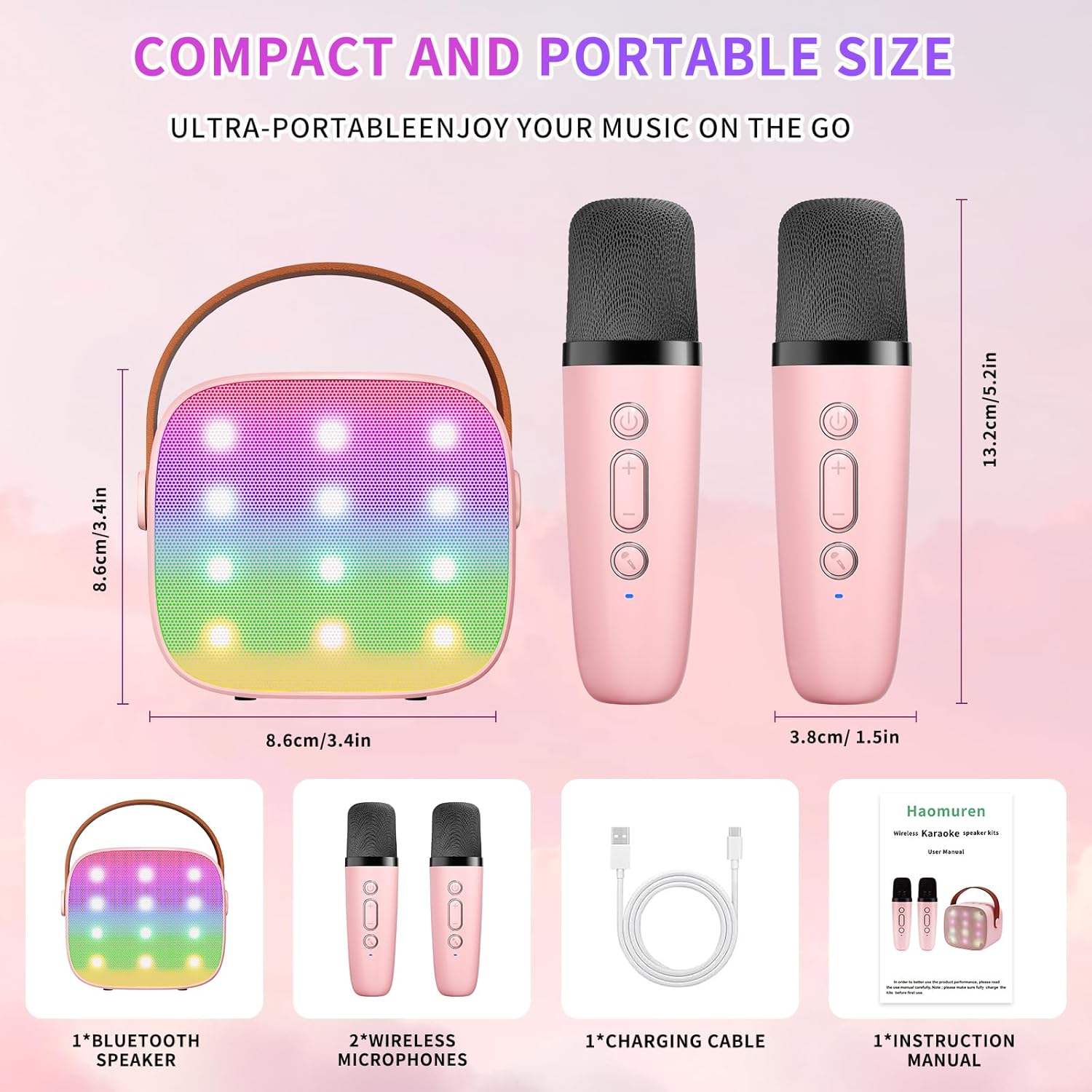
Aufstellen
1. Aufladen des Geräts
Before initial use, fully charge the karaoke machine and both microphones. Use the provided Type-C charging cable.
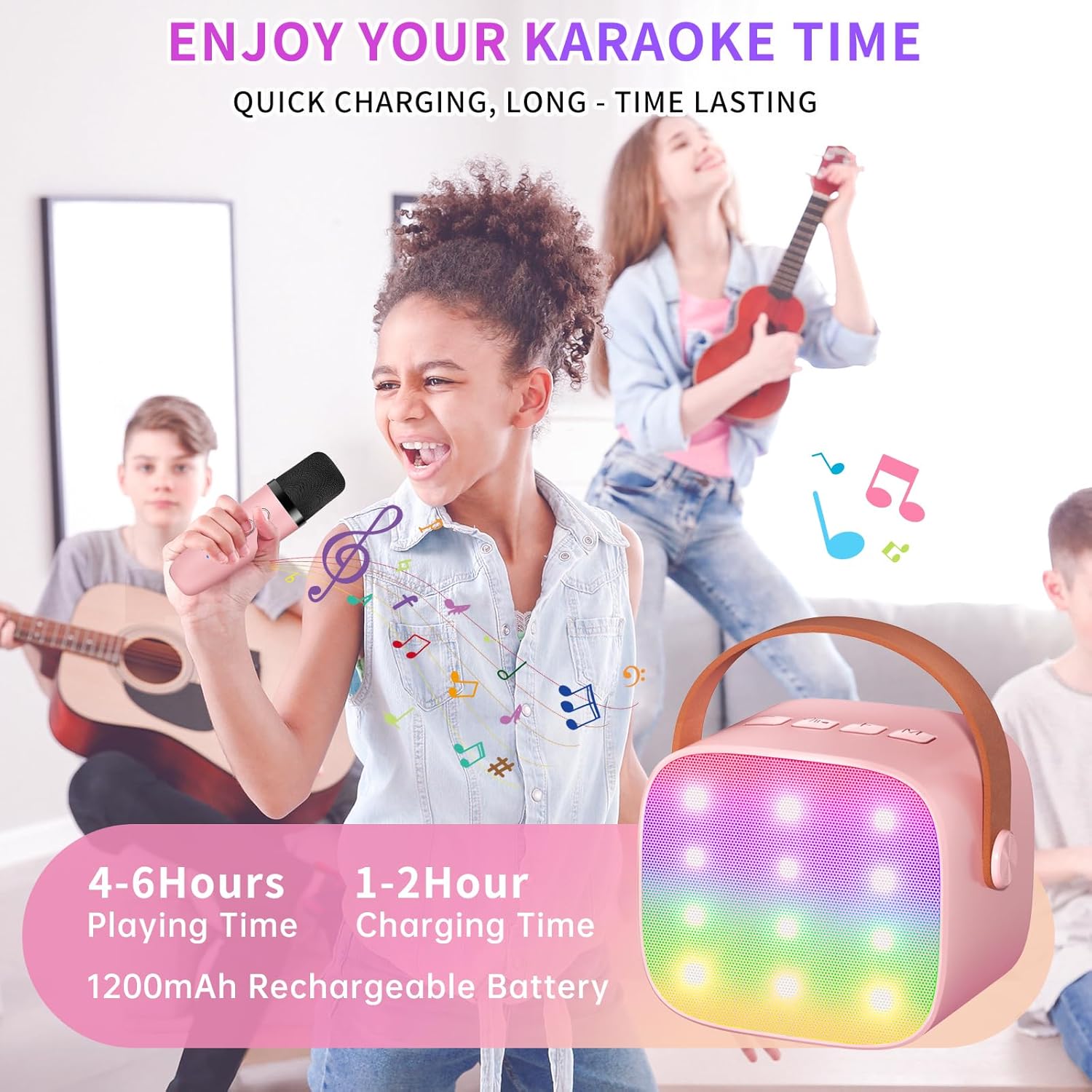
- Lautsprecher: Connect the Type-C cable to the speaker's charging port. The speaker has an 1800mAh battery and typically charges in 1-2 hours.
- Mikrofone: Connect the Type-C cable to the charging port at the bottom of each microphone. Each microphone has a 600mAh battery.

2. Ein-/Ausschalten
- Lautsprecher: Press and hold the power button on the top panel of the speaker until the LED lights illuminate.
- Mikrofone: Press and hold the power button on each microphone until the blue indicator light turns on.
3. Bluetooth-Kopplung
The speaker and microphones are designed for instant pairing. Once both are powered on, they should automatically connect. To connect the speaker to an external device (smartphone, tablet, PC):
- Ensure the karaoke machine speaker is powered on and in Bluetooth mode (indicated by a voice prompt).
- Aktivieren Sie Bluetooth auf Ihrem externen Gerät und suchen Sie nach verfügbaren Geräten.
- Select "K1" (or similar model name) from the list to pair. A confirmation sound will indicate successful pairing.

Bedienungsanleitung
1. Lautsprechersteuerung
The speaker features intuitive buttons on its top panel:
- Lautstärke runter (-): Verringert die Lautstärke des Lautsprechers.
- Ein/Aus/Wiedergabe/Pause: Short press to play/pause music. Long press to power on/off the speaker.
- Lauter (+): Erhöht die Lautstärke des Lautsprechers.
- Modus (M): Switches between different input modes (Bluetooth, TF Card).
- LED-Lichtsteuerung: Short press to cycle through 6 different LED lighting modes.
- Original Vocal/Accompaniment: Press this button to remove or restore original vocals from a song, allowing you to sing along to the instrumental track.

2. Mikrofonsteuerung
Each wireless microphone has the following controls:
- Netzschalter: Zum Ein-/Ausschalten des Mikrofons gedrückt halten.
- Lauter (+): Erhöht die Mikrofonlautstärke.
- Lautstärke runter (-): Verringert die Mikrofonlautstärke.
- Sprachwechsler-Taste: Short press to cycle through 5 different voice effects.

3. Voice Changing Modes
The microphones offer 5 unique voice effects to enhance your karaoke experience:
- Originalstimme
- Weibliche Stimme
- Männliche Stimme
- Babystimme
- Monsterstimme
4. LED-Leuchten
The speaker features built-in LED lights with 6 dynamic modes that synchronize with the music, creating an immersive atmosphere. Use the dedicated LED Light Control button on the speaker to cycle through these modes.

5. Music Playback Options
The Haomuren K1 supports various music playback methods:
- Bluetooth: Connect wirelessly to your smartphone, tablet, or PC.
- TF-Karte: Insert a TF (MicroSD) card into the designated slot on the back of the speaker to play stored music files.
- Kopfhörerausgang: Use the 3.5mm headphone jack for private listening.
Wartung
- Reinigung: Use a soft, dry cloth to clean the exterior of the speaker and microphones. Do not use liquid cleaners or abrasive materials.
- Lagerung: Bewahren Sie das Gerät an einem kühlen, trockenen Ort fern von direkter Sonneneinstrahlung und extremen Temperaturen auf.
- Batteriepflege: Um die Akkulaufzeit zu verlängern, vermeiden Sie häufiges vollständiges Entladen des Geräts. Laden Sie das Gerät regelmäßig auf, auch wenn es längere Zeit nicht benutzt wird.
Fehlerbehebung
- Kein Ton aus dem Lautsprecher:
- Stellen Sie sicher, dass der Lautsprecher eingeschaltet und aufgeladen ist.
- Überprüfen Sie den Lautstärkepegel des Lautsprechers.
- Verify that the speaker is correctly paired via Bluetooth to your device.
- If using a TF card, ensure it is inserted correctly and contains compatible audio files.
- Mikrofon funktioniert nicht:
- Stellen Sie sicher, dass das Mikrofon eingeschaltet und aufgeladen ist.
- Überprüfen Sie den Lautstärkepegel des Mikrofons.
- Confirm the microphone is automatically paired with the speaker.
- Bluetooth-Trennung:
- Stellen Sie sicher, dass sich der Lautsprecher und Ihr Gerät innerhalb der effektiven Bluetooth-Reichweite befinden (typischerweise 10 Meter).
- Turn off and restart both the speaker and your device, then attempt to re-pair.
- Prüfen Sie, ob es zu Störungen durch andere drahtlose Geräte kommt.
- Verzerrter Klang:
- Verringern Sie die Lautstärke sowohl am Lautsprecher als auch an Ihrem angeschlossenen Gerät.
- Ensure the microphones are not too close to the speaker to avoid feedback.
- Prüfen Sie die Audioquelle auf Qualitätsprobleme.
Technische Daten
| Besonderheit | Spezifikation |
|---|---|
| Marke | Haomuren |
| Modellnummer | K1 |
| Montagetyp | Tischplatte |
| Stromquelle | Batteriebetrieben |
| Steckertyp | 3.5-mm-Kopfhöreranschluss, USB-C-Ladeanschluss |
| Material | Acrylnitril-Butadien-Styrol (ABS) |
| Artikelgewicht | 14.9 Unzen |
| Anzahl der Kanäle | 2 |
| Audioeingang | Drahtlose Mikrofone |
| Frequenzgang | 10 KHz |
| Technische Daten | 3.7 x 4.1 x 4.3 Zoll |
| Batterien | 1 AAA-Batterien erforderlich (im Lieferumfang enthalten) |
| Konnektivitätstechnologie | Bluetooth, USB, Drahtlos |
Garantie und Support
Haomuren is committed to providing high-quality audio products. Your K1 Mini Portable Bluetooth Karaoke Machine comes with the following:
- Kostenloser Ersatz: In case of product defects.
- 365 Tage Garantie: Covering manufacturing defects and malfunctions.
- Technische Unterstützung: Dedicated support is available for any operational questions or issues.
For further assistance, please contact Haomuren customer service through your purchase platform or visit the official Haomuren webWebsite.