Einführung
This manual provides comprehensive instructions for the FOREVER Smart Watch Kids See Me! 3 KW-320. This device is designed to keep children connected and safe, offering communication features, real-time tracking, and engaging activities. Please read this manual thoroughly before using the watch to ensure proper operation and safety.
Zu den Hauptmerkmalen gehören:
- Kommunikation: Voice and video calls, voice messages, and parent-controlled contacts.
- Standortverfolgung: Precise GPS, LBS, and Wi-Fi tracking with safety zone alerts.
- SOS-Taste: Quick emergency call function.
- Anpassung: Multiple watch faces and trendy colors.
- Aktivitätsverfolgung: Encourages physical activity and learning.
- Child-Friendly Technology: Facial recognition for unlocking and secure access.
Installationshandbuch
1. Erstes Aufladen
Before first use, fully charge the watch. Connect the charger to the watch's charging port and plug it into a power source. The watch screen will indicate charging status.

Image: Close-up of the watch's charging contacts on the back.
2. SIM-Karteninstallation
The watch requires a Nano SIM card for communication and GPS features. Use the provided SIM card tool to open the SIM card slot. Insert the Nano SIM card with the gold contacts facing up, ensuring it is correctly seated. Close the slot securely.

Image: The side of the watch with the SIM card slot clearly visible.
3. App-Kopplung und Konfiguration
Download the dedicated FOREVER app on your smartphone (compatible with Android and iOS). Register an account and follow the in-app instructions to pair your child's watch. This app allows you to manage contacts, set safety zones, monitor location, and configure watch settings.

Image: A smartphone displaying the companion application for the watch, showing options for activities, chat, map, and settings.
4. Setting Up Contacts and SOS Numbers
Within the app, add trusted contacts that your child can call or receive calls from. Configure up to three SOS numbers. In an emergency, pressing the SOS button on the watch will cycle through these numbers until one is answered.

Image: A child with a minor injury, demonstrating the need for quick communication, alongside a close-up of the watch's contact list.
Bedienung der Uhr
Anrufe tätigen und empfangen
Your child can initiate calls to pre-approved contacts directly from the watch. Incoming calls from approved numbers will be displayed on the watch screen. The watch supports both voice and video calls.
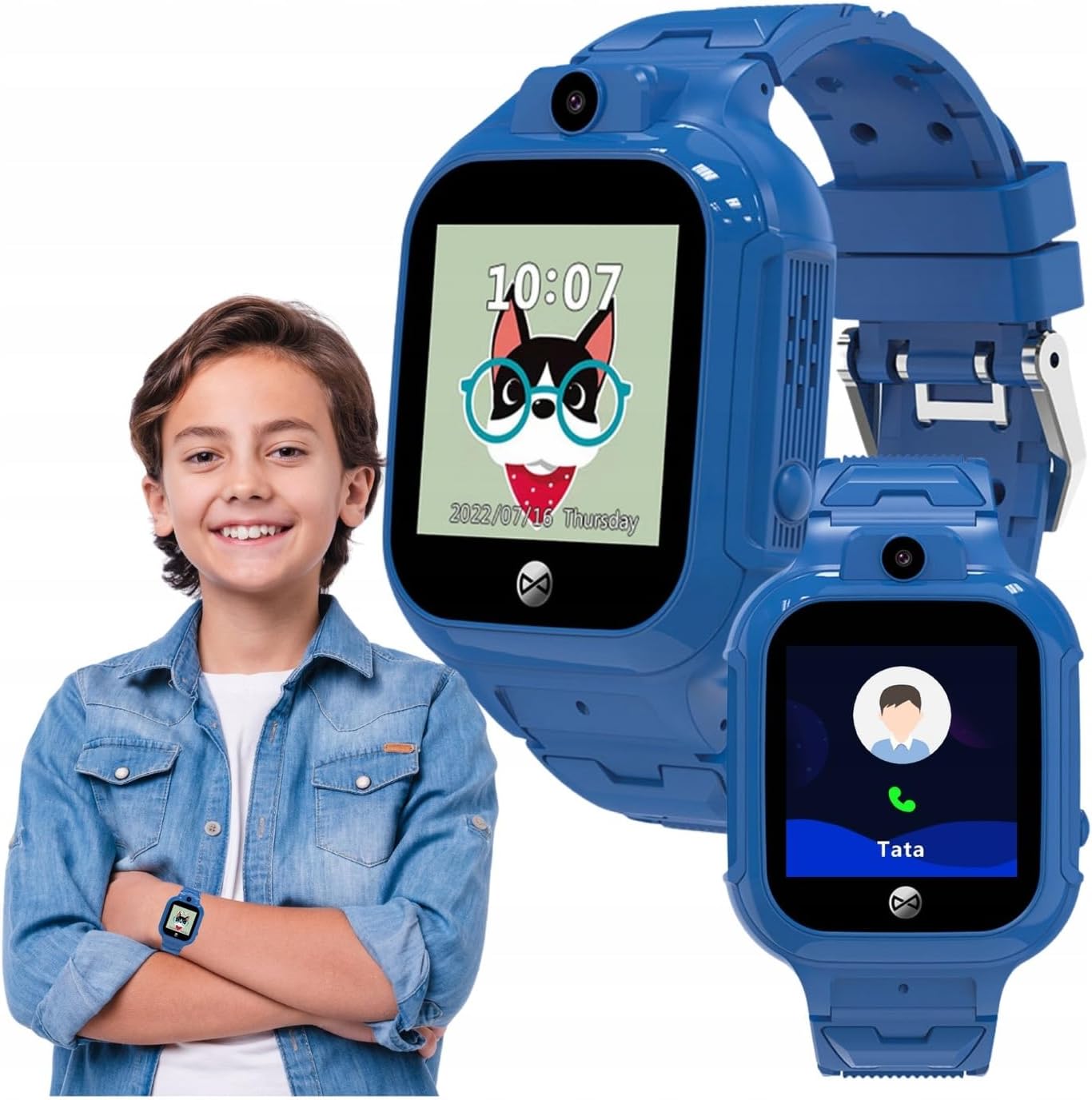
Image: A child wearing the watch, with an inset showing the watch's calling interface.
Using the SOS Function
In an emergency, the child can press and hold the SOS button (usually located on the side of the watch) to activate the emergency call sequence. The watch will automatically dial the pre-set SOS numbers until a connection is made.
Location Tracking (GPS, LBS, Wi-Fi)
Eltern können view the child's real-time location through the companion app. The watch uses a combination of GPS, LBS (Location Based Service via cellular towers), and Wi-Fi positioning for accurate tracking. You can also set up safety zones, and receive alerts if the child enters or leaves these designated areas.
Image: Children gathered together, symbolizing the watch's ability to help parents check their child's surroundings.
Camera and Photo Functions
The watch is equipped with a camera, allowing the child to take photos. These photos can often be viewed on the watch or uploaded to the companion app for parents to see.

Image: A child in a classroom, with the watch displaying educational games, highlighting its learning and activity features.
Aktivitätsverfolgung und Spiele
The watch includes features to track daily activity, such as steps. It also offers playful and educational games to keep children engaged.
Gesichtserkennung entsperren
For enhanced security and ease of use, the watch supports facial recognition to unlock the screen, ensuring only the child can access its features.


