Einführung
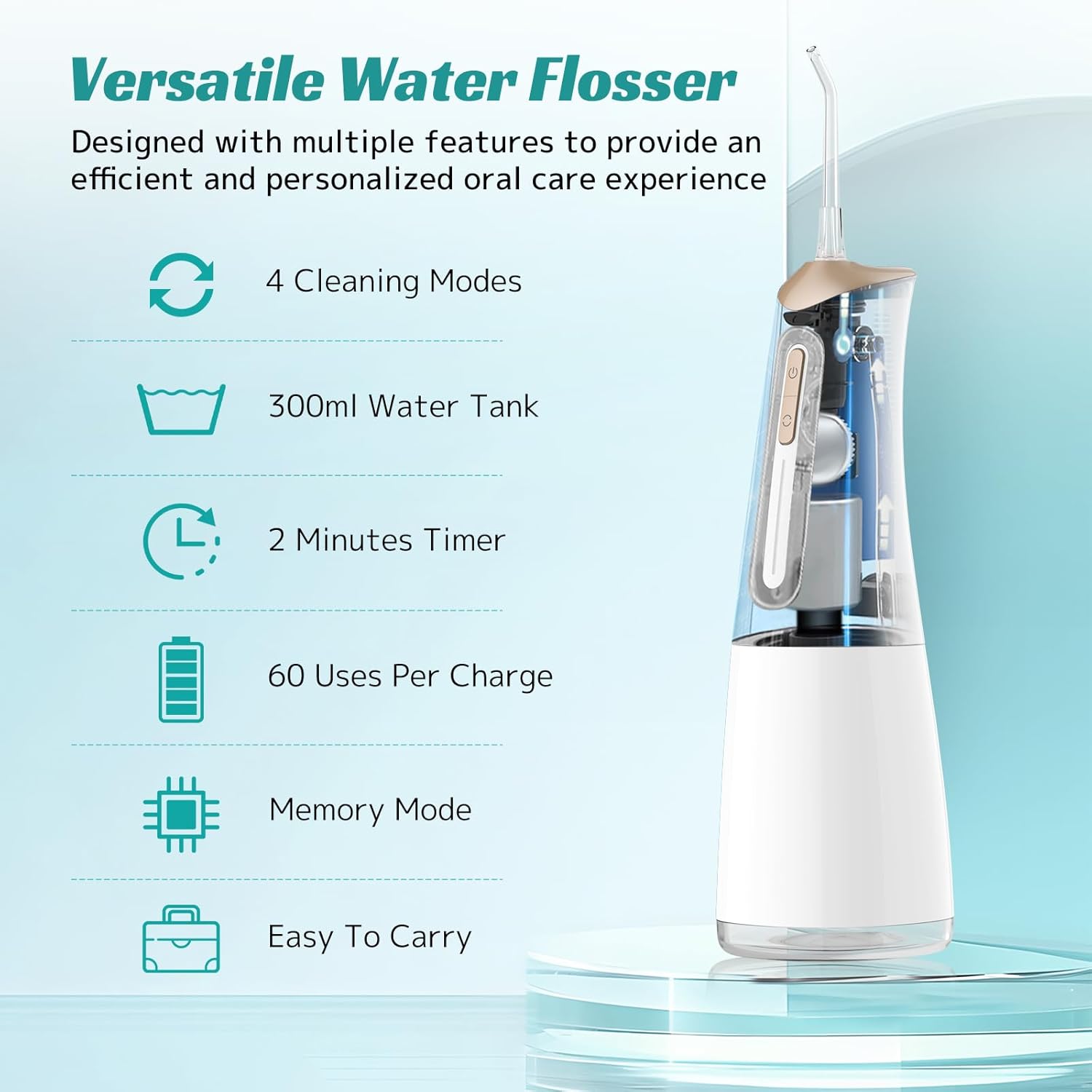
The FlossJet Water Dental Flosser is designed to provide an effective and convenient solution for daily oral hygiene. This cordless oral irrigator features multiple cleaning modes, a large water tank, and specialized tips to cater to various dental needs, ensuring a thorough clean and improved gum health.
Hauptmerkmale:
- Deep Cleaning and Gum Health Improvement: Adjustable water pressure from 20 to 115 PSI effectively removes stains and plaque, particularly beneficial for individuals with braces.
- 300ml Detachable Water Tank: Ensures sufficient water for a complete cleaning session without frequent refills. The open design allows for easy filling and cleaning.
- IPX7 wasserdichtes Design: Allows for safe use in the shower, enhancing convenience.
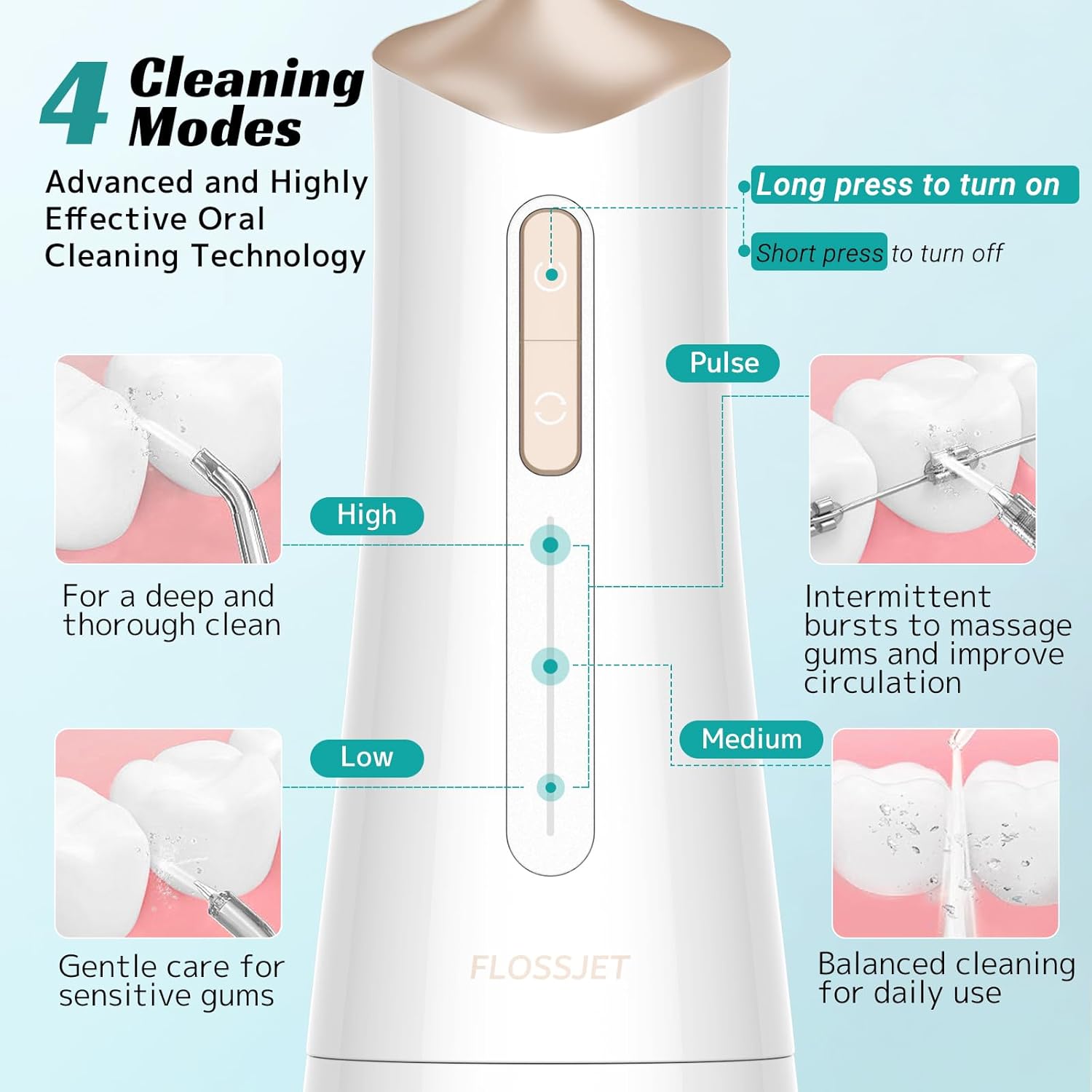
- Multiple Cleaning Modes and Memory Function: Offers Low, Medium, High, and Pulse modes to suit different preferences. The device remembers the last used mode for a seamless experience.
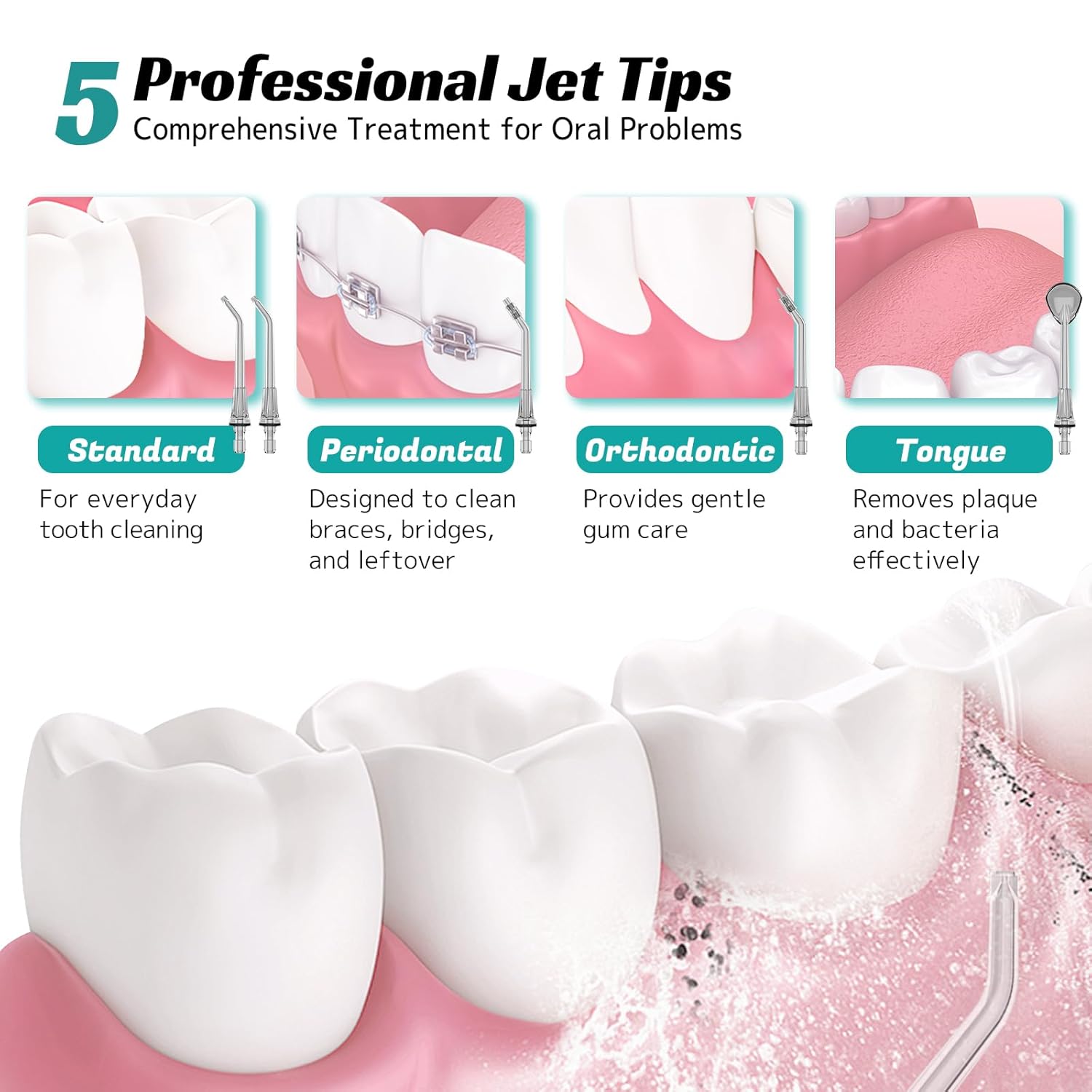
- 5 Professional 360° Rotating Tips: Includes 2 standard tips, 1 orthodontic tip, 1 periodontal pocket tip, and 1 tongue scraper tip for comprehensive oral care.
- Extended Battery Life and Portable Design: Built-in high-capacity lithium battery provides 14 to 21 days of use on a single charge. USB-C charging port for convenient charging, ideal for travel.
- Electroplating Technology and Ergonomic Design: Features a smooth, durable finish and a curved handle for a comfortable grip.
Packungsinhalt
Bitte vergewissern Sie sich beim Auspacken, dass alle Artikel vorhanden sind:
- FlossJet Oral Irrigator Unit (Model FC5240)
- 2 Standard-Jet-Spitzen
- 1 Orthodontic Jet Tip
- 1 Periodontal Pocket Jet Tip
- 1 Tongue Scraper Tip
- USB-C-Ladekabel
- Bedienungsanleitung

Installationsanweisungen
Follow these steps to prepare your FlossJet Oral Irrigator for first use:
- Düsenspitze anbringen: Select the desired jet tip and insert it into the opening at the top of the main unit until it clicks securely into place.
- Wassertank abnehmen: Rotate the bottom part of the device counter-clockwise to detach the water tank.
- Wassertank auffüllen: Fill the detachable water tank with lukewarm water. For optimal results, use warm water.
- Wassertank wieder anbringen: Align the water tank with the main unit and rotate clockwise until it is securely fastened.
- Ladegerät: If the device is not charged, connect the provided USB-C cable to the charging port on the device and a suitable power source. The indicator light will show charging status.

Bedienungsanleitung
To use your FlossJet Oral Irrigator effectively, follow these guidelines:
- Auswahlmodus: Press the mode button (located below the power button) to cycle through the four cleaning modes: Low, Medium, High, and Pulse. The device will remember your last selected mode.
- Positionstipp: Lean over a sink and place the jet tip into your mouth, directing the water stream at a 90-degree angle to your gumline.
- Beginnen Sie mit der Zahnseide-Benutzung: Press the power button to begin the water stream. Keep your mouth slightly open to allow water to drain into the sink.
- Gründlich reinigen: Führen Sie den Wasserstrahl entlang Ihres Zahnfleischrandes und halten Sie kurz zwischen den Zähnen inne. Achten Sie darauf, sowohl die Vorder- als auch die Rückseite Ihrer Zähne zu reinigen.
- Gerät stoppen: Drücken Sie den Netzschalter erneut, um das Gerät auszuschalten, wenn Sie fertig sind.
Wartung
Proper maintenance ensures the longevity and hygiene of your FlossJet Oral Irrigator:
- Reinigung des Wassertanks: After each use, detach the water tank and empty any remaining water. Rinse the tank thoroughly with clean water. The open design facilitates easy cleaning to prevent residue buildup.
- Tipps zur Jet-Reinigung: Remove the jet tip after each use and rinse it under running water. For deeper cleaning, tips can be soaked in a denture cleaning solution or a mixture of water and white vinegar.
- Reinigen des Hauptgeräts: Wischen Sie die Außenseite des Hauptgeräts mit einem weichen, fusselfreien Tuch ab.amp cloth. Do not submerge the main unit in water, despite its IPX7 rating, to protect internal components.
- Laden: The device features a USB-C charging port. Connect the provided USB-C cable to charge. A full charge provides 14 to 21 days of use.


Fehlerbehebung
If you encounter any issues with your FlossJet Oral Irrigator, please refer to the following common solutions:
- Gerät lässt sich nicht einschalten: Ensure the device is fully charged. Connect it to the USB-C charger and allow sufficient time for charging.
- Schwacher Wasserdruck: Check if the water tank is adequately filled. Ensure the selected cleaning mode is appropriate for your desired pressure. Clean the jet tip to remove any blockages.
- Wasserleck: Verify that the water tank is securely attached and properly sealed. Ensure the jet tip is firmly inserted into the main unit.
- Das Gerät schaltet sich unerwartet ab: The device may have a low battery. Recharge the unit. If the issue persists, contact customer support.
Technische Daten
| Besonderheit | Spezifikation |
|---|---|
| Modellnummer | FC5240 |
| Fassungsvermögen des Wassertanks | 300 ml |
| Wasserdruckbereich | 20-115 PSI |
| Reinigungsmodi | 4 (Low, Medium, High, Pulse) |
| Jet Tips Included | 5 (2 Standard-Zahnbürsten, 1 kieferorthopädische Zahnbürste, 1 Parodontalzahnbürste, 1 Zungenschaber) |
| Akkulaufzeit | 14-21 Tage pro Ladung |
| Ladeschnittstelle | USB-C |
| Wasserdichtigkeit | IPX7 |
| Maße | 9.76 x 3.35 x 3.03 Zoll |
| Gewicht | 13.4 Unzen |
Garantie und Support
For warranty information or technical support, please refer to the product packaging or contact FlossJet customer service directly. Keep your purchase receipt as proof of purchase.


