1. Einleitung
This manual provides essential information for the proper use and maintenance of your BoxWave DirectSync USB-B to USB-C Cable. This high-quality cable is designed for reliable high-speed data transfer and charging between devices equipped with a USB-B port and those with a USB Type-C port. It is compatible with various devices, including the PATPET BC01 Dog Training Collar.
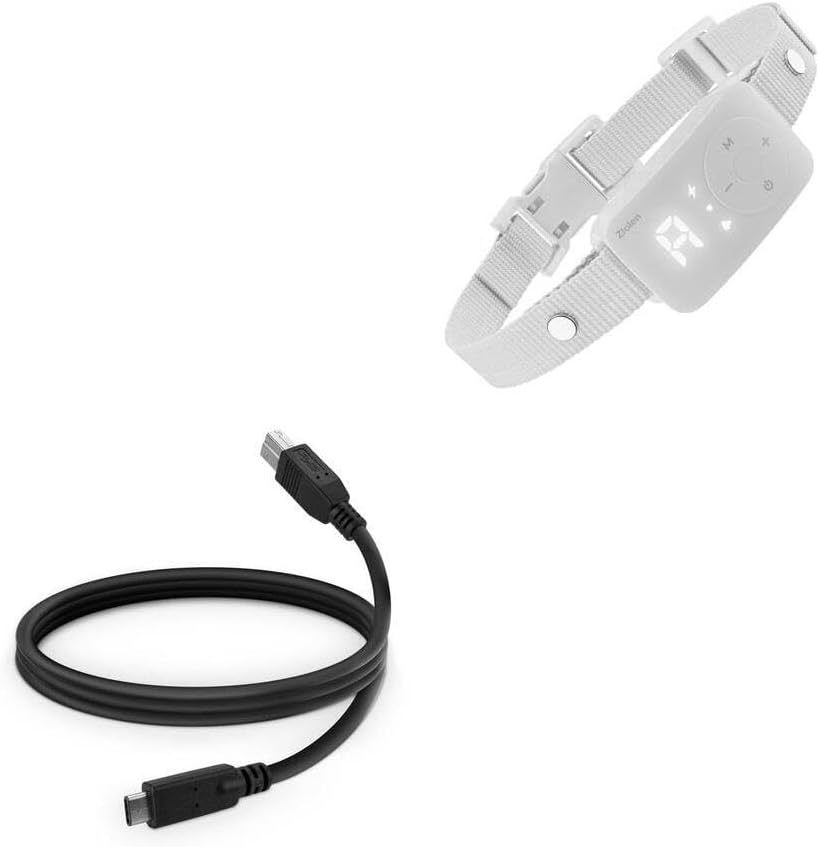
Image: The BoxWave DirectSync USB-B to USB-C Cable shown alongside a PATPET BC01 Dog Training Collar, illustrating its intended use for connectivity.
2. Einrichtung und Verbindung
The DirectSync cable is designed for straightforward plug-and-play operation. Follow these steps to connect your devices:
- Ports identifizieren: Locate the USB-B port on your device (e.g., PATPET BC01 Dog Training Collar) and the USB Type-C port on your host device (e.g., computer, laptop, or charger).
- Connect USB-B: Gently insert the USB-B connector of the DirectSync cable into the corresponding USB-B port on your device. Ensure it is fully seated.
- Connect USB Type-C: Insert the USB Type-C connector of the DirectSync cable into the USB Type-C port on your computer, laptop, or charging adapter.
- Verbindung überprüfen: Once both ends are connected, your devices should recognize each other for data transfer or begin charging, depending on the function.

Bild: Eine detaillierte view of the BoxWave DirectSync cable, highlighting the distinct USB 3.0 B and USB 3.0 C connectors for easy identification during setup.
3. Bedienungsanleitung
The DirectSync cable facilitates two primary functions: data synchronization and power delivery (charging).
3.1 Datensynchronisation
To transfer data between your USB-B device and a USB Type-C computer:
- Connect the cable as described in the "Setup and Connection" section.
- Ensure your computer's operating system recognizes the connected device. This may involve installing specific drivers for your USB-B device if prompted.
- Access your device's storage or data interface through your computer's file explorer or dedicated software.
- Initiate data transfer (e.g., copying files, syncing settings) as per your device's instructions.
3.2 Laden
To charge your USB-B device using a USB Type-C power source:
- Connect the USB-B end to your device and the USB Type-C end to a compatible USB Type-C wall adapter or power bank.
- Ensure the power source provides adequate power for your device.
- Monitor your device's charging indicator to confirm power delivery.
4. Wartung und Pflege
Proper care will extend the lifespan of your DirectSync cable:
- Lagerung: When not in use, coil the cable loosely. Avoid tight coiling or sharp bends, which can damage internal wires.
- Reinigung: Verwenden Sie ein weiches, trockenes Tuch, um Kabel und Anschlüsse abzuwischen. Verwenden Sie keine scharfen Chemikalien oder Scheuermittel.
- Handhabung: Always grasp the connector housing when plugging or unplugging the cable. Avoid pulling directly on the cable itself, as this can strain the connections.
- Umfeld: Das Kabel sollte vor extremen Temperaturen, direkter Sonneneinstrahlung und Feuchtigkeit geschützt werden.

Image: The BoxWave DirectSync USB-B to USB-C Cable neatly coiled, demonstrating proper storage to prevent damage and extend its lifespan.
5. Fehlerbehebung
If you encounter issues with your DirectSync cable, consider the following:
- No Connection/Recognition:
- Stellen Sie sicher, dass beide Enden des Kabels fest in die jeweiligen Anschlüsse eingesteckt sind.
- Try connecting to a different USB Type-C port on your computer or a different USB-B device to isolate the issue.
- Restart your computer and the connected device.
- Check your device's manual for specific connection requirements or driver installations.
- Langsame Datenübertragung:
- Ensure both connected devices support USB 3.0 or higher for optimal speeds.
- Schließen Sie alle unnötigen Anwendungen, die auf Ihrem Computer laufen und möglicherweise Systemressourcen verbrauchen.
- Verify the cable is not damaged.
- Lädt nicht:
- Confirm the USB Type-C power adapter or port is functional and provides sufficient power.
- Check your device's charging port for any debris that might obstruct the connection.
- Probieren Sie eine andere Ladequelle aus.
6. Spezifikationen
| Besonderheit | Detail |
|---|---|
| Produktname | BoxWave DirectSync USB-B to USB 3.1 Type C Cable |
| Anschlüsse | USB-B (Male) to USB 3.1 Type-C (Male) |
| Länge | 3 Fuß (ca. 0.91 Meter) |
| Funktionalität | Data Sync & Charging |
| Kompatibilität | Devices with USB-B port (e.g., PATPET BC01 Dog Training Collar) to devices with USB Type-C port |
| Abschirmung | Shielded cable for protection and longevity |
| Gewicht | 3 Unzen (ca. 85 Gramm) |
| Hersteller | BoxWave |
7. Garantie und Support
This BoxWave DirectSync Cable includes limited third-party technical support for the PATPET BC01 Dog Training Collar (up to 3 inquiries via electronic messaging). Please note that BoxWave is not affiliated with or endorsed by PATPET.
For general inquiries regarding your BoxWave cable, please refer to the BoxWave webBesuchen Sie die Website oder kontaktieren Sie direkt deren Kundendienst.