1. Einleitung
This manual provides comprehensive instructions for the safe and efficient operation, maintenance, and troubleshooting of your VOLTCRAFT WB-310 Thermal Imager. Please read this manual thoroughly before using the device to ensure proper functionality and to prevent damage or injury.
The VOLTCRAFT WB-310 is a compact thermal imager designed for professional applications in industrial and trade environments. It features a wide temperature measurement range and multiple color scales for versatile use. Its robust design ensures reliable performance even in challenging conditions.
2. Sicherheitshinweise
Beachten Sie stets die folgenden Sicherheitsvorkehrungen, um Verletzungen und Schäden am Gerät zu vermeiden:
- Do not point the thermal imager directly at strong light sources (e.g., sun, lasers) as this may damage the sensor.
- Setzen Sie das Gerät keinen extremen Temperaturen, hoher Luftfeuchtigkeit oder korrosiven Umgebungen aus.
- Verwenden Sie ausschließlich das angegebene Netzteil und Zubehör.
- Versuchen Sie nicht, das Gerät zu zerlegen oder zu verändern. Überlassen Sie alle Wartungsarbeiten qualifiziertem Fachpersonal.
- Halten Sie das Gerät von Wasser und anderen Flüssigkeiten fern.
- Sorgen Sie während des Betriebs für ausreichende Belüftung.
3. Produktüberschreitungview
Familiarize yourself with the components of your VOLTCRAFT WB-310 Thermal Imager.
Front View
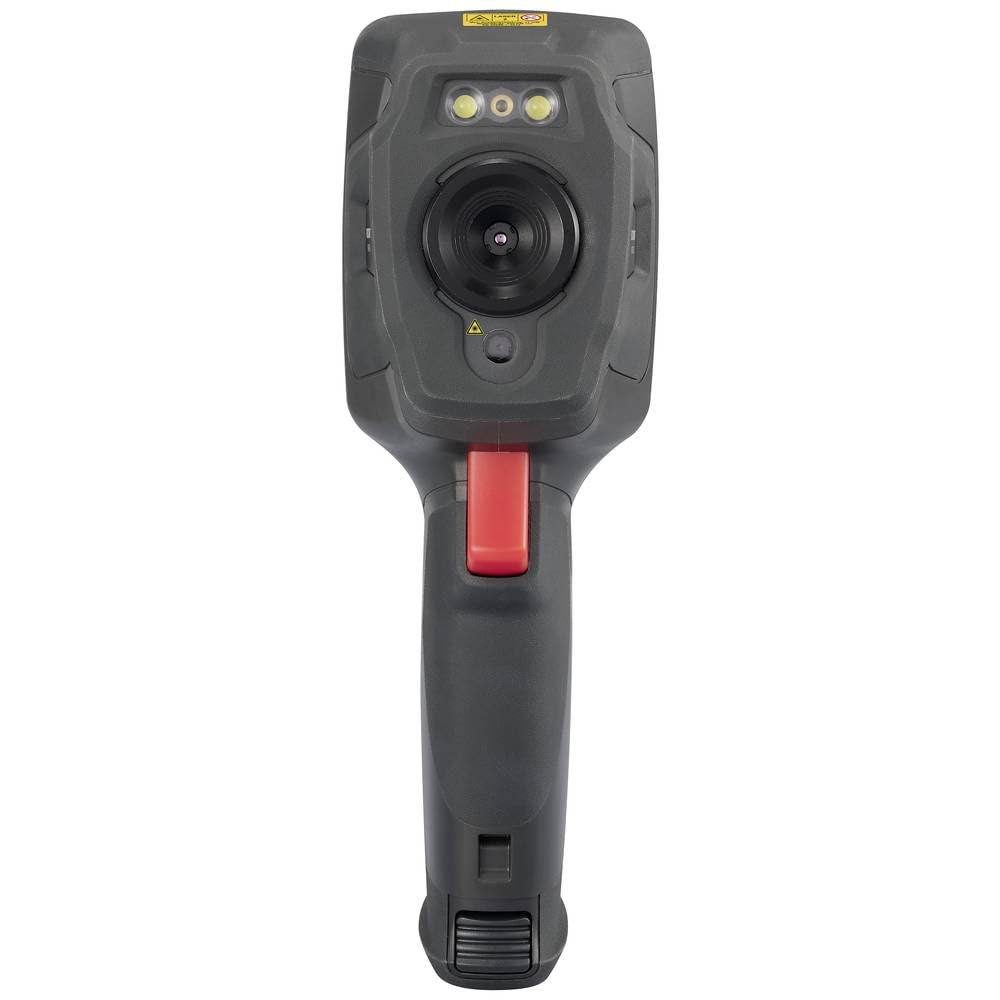
This image displays the front of the WB-310 thermal imager, highlighting the main thermal lens, the integrated visible light camera, and the LED illumination lights located above the lenses. A warning label is visible at the top.
Seite View (Screen Side)
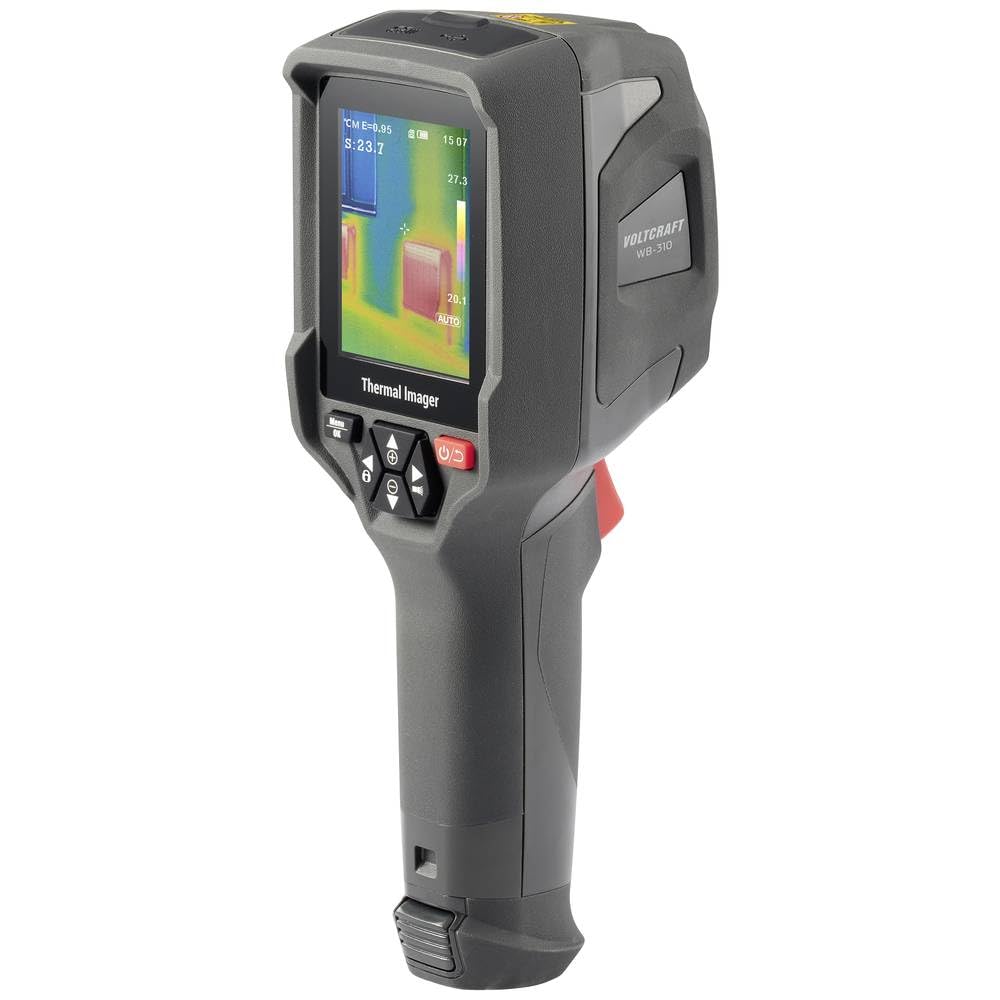
This image shows the side of the WB-310 thermal imager, focusing on the display screen which shows a thermal image with temperature readings. Below the screen are the navigation and power buttons, and the ergonomic handle is clearly visible.
Seite View (Lens Side)
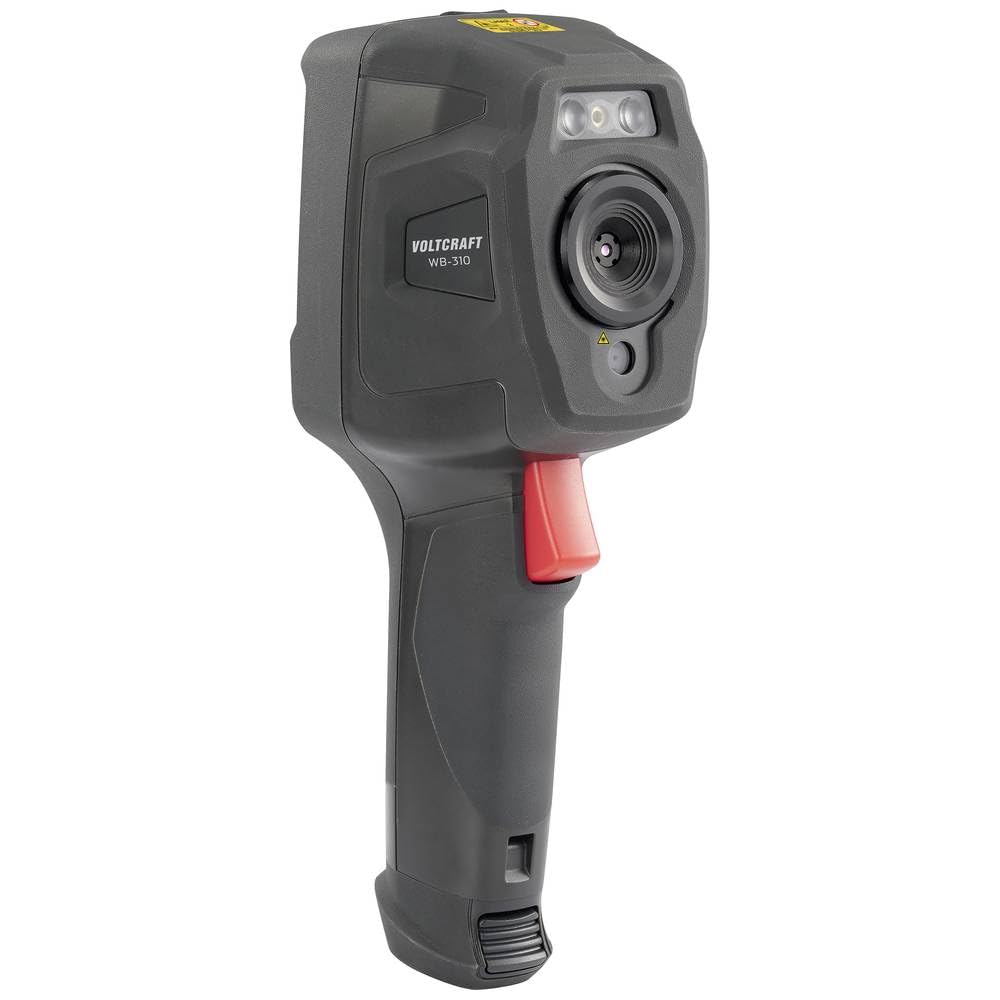
This image presents another side view of the WB-310 thermal imager, highlighting the lens assembly and the red trigger button located on the handle. The "VOLTCRAFT WB-310" branding is visible on the side casing.
Hinteren View
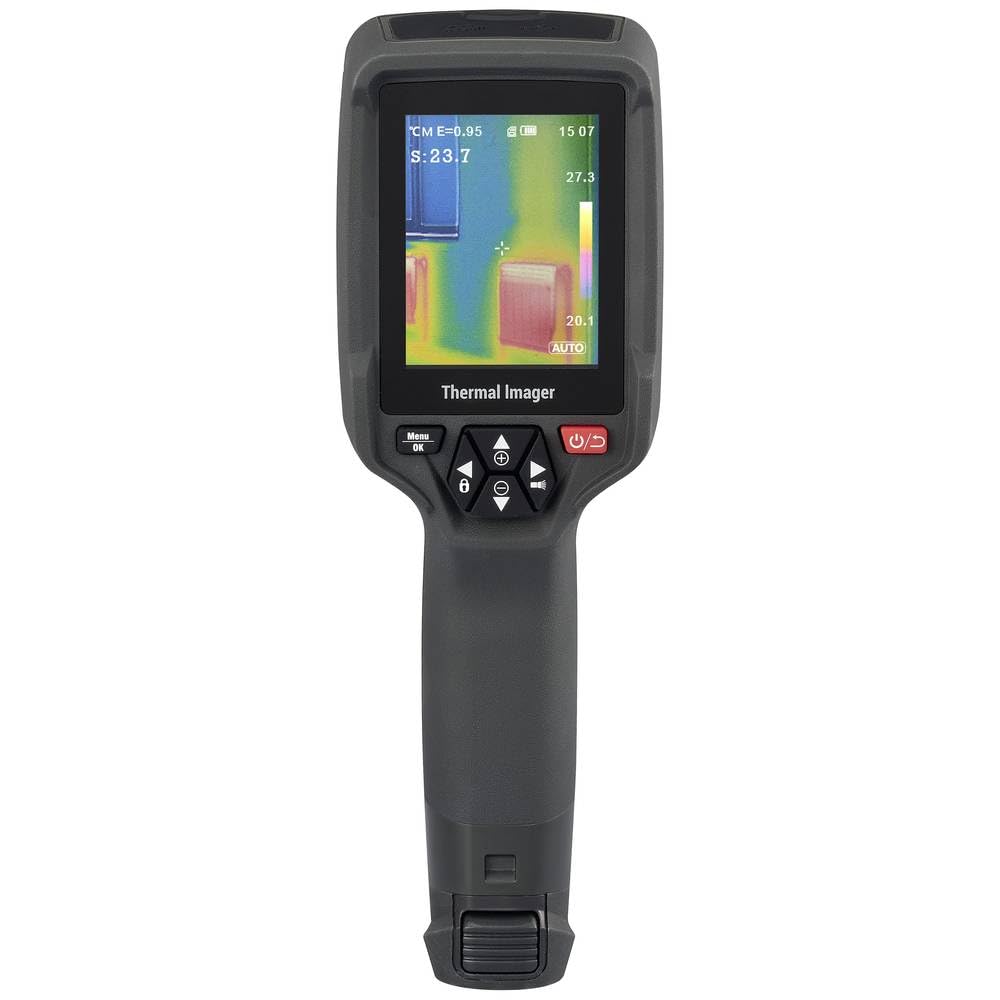
Dieses Bild zeigt die Rückseite. view of the WB-310 thermal imager, primarily featuring the display screen and the array of control buttons beneath it. The ergonomic grip is also prominent.
- Thermische Linse
- Kamera für sichtbares Licht
- LED-Beleuchtung
- Anzeigebildschirm
- Navigation Buttons (Up, Down, Left, Right, OK/Menu)
- Netzschalter
- Auslösetaste
- Micro-SD Card Slot (under protective cover)
- USB-C Port (under protective cover)
4. Einrichtung
4.1. Laden des Akkus
The device is powered by an internal rechargeable battery. Before first use, fully charge the battery using the provided USB-C cable and a compatible power adapter.
- Connect the USB-C cable to the port on the device (usually located under a protective cover).
- Verbinden Sie das andere Ende des Kabels mit einer USB-Stromquelle (z. B. einem USB-Anschluss am Computer oder einem Netzteil).
- The charging indicator on the device will illuminate during charging and turn off when fully charged.
4.2. Inserting the Micro-SD Card
The WB-310 requires a micro-SD card (not included) to save thermal images and data. Ensure the device is powered off before inserting or removing the card.
- Locate the micro-SD card slot, typically under a protective rubber cover on the side or bottom of the device.
- Gently insert the micro-SD card with the contacts facing down until it clicks into place.
- Zum Entfernen die Karte leicht hineindrücken, bis sie herausspringt.
5. Bedienungsanleitung
5.1. Ein-/Ausschalten
Halten Sie die Netzschalter (usually marked with a power symbol) for a few seconds to turn the device on or off.
5.2. Grundlegende Messung
- Point the thermal imager at the object or area you wish to measure.
- The display will show the thermal image in real-time.
- The central spot meter will indicate the temperature at the center of the screen.
- Drücken Sie die Auslösetaste to capture and save the current thermal image to the micro-SD card.
5.3. Menünavigation
Verwenden Sie die Menü/OK-Taste to access the main menu. Use the Navigationsschaltflächen (Up, Down, Left, Right) to scroll through options and adjust settings. Press Menü/OK again to confirm selections or exit a submenu.
5.4. Schlüsseleinstellungen
- Emissionsgrad: Adjust this setting based on the material being measured for accurate temperature readings. Common values are provided in the specifications section.
- Farbpaletten: Select from eight available color scales (e.g., Iron, Rainbow, Black-Hot, White-Hot) to visualize temperature differences.
- Temperatureinheit: Wechseln Sie zwischen Celsius (°C) und Fahrenheit (°F).
- Bildmodus: Choose between thermal image, visible light image, or fusion modes (picture-in-picture, overlay) if available.
6. Wartung
6.1. Reinigen des Geräts
- Wischen Sie das Gerätegehäuse mit einem weichen, fusselfreien Tuch ab.amp Tuch. Keine Scheuer- oder Lösungsmittel verwenden.
- Verwenden Sie für Linse und Bildschirm ein spezielles Linsenreinigungstuch und eine spezielle Reinigungslösung, um Kratzer zu vermeiden.
- Vor der Reinigung sicherstellen, dass das Gerät ausgeschaltet und von jeglicher Stromquelle getrennt ist.
6.2. Batteriepflege
- Recharge the battery regularly, even if the device is not in use, to maintain battery health.
- Vermeiden Sie häufiges vollständiges Entladen des Akkus.
- Bewahren Sie das Gerät an einem kühlen, trockenen Ort auf, wenn es längere Zeit nicht benutzt wird.
6.3. Firmware-Updates
Check the official VOLTCRAFT website periodically for available firmware updates. Follow the instructions provided with the update package carefully.
7. Fehlerbehebung
| Problem | Mögliche Ursache | Lösung |
|---|---|---|
| Gerät lässt sich nicht einschalten. | Batterie ist entladen. | Laden Sie den Akku vollständig auf. |
| Das Gerät friert ein oder reagiert nicht. | Softwarefehler. | Perform a soft reset by holding the power button for 10 seconds. If problem persists, contact support. |
| Ungenaue Temperaturmessungen. | Incorrect emissivity setting. | Adjust emissivity according to the material being measured. Ensure the lens is clean. |
| Bilder können nicht gespeichert werden. | Micro-SD card full or not inserted correctly. | Check micro-SD card insertion. Delete old files or replace card. Ensure card is formatted correctly. |
8. Spezifikationen
| Besonderheit | Spezifikation |
|---|---|
| Modell | VOLTCRAFT WB-310 (VC-14452015) |
| Temperaturmessbereich | -20 ° C bis +550 ° C (-4 ° F bis +1022 ° F) |
| Bolometer Matrix Resolution | 160 x 120 Pixel |
| Thermische Empfindlichkeit (NETD) | 50 mK |
| Bildfrequenz | 25 Hz |
| Anzeige | 71 mm (2.8") LCD, 320 x 240 pixels |
| Konnektivität | WiFi, USB-C |
| Lagerung | Micro-SD-Kartenslot |
| Abmessungen (L x B x H) | Ca. 23.5 x 10.1 x 7.55 cm |
| Gewicht | Ca. 840 g |
| Stromversorgung | Interner wiederaufladbarer Akku |
9. Garantie und Support
VOLTCRAFT products are designed for reliability and performance. For warranty information and technical support, please refer to the official VOLTCRAFT webBesuchen Sie unsere Website oder wenden Sie sich an Ihren lokalen Händler.
Weitere Hilfe finden Sie unter VOLTCRAFT Store on Amazon oder konsultieren Sie die Kontaktinformationen, die Ihrer Produktverpackung beiliegen.


