Einführung
This manual provides comprehensive instructions for the MoKo 10X Rechargeable Magnifying Glass with 21 LED Lights. Designed for enhanced visual clarity, this device is ideal for reading, inspection, and exploring small details. It features a powerful 10X magnification, adjustable LED lighting, and a comfortable ergonomic design for extended use.
Bitte lesen Sie diese Bedienungsanleitung vor der Verwendung des Produkts sorgfältig durch, um einen ordnungsgemäßen Betrieb und eine fachgerechte Wartung zu gewährleisten.
Lieferumfang
- MoKo 10X Rechargeable Magnifying Glass
- USB-Ladekabel
- Reinigungstuch
- Aufbewahrungstasche
- Bedienungsanleitung
Aufstellen
1. Erstes Aufladen
Before first use, fully charge the magnifying glass. Locate the USB charging port on the handle of the device.

Image: USB charging port on the handle.
- Connect the provided USB charging cable to the charging port on the magnifying glass.
- Stecken Sie das andere Ende des USB-Kabels in ein kompatibles USB-Netzteil (nicht im Lieferumfang enthalten) oder in einen USB-Anschluss Ihres Computers.
- The charging indicator lights (if present) will show the charging status. Allow the device to charge until fully powered, typically around 5 hours for a full charge.
2. Griffverstellung
The magnifying glass features an adjustable handle for comfortable use.

Image: Ergonomic handle design.
- Gently pivot the handle to your desired angle for handheld use.
- The handle can be folded for compact storage or extended for a comfortable grip during use.
Bedienungsanleitung
1. Vergrößerung
The MoKo Magnifying Glass provides 10X magnification for clear viewing of small text and objects.

Image: Magnifying glass in use, showing 10X magnification on text.
- Hold the magnifying glass approximately 3-5 inches (7.5-12.5 cm) above the object you wish to magnify.
- Adjust the distance slightly until the object comes into clear focus.
2. LED-Beleuchtungsmodi
The device is equipped with 21 LED lights and three lighting modes to suit various environments and reduce eye strain.

Image: Three adjustable lighting modes (cool, warm, mixed) for the LED lights.
- Locate the power button on the handle.
- Press the power button once to activate the Kühles Licht Modus.
- Drücken Sie den Netzschalter ein zweites Mal, um umzuschalten auf Warmes Licht Modus.
- Press the power button a third time to activate the Mixed Light Modus.
- Press the power button a fourth time to turn off the LED lights.
Choose the lighting mode that provides the most comfortable and clear viewing experience for your specific task and ambient light conditions.
Wartung
1. Reinigung der Linse
To maintain optimal clarity, keep the optical glass lens clean.
- Use the provided soft cleaning cloth to gently wipe the lens surface.
- Avoid using abrasive materials, paper towels, or chemical cleaners, as these can scratch or damage the lens.
- Bei hartnäckigen Flecken leicht tupfen.ampen the cleaning cloth with a small amount of lens cleaning solution or water, then gently wipe and dry.
2. Speicherung
When not in use, store the magnifying glass in the provided storage pouch to protect it from dust and scratches.

Image: Magnifying glass being stored in its protective pouch.
- An einem kühlen, trockenen Ort ohne direkte Sonneneinstrahlung und extreme Temperaturen lagern.
Fehlerbehebung
| Problem | Mögliche Ursache | Lösung |
|---|---|---|
| Das Licht geht nicht an. | Niedriger Akkustand oder Gerät ausgeschaltet. | Charge the device using the provided USB cable. Ensure the power button is pressed correctly to cycle through modes. |
| Die Vergrößerung ist unscharf oder verzerrt. | Incorrect distance from object or dirty lens. | Adjust the distance between the lens and the object. Clean the lens with the provided cleaning cloth. |
| Handle is stiff or difficult to adjust. | Minor friction in the hinge. | Apply gentle, consistent pressure. Avoid forcing the hinge. |
Technische Daten
| Besonderheit | Detail |
|---|---|
| Marke | MoKo |
| Modellnummer | 10X |
| Vergrößerungsstärke | 10X |
| Linsenmaterial | Optisches Glas |
| LED-Leuchten | 21 LED-Perlen |
| Beleuchtungsmodi | 3 (Cool, Warm, Mixed) |
| Stromquelle | Rechargeable USB (1200mAh battery, 3.7V) |
| Akkulaufzeit (Dauerbetrieb) | Ungefähr 5 Stunden |
| Technische Daten | 9.57 x 4.72 x 1.02 Zoll (24.3 x 12 x 2.6 cm) |
| Artikelgewicht | 7.05 Unzen (200 g) |
| UPC | 840401442876 |
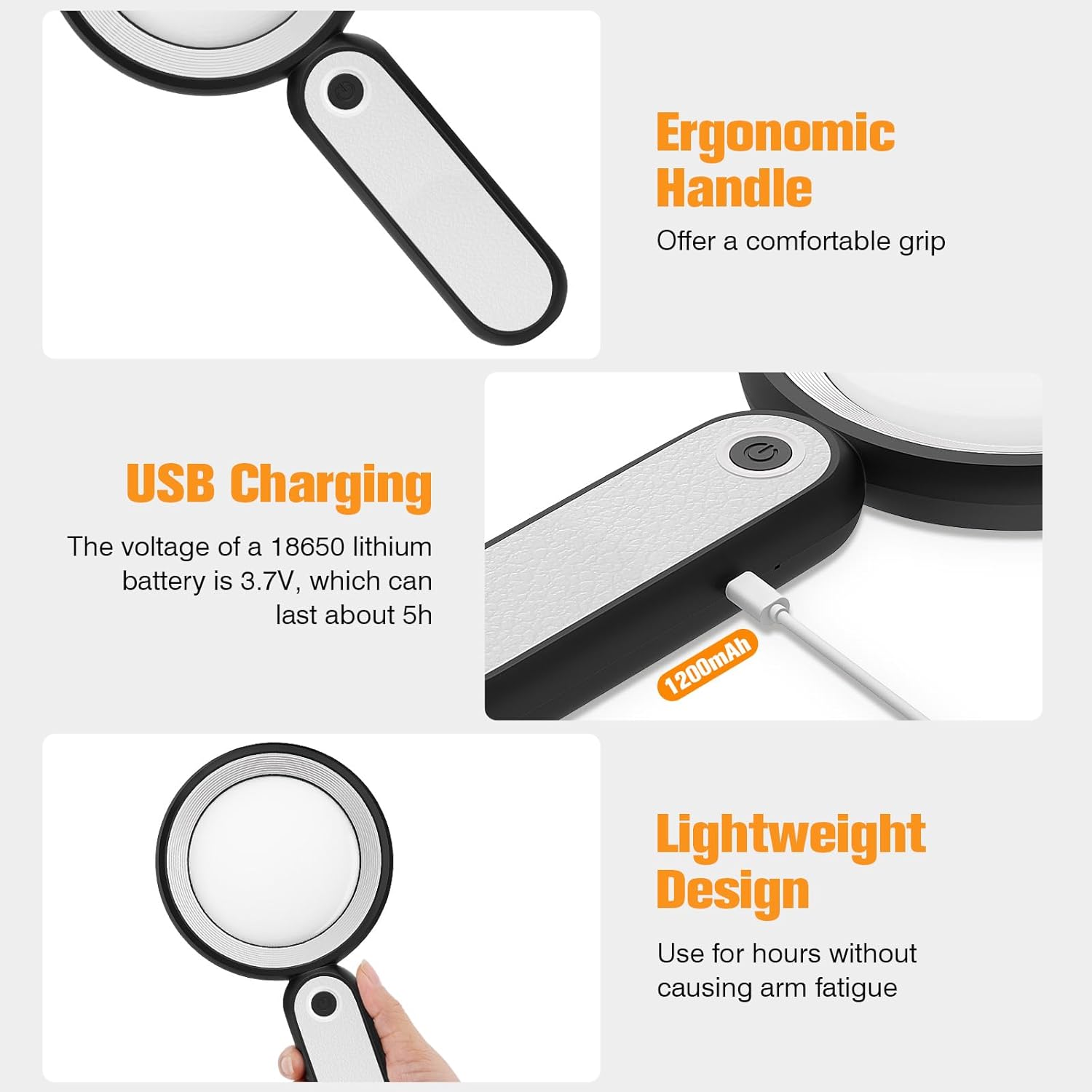
Abbildung: Produktabmessungen.
Garantie und Support
MoKo products are designed for reliability and performance. For warranty information or technical support, please refer to the contact details provided with your purchase or visit the official MoKo webWebsite.
Bewahren Sie Ihren Kaufbeleg als Kaufnachweis für eventuelle Garantieansprüche auf.
Wichtige Sicherheitsinformationen
- Do not expose the magnifying glass to direct sunlight for extended periods, as this may cause fire or damage to surfaces.
- Außerhalb der Reichweite von Kindern aufbewahren.
- Vermeiden Sie es, das Gerät fallen zu lassen oder starken Stößen auszusetzen.
- Do not attempt to disassemble or modify the magnifying glass.


